
Acadle Review: Build an Online Course Business for $99
Acadle offers a lifetime deal on AppSumo that lets you build and sell online courses without monthly fees. Here's a detailed look at what you get, what's missing, and whether it's worth the investment.

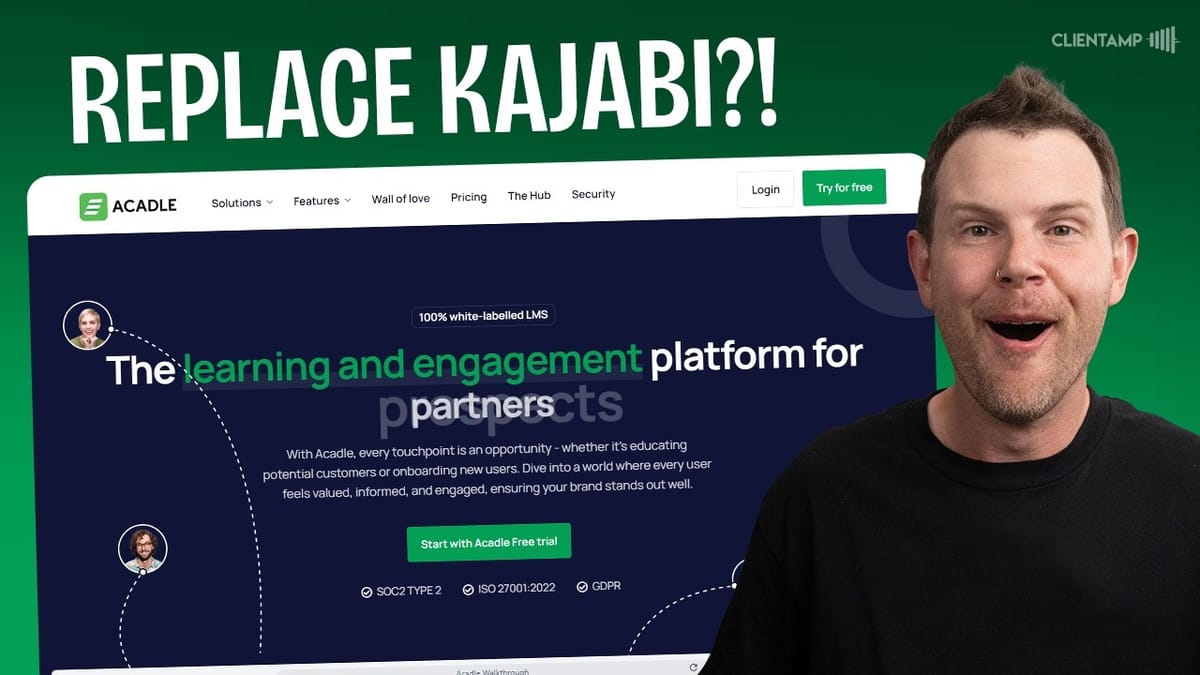
Acadle
A platform for hosting, managing, and selling online courses with built-in landing pages, assessments, and certificate generation.
Course creators, educators, and small business owners who want to sell online courses without recurring monthly platform fees.
Kajabi, Teachable, Thinkific, WordPress LMS
What Is Acadle?
Acadle is an online course platform available as a lifetime deal on AppSumo for $99. That's a one-time payment — not a monthly subscription. When you compare that to platforms like Kajabi or Teachable, which typically run $99 or more per month, the savings potential is enormous.
The platform lets you create, host, and sell courses with built-in landing pages, student management, certificates, and payment processing through Stripe or ThriveCart. It's a full-featured learning management system aimed at course creators who want to keep overhead low while still delivering a professional experience.
Plans and Pricing: Basic, Essential, and Advanced
The AppSumo deal scales from one code ($99) up to ten codes, and everything is proportional. Each code gives you 200 users (students), two team members, and 10 GB of storage. Need a thousand students? That's a five-code purchase. Want 100 GB of storage? You'll need all ten codes.
Here's where it gets nuanced. Codes one through four unlock the Basic plan features. Codes five through nine bump you up to the Essential plan. And ten codes gets you the Advanced plan with everything included. Acadle's regular pricing runs $39/month for Basic and $99/month for Essential, so even a single code pays for itself almost immediately.
The Basic plan covers multi-language support, course cloning, webhooks and APIs, custom domain with SSL, custom SMTP for transactional emails, template certificates, drip courses, and the ability to sell courses — though with minimal Acadle branding on the login page.
The Essential plan (tier five and above) removes branding and adds lesson discussions, static and dynamic templates, assessments and surveys, leaderboards, gamification, custom badges, font and color customization, custom certificate uploads, light and dark mode, and an embeddable academy option. The Advanced plan at tier ten unlocks community features, single sign-on, domain-restricted login, a certificate builder, learning paths, native live courses, email outreach and segmentation, SCORM support, and onboarding assistance.
The Student Experience
Acadle offers a clean user view that lets you toggle between admin and student perspectives without logging out. From the student side, you see a listing of available categories and courses. Clicking into a course shows a Udemy-style layout that feels immediately familiar and trustworthy.
Normal courses present lessons in a linear, scrollable format with a "Next Lesson" button at the bottom. Course creators can enforce sequential completion, meaning students can't skip ahead — though there's no pop-up or message explaining why clicking a future lesson does nothing. That's the kind of small UX gap that could generate unnecessary support tickets.
Once you complete all lessons, surveys, and assessments, you see a congratulations message and a completion badge appears on your dashboard. The overall experience isn't visually stunning, but it's completely functional. Whether students enjoy the course will depend far more on your content than the software — and that's exactly how it should be.
Landing Pages and Course Discovery
Every course in Acadle can have its own landing page, and the template is quite solid. It displays the course title, ratings, creation date, enrollment count, estimated duration, a course image, an overview section, and a sidebar with details like video count, lesson count, downloads, mobile availability, and certificate information.
There's also an "About the Author" box and an automatically populated contents section based on your lessons. You get a public URL and a toggle to enable or disable the landing page. The template feels a lot like what you'd build with custom WooCommerce development, except here it's done for you.
One thing to watch: there's both a toggle switch to enable the landing page and a separate globe icon for granting public access. Even with the landing page enabled, unauthenticated visitors won't see it unless the globe icon is also turned on. A single dropdown combining these options would be more intuitive. If you want a more custom sales page experience, you can integrate with ThriveCart to build a full sales funnel.
UI Quirks Worth Knowing About
Acadle has a recurring UX issue with its eyeball icon. Throughout the platform, this icon sometimes means "publish/unpublish" and other times means "preview." On landing pages, it toggles content visibility. In the lesson editor, it opens a student preview. There's no visual distinction between the two functions, which can trip up new administrators.
The platform also always drops you back to the dashboard when switching between admin and user views, rather than remembering your location within the course builder. The logo in the header reloads on every page navigation instead of being cached. And the bookmark feature in video courses has a noticeable delay — hit enter to submit a link, and nothing happens for several seconds, tempting you to submit multiple times and create duplicates. The delete confirmation dialog for these duplicates shows just an exclamation mark with colored rectangles and no text.
None of these are dealbreakers individually, but they add up to what feels like death by a thousand paper cuts, especially for administrators who spend significant time in the backend.
Creating Courses: Normal vs. Video
Acadle separates courses into three types: normal, video, and live. Normal courses are text-and-media-based with an editor that resembles Ghost CMS. Video courses present a full-width video player with discussion and bookmark panels. Live courses require a third-party broadcasting provider on the Basic plan.
The course setup screen is consistent across types. You provide a name, description, duration, and assign access via groups. Courses can be categorized, tagged, and highlighted with labels like "New," "Featured," or "Coming Soon." There are also locking features to restrict enrollment after a certain date or number of days.
One notable limitation: you can't add a video-style lesson inside a normal course or vice versa. These two course types are completely separate, which feels unnecessarily rigid. If you're mixing video lectures with text-based reading materials, you'll need to work within the normal course format and embed videos manually rather than using the dedicated video course player.
The Lesson Editor
The lesson editor is one of Acadle's stronger features. It's block-based and supports text, headings, bulleted and numbered lists, links, inline code formatting, quotes, horizontal dividers, tables, and raw HTML. There's also a "personality" block that functions as an author or product card with a name, description, link, and image.
Inline editing options include bold, italic, code formatting, and a marker/highlight tool. You can add file attachments for student downloads, warning/callout boxes, images, and videos (limited to 200 MB per file). A "free space" block adds vertical spacing between elements.
Slash commands aren't supported — a miss if you're used to editors like Ghost or Notion — but the plus-button menu is comprehensive. Moving blocks requires clicking the four-dot handle and using up/down arrows rather than drag-and-drop. The editor closely mirrors the student view, which is a genuine advantage over something like the WordPress block editor where what you see while editing can differ significantly from the published result.
User Management and Groups
The user management section lets you add students manually, import them via Excel (with a downloadable template), invite them by email, or export your full user list. Each user profile shows personal details, course progress, and group membership. You can deactivate or fully remove users as needed.
Groups are the cornerstone of Acadle's access control. When you create a course, you assign it to one or more groups. Students in that group get access. This is critical if you're selling multiple courses individually — you don't want purchasing one course to unlock everything. Creating groups is straightforward once you find the input field (it's not a button, just a text box that says "enter group name").
Bulk actions let you add or remove multiple users from groups at once. The interface works correctly, but the labeling is imprecise — "Actions" could say "Bulk Actions," and "Manage User Group" should say "Remove User from Group" when that's what you're doing. Your user limit is tied to your plan tier: 200 users per code purchased.
Settings, Branding, and Customization
The settings area covers login page branding, SEO metadata, tracking pixels, certificates, and external links. You can customize the login page with your logo, title, and description across multiple layout templates, including light and dark mode variants for both desktop and mobile.
SEO settings let you configure the title, description, keywords, thumbnail, and favicon for your academy's public pages — complete with a SERP preview. Tracking pixels can be injected into the head or body of both login and landing pages, covering Google Analytics, Meta Pixel, and similar tools.
Certificate templates on the Basic plan are functional if a bit generic. You can add your logo and customize text, but uploading custom designs or using the certificate builder requires Essential or Advanced plans respectively. External links can be added to the navigation, which is handy for linking back to your main website or other resources.
Admin Features: Integrations, Payments, and Email
Acadle's admin section packs in a solid set of configuration options. Integrations include API and webhook access, chat platforms (Intercom, FreshChat, LiveChat, and others), help desk tools, HubSpot for CRM, and automation platforms like Zapier, SureTriggers, and Integrately.
Payments run through Stripe or ThriveCart, supporting both one-time and subscription pricing. There's an important toggle buried in the configurations section — you need to explicitly enable payments and registration before you can accept any money. This should really live in the payment settings, but it's easy to miss where it currently sits.
Email configuration is well-executed. You can customize transactional email templates with dynamic variables, connect your own SMTP server (which works flawlessly in testing), and set up notifications on daily, weekly, or monthly schedules for both admins and users. Drip email sequences require the Advanced plan. The file manager provides a clear view of uploaded assets and remaining storage, which is essential given the per-code storage limits.
Standout Features: Access Codes, Languages, and Community
A few features deserve special attention. Access codes let you generate bulk enrollment keys — perfect for selling corporate licenses where a company buys course access for all employees. This would require a paid plugin on most WordPress LMS setups, but it's included here.
The multi-language system is fully customizable but entirely manual. Every UI string can be translated into your chosen language, which gives you total control but means significant upfront work. There's no AI-assisted translation or pre-built language packs, so "translatable" is accurate but "translated" is not.
The Advanced plan's community feature (called Engage) adds a Facebook-group-style discussion space on your custom domain, with social and forum themes. Combined with learning paths, SCORM support, and native live courses at that tier, the ten-code Advanced plan transforms Acadle from a simple course host into a more comprehensive learning platform.
Final Verdict: Who Should Buy Acadle?
Acadle earns a 6.9 out of 10. It's a genuinely capable tool held back by a collection of small UI inconsistencies — the overloaded eyeball icon, laggy bookmark submissions, confusing publish toggles, and missing explanatory text throughout the interface. None of these are dealbreakers, but they accumulate into friction over time.
For newer course creators without the budget or technical skills to build custom infrastructure on WordPress, Acadle at $99 is an incredible opportunity. No monthly overhead, built-in landing pages, payment processing, and student management — that's the foundation of a course business for less than one month's subscription to most competitors.
More advanced users who want complete customization, full data ownership, and the flexibility of an open platform will probably find Acadle limiting in the long run. There's no good export path for course content (only users), so migrating away means manual copy-and-paste work. If you're already comfortable with WordPress LMS solutions, you may not gain much here.
The tiered pricing structure means you need to plan ahead. Decide whether Basic features are sufficient or if you'll need Essential (tier five) or Advanced (tier ten) capabilities before purchasing, because upgrading means buying additional codes on AppSumo.
Watch the Full Video
Prefer watching to reading? Check out the full video on YouTube for a complete walkthrough with live demos and commentary.


