
Adsby Review: AI-Powered Google Ads Management Made Simple
Adsby is an AI-powered Google Ads tool that makes campaign creation and optimization dramatically faster than the native Google Ads interface. Here's a hands-on look at what it can do.

Adsby
Adsby is an AI-powered platform that simplifies Google Ads campaign creation, keyword research, and ongoing optimization.
Small business owners and marketers who want to run Google Ads without the steep learning curve of the native interface.
AdAlchemy, Google Ads native interface
What Is Adsby?
If you've ever tried to set up a Google Ads campaign from scratch, you know it can be an overwhelming experience. Between the endless menu options, confusing settings, and Google's own recommendations that sometimes serve their bottom line more than yours, it's easy to waste time and money.
Adsby is a brand new AI-powered Google Ads management tool that just landed on AppSumo as a lifetime deal. It connects directly to your Google Ads account and uses AI to help you generate campaigns, write ad copy, research keywords, and get daily optimization recommendations. Think of it as a friendlier front-end for Google Ads that actually has your best interests in mind.
It's worth noting that AdAlchemy, a similar tool, was reviewed just a week prior. While AdAlchemy leans more toward power users with a deeper technical feature set, Adsby focuses on simplicity and speed — making it a compelling option for people who've been putting off Google Ads altogether.
Plans and Pricing
Adsby's AppSumo deal starts at $69 for tier one, which gives you a single connected account and $5,000 of total ad spend per month. That's fine for a solo operation with a modest budget, but the real value starts at tier two.
Tier two bumps you up to five connected accounts and $50,000 in monthly ad spend for a meaningful jump in capability. Tier three ($10 accounts, $100k ad spend) unlocks white label reports and 10 team members, making it viable for small agencies. The important milestone is tier five, where ad spend and team members become unlimited — at that point you're just adding more client account slots.
For agencies managing a larger roster, tiers go all the way up to tier seven at $1,000 for 200 connected accounts. The pricing scales logically, and for anyone doing even moderate Google Ads work, the lifetime deal math works out quickly compared to monthly SaaS fees.
Connecting Your Google Ads Account
Getting started with Adsby is straightforward. Head to Settings, then Ads Accounts, and connect your Google Ads account. This is also part of the onboarding flow, so new users will be walked through it automatically.
One important detail: Adsby supports MCC (My Client Center) accounts, which is great news for agencies. You can connect your MCC and manage client accounts through it, just as you would in your normal workflow. Accounts aren't permanently locked in either — if you lose a client or need to swap one out, you simply disconnect the old account and attach a new one. No friction there.
Team member management lives in the same settings area. The number of seats you get depends on your tier, but adding collaborators is simple once you have the capacity.
The Dashboard Experience
Adsby's dashboard provides a clean, glanceable overview of your ad performance. You get a date range picker to view the last seven days, last month, or any custom period, and the tool automatically shows comparative data so you can spot trends at a glance.
For accounts with existing campaign history, the dashboard surfaces metrics like clicks, cost, and performance changes compared to the previous period. It's the kind of high-level view that lets you quickly identify whether things are trending in the right direction or if something needs attention — without digging through Google's more cluttered interface.
Daily Optimization Recommendations
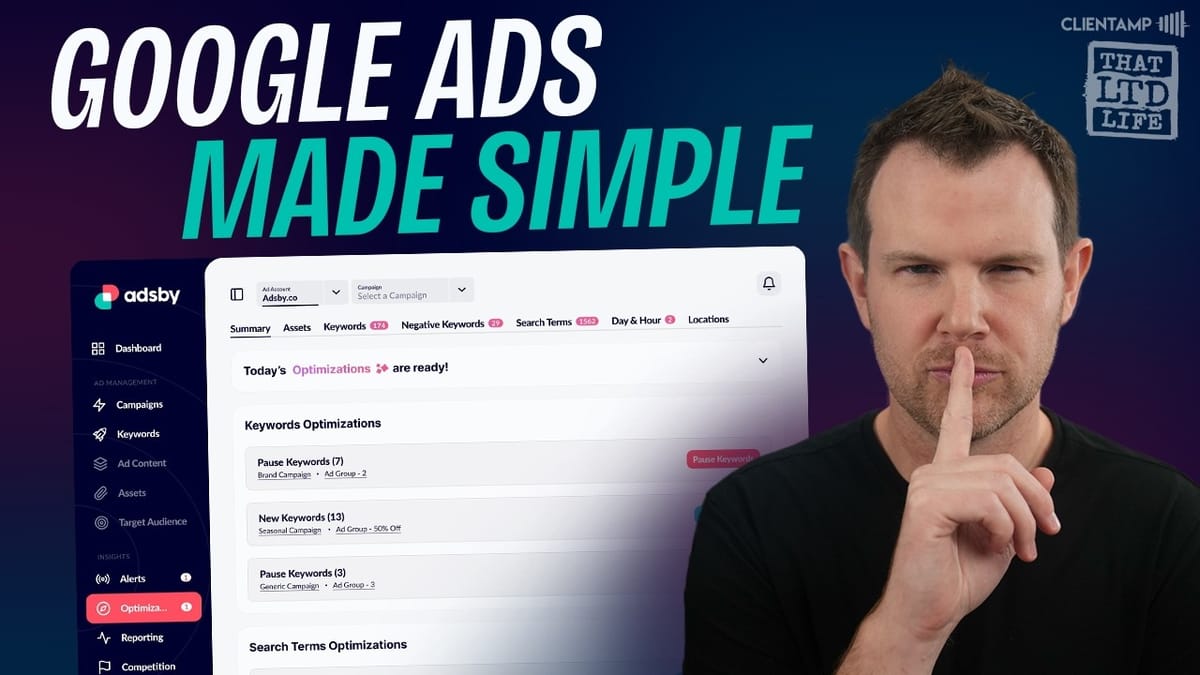
One of Adsby's standout features is its daily optimization engine. When you click "Start Optimization," the tool analyzes your account history and begins generating actionable recommendations that appear under the Optimizations tab each day.
These aren't generic tips — they're specific suggestions based on your actual campaign data. In testing with a real client account, Adsby surfaced around 15 different optimizations within two to three minutes of analysis, some of which were substantial enough to meaningfully impact campaign performance.
This is where Adsby differentiates itself from Google's own recommendations. Google's suggestions can sometimes nudge you toward spending more (which benefits them), while Adsby's recommendations are focused on improving your results regardless of budget size.
Creating a Campaign from Scratch
Building a new campaign in Adsby is a guided five-step process that's dramatically simpler than the native Google Ads experience. You start by choosing your content language and entering a target URL. Adsby then uses AI to scan your landing page and generate relevant campaign recommendations automatically.
For context, setting up even a basic campaign in Google Ads from scratch requires filling out extensive forms, uploading images, and navigating through multiple screens. Adsby condenses this into a streamlined flow where the AI does most of the heavy lifting.
Next, you choose your campaign objective — website visits or phone calls — and set your bid strategy. You can specify a target cost per action if you want precise control over what you're willing to pay per conversion. For example, if you're selling a $79 product, setting a $25 target CPA gives you a healthy profit margin while keeping the AI focused on efficient spending.
Campaign Settings: Location, Budget, and Schedule
The campaign settings step covers your targeting basics. You can add or exclude geographic locations, set language targeting, and define whether the campaign runs continuously or between specific dates.
The daily budget is set here as well. Everything is laid out clearly with no hidden options buried in submenus. It's the kind of setup that takes minutes instead of the extended back-and-forth you'd go through in Google's native interface.
Ad Groups and Keyword Discovery
Adsby automatically generates your first ad group complete with AI-discovered keywords. Each keyword comes with competition level and search volume data, so you can make informed decisions about which terms to target.
The tool also provides keyword suggestions that it chose not to include, giving you transparency into its decision-making. You can add negative keywords to filter out irrelevant traffic, though the AI doesn't recommend any by default — that's something you can refine as the campaign matures.
This automated keyword research is one of the biggest time-savers. Instead of manually brainstorming and researching terms, Adsby gives you a solid starting point that you can fine-tune.
AI-Generated Ad Copy
For each ad group, Adsby generates ad copy using AI — including headlines, descriptions, and display paths. You get up to three ads per ad group, and each one can be regenerated or manually edited to better fit your messaging.
The display path feature is particularly handy. In Google Ads, your displayed URL doesn't have to match your actual landing page URL, so you can create a cleaner, more descriptive path that looks better in the ad. Adsby handles this alongside the rest of the copy.
Headlines and descriptions are designed to be mixed and matched by Google's algorithm, so you'll want to make sure every combination makes sense. The AI does a reasonable job here, though you may want to edit some headlines that don't quite capture your specific value proposition. The editing interface is intuitive — click, modify, save.
Campaign Assets: Sitelinks, Callouts, and Promotions
Step five lets you add optional assets to enhance your ads. These include sitelinks (additional links below your ad), callouts (short text snippets after the description), call buttons for phone-based businesses, and promotion extensions for discount codes.
None of these are mandatory, and you can add them after the campaign is live if you prefer. But they're worth setting up since they increase the visual footprint of your ad in search results, which typically improves click-through rates.
Once everything looks good, you name the campaign and hit publish. Adsby syncs it directly to your Google Ads account — no exporting, importing, or copy-pasting required.
Google Ads Sync and Verification
After publishing, the campaign appears immediately in both Adsby and your Google Ads account. In testing, the sync was seamless — the campaign showed up in Google Ads with the correct budget, settings, and ad copy, already submitted for Google's review process.
The entire campaign creation process, from entering a URL to having a live campaign in Google Ads, is dramatically faster than doing it natively. Even for someone experienced with Google Ads, the time savings are significant. For someone new to the platform, it's the difference between a weekend of frustration and a 15-minute setup.
Keyword Research Tool
Beyond campaign creation, Adsby includes a standalone keyword research tool. Enter a domain and it generates relevant keywords with search volume, competition level, and estimated cost-per-click data.
There's also an advanced mode where you can provide a business description and target audience for more tailored results. The keywords can be saved to custom lists for later use, or added directly to existing ad group campaigns — a nice workflow integration.
One limitation: for niche topics with low search volume, the tool may return keywords without volume or CPC data. That's not unique to Adsby — it's a limitation of the underlying data — but it's worth knowing if you're in a very specialized market.
Insights, Reporting, and Alerts
The insights section ties into the daily optimization engine, surfacing recommendations based on your account data. The alerts section highlights the most pressing optimizations, giving you a prioritized view of what to tackle first.
Reporting is where things get a bit disappointing. While white label reports are advertised as a tier three feature, it appears that all reporting — not just white label — is locked behind that paywall. Even with an active MCC account full of data on tier one, the reporting section prompted for an upgrade. If reporting is important to your workflow, plan on tier three at minimum.
Final Verdict: Is Adsby Worth It?
Adsby earns an 8.4 out of 10, and it's easy to see why. The campaign creation experience is light years ahead of Google's native interface, the AI-generated copy and keywords provide a genuinely useful starting point, and the daily optimization recommendations add ongoing value beyond the initial setup.
Compared to AdAlchemy, Adsby is the more accessible option. AdAlchemy offers deeper technical features that power users will appreciate, but it lacks a direct Google Ads connection. Adsby wins on simplicity and the seamless sync that lets you go from zero to a live campaign in minutes.
The main caveats are the reporting limitations on lower tiers and the fact that you'll still need to set up conversion tracking in Google Ads separately — Adsby doesn't handle that for you. Tools like FunnelKit or Google Tag Manager are your best bet there.
If you've been putting off Google Ads because the interface is intimidating, or if you're an agency looking for a faster way to spin up client campaigns, Adsby is a smart pickup at its current lifetime deal price. It won't replace deep Google Ads expertise, but it removes enough friction to make running ads accessible to almost anyone.
Watch the Full Video
Prefer watching to reading? Check out the full video on YouTube for a complete walkthrough with live demos and commentary.


