
Alphana Review: AI Content Repurposing Tool (Lifetime Deal)
Alphana promises to repurpose your audio and video into 30+ content types with a single click. Here's whether this AI-powered lifetime deal actually delivers on that promise.

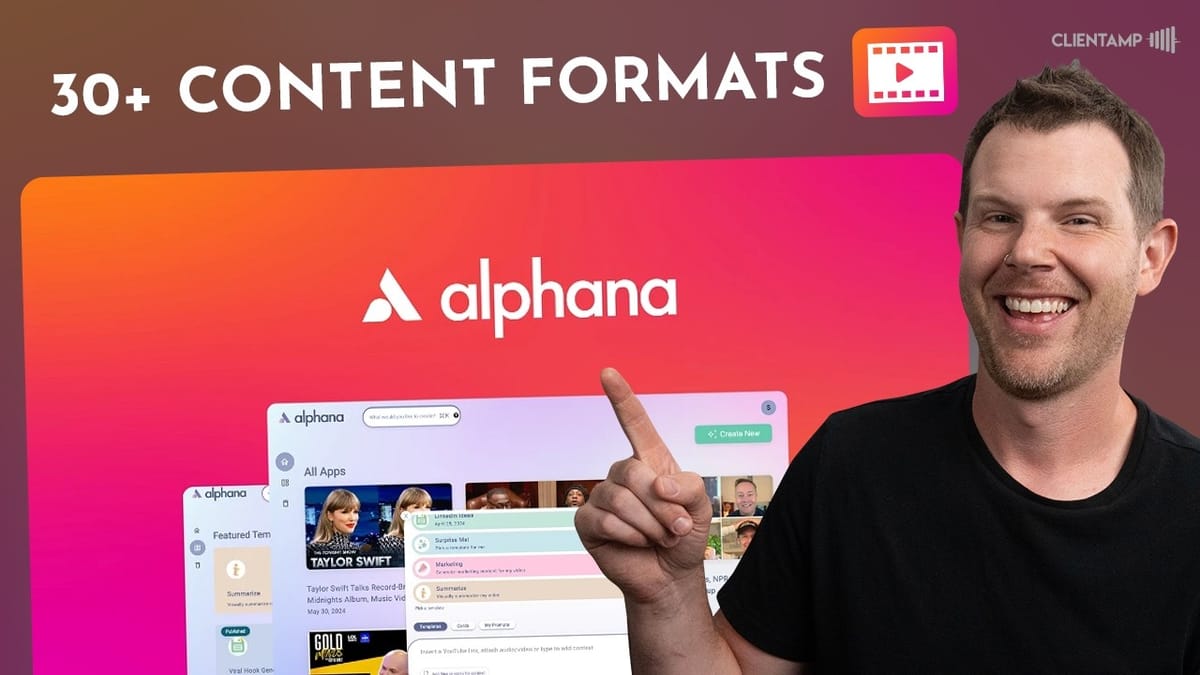
Alphana
Alphana is an AI-powered content repurposing tool that transforms your video or audio into 30+ types of written content, including blog posts, social media threads, newsletters, and show notes.
YouTubers, podcasters, and content creators who want to maximize their reach by repurposing long-form audio and video into multiple content formats.
Unifier, Castmagic, Repurpose.io
What Is Alphana?
If you're a content creator, you already know the pain of producing one piece of content and then manually spinning it into blog posts, social threads, newsletters, and show notes. Alphana is an AI-based tool that promises to handle all of that for you — up to 30 different content types from a single audio or video upload.
The pitch is straightforward: upload your podcast episode or YouTube video, and Alphana transcribes it, then generates a variety of AI-written outputs based on customizable prompts. It's available as a lifetime deal on AppSumo, which means no monthly subscription. That alone makes it worth a closer look, even if tools in this category have historically been hit or miss.
Plans and Pricing
Alphana's lifetime deal starts at $49 for the base tier. All tiers include access to every feature — the difference comes down to usage limits. Tier 1 gives you 500 AI credits (consumed as you generate content), two hours of transcription per month, and a one-hour-per-upload cap.
That last point is important: if you have four 45-minute videos, you'd exceed the two-hour monthly limit even though each individual upload fits under the one-hour cap. Podcasters running long-form episodes in the Joe Rogan three-hour range will need to jump to Tier 3 at minimum. The good news is there are no feature gates — every plan gets the full toolset, which is a refreshing approach compared to many AppSumo deals that lock key functionality behind higher tiers.
The Alphana Interface
When you first log in, the interface greets you with a gradient background and a set of demo projects featuring Gary Vee and Olivia Rodrigo. Alphana calls these "apps," which is immediately confusing — they're really just projects, each containing one piece of content and its generated outputs.
Once you click into a project, you'll see the core of what Alphana does: a series of "cards," each representing a different type of AI-generated content. There's a table of contents on the left for quick navigation, and each card can be expanded to reveal its full output. The layout is functional, though it takes a moment to understand the terminology. Cards are collapsed by default, so you'll want to click the expand button to see everything — it's easy to miss content if you don't know to look for it.
Customizing Prompts with Ask AI
One of Alphana's more useful features is the ability to customize the prompts behind each content card. Click the "Ask AI" button on any card and you'll see the exact prompt being used to generate that output. From there, you can tweak the parameters — for example, increasing the number of key terms from 8 to 15, or requesting 50-word descriptions instead of 15-word summaries.
In practice, though, the AI doesn't always follow your instructions precisely. After requesting 50-word descriptions, the outputs still came in at around five or six words each. It's a gap between what you ask for and what you actually get. There's also a UX quirk worth noting: the "Ask AI" button and the "Edit Prompt" option in the triple-dot menu do the exact same thing. Having two entry points to an identical feature right next to each other is a recurring theme in Alphana's interface — there's a lot of duplication that could be cleaned up.
Sharing and Collaboration
Alphana includes a share feature that generates a public link to your project, similar to sharing a Google Doc. Anyone with the link can view the generated content, copy it, and even import it into their own Alphana account. For podcasters who want a quick-and-dirty show notes page without building a full website, this could genuinely be useful — click a button and you've got a shareable content page.
The sharing options are a bit puzzling, though. The permission dropdown offers "Can View" or "No Access" — and it's hard to understand why you'd ever share a link with "No Access" selected. Choosing it literally does nothing. There's also no apparent way to add specific collaborators to a project, though that may require having team members set up first. It works, but the interface could use some clarity.
Creating a New Project
Creating a new project in Alphana is easy — maybe too easy, given that there are three separate buttons on the homepage that all do the exact same thing. Once you click any of them, you'll choose a template (a preset collection of cards) or pick "Surprise Me" for a random selection. You can also browse individual cards if you want to build a custom workflow from scratch.
Templates are the real power feature here. Once you've dialed in the right combination of cards for your content workflow — say a YouTube description, blog post, LinkedIn post, and email newsletter — you can save it as a reusable template. Next time you upload a video, just select your template and all the content generates automatically. It's the kind of workflow automation that makes a tool like this worth the investment, assuming the output quality meets your standards.
Output Quality: The Results
Here's where things get real. After uploading a Taco Truck Roundup video and selecting the YouTube Content Workflow template, Alphana generated a full suite of content in about two minutes. The video description was solid — it correctly identified the apps covered and provided a reasonable summary. Timestamped video clips were generated with options to add captions and download in vertical format for social media, though the cropping on screen-heavy content wasn't great.
The AI-generated images were predictably generic and very "AI-looking." The title suggestions were outright bad — generic clickbait like "Secrets Revealed: How This Simple Trick Transformed My Life" that had nothing to do with the actual video. The email newsletter was decent as a starting point but only covered four of the five tools discussed. The blog post took an unexpected angle, focusing on one subtopic rather than summarizing the full video.
The LinkedIn and Twitter outputs were passable, and the YouTube SEO keywords were fine if not particularly actionable. Overall, the quality sits in that "good enough to start with, but needs human editing" category.
Content Tools and Workflow Management
Beyond generating content, Alphana offers some handy management features. You can drag and reorder cards in the sidebar, delete ones you don't need, and add new cards to an existing project. There is a 10-card limit per project (referred to inconsistently as "widgets" in the UI), which could be limiting for creators who want a comprehensive output suite.
Deleting cards is a bit buggy — items sometimes persist in the sidebar until you refresh the page. Saving custom templates works well, though, and the template management view lets you organize and clean up your saved workflows. You can also trash entire projects when you're done with them, and they'll sit in a recycle bin before permanent deletion.
Usage and Credit Tracking
One notable gap in Alphana right now is credit tracking. The usage dashboard shows how much content you've uploaded and your current limits, but the AI credits section just says "Coming Soon." That means you can't actually see how many of your 500 credits (on Tier 1) you've consumed, which makes it difficult to plan your usage or decide which tier you really need.
For a tool where the primary differentiator between pricing tiers is credit allocation, not being able to monitor your consumption is a real oversight. Hopefully this gets addressed soon, but as of now you're essentially flying blind on the most important metric for choosing your plan.
Final Verdict: Is Alphana Worth It?
Alphana lands at a 6.6 out of 10 — better than its closest competitor Unifier (which scored a 6.2), but still not quite in slam-dunk territory. The concept is sound and the template-based workflow is genuinely useful for creators who produce content on a regular schedule. Being able to upload a video and get a dozen content pieces in two minutes has real value.
The issues holding it back are the inconsistent output quality (titles were unusable, some content missed key details), the cluttered interface with duplicate buttons and confusing terminology, and small bugs like notifications that don't auto-dismiss and cards that don't delete cleanly. The missing credit tracking is also a concern for anyone trying to right-size their plan.
If you're a content creator looking for a starting point rather than a finished product, Alphana can save you time. Just go in expecting to edit and refine everything it generates. At $49 for a lifetime deal with no subscription, the barrier to entry is low enough to justify giving it a shot.
Watch the Full Video
Prefer watching to reading? Check out the full video on YouTube for a complete walkthrough with live demos and commentary.


