
10 New AppSumo Deals Reviewed - Taco Truck Roundup March 2024
Ten new AppSumo lifetime deals hit the shelves this week, ranging from video editing and browser productivity to cold email outreach and design tools. Here's a hands-on look at every single one.

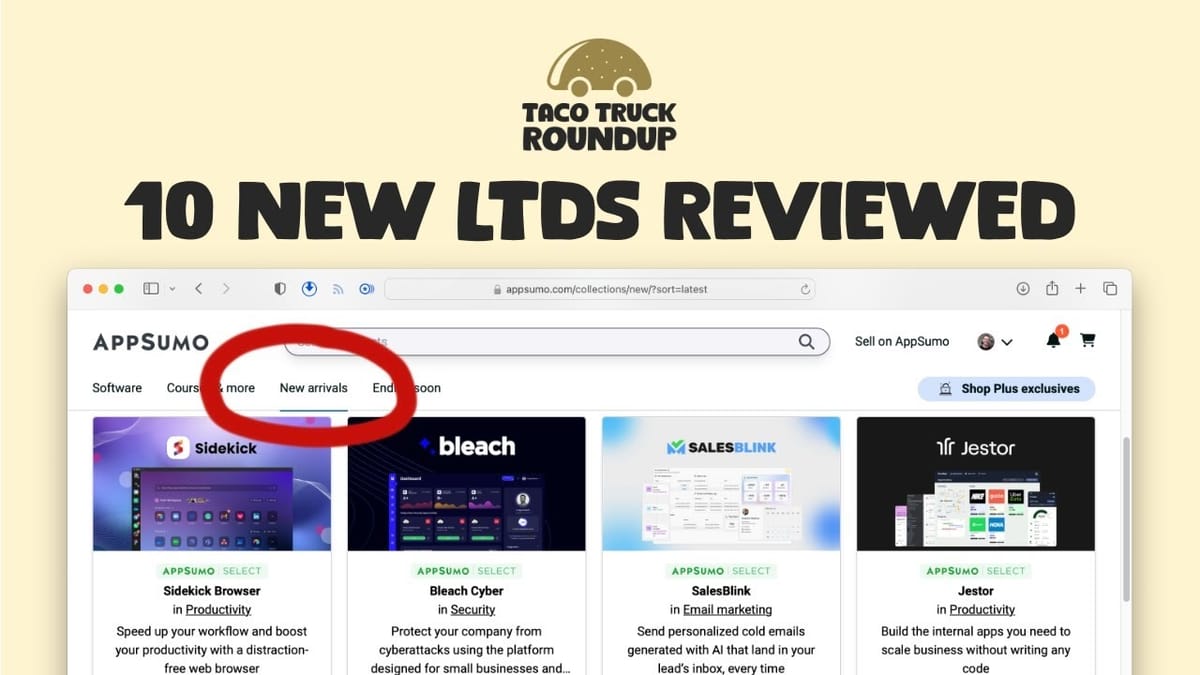
This Week's AppSumo Lineup
Every week, AppSumo rolls out a fresh batch of lifetime deals, and this particular week brought ten new tools to the table. The range is impressive — we're talking video editing, business management, browser productivity, cybersecurity, cold email outreach, no-code app building, design and whiteboarding, social media marketing, SEO content optimization, and AI-powered product listing tools.
Rather than just skimming the surface, each of these tools got a proper hands-on test drive. That means signing up, connecting accounts, poking around the UI, and actually trying to accomplish real tasks. Some of these tools genuinely impressed, while others still have some growing to do. Let's walk through all ten.
HipClip: A Budget Descript Alternative for Video Editing
HipClip positions itself as a Descript alternative — a text-based video editor that also generates social media clips from long-form content. The AppSumo deal maps to their Pro Plan, which normally runs $220 per month and includes up to 30 hours of transcription. On AppSumo, you're looking at $49 for 4 hours, $129 for 10 hours, $279 for 25 hours, or $400 for 40 hours.
Every tier includes watermark-free output and 4K video export, which is genuinely nice to see — many video tools lock those behind premium tiers. The cost per minute is fairly consistent across tiers one, three, and four, but tier two actually works out slightly more expensive per minute, so it's the one to skip.
In practice, the transcription was impressively fast — a 15-minute video was uploaded and transcribed in roughly 35-40 seconds. The text-based editing works as advertised: select words in the transcript, press delete, and they're cut from the video. However, the cuts weren't always clean, sometimes clipping adjacent words or starting playback slightly off. The AI clips feature found potential social media moments and scored them, though the generated clips were quite short (around 15 seconds) and the selections weren't always the most engaging. The captions feature was actually the standout — multiple styles, draggable positioning, and word-by-word highlighting that looked genuinely professional.
HipClip is clearly in its early stages. The UI isn't super polished and the editing precision needs work, but the foundation is solid. If you're willing to work with a few rough edges, there's real value here compared to Descript's annual pricing. Rating: 6.8 out of 10.
CQ Business Management: CRM Meets Project Management
CQ Business Management is an all-in-one platform for managing teams, projects, and expenses. Starting at $69 on AppSumo for one user and 100GB of storage, it maps to their Simple Plan which normally costs 50 pounds per month. You can scale up to 20 users and a terabyte of storage for $299.
The onboarding experience is genuinely thorough — there's a comprehensive eight-part video series walking you through setup. This tool feels less like a ClickUp or Monday.com competitor and more like a Pipedrive-style CRM with project management bolted on. The workflow is designed around leads flowing into jobs: you create a lead, track it through your pipeline, convert it to a job when you win the contract, and then manage the actual project work from there.
The email integration supports Gmail, Office 365, and standard IMAP providers, which is great for anyone not locked into the big two ecosystems. However, the email client itself has limitations — the reply window doesn't show the previous message, which makes it tough for detailed correspondence. The project management side includes Gantt charts, task scheduling, analytics, and even a built-in chat feature for team communication.
The philosophical question with CQ is whether you want your sales pipeline and project execution living in the same tool. Some people love that unified approach; others prefer keeping the money side separate from the execution side. If you're in the first camp, CQ is surprisingly full-featured and ready to use right now. Rating: 7.1 out of 10.
Sidekick Browser: Productivity-Focused Chromium Browser
Sidekick is a Chromium-based browser built around the idea of helping you focus and get more work done. The AppSumo deal starts with the Pro tier (normally $100/year) and scales up to the Team tier for larger purchases. It works with any Chrome extension, which immediately removes the biggest barrier to switching browsers.
The killer feature is multi-account management. Instead of juggling browser profiles to stay logged into separate Gmail or Slack accounts, you pin each account as an app in the left sidebar and switch between them instantly. Sessions let you group tabs by context — maybe one session for client work and another for personal browsing — and you can toggle between them with a keyboard shortcut. Collections work like smart bookmark folders that you can organize and add to from any webpage with a right-click.
The focus tools are where Sidekick tries to differentiate itself. Focus mode strips away all navigation chrome so you can concentrate on a single task. The distraction blocker redirects you away from time-wasting sites (YouTube, Instagram, Facebook by default) to productive ones, and it can run on a schedule — say, Monday through Friday from 9 to 5. There's also a built-in ad blocker that works out of the box.
For teams, the real value proposition is pre-installing apps, managing what employees can access, and the built-in VPN on higher tiers. For individual users who don't rely heavily on web apps, a standard browser with extensions might be sufficient. But if you're managing multiple accounts across services or deploying a controlled browser environment for a team, Sidekick is well-executed. Rating: 7.6 out of 10.
Bleach Cyber: Security Monitoring for Your Infrastructure
Bleach Cyber is a security platform that connects to your infrastructure — AWS, Gmail, Office 365, Azure, and Slack — and monitors for vulnerabilities and best-practice violations. Pricing starts at $59 for a single company with up to 25 employees, scaling to $179 for 20 companies with 500 employees (clearly aimed at MSPs and IT consultants).
The platform breaks into four applications: Cloud Security, Asset Manager, Sweeper, and Email Security. Sweeper is the most universally useful — it scans any website for security vulnerabilities. In testing, it flagged standard port 80 usage (recommending HTTPS-only) but didn't uncover anything particularly alarming on well-configured sites. The Asset Manager connected to Slack and correctly identified that multi-factor authentication wasn't enabled, providing step-by-step remediation instructions.
The main limitation is the small number of integrations. With only five connectors (Google, Office 365, AWS, Azure, Slack), you need to be using at least three of them to get meaningful value. If you're already following security best practices — MFA everywhere, proper SSL configuration, standard hardening — Bleach may not tell you much you don't already know.
The onboarding video uses AI-generated presenters, which feels a bit ironic for a cybersecurity company where trust is paramount. This tool is better suited to larger organizations or IT consultants managing multiple client environments. For most small businesses following basic security hygiene, the value proposition is thin. Rating: 6.2 out of 10.
SalesBlink: AI-Powered Cold Email Outreach
SalesBlink is a cold email platform with AI-powered sequence building and a built-in meeting scheduler. Starting at $69, tiers one through three map to their Growth plan, while tiers four through ten unlock the Business plan (normally $200/month). The key upgrade at the Business tier is outreach tasks and team reports.
The sequence builder is intuitive and visual. You create email sequences with wait steps, conditional logic (if they don't open, send again), A/B testing for subject lines, and manual task blocks for things like phone calls or LinkedIn messages. That last part is particularly clever — when the sequence reaches a manual step, it surfaces as a task in your dashboard so nothing falls through the cracks.
Email support is broad: Gmail, Outlook, Zoho, and generic SMTP/IMAP, plus the ability to bulk upload email senders. The template system keeps all your emails organized in one place, and you can mix and match templates across different sequences. There's also a spam checker that analyzes your emails for urgency, shadiness, and other red flags before you send.
The AI writing, however, needs work. Generated emails jumped straight into sales pitches without any personalization or warmth, and the rephrasing tool produced the classic "I hope this email finds you well" opener — a known spam signal. You'll definitely want to heavily edit any AI-generated copy. The meeting scheduler provides a Calendly-like booking interface that you can drop directly into outreach sequences. Overall, the platform is well-designed, intuitive, and powerful enough for serious cold outreach campaigns. Rating: 7.8 out of 10.
Jestor: No-Code Internal App Builder
Jestor is a no-code platform for building internal business tools — CRMs, hiring pipelines, task managers, client onboarding systems, and more. Starting at $69 for 3 users, it maps to their Business plan. What's notable about the AppSumo deal is that it doesn't distinguish between builders (people creating apps) and members (people using apps) — normally Jestor charges $20/month for builders and $5/month for members, but on AppSumo everyone's treated equally.
The template gallery is extensive, covering everything from sales CRMs to vacation request systems to hiring pipelines. Each app is built on internal data tables, and you can layer on Kanban boards, analytics pages, forms, and more as app pages. The builder mode versus user mode toggle is clean — you design in builder mode, then switch to user mode to see exactly what your team will experience.
The learning curve is the main obstacle. The terminology is initially confusing — what you'd think of as a page, Jestor calls an app. Building out a Kanban board from a data table works, but it takes some exploration to figure out how everything connects. Plan on setting aside several days if you're recreating existing no-code apps from other platforms.
One architectural consideration: Jestor stores all data internally rather than letting you connect to external databases like Google Sheets or Airtable. That's a double-edged sword — it's simpler to manage, but your data is tied to Jestor's continued existence. For a startup-stage company, that's worth thinking about. Rating: 7.1 out of 10.
Pixso: Design and Whiteboarding That Rivals Figma
Pixso is a design and whiteboarding tool positioned as a Figma and Adobe XD alternative. Starting at $59 for 3 editors and 50GB of storage, it maps to their Whiteboard and Design Professional plan (normally $6-8/month per user). It can import files directly from Figma, Sketch, Axure, and XD, which significantly lowers the switching cost.
The design interface will feel instantly familiar to Figma users. You create frames for specific device sizes, add sections with development status indicators (pending or in design), work with layers and components, and hand off to developers with a dedicated mode that provides element specifications. The component system supports reusable elements, and there's a resource library with iOS icons, Material Design icons, and Remix icons built in.
The whiteboarding tool is where Pixso really shines. It's an infinite canvas with drawing tools, shapes, text, and — most interestingly — an AI assistant that can generate mind maps, images, and more without leaving the canvas. The AI image generation supports multiple styles and aspect ratios. Collaboration features include real-time cursor tracking, reactions, built-in chat, and a presentation mode.
The AI assistant works better in the whiteboarding context than in design mode, where it still has some rough edges (like failing on style guide generation). But the core design and whiteboarding functionality is genuinely impressive and polished. If you're a Figma power user with years of muscle memory, switching will take adjustment. But for teams looking to cut subscription costs or newcomers choosing their first design tool, Pixso is an excellent value. Rating: 8.2 out of 10.
Creasquare: Social Media Marketing All-in-One
Creasquare combines social media scheduling (like Buffer), graphic design (like Canva), and AI copywriting (like Jasper) into a single platform. At just $39, it's the most affordable deal in this week's lineup. It maps to their Professional plan, normally $20/month for 10 social accounts and 5,000 AI words.
The platform is organized around four core areas: a content calendar for scheduling, an AI writing tool for generating copy, a studio for editing images and videos, and connections for linking your social media accounts. It supports Facebook, TikTok, LinkedIn, Instagram, and YouTube. You get unlimited users and unlimited workspaces — the only limit is the number of connected social accounts, which ranges from 5 on tier one up to 350 on higher tiers.
The workspace system is well-designed for agencies or freelancers managing multiple clients. Each client gets their own workspace with separate social connections, content calendars, and assets. The AI writing caps at 5,000 words per month across all tiers, which is worth noting if you're planning to lean heavily on that feature.
For solopreneurs or small teams managing a handful of social accounts, Creasquare offers a compelling bundle that could genuinely replace three separate subscriptions. The $39 entry price makes it a low-risk purchase even if you only end up using one or two of the core features.
Robinize: SEO Content Optimization
Robinize is an SEO content optimization tool designed to help you write blog posts that actually rank in search engines. It analyzes top-ranking content for your target keywords and provides recommendations on what topics to cover, what questions to answer, and how to structure your content for maximum search visibility.
The tool fits into the same category as established players like Surfer SEO and Clearscope — you enter a keyword, it analyzes the competition, and gives you a content brief with optimization suggestions. The goal is to take the guesswork out of SEO writing by showing you exactly what Google seems to reward for any given search term.
For content creators and bloggers who are serious about organic traffic but don't want to pay monthly fees for premium SEO tools, a lifetime deal on a tool like Robinize could pay for itself many times over. SEO content optimization is one of those categories where having any tool is dramatically better than having none at all, and the insights compound over time as you build out your content library.
ProductScope AI: AI-Powered Product Listing Optimization
ProductScope AI rounds out this week's lineup with a tool focused on e-commerce product listings. It uses AI to help sellers optimize their product photos, descriptions, and overall listing quality — particularly useful for Amazon sellers and anyone running an online store.
The tool addresses a real pain point for e-commerce businesses: creating professional product imagery and compelling copy at scale. Rather than hiring photographers and copywriters for every SKU, ProductScope AI aims to automate much of that process with AI-generated backgrounds, lifestyle shots, and optimized product descriptions.
For e-commerce sellers managing large catalogs, the time savings alone could justify the lifetime investment. Product listing optimization is one of those tasks that's tedious but directly impacts conversion rates, making it a strong candidate for AI automation.
Which Deals Are Worth Grabbing?
Out of the ten deals this week, a few clear winners emerged. Pixso earned the highest rating at 8.2 — if you're paying for Figma or XD and want to cut that recurring cost, it's a strong alternative with real depth in both design and whiteboarding. SalesBlink came in second at 7.8 for anyone doing cold outreach, offering a polished and intuitive platform despite the AI writing needing manual refinement.
Sidekick Browser (7.6) is worth a look if you manage multiple accounts across web services or need to deploy a controlled browser for a team. CQ Business Management and Jestor both landed at 7.1 — solid tools in their respective niches but with steeper learning curves. HipClip (6.8) has potential as a budget Descript alternative but needs more polish, and Bleach Cyber (6.2) is too narrow in its integrations for most small businesses.
As always with AppSumo deals, these are lifetime purchases with 60-day refund windows. If something looks interesting, grab it, test it properly in your workflow, and return it if it doesn't fit. The risk is minimal, and the savings over annual subscriptions can be substantial for the tools that stick.
Watch the Full Video
Prefer watching to reading? Check out the full video on YouTube for a complete walkthrough with live demos and commentary.


