
4 AppSumo Deals Reviewed: Instacap, Translate.Video & More
A rapid-fire roundup of four AppSumo lifetime deals covering screen capture, video translation, cold email warmup, and AI content repurposing — with honest scores and practical advice.

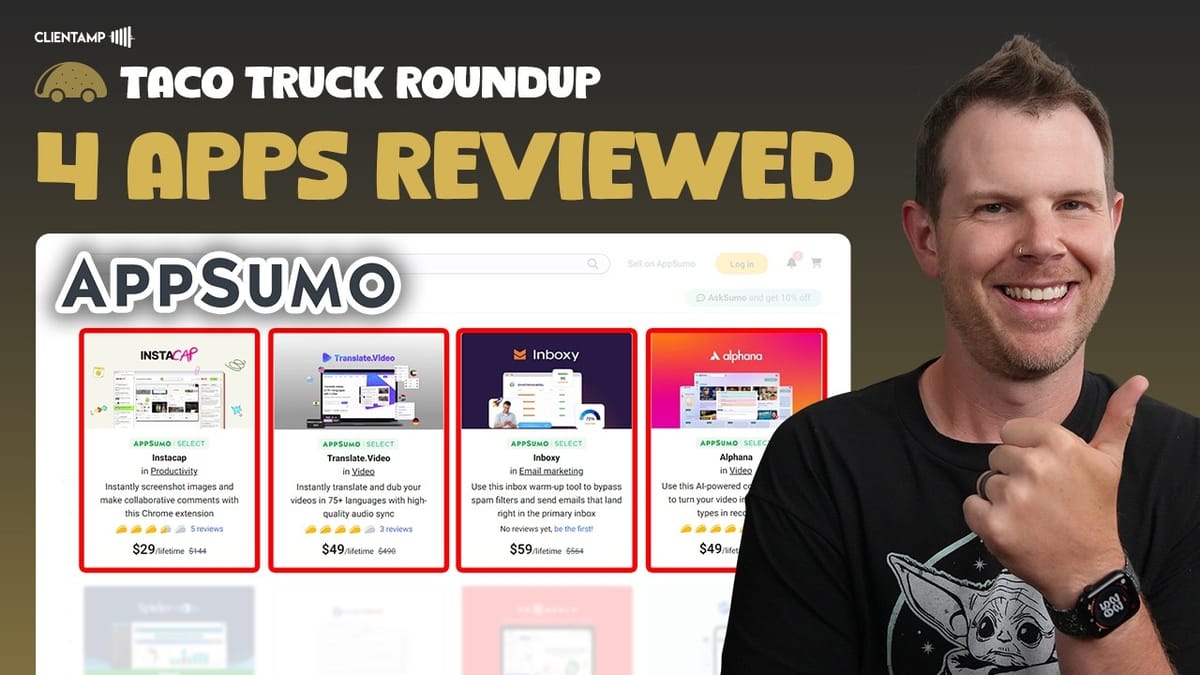
This Week's AppSumo Roundup
Welcome to another Taco Truck Roundup — a weekly series where I condense the latest AppSumo lifetime deals into quick, no-nonsense summaries. If you don't have time to sit through 30-minute deep dives on individual tools, this is the format for you.
This week we've got four deals on the table: a screen capture and collaboration tool, an AI video translation platform, a cold email warmup service, and an AI-powered content repurposing app. Each one targets a different workflow, and each one has its own set of strengths and trade-offs. Let's get into it.
Instacap: Screen Capture with Built-In Collaboration
Instacap is a Chrome extension that lets you capture, annotate, and share screenshots. It offers three capture modes: a free selection tool, a visible-area capture, and a scrolling capture that grabs an entire webpage in a single click. That last one is particularly handy for designers and developers who need full-page screenshots without stitching anything together.
Once you've captured your screen, you get annotation tools for marking things up, plus collaboration features that let teammates or clients leave feedback directly on the screenshot via a shareable link. You can also upload your own files, which makes Instacap a decent option for gathering client feedback on website designs or mockups.
The tool's biggest strength is its clean, polished design — but that's also a potential drawback. The interface is quite opinionated with bold, strong colors throughout, and if that aesthetic doesn't suit you, it could become a friction point. It's also currently limited to Chrome with no desktop app yet, though a desktop version is reportedly in the works.
Viewers compared it to CleanShot X, which is a fair callout. CleanShot remains the superior pure screenshot tool on Mac, but it lacks Instacap's commenting and feedback features. CleanShot also charges a monthly fee for cloud sharing, while Instacap currently includes unlimited cloud storage with the lifetime deal. I gave Instacap a **6.5 out of 10** — solid potential, but it needs more polish before it becomes a daily driver.
Translate.Video: AI-Powered Video Dubbing and Translation
Translate.Video is an AI-powered platform that translates and dubs your video content into over 75 languages. The headline feature is voice cloning — you can train it on your own voice so the translated version actually sounds like you, not a generic text-to-speech bot.
The voice cloning process itself was reasonably smooth, though I ran into some trouble getting my audio files into a format the platform would accept. Your mileage may vary on that front. The user interface is clean and intuitive, and one standout feature is the subtitle editor. There's a solid library of subtitle styles built in, many of which look genuinely good and ready for social media sharing.
The biggest downside is cost. To use your custom cloned voice, you need at least a Tier 3 AppSumo package at $150, and that only gets you 10 minutes of custom voice usage per month. You can still translate videos using built-in voices at lower tiers, which stretches your minutes-per-dollar considerably. Viewer feedback on the Spanish translation quality was mixed — some found it spot-on, while others said it was too fast and the quality was poor enough that they'd skip the video entirely.
If you need a human editor to review every translation anyway, that cuts into the value proposition significantly. But if you're just looking to get your content into other languages without obsessing over perfection, it could be worth considering. I gave Translate.Video a **6.4 out of 10**, though that score would be higher if you're comfortable using the built-in voices.
Inboxy: Cold Email Warmup That Actually Shows Its Work
Inboxy is an email warmup tool designed to improve your cold email deliverability. The concept is straightforward: you connect your sending email address, configure a few settings (or just hit the quick-start button), and Inboxy gradually sends emails to its automated network. Those recipients will open your emails, reply to them, and even star them — all to signal to providers like Google and Microsoft that your emails are legitimate and wanted.
One feature I particularly liked is the maintenance mode. When you start actually sending cold emails, Inboxy keeps running in the background to counterbalance the reputation damage that cold outreach inevitably causes. Without something like this, your domain reputation tanks over time and you eventually have to burn the domain and start fresh.
The user interface is surprisingly transparent. There's a full activity log showing every email sent, opened, replied to, and whether it landed in the inbox or spam. After running it for several days, all 46 of my test emails hit the inbox directly — no spam issues — with 24 replies and 2 starred messages. It wasn't enough time to generate an IPS rating from Google or Microsoft, but the early signals were encouraging.
Inboxy Results and Addressing the Critics
Some viewers pushed back on Inboxy, calling it overpriced for a cold email warmup tool and arguing that most cold email SaaS platforms include warmup features already. I'd disagree on the pricing front — it's a one-time cost that lets you warm up as many email addresses as you want (with a concurrency limit per tier). Compare that to monthly warmup fees on other platforms and the math works out quickly.
Not every cold email tool includes warmup, either. If you're running open-source sending infrastructure, warmup is almost never built in, making a dedicated tool like Inboxy genuinely useful. The main limitation I'd flag is the 120-email daily cap across all plans. I'd love to see that pushed closer to 500, which would open the tool up beyond cold email to general email marketing warmup for new domains.
After running Inboxy for a few days, I'd say it does exactly what it claims to do, but you really need weeks or months to see meaningful deliverability improvements. The early data was positive, and the tool itself is well-built and transparent. I gave Inboxy a **6.8 out of 10** — the highest score in this week's roundup.
Alphana: AI Content Repurposing for Creators
Alphana is an AI-powered repurposing tool built for podcasters and YouTubers. Feed it a video or podcast episode and it can generate blog posts, newsletters, social media content, and even short-form video clips from your long-form content. It's the kind of tool that promises to multiply your content output without multiplying your workload.
I've tested a lot of tools in this category, and Alphana executed better than most. The workflow is more polished and the outputs are more usable than many competitors. However, it still falls short of being a tool you can rely on without significant editing. Throughout my full-length review, I flagged several UX quirks that need attention, but the core issue is output quality.
At the time of review, Alphana wasn't using Claude 3.5 Sonnet — which I consider the gold standard for AI-generated content. When a repurposing tool uses a lower-quality model, you end up spending so much time rewriting the output that the time savings evaporate. This is a recurring theme I see across AI content tools: the model powering the generation matters enormously.
Some viewers took issue with my **6.6 out of 10** score, pointing out that competing tools like Unifire scored even lower in other reviews. For context, I gave Unifire a 6.2 — and in my scoring system, that 0.4 gap represents a meaningful difference. Alphana is genuinely the best lifetime deal in this category right now. But my honest recommendation? A $20/month Claude Pro subscription with a custom project will outperform any of these repurposing LTDs, and you can tailor the output exactly to your needs.
Final Thoughts on This Week's Deals
This week's lineup covers a wide range of use cases — screen capture, video translation, email deliverability, and content repurposing — and each tool shows genuine promise in its niche. But they all share a common thread: room for improvement in UI polish and feature depth.
The scores this week ranged from 6.4 to 6.8, which puts all four tools in solid but not exceptional territory. None of them are bad deals, but none of them are slam-dunk must-buys either. As always, the value of a lifetime deal depends entirely on whether the tool actually fits into your workflow. A great deal on software you'll never use is just shelfware — and friends don't let friends buy shelfware.
Before pulling the trigger on any of these, think about whether you already have a tool that covers the same ground, and whether the limitations I've outlined are dealbreakers for your specific situation. If any of these caught your eye, the affiliate links are below and they directly support this kind of honest, no-nonsense content.
Watch the Full Video
Prefer watching to reading? Check out the full video on YouTube for a complete walkthrough with live demos and commentary.


