
AppSumo Deals Roundup: SuperOkay, Video to Blog, SaveDay & More
Four standout AppSumo lifetime deals reviewed in one roundup — including a client portal, an AI video-to-blog converter, a smart bookmark manager, and a multi-LLM playground. All scored above 7.7.

This Week's Taco Truck Roundup
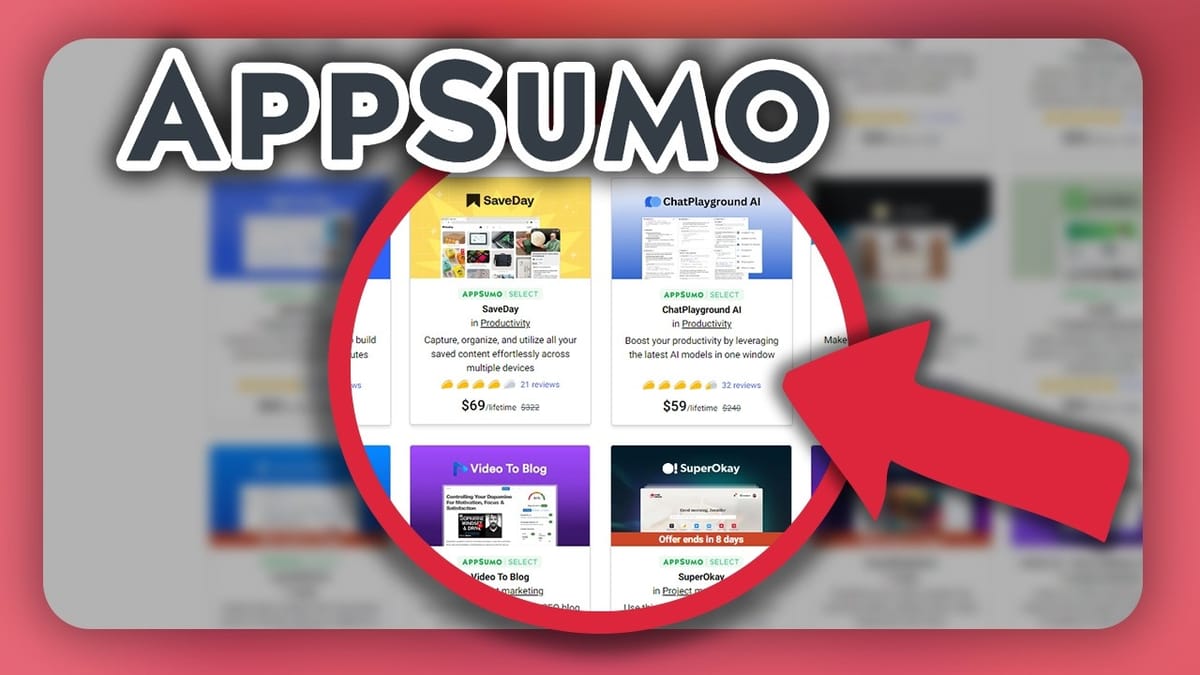
Welcome to another Taco Truck Roundup — the series where Dave Swift takes the same lifetime deals he reviews in his full-length 30-40 minute deep dives and distills them down to quick, actionable summaries. This week's lineup is stacked, with four tools that all scored above 7.7 out of 10, making it one of the strongest roundups in recent memory.
The deals on the table: SuperOkay (a dedicated client portal), Video to Blog (an AI-powered video-to-article converter), SaveDay (a bookmark manager with an LLM backbone), and ChatPlayground AI (a multi-model AI workspace). Each one targets a different need, but they all share one thing in common — they're genuine problem-solvers rather than feature-bloated platforms trying to do everything at once.
SuperOkay: A Focused Client Portal That Does One Thing Well
SuperOkay is a client portal tool built for managing projects and client communication. You get unlimited projects and unlimited task management, which is a strong foundation for any agency or freelancer. The platform includes customizable templates for different project types, and if you pick up the right tier, you can white-label the entire thing with your own custom domain.
The integration story is worth understanding before you buy. SuperOkay doesn't offer direct integrations with other platforms — everything runs through embeds. For most people that's perfectly workable, but one commenter raised a fair point: embedding tools like Notion or Coda means those documents need to be publicly accessible, which can feel at odds with a password-protected portal. Dave's workaround? Skip the embed and use direct links instead, requiring clients to authenticate through the third-party service itself. It's not a SuperOkay limitation so much as an API limitation of tools like Notion.
Design customization is somewhat limited. The templates share a similar aesthetic, and while you can tweak background colors and basic styling, SuperOkay has a distinct look that either works for your brand or doesn't. Community opinion was split — one commenter called the client-facing design "cheap," while another compared it to "Notion on steroids." Different strokes.
When compared to all-in-one platforms like Moxie or SweetDash, SuperOkay deliberately stays in its lane. Dave actually prefers unitasker tools — software that solves one problem exceptionally well — because it lets you swap individual tools without being locked into an entire ecosystem. Final score: **7.7 out of 10**.
Video to Blog: Surprisingly Impressive AI Content Conversion
If you've seen one AI video-to-blog tool, you've seen them all — or so Dave assumed going in. Video to Blog proved that assumption wrong. The workflow is straightforward: upload a video or paste a YouTube link, and the tool transcribes the content and generates a full blog post. What sets it apart is the quality of execution.
Beyond the written content, Video to Blog automatically pulls screenshots from the video and inserts them into the article, and the screenshot selection is remarkably accurate. It also generates SEO metadata and even suggests social media posts to promote the finished article. For anyone running a content operation where video is the primary format, this could eliminate hours of manual repurposing work.
There are a couple of workflow friction points. Videos downloaded directly from YouTube sometimes failed to generate correct thumbnails, and the suggested workaround was to upload the video file manually instead. That's not a dealbreaker, but it does add a step. You'll also lose access to your YouTube description — so any carefully crafted links or metadata need to be copied over by hand. On the publishing side, Video to Blog integrates directly with both WordPress and Ghost, which is a huge plus for anyone already on those platforms.
Community feedback was telling: top commenter Jason Zorn noted that shorter videos (10-15 minutes) produce significantly better results than longer ones, which makes sense given the AI's context limitations. Dave's test video clocked in at around 32 minutes, so some of the bugs he encountered may have been length-related. Final score: **7.9 out of 10**.
SaveDay: A Bookmark Manager With a Brain
Calling SaveDay a bookmark manager undersells it significantly. At its core, yes, it saves and organizes web content. But the real differentiator is the LLM layer running underneath — everything you bookmark becomes part of a searchable, queryable knowledge base. You can ask SaveDay questions and get answers drawn from the sources you've personally curated, effectively building a second brain from content you actually trust.
The primary interface is a Chrome extension, making it dead simple to save anything you encounter while browsing. There are other ways to ingest data, but Chrome is where most users will live. The concept is powerful: over months and years of intentional bookmarking, you build a curated knowledge base that reflects your specific interests and trusted sources. Dave's advice is to be deliberate about what you save — speculative or low-quality content will dilute the value of your knowledge base over time.
The areas that need work are mostly around user experience. Feedback is thin in places — clicking on things sometimes produces no visible response, leaving you wondering if the action registered. The visual organization also needs more flexibility; you can't customize thumbnails or collection cover images, which makes browsing your saved content less intuitive than something like Pinterest. These are solvable problems, and the foundation is strong enough to warrant the investment.
Pricing drew some comments, with tier three landing around $309. That sounds steep in isolation, but at a projected $30/month subscription price, the lifetime deal pays for itself in about ten months. Community members compared it favorably to Pocket and Readwise, with several planning to let existing subscriptions lapse in favor of SaveDay. Final score: **8.2 out of 10** — one of the highest scores Dave has given.
ChatPlayground AI: Run Six LLMs Side by Side
ChatPlayground AI solves a real problem for anyone who works with multiple large language models: it lets you run up to six LLMs simultaneously, enter a single prompt, and compare the outputs side by side. There's even a mixing mode that combines all the responses into a single "super output." For anyone who's been copying and pasting prompts between ChatGPT, Claude, and Gemini tabs, this is a massive workflow improvement.
Beyond the playground feature, ChatPlayground bundles a surprising number of additional AI tools — PDF chat, YouTube video summarization, and a Chrome extension that brings the multi-LLM experience to any webpage. The extension is genuinely useful: respond to social media comments, draft email replies, or write inside a browser-based word processor with AI assistance from your model of choice. It even includes vision capabilities, letting you screenshot what you're looking at and ask an LLM about it.
The biggest catch is the Chrome requirement. ChatPlayground isn't just Chrome-optimized — it requires Chrome to even log in to the web application. No Firefox, no Safari, no alternative. The ChatPlayground team explained this is tied to their AI browser co-pilot feature, which only works as a Chrome extension, but that doesn't fully explain why the core playground can't be accessed from other browsers. If you're not a Chrome user, this is a hard stop.
The community discussion around which LLM is "best" was lively. The consensus matches Dave's experience: Claude tends to produce the strongest results overall, but no single model wins every task. Having access to multiple models simultaneously means you can quickly identify which one handles your specific use case best, and that flexibility alone justifies the tool for heavy AI users. Final score: **8.1 out of 10**.
The Verdict: One of the Strongest Weeks on AppSumo
This was a genuinely impressive week on AppSumo, with every deal scoring at least 7.7 out of 10. SaveDay led the pack at 8.2, followed closely by ChatPlayground AI at 8.1 and Video to Blog at 7.9. SuperOkay brought up the rear at 7.7, which is still a strong recommendation in Dave's scoring system.
Each tool targets a distinct use case — client management, content repurposing, knowledge management, and AI workflow optimization — so there's no overlap to worry about. If you're building a business on the internet, at least one of these is likely worth a closer look. Full-length 30-40 minute reviews of every tool are available in the ThatLTDLife playlist for anyone who wants to go deeper before pulling the trigger.
Watch the Full Video
Prefer watching to reading? Check out the full video on YouTube for a complete walkthrough with live demos and commentary.


