
Best AppSumo Deals September 2024: Octolens, Iki, Blastable & Pismo
A rapid-fire roundup of four AppSumo lifetime deals from late September 2024, covering social listening, AI research, email marketing, and grammar correction — with scores, community feedback, and honest takes on each.

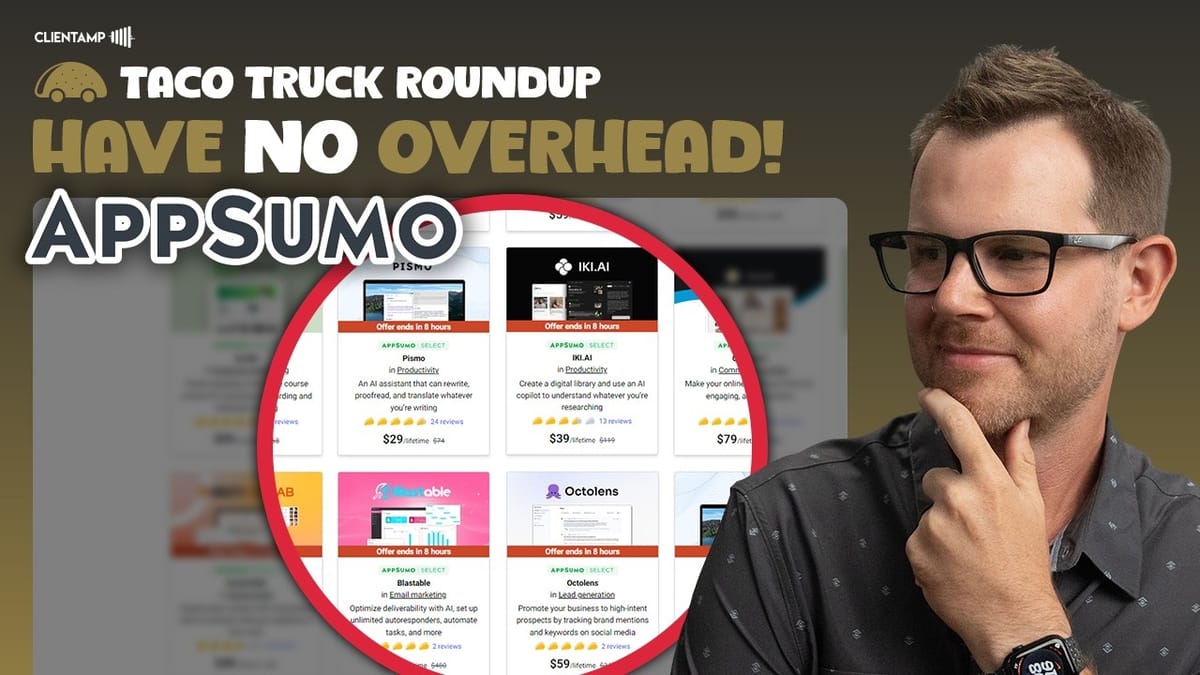
What Is the Taco Truck Roundup?
If you've ever wanted the highlights of a 30-minute software review packed into just a few minutes, that's exactly what the Taco Truck Roundup delivers. Dave Swift records full-length, in-depth reviews of AppSumo lifetime deals almost every day — but not everyone has the time to sit through them all.
The TTR format condenses each review into a two-to-three-minute summary, recorded a few days after the original video. That gap is actually useful: it gives time for community feedback to roll in, so Dave can address viewer questions and include updates that weren't in the original review. Think of it as a second pass with added context from real users who've already started testing the product.
Octolens — Social Listening Without the Enterprise Price Tag
Octolens is a social listening tool, and if you've ever priced enterprise social monitoring platforms, you know how quickly they get expensive. The lifetime deal angle here is a genuine differentiator. Setup is refreshingly simple — you enter your URL, the AI learns about your business, and it suggests keywords to monitor across various platforms.
When a keyword gets flagged, the conversation appears in your feed. From there you can generate an AI-powered reply with a single click, which is a smart way to lower the barrier to engaging with potential leads. Octolens also assigns relevance scores to each conversation, so you can filter out the noise and focus on mentions that actually matter. Notifications can be sent to email or, on higher-tier plans, directly to Slack.
One common misconception is that social listening only works for big brands. Dave pushes back on this — if you sell online services like hosting, design, or consulting, you can use Octolens to find people actively complaining about their current provider and step in with a solution. The tool won't help much with hyper-local services (a plumber isn't going to find neighborhood leads this way), but for anything with a national or global market, there's real opportunity.
The main drawback? There's currently no way to fully dismiss irrelevant conversations from your feed. False positives will happen, and right now you're stuck scrolling past them. Dave scored Octolens an 8.4 out of 10 — one of the higher ratings in the roundup.
Iki AI — Build a Personal Knowledge Library
Iki AI is an AI-powered digital library and research assistant. The core idea is straightforward: save content from the web, PDFs, or other documents into a searchable, AI-enhanced library. What sets Iki apart from a simple bookmarking tool is that it saves the actual content — not just a link. If you clip a tweet, Iki stores the full text, so even if the original gets deleted or edited, your copy remains intact.
Once your library has some material in it, Iki's co-pilot feature lets you ask questions across everything you've saved. You can even generate new content based on your saved items — for example, feeding it an article about saving money and asking it to create a version tailored to entrepreneurs. It's an interesting approach to building a personal knowledge base that actually compounds in value over time.
There are some rough edges, though. Collections (essentially folders) default to public, and the toggle UI for switching between public and private is confusing — the label text changes when you flip the switch, making it unclear what state you're in. YouTube transcript parsing was broken during the original review and remained broken at the time of the TTR recording, which is a significant gap since it's a headline feature. Mobile support is technically available through the browser, but the experience is poor and Iki acknowledges this with an on-screen message when you log in on a phone.
On the positive side, Dave tested uploading the entire 4,140-page DaVinci Resolve manual (185 MB) and it processed successfully — it just took about three days to chew through. Once indexed, the AI could answer questions pulled directly from the manual. Dave gave Iki a 7.6 out of 10, noting genuine excitement about the broader category of personal knowledge management tools.
Blastable — Budget Email Marketing With Some Growing Pains
Email marketing is notoriously expensive at scale, so a lifetime deal on an email platform is always going to attract attention. Blastable covers the basics you'd expect: autoresponders, advanced automations, a form builder, deliverability measures to keep spammers off the platform, and API integrations for connecting to external tools.
The problems start when you look at the details. Mobile responsiveness on email templates was poor — even Blastable's own branded emails looked rough on an iPhone. Custom templates broke in different ways but still delivered a subpar reading experience. For anyone planning to drive sales through email, especially impulse purchases on mobile devices, this is a serious issue. The form builder had its own struggles, including an inability to upload custom images even when the template included an image placeholder.
Dave also flagged the navigation structure as unintuitive. Blastable separates "Create" and "Manage" into two menu areas with duplicate items, so instead of going to your newsletters and then deciding whether to create or edit, you have to first decide whether you're creating or managing. Blastable's founder Justin responded in the comments, noting this was designed for inexperienced users — though Dave argues it actually makes things harder for that exact audience. Justin did confirm that mobile responsiveness and form builder fixes were in the works.
The UI color scheme — which Dave compared to a gender reveal party — also got a defense from Justin, who said they wanted to stand out from the usual blues and grays. Dave pointed to Publer as a cautionary tale: they similarly defended an aggressive green color scheme years ago, and have since toned it down considerably.
Pismo — A Desktop-First Grammarly Alternative
Pismo is an AI-powered writing assistant that runs as a native desktop application on Windows and Mac — no Linux or mobile support. The desktop-first approach is its biggest differentiator: instead of being confined to a browser extension like Grammarly, Pismo works across any application on your computer. Select text, hit a keyboard shortcut, and it processes your writing through GPT-4o mini.
Performance was notably fast in testing, and Dave highlighted a common frustration with Grammarly — the tendency to hog memory and slow down your system over time, often requiring a full browser or app restart. Since Pismo offloads processing to an external LLM rather than doing heavy local analysis, it stays lightweight. Language support and character limits are essentially inherited from whatever OpenAI's model supports, which means well over 100 languages and generous text length handling.
The real power user feature is custom prompts. You can create prompts for anything — translation, tone adjustment, summarization, active voice conversion — and assign each one a unique keyboard shortcut. If you use a Stream Deck, you can map these custom prompts to physical buttons, selecting text and triggering a specific AI transformation with a single press. One commenter shared that they built a "change to active voice" prompt and showed before-and-after examples of the improvement.
The main gap is the lack of a team plan. For businesses that want to create standardized prompts and share them across employees, there's no built-in way to do that yet. Dave scored Pismo at 8.4 out of 10, matching Octolens for the highest score in this roundup, and recommended it for anyone comfortable with an OpenAI-powered tool running on their desktop.
A Note on Affiliate Links and Ad Blockers
Dave addressed a recurring question that pops up every few videos: affiliate links not working. The culprit is almost always ad blockers, privacy-focused browsers like Brave, or security extensions. AppSumo's affiliate program runs through a third-party platform called Impact, which generates tracking links so the affiliate program knows which creator referred the purchase. These aren't invasive tracking tools — they're standard affiliate infrastructure.
If you're using Brave or have aggressive ad blocking enabled and an affiliate link throws a warning or doesn't load, the fix is straightforward: temporarily disable the extension or open the link in a different browser. This applies to affiliate links across all of YouTube, not just Dave's channel. Since the channel is entirely supported by affiliate revenue, working links are what keep the reviews coming.
Watch the Full Video
Prefer watching to reading? Check out the full video on YouTube for a complete walkthrough with live demos and commentary.


