
AppSumo Black Friday Drop 1 Review: PhotoGPT, Gumlet, Reap & Subscribr
AppSumo Black Friday Drop 1 features PhotoGPT, Gumlet Video, Reap, and Subscribr. I break down each tool to help you decide which deals are worth buying before prices increase.

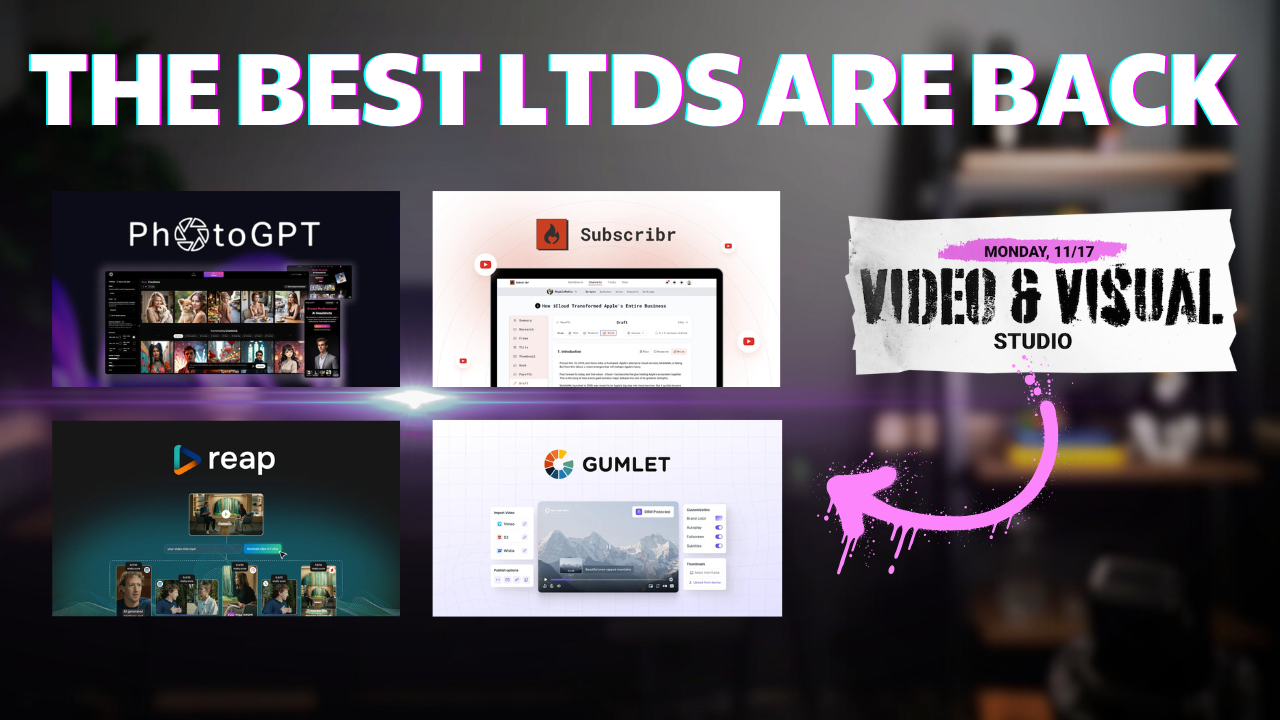
AppSumo's Black Friday sale has officially kicked off with Drop 1, featuring four tools focused on visual and video creation. Just like last year, they're releasing deals in a series of drops throughout the week, and this first batch includes PhotoGPT, Gumlet Video, Reap, and Subscribr.
I've already done full reviews of three of these but I wanted to give you a more condensed look at all four in one place to help you make quick decisions during this sale.
Can wait to get started? Click my link to go right to the deals.
p.s. This content isn't sponsored, so I depend on your support through my affiliate links. Thanks to everyone who watches or supports! 🙏
PhotoGPT: AI Model Training and Photo Generation [1:06]
PhotoGPT lets you upload a series of photos to create your own AI model, then position yourself in different scenarios and settings. I think this tool was underappreciated when it first launched on AppSumo. Back then, we didn't even have Google's Imagen 3 yet, and I still think it's a great tool even if you have access to newer image generators.
How PhotoGPT Works
The real power of PhotoGPT is in the model creation process. You dump in a collection of photos, and it trains an AI model specifically on you. This isn't just taking a single photo and trying to manipulate it. Because you can upload multiple photos from different angles, you can generate images in very different positions that would be difficult to achieve with tools like ChatGPT or even Imagen 3.
For example, I generated an AI photo of myself that looks so realistic, I'd think "I don't remember taking that picture." The accuracy is extremely impressive.
The Generation Process
Here's how it works:
- Create Your Model: Upload multiple photos of yourself from different angles
- Choose a Preset: Select from various styles like glamour photos, professional shots, etc.
- Set Your Resolution: Go up to 16:9 for landscape photos
- Configure Steps: Higher numbers (around 70) give more detailed, hyper-realistic results
- Add Reference Images: Optionally include a style reference for the generation
- Enable Face Enhancement: A newer feature that improves facial detail
I tested this with a prompt: "a man posing for GQ after winning a lifetime award for best YouTube software tutorials." The tool also has an AI enhance feature that takes your basic prompt and adds much more detail automatically. This feature wasn't there when I first reviewed the tool.
The generation takes about 20-30 seconds, plus another 20 seconds if you enable face enhancement. You get four images per generation.
Image Editing Features
PhotoGPT includes a full image editor where you can:
- Apply Filters: Dramatic effects like synthwave or more subtle adjustments
- Adjust Lighting: Add cinematic lighting or other atmospheric changes
- Combine Images: Merge multiple photos together
- Retouch: Remove objects from images (though this feature is less reliable than competitors like Canva)
The filters can be quite dramatic. For instance, the synthwave filter completely transforms the look of an image, while the cinematic lighting adjustment is more subtle but noticeably warmer.
Comparison to Other Tools
The retouching feature is where PhotoGPT falls short compared to something like Canva's AI tools. When I tried to remove plants from an image, it removed some plants but not the ones I actually clicked on. For content-aware editing, you might have better luck moving your image to Imagen 3.
However, for facial generation from multiple angles, PhotoGPT excels. With single-image generators, getting different angles of someone's face is much harder. PhotoGPT's multi-photo training approach gives you much more flexibility.
Gumlet Video: Hosting and Streaming Features [7:20]
Gumlet Video is a self-hosted video platform that gives you complete control over your video content. If you're tired of YouTube's branding, ads, or restrictions, Gumlet offers a compelling alternative with professional-grade features.
Core Features
Gumlet provides:
- Adaptive Streaming: Automatically adjusts video quality based on viewer bandwidth
- Custom Player: Fully brandable video player without YouTube logos
- Advanced Analytics: Detailed insights into viewer behavior and engagement
- API Access: Integrate video hosting into your own applications
- CDN Delivery: Fast, reliable video delivery worldwide
Why Self-Host Videos?
There are several reasons you might want to host videos outside of YouTube:
- No Platform Restrictions: Complete control over content without platform guidelines
- Brand Consistency: Your videos, your branding, no YouTube logo
- Privacy: Keep your video analytics and viewer data
- Monetization Control: Implement your own monetization without YouTube's cut
- Professional Presentation: Ideal for client deliverables, courses, or internal training
Video Management
The platform includes comprehensive management tools:
- Collections: Organize videos into logical groups
- Embed Codes: Easy embedding on any website
- Access Controls: Restrict who can view your content
- Customization: Control player appearance, colors, and functionality
Performance and Reliability
Gumlet uses adaptive bitrate streaming, which means the video quality automatically adjusts based on the viewer's internet speed. This ensures smooth playback without buffering, even for viewers with slower connections.
The CDN infrastructure ensures your videos load quickly regardless of where your viewers are located globally.
Best Use Cases
Gumlet Video works best for:
- Online Course Creators: Host course content without YouTube distractions
- Agencies: Deliver client videos with professional branding
- SaaS Companies: Embed product demos and tutorials
- Membership Sites: Provide exclusive video content to members
- Corporate Training: Internal video hosting with access controls
Reap: Content Repurposing into Shorts [14:43]
Reap is an AI-powered video editor designed specifically for repurposing long-form content into short vertical videos. If you're creating content for YouTube, podcasts, or webinars, Reap can help you extract the best moments and format them for TikTok, YouTube Shorts, or Instagram Reels.
Getting Started with Reap
The process is straightforward:
- Upload Your Video: Drag and drop or paste a URL
- Answer Configuration Questions: Specify if it's talking head, presentation, or gaming
- Set Language: Choose source language (translation available)
- Configure Resolution: Up to 4K depending on your AppSumo plan
- Choose Caption Preset: Select from extensive caption styles or create custom
- Define Processing Window: Focus on specific sections of your video
- Set Clip Length: Choose your ideal short-form video duration
- Add Topics: Specify what content you want extracted
Caption Customization
Reap offers an almost overwhelming number of caption presets. You can browse through dozens of pre-designed styles or create your own custom captions by choosing:
- Font styles
- Colors
- Positioning
- Animation effects
- Background styles
Once you create a custom caption style, you can save it as a preset for future projects.
The Editing Interface
The editor is impressively responsive for a web application. Key features include:
Text-Based Editing: Click directly on the transcript to delete words, and those sections are removed from the video. You can also add segments by typing new text.
Timeline Control: Drag and drop clips to rearrange them. The interface responds quickly without lag.
Frame Adjustment: Reposition and resize the video frame. If you shot in 16:9 but need 9:16, you can adjust the framing to keep your subject centered with captions below.
B-Roll Addition: Upload your own assets or use their built-in stock media library. Drag and drop to add B-roll wherever you need it.
Undo/Redo: Full undo history so you can experiment without worry.
Additional Tools
Beyond clip generation, Reap includes:
Auto Caption: Add captions to existing videos Editor Only: Use just the text-based editing features Auto Reframe: Resize videos and keep the focal point centered AI Dubbing: Translate videos into other languages with voice-over
Dubbing Limitations
The AI dubbing feature translates your video into numerous languages, but it doesn't include voice cloning. It won't try to mimic your voice in the new language. Still, having your content translated is better than not having it available in other languages at all.
Subscribr: YouTube Script and Analytics Tool [19:28]
Subscribr is reportedly one of the most popular lifetime deals ever on AppSumo. It helps you write scripts for your YouTube channel while also providing analytics, insights, and competitive intelligence.
Initial Setup
Getting started is simple:
- Connect Your Channel: Authorize Subscribr to access your YouTube analytics
- Channel Audit: The tool analyzes your entire channel
- Voice Learning: It learns your speaking style and video format
- Script Generation: Creates scripts that sound like you
What's Changed
The tool has evolved significantly since I first reviewed it. The most important change is a completely new way to generate scripts. The original script generation was my least favorite part of the tool, but the new approach is much better.
Available Tools
Subscribr includes several mini-tools:
- Video Breakdown: Analyze successful YouTube videos
- Hook Generator: Create compelling video openings
- Title Generator: Generate clickable titles
- Thumbnail Grabber: Download thumbnails (though free websites do this too)
- Description Generator: Write video descriptions
- Keyword Research: Find relevant search terms
- Tag Generator: Create video tags
- Transcript Generator: Extract transcripts from videos
The Script Bot
This is where you'll spend most of your time. The Script Bot is an AI that knows everything about your YouTube channel and can write scripts tailored to your style.
Here's what makes it different from just using ChatGPT:
Guided Questions: Instead of just generating a script, it asks thoughtful questions about your video:
- What pain point are you solving?
- What specific features will you cover?
- Who is your target audience?
- What action do you want viewers to take?
Context Awareness: It knows your channel's performance history, successful video formats, and typical video length.
Template Library: Multiple templates for different video styles with length options from 5 to 30+ minutes.
Model Selection: Choose between Claude 3.5 Sonnet, GPT-4.o1, and other models for generation.
Channel Intelligence
Beyond script writing, you can chat with an AI that has complete knowledge of your channel:
- Analyze previous video performance
- Research competitor channels
- Plan content strategy
- Identify trends in your niche
- Get recommendations for improvement
You can use the @ symbol to reference specific channels for analysis, making it easy to study what's working for others in your space.
Credit System
Script generation uses a credit system. A 20-minute video costs around 6 credits. The pricing varies based on video length and which AI model you choose for generation.
Conclusion [22:13]
Drop 1 of AppSumo's Black Friday sale offers four solid tools for content creators and entrepreneurs focused on visual and video content.
PhotoGPT stands out for anyone needing realistic AI-generated photos of themselves or others. The multi-photo training approach produces significantly better results than single-image generators for facial consistency across different poses and angles.
Gumlet Video solves a specific problem for creators who need professional video hosting outside of YouTube. It's ideal for course creators, agencies, and businesses that want complete control over their video presentation and analytics.
Reap addresses the time-consuming task of repurposing long-form content into shorts. The text-based editing interface is intuitive, and the AI does a good job identifying the best moments from your videos. The tool has improved significantly since launch.
Subscribr has evolved into a comprehensive YouTube growth tool. While the mini-tools are nice, the real value is in the Script Bot that learns your voice and guides you through creating better content. If you're serious about growing a YouTube channel, this tool provides genuine value beyond what free alternatives offer.
Should You Buy?
Remember, prices increase by up to 15% in 7 days. Here's my take on each:
- PhotoGPT: Buy if you regularly need professional photos of yourself or team members for marketing, social media, or client work
- Gumlet Video: Buy if you're selling courses, delivering client videos, or need branded video hosting without YouTube
- Reap: Buy if you create long-form content and want to efficiently repurpose it into shorts
- Subscribr: Buy if you're committed to growing a YouTube channel and want AI assistance that understands your specific channel
All four tools are solid, but they serve different needs. Focus on which problem you actually need solved rather than buying deals just because they're on sale.
If you have questions about any of these tools, leave a comment below. I'll be releasing more Black Friday content as new drops come out throughout the week.
Frequently Asked Questions
Q: How long will these Drop 1 prices last? A: Prices increase by up to 15% in 7 days from the drop release. Lock in the current pricing before next Monday.
Q: Can I use PhotoGPT for photos of other people? A: Yes, you can create models for anyone by uploading their photos. Just make sure you have permission to use their images.
Q: Does Gumlet Video have storage limits? A: Storage and bandwidth limits depend on which AppSumo tier you purchase. Check the deal page for specific plan details.
Q: Can Reap handle long podcast episodes? A: Yes, Reap works well with podcasts. You can specify which sections to process if you don't want to analyze the entire episode.
Q: Does Subscribr work for channels in languages other than English? A: Subscribr primarily focuses on English-language channels. While it may work with other languages, the script generation is optimized for English content.
Q: Are there refund options if I'm not satisfied? A: AppSumo typically offers a 60-day money-back guarantee on lifetime deals. Check the specific terms on each deal page.
Q: Will there be more Black Friday drops? A: Yes, AppSumo is releasing multiple drops throughout this week. Subscribe to my channel and check the playlist for coverage of each new drop.
Q: Can I stack codes to get higher tiers? A: Yes, AppSumo lifetime deals typically allow code stacking. You can purchase multiple codes to access higher-tier features and increased limits.


