
AppSumo Black Friday Drop 3: 6 Tools to Actually Grow Your Audience
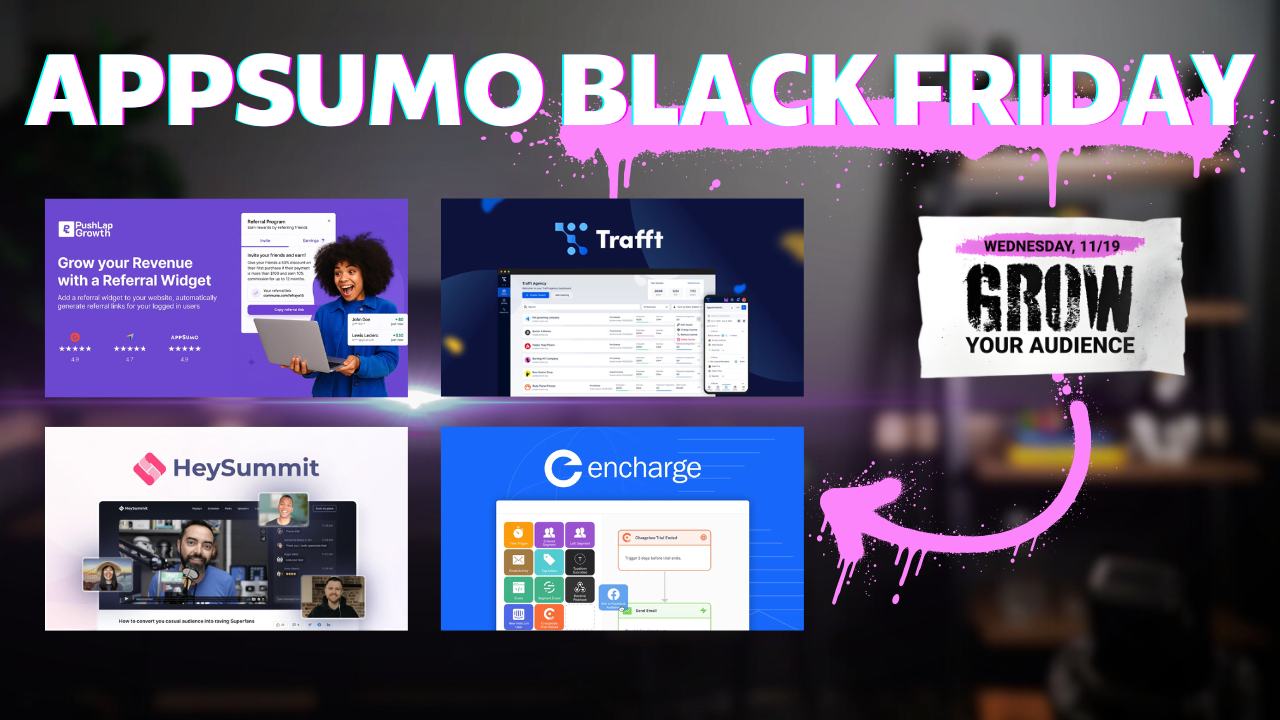
AppSumo Black Friday Drop 3 brings six audience growth tools: HeySummit for virtual events, Pushlap Growth for affiliates, Press Ranger for media outreach, Trafft for appointments, plus Encharge and Acumba Mail for email marketing. I review each to help you decide which fit your business needs.

Introduction to AppSumo Black Friday Drop 3 [00:00]
Black Friday is here, and AppSumo has released Drop 3 with a focus on audience growth tools. I'm covering every single deal that AppSumo releases this Black Friday, and today we're looking at six tools designed to help you expand your reach and grow your business.
Whether I'll get any sleep this week remains to be seen, but I'm committed to giving you thorough reviews of each tool so you can make informed decisions about which ones are worth your investment.
Drop 3 includes a diverse mix of tools. We've got HeySummit for hosting virtual events, Pushlap Growth for creating your own affiliate program, Press Ranger for media outreach, Trafft for appointment booking, and two email marketing platforms: Encharge and Acumba Mail.
Each of these tools addresses a different aspect of audience growth. Some help you create events that attract attendees, others help you leverage affiliates to spread the word about your products, and some streamline the process of getting media coverage or managing appointments with clients.
One important note before we get started: Acumba Mail is only available to AppSumo Plus members. If you're planning to make several purchases during Black Friday, the 10% discount you get with Plus membership could pay for itself immediately, and you'll have a full calendar year to save on additional purchases.
HeySummit: Host Virtual Events [02:25]
HeySummit is a mature platform that started on AppSumo about six years ago. Since then, they've significantly expanded their offerings as the live event marketplace has evolved.
Types of Events You Can Host
When you create an event in HeySummit, you have several options:
One-off workshops are essentially webinars. These are single sessions focused on teaching a specific topic or skill.
Single day events feature multiple speakers throughout the day, allowing you to create a mini-conference experience.
Multi-day events can include multiple speakers and even multiple tracks where attendees choose which sessions to attend based on their interests.
Ongoing series work well for monthly or weekly recurring events where you're building a community over time.
On-demand video libraries let you create a repository of content that people can access whenever they want.
Video courses turn HeySummit into a full course platform, not just for live events.
There's even an in-person component option, so you could do hybrid events where part happens online and part happens in person.
Setting Up Your Event
The setup process is straightforward. You give your event a name, specify which company is hosting it, and then add your speakers.
Each speaker gets their own profile page where you can include their name, contact information, bio, social media links, and even promotional photos. You can add an introduction video if you want to pre-sell people on the value of attending.
These speaker pages make your event much more enticing. When potential attendees can see exactly who they'll be learning from, it increases the perceived value of your event.
Monetization Options
HeySummit does an excellent job of helping event creators monetize their events without feeling sleazy about it.
Ticket sales are the most straightforward revenue stream. You can create multiple ticket tiers like general admission and VIP passes. Each ticket type can have limited quantities and time-based restrictions. For example, you might make VIP passes only available for the first weekend to create urgency and exclusivity.
Add-ons let you sell supplementary products or services alongside tickets.
Donations are an option if you want to give attendees the ability to contribute more.
Coupons can be used for promotional campaigns or to reward early buyers.
Sponsorships are available through the sponsor option in the content tab. You can sell advertising space to companies that want to reach your audience.
Content Management
In the content tab, you add workshops (which they also call "talks" - the terminology can be a bit confusing at first).
Your options for content types include:
- Live webinars or meetings
- Live streams
- Prerecorded videos
For prerecorded content, HeySummit integrates with major video platforms like Wistia, Vimeo, and YouTube. They also support several former AppSumo deals like Dubs, Spotlighter, Hippo Video, Gumlet, and Wave. If your platform isn't listed, you can use an embed code.
Promotion Tools
HeySummit provides embeddable widgets to help you promote your event. You can show upcoming talks or upcoming events on your website.
If you don't have a website at all, they create a microsite for you where people can purchase tickets directly. You don't need anything else to start selling.
Ideal Use Cases
HeySummit works particularly well for online instruction. If you're a music teacher, dance instructor, or offer any kind of lessons, you can use HeySummit to host group workshops or classes.
It's also excellent for building authority in your niche. Hosting virtual events positions you as an expert and gives you content that can be repurposed later.
The platform has matured significantly since its original AppSumo launch, and it shows. There are a lot of features here - if anything, you might feel like there are too many options rather than not enough.
Pushlap Growth: Affiliate Programs [07:38]
Pushlap Growth is a tool for creating and managing your own affiliate program. If you want an army of affiliates selling your products and services, this is how you make it happen.
I have a full-length review of Pushlap Growth coming out separately, but I'll cover the essentials here.
Why Create an Affiliate Program
Affiliate marketing is powerful because you're essentially creating a sales force that only gets paid when they deliver results. It's performance-based marketing at its core.
Instead of spending money on ads with uncertain returns, you're paying people a commission only when they bring you actual customers. This makes it an attractive option for businesses that want to grow without taking on significant marketing risk.
Getting Started with Pushlap Growth
The setup process involves connecting your payment processor and defining your commission structure. You decide what percentage of each sale goes to affiliates and how long cookies last (the tracking window for attributing sales).
Once your program is set up, you can recruit affiliates. These might be customers who love your product, influencers in your niche, or anyone with an audience that would benefit from what you offer.
Managing Affiliates
Pushlap Growth gives you a dashboard to monitor affiliate performance. You can see which affiliates are driving the most traffic, which ones are converting best, and what your overall return on investment looks like.
You can also create promotional materials for your affiliates. This might include social media graphics, email templates, or landing pages that they can use to promote your products more effectively.
Payment and Tracking
The platform handles commission tracking and payouts automatically. This removes a huge administrative burden from running an affiliate program. You don't need to manually calculate commissions or chase down payment information.
Who Should Use This
Pushlap Growth makes the most sense if you have a product or service that people are willing to recommend to others. It works particularly well for:
- SaaS products
- Digital courses
- High-ticket services
- Physical products with good margins
If you're selling something with very thin margins, an affiliate program might not be economically viable. But for most digital products and services, the economics work out well.
Press Ranger: Media Outreach [14:02]
Press Ranger is designed to help you get media coverage for your business. Instead of paying Mark Zuckerberg to run ads, you can use Press Ranger to find journalists and podcasters who might be interested in featuring your story.
The Database
Press Ranger provides access to a database of journalists and podcasts. You can search by topic, publication, or other criteria to find relevant contacts.
This solves one of the biggest challenges in PR: finding the right people to pitch. Instead of spending hours researching who covers your industry, Press Ranger gives you a curated list.
Outreach Management
Once you've identified potential contacts, Press Ranger helps you manage the outreach process. You can track who you've contacted, who responded, and what the outcome was.
This is crucial because effective PR requires consistent follow-up. Most journalists get hundreds of pitches, so you need to be persistent (without being annoying).
Email Templates and Sequences
The platform includes email templates to help you craft pitches. These aren't rigid - you should customize them for your situation - but they provide a good starting point.
You can also set up sequences so that if someone doesn't respond to your first email, they automatically receive a follow-up after a specified time period.
Why Media Coverage Matters
Getting featured in media outlets builds credibility in a way that paid advertising can't. When a trusted publication covers your business, it serves as third-party validation.
Media coverage can also have lasting benefits. A single article can continue to drive traffic and build authority for years after publication.
Who Should Use This
Press Ranger makes sense if you have a story worth telling. This might include:
- Launching a new product
- Achieving a significant milestone
- Having unique insights on industry trends
- Running a business with an interesting backstory
If you don't have a compelling angle, no amount of outreach will work. But if you do have a story, Press Ranger can help you get it in front of the right people.
Trafft: Appointment Booking [20:38]
Trafft is an appointment booking tool, but it's not just another Calendly clone. This platform is specifically designed for physical locations and in-person appointments.
What Makes Trafft Different
While tools like Calendly and TidyCal work well for virtual meetings, Trafft excels at managing appointments where people need to come to a specific location.
Think salons, music lessons, gym classes, group training, or any service-based business where clients visit you.
Location Management
Trafft allows you to manage multiple locations if you have several offices or service areas. Each location can have its own calendar, staff, and services.
This is particularly useful for businesses that operate in multiple cities or have satellite offices.
Employee Scheduling
You can add multiple employees to Trafft and manage their individual schedules. This includes:
- Setting their working hours
- Blocking off time when they're unavailable
- Assigning them to specific services or locations
- Tracking their appointments
This makes Trafft suitable for businesses with teams, not just solo practitioners.
Services and Pricing
You can create a catalog of services with different durations and prices. For example, a salon might offer:
- Haircut (30 minutes, $40)
- Color treatment (90 minutes, $120)
- Full styling (2 hours, $150)
Clients can see all available services and book the ones they need. You can even allow booking multiple services in a single appointment.
Payment Integration
Trafft integrates with payment processors so you can collect deposits or full payments when people book. This reduces no-shows significantly - people are much more likely to show up when they've already paid.
You can set up different payment rules for different services. Maybe you require a deposit for longer appointments but not for quick consultations.
Customer Management
The platform includes custom fields for both customers and appointments. This lets you collect whatever information you need to provide the service effectively.
For a fitness studio, you might ask about injuries or health conditions. For a salon, you might track color formulas or styling preferences.
My Experience with Similar Tools
I ran a music lesson business for about 10 years. During that time, we paid MindBody tens of thousands of dollars for similar functionality.
MindBody is one of the largest online booking solutions, but it's expensive. Nothing like Trafft existed back then with a one-time payment option.
If I could have paid once for a tool like Trafft instead of ongoing monthly fees, it would have saved a massive amount of money over that decade. I tried many tools during that period, and MindBody wasn't my favorite - it just had the right combination of features.
Customization Options
Trafft allows you to customize the appearance with custom CSS and JavaScript if you want to write your own code. Otherwise, you can choose from existing themes.
You can customize:
- The hero section
- The footer
- The services page
- The employee page
This helps you maintain brand consistency across your booking experience.
Who Should Use This
Trafft is ideal for service-based businesses that operate from physical locations. If you're scheduling virtual meetings only, stick with Calendly or TidyCal. But if you need to manage:
- Multiple locations
- Multiple employees
- In-person appointments
- Group sessions
- Payment collection
Then Trafft is worth serious consideration.
Encharge vs. Acumba Mail: Email Marketing Tools [25:11]
Drop 3 includes two email marketing platforms: Encharge and Acumba Mail. It's interesting that AppSumo released both in the same drop because they serve different purposes despite being in the same category.
Acumba Mail: AppSumo Plus Only
First, an important note: Acumba Mail is only available to AppSumo Plus members. If you're not a Plus member and this tool interests you, you'll need to upgrade.
I created a full-length review of Acumba Mail that's almost 40 minutes long, so I'll focus here on the key differences between these two platforms.
Different Use Cases
These tools approach email marketing from different angles. Acumba Mail is more like ConvertKit - it's focused on making email marketing accessible and beautiful.
Encharge operates at a more technical level while still keeping things user-friendly. It's designed for people who want sophisticated automation and deep integrations.
Encharge: Technical Power
Encharge excels at complex automation. The platform uses an infinite canvas where you build flows visually.
Here's an example: An automated Stripe signup flow in Encharge might look like this:
- Someone starts a trial of your SaaS product
- Send them a welcome email
- Wait until the trial is near expiration
- Check if they're still active
- If yes, send an email before the trial ends
- When the subscription activates, send a welcome email
- Tag the customer
- Send a Slack notification to your team
- If the subscription is canceled, send a feedback request
This level of automation is possible in Encharge because of its deep integrations with platforms like Stripe.
The Encharge Builder
The visual builder in Encharge is impressive. You can see your entire automation flow at once, with notes and conditions clearly laid out.
Each email in the flow can be customized with their email builder. While it includes plain text options, you can also add:
- Images
- Buttons
- Videos (with thumbnails and play buttons)
- Custom padding and spacing
It feels more like building a website page than a traditional email.
Site Tracking
One of Encharge's most powerful features is site tracking. This is typically found in higher-end CRMs, not email marketing tools.
Site tracking follows visitors around your website and gathers information about their behavior. You can use this data to trigger automated emails based on what pages they visit or actions they take.
For example, if someone visits your pricing page multiple times but doesn't purchase, you could automatically send them a discount offer.
Important note: Site tracking requires compliance with GDPR and other privacy laws. You need to get proper consent and be transparent about what you're tracking.
Acumba Mail: Beautiful and Simple
Acumba Mail shines when it comes to design. The platform uses BeFree as their email builder, which makes it easy to create beautiful emails.
They have 872 templates available. Yes, you read that correctly - 872 templates. These cover every possible use case from newsletters to e-commerce to seasonal campaigns.
Starting from a template makes the design process much faster. Instead of building from scratch, you pick a template that's close to what you want and customize it.
The BeFree Builder
The BeFree builder is intuitive and powerful. It's similar to the Encharge builder in terms of ease of use, but the huge template collection gives you a better starting point.
Everything is drag-and-drop. You can modify layouts, change colors, swap images, and adjust spacing without any coding knowledge.
Acumba Mail Automations
Acumba Mail does have automation capabilities, but they're simpler than Encharge. The flows are straightforward:
- Trigger (someone signs up)
- Wait (2 days)
- Send message
- Check condition (did they open?)
- If yes, send message A
- If no, send message B
This simplicity can be an advantage if you don't need complex workflows. It's easier to understand and maintain simple automations.
Additional Features
Acumba Mail includes landing pages and surveys, but I wouldn't purchase this tool primarily for those features.
I'd still build landing pages on an actual website platform and run surveys on a dedicated survey tool. If you use these features, great - but they should be considered bonuses rather than main selling points.
Which One Should You Choose?
The decision comes down to your specific needs:
Choose Encharge if:
- You need sophisticated automation workflows
- You want deep integrations with tools like Stripe
- Site tracking and behavioral triggers are important
- You have technical requirements for your email marketing
Choose Acumba Mail if:
- Email design is a priority
- You want beautiful templates to start from
- Your automation needs are straightforward
- You prefer a simpler, more accessible interface
A Note on Deliverability
Regardless of which platform you choose, deliverability is critical. Both services require proper domain authentication and sender verification.
Follow all setup steps carefully. Configure your SPF and DKIM records properly. This gives you the best chance of reaching the inbox.
Also, warm up your sending gradually. Don't blast thousands of emails on your first day. Start with a few hundred, then double it every couple of days. This helps you build credibility with email providers.
Design vs. Technical Power
Here's an important consideration: Prettier emails don't always equal higher revenue.
While Acumba Mail makes it easy to create beautiful designs, the aesthetic quality of your emails isn't necessarily the most important factor in their effectiveness.
Clear copy, compelling offers, and proper segmentation often matter more than design sophistication. Don't choose a platform solely based on template aesthetics.
That said, there are situations where design matters a lot - particularly for e-commerce businesses or brands where visual identity is crucial.
Conclusion [30:45]
Drop 3 from AppSumo covers a lot of ground in the audience growth space. These six tools address different aspects of building and engaging an audience.
HeySummit helps you create events that attract attendees and establish authority. Pushlap Growth turns your satisfied customers and partners into a sales force. Press Ranger gets you media coverage that builds credibility.
Trafft solves the specific challenge of managing physical appointments and locations. And the two email marketing platforms - Encharge and Acumba Mail - give you different approaches to staying in touch with your audience.
The diversity of this drop means there's likely something here for most businesses. But that also means you need to think carefully about which tools actually serve your specific needs.
Making Your Decision
Don't buy something just because it's on sale. Consider:
- What specific problem does this solve for my business?
- Do I have the time to implement and use this tool?
- Will this genuinely help me grow, or is it just nice to have?
- Is there a simpler solution I'm already using that works well enough?
Black Friday deals create urgency, but urgency should never override careful decision-making.
What's Next
I'm covering every AppSumo drop this Black Friday, so tomorrow I'll be back with Drop 4. If you have questions about any of the tools from Drop 3, drop them in the comments.
I've also got full-length reviews coming for some of these tools, including a detailed look at Pushlap Growth and deeper explorations of the email marketing platforms.
You can find all my Black Friday coverage in the playlist, and I maintain a blog where I post written versions of these reviews. Sometimes it's easier to search and reference a blog post than to scrub through video.
FAQ
Is Acumba Mail really only for AppSumo Plus members?
Yes, Acumba Mail is exclusive to Plus members. If you're not currently a Plus member but want access to this deal, you'll need to upgrade. The 10% discount on all purchases might offset the cost of Plus membership if you're buying multiple deals during Black Friday.
Which email marketing tool should I choose - Encharge or Acumba Mail?
Choose Encharge if you need sophisticated automation workflows and deep integrations with tools like Stripe. Choose Acumba Mail if you prioritize email design and template variety, or if your automation needs are relatively simple.
Can Trafft handle virtual appointments or is it only for in-person bookings?
While Trafft can technically handle virtual appointments, it's really designed for physical locations and in-person services. If you only need virtual meeting scheduling, tools like Calendly or TidyCal are better suited for that purpose.
Does HeySummit work for free events or only paid ones?
HeySummit works for both free and paid events. You can host completely free events if you want, or you can monetize through ticket sales, sponsorships, and other revenue streams.
How is Pushlap Growth different from other affiliate platforms?
Pushlap Growth is specifically designed to let you create and manage your own affiliate program for your products. It's not a network where you join to promote other people's products - it's a tool for businesses that want affiliates promoting their offerings.
Do I need coding knowledge to use any of these tools?
No, none of these tools require coding knowledge for basic use. However, some (like Trafft and Acumba Mail) do offer custom CSS/JavaScript options if you want to make advanced customizations.
What's the difference between HeySummit workshops and talks?
HeySummit uses these terms interchangeably, which can be confusing. They essentially mean the same thing - individual sessions or presentations within your event.
Can I use Press Ranger if I've never done PR before?
Yes, Press Ranger is designed to make PR more accessible. It includes templates and guidance to help beginners craft pitches. However, you still need a compelling story or angle worth covering - the tool helps with outreach but can't create newsworthiness.


