
AppSumo Black Friday Drop 4: 5 AI Tools Reviewed (Brizy, Krisspy, Greta & More)
AppSumo Black Friday Drop 4 review: I tested all 5 AI tools - Brizy, Triplo AI, Krisspy, Greta, and NoCode-X. Find out which website builders and app development platforms are worth buying and which ones to skip.

Introduction [0:00]
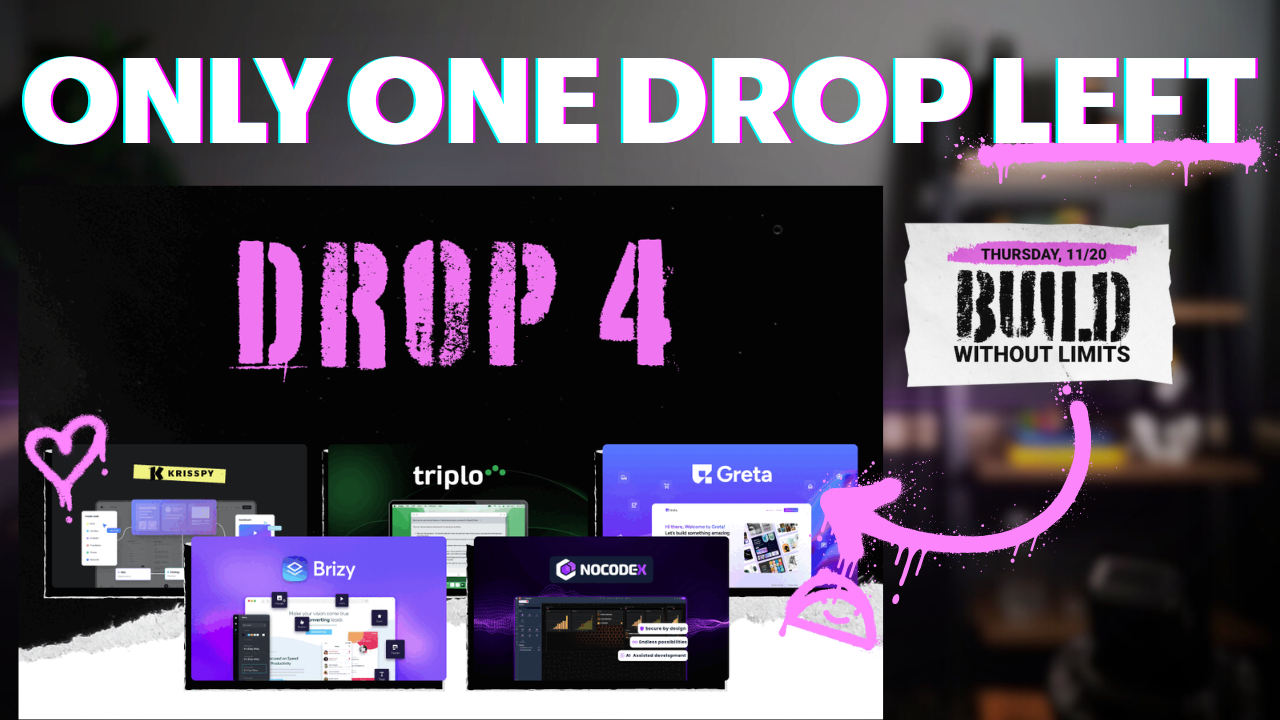
AppSumo's Black Friday Drop 4 is here with the theme "Build Without Limits." I've tested all five AI-powered tools in this drop to help you decide which ones are actually worth your money. This isn't a sponsored review - you're getting my honest opinions based on real testing.
The five tools I'm covering today are Brizy, Triplo AI, Krisspy, Greta, and NoCode-X. These range from website builders to desktop AI assistants to secure app development platforms. I've already published full-length reviews on some of these tools, so if you want to go deeper on any particular one, check out my Black Friday playlist.
I'll be going through each tool in reasonable depth. These aren't full-length reviews or this video would be six hours long, but I'm covering enough to help you make an informed decision about which tools fit your needs.
Brizy Review [2:43]
Brizy is one of the best lifetime deals for website builders I've ever seen. It competes directly with WordPress but without all the plugin complexity and maintenance headaches. If you're looking to build websites or start a blog, Brizy deserves serious consideration.
I recently published a full review of Brizy, and I stand by my assessment that this is an exceptional tool. The key advantage is simplicity - there are no plugins to manage, no compatibility issues to troubleshoot, and no security vulnerabilities from outdated extensions.
AI-Powered Website Generation
I tested Brizy's AI website builder using one of my oldest clients, Enlightened 4D Imaging. This is a Minnesota-based 3D ultrasound business that's been with my agency since we first started. The AI has improved significantly since my last review - it now generates complete multi-page websites instead of just single landing pages.
The setup process is straightforward. You tell Brizy what pages you need - I selected services, about, reviews, and contact pages. The AI then builds the entire site structure for you. What impressed me most was the attention to detail. It pulled real information from the business's online presence, including their actual phone number, testimonials from Google My Business, and legitimate business photos.
The Brizy Editor Experience
The Brizy editor is intuitive and fast. If you've been frustrated by WordPress's block builder, you'll appreciate how smooth this interface feels. Everything is inline editing - you click on text and start typing. No modal windows, no complicated settings panels to navigate.
Moving elements around is simple drag-and-drop. I demonstrated this by rearranging testimonial components - the stars, the text, the reviewer names - everything responds instantly. There's a gradient background tool that lets you adjust colors in real-time, and you can see your changes update immediately.
The sidebar contains all your essential tools. You've got elements you can add to your page - buttons, icons, alerts, all the standard components. The site styles section lets you regenerate color schemes with AI if you're not satisfied with the initial palette. As you cycle through different color combinations, the entire site updates in real-time, making it easy to find a look that works.
Collaboration Features
Brizy includes a collaboration mode for working with clients or team members. Click anywhere on the page and you can leave comments for feedback. This eliminates the need for separate project management tools or endless email chains about design revisions.
Templates and Starting Points
If you don't want to use AI generation, Brizy offers hundreds of pre-built templates. These aren't generic stock templates - they're professionally designed starting points you can customize. For landing pages specifically, there are dozens of high-quality options covering various industries and use cases.
The template library makes it easy to build a professional site even if you're not confident in your design skills. Pick a template that's close to what you need, then customize the text, images, and colors to match your brand.
Why Brizy Stands Out
Brizy succeeds because it focuses on the core website building experience without getting bogged down in extensibility. WordPress is powerful because of its plugin ecosystem, but that power comes with complexity. Brizy takes the opposite approach - it does one thing exceptionally well.
For small businesses, agencies managing client sites, or anyone who wants to build and maintain websites without dealing with technical overhead, Brizy is hard to beat. The lifetime deal pricing makes it even more attractive compared to monthly subscriptions that add up over time.
Triplo AI Review [7:56]
Triplo AI is a desktop application that brings AI into every aspect of your workflow with a simple keyboard command. This isn't a Chrome extension - it's a platform-agnostic app that works on Windows, Linux, Mac, Android, and iOS.
The core concept is straightforward: you're working in any application, you hit a keyboard shortcut, and Triplo AI appears ready to help. This could be writing an email, analyzing a document, generating code, or any other AI-assisted task.
Platform-Wide AI Access
What makes Triplo different from ChatGPT or Claude in a browser tab is its universal availability. You don't need to switch contexts or copy-paste between applications. Whether you're in your email client, a text editor, Slack, or anywhere else, Triplo is just a keystroke away.
I'll be publishing a full-length review of Triplo AI soon where I'll go deeper into its capabilities. For this overview, the key takeaway is that it's designed for people who want AI assistance integrated throughout their entire workflow, not confined to a web browser.
The desktop application approach means it's more resource-intensive than a simple browser extension, but it also provides more powerful integration with your operating system and applications. If you find yourself constantly switching between your work and a ChatGPT tab, Triplo might eliminate that friction.
Krisspy Review [11:05]
Krisspy is an AI-powered tool for UX and UI design that's made significant improvements since I first reviewed it earlier this year. The platform now includes the ability to generate actual code, not just design mockups, which makes it much more practical for building real applications.
AI Agents for Design
Krisspy uses AI agents to help you create user interfaces and user experiences. You describe what you want to build, and the AI generates design concepts. This is particularly useful in the early stages of a project when you're trying to visualize how an application should look and function.
The major update since my original review is code generation. Previously, Krisspy was primarily a design tool - you'd create beautiful mockups but then need to hand them off to a developer. Now you can generate working code directly inside Krisspy, giving you at least a starting point for development.
Figma Integration
One of Krisspy's strongest features is its integration with Figma. If you're working with a UX designer or design team, you can start your project in Krisspy using AI to rapidly prototype ideas, then export everything to Figma for refinement.
This workflow makes a lot of sense for teams. The AI handles the initial heavy lifting of creating layouts and components, the design team polishes everything in Figma, and then developers can work from those finalized designs. It's a bridge between the speed of AI generation and the precision of professional design tools.
When to Choose Krisspy
Krisspy is the right choice if you're serious about building an application that needs proper UX/UI design work. It's not the fastest way to get from idea to deployed app - that would be Greta or NoCode-X. But if design quality matters and you plan to involve professional designers, starting with Krisspy and exporting to Figma is an excellent workflow.
Greta Review [16:01]
Greta is an AI-powered app builder that uses React and Supabase to create full-stack applications. You describe what you want to build, and Greta generates a working application that you can deploy immediately or continue refining.
Chat-Based App Building
The Greta interface is conversational. You type what you want to build, and the AI creates it. This "vibe coding" approach is becoming increasingly popular - instead of writing code or dragging components around, you describe your vision in plain language.
I tested Greta by building a simple application. The AI walks you through each step, showing you what it's creating and asking for confirmation before proceeding. You can see the UI taking shape in real-time as Greta generates components, layouts, and functionality.
Real Applications, Not Prototypes
What sets Greta apart from some other AI builders is that it creates actual working applications. These aren't just pretty mockups - they include authentication, database integration, and all the backend logic needed for a functional app.
The applications use React for the frontend and Supabase for the backend database. Both are well-established technologies, which means you're not locked into some proprietary system. If you need to scale or modify your application later, you're working with standard tools that any developer can work with.
Code Export and Ownership
Greta gives you full access to your code. You can export everything and deploy it wherever you want. This is crucial if you're building something serious - you don't want to be locked into a platform that might change pricing or shut down.
The code export works through GitHub integration. Your project syncs to a GitHub repository, giving you version control and the ability to work on the code directly if needed. This makes Greta viable for professional applications, not just quick prototypes.
Mobile Responsive by Default
I tested the mobile responsiveness of the applications Greta creates, and they work well across different screen sizes. You can preview in mobile mode within the editor, and if you need to adjust text or layout for mobile, there are tools to do so.
When Greta Makes Sense
Greta is ideal if you want to build applications quickly without writing code, but you still want the option to access and modify the code later. It's particularly good for MVPs, internal tools, or client projects where you need to ship something functional fast.
The Supabase backend means you'll need to consider hosting costs if your application grows beyond the free tier, but Supabase can also be self-hosted if you want complete control over your infrastructure.
NoCode-X Review [19:00]
NoCode-X takes a different approach than Greta - it prioritizes security and gives you more control over your application architecture. The trade-off is that it's more complex to use. This is a tool for advanced users who understand application development concepts.
Security-First Development
NoCode-X puts security front and center. One common criticism of AI-generated code is that it often includes security vulnerabilities. NoCode-X addresses this by building security considerations into every step of the development process.
If you're building applications that handle sensitive data or need to meet compliance requirements, the security focus of NoCode-X is worth the extra complexity.
Rocket Mode vs Visual Builder
NoCode-X offers two main interfaces. Rocket Mode is similar to Greta - you describe what you want in a chat interface, and the AI builds it. I tested this by asking it to create a blood pressure tracking application.
The AI walks you through multiple steps: application description, customer journey, requirements and features, design system, and more. Each step requires confirmation before proceeding. This methodical approach gives you more control but makes the process slower than Greta.
The visual builder is more traditional. You see a file structure, you can open individual files and edit them in a visual interface (not raw code), and you have direct control over every aspect of your application.
Resource Management
NoCode-X measures usage in both credits and CPU minutes. This is important to understand - you're not just paying per generation, you're also limited by computation time. I ran out of my free tier allocation pretty quickly while testing.
The paid tiers give you significantly more resources, ranging from 500 CPU minutes per month on tier one up to 10,000 minutes on the highest tier. How much you need depends on the complexity of your applications and how often you're generating or modifying them.
Deployment Options
NoCode-X hosts your applications for you, but you can also self-host if you have DevOps skills. The self-hosting option requires more technical knowledge - this isn't just exporting files and uploading them to a server. You'll need to understand application deployment, database configuration, and server management.
Most users will probably use NoCode-X's built-in hosting. It includes different environments for development, testing, acceptance, and production, which is more sophisticated than what most other AI builders offer.
Choosing Between Greta and NoCode-X
If you're a beginner or intermediate user who wants to build applications quickly, Greta is the better choice. It's faster, simpler, and gets you from idea to deployed app with less friction.
If security is your top priority and you have the technical knowledge to work with a more complex tool, NoCode-X is worth considering. The additional control and security features justify the steeper learning curve for the right use cases.
Conclusion [24:12]
Drop 4 offers a solid selection of tools for different use cases. Here's how I'd break down the decision-making:
Choose Brizy if you need to build and maintain websites without WordPress complexity. It's perfect for agencies, small business owners, or anyone who wants a clean, fast website builder with minimal maintenance.
Choose Triplo AI if you want AI assistance available everywhere in your workflow, not just in a browser. The desktop application approach makes sense if you're constantly switching between applications and want AI just a keystroke away.
Choose Krisspy if you're building an application that needs professional UX/UI design and you plan to work with designers. The Figma export makes it a great starting point for serious design work.
Choose Greta if you want to build applications fast with the option to export your code. It strikes a good balance between ease of use and flexibility, making it ideal for MVPs, internal tools, and client projects.
Choose NoCode-X if security is your primary concern and you have the technical knowledge to work with a more complex platform. It's the most sophisticated option but requires more expertise.
My personal picks from this drop would be Brizy and Greta. Brizy because website building is something I do regularly for clients, and Greta because the speed of development combined with code ownership makes it practical for real business applications.
What are you thinking about picking up from Drop 4? Let me know in the comments, and if you have questions about any of these tools, I'll do my best to answer them.
If you want to support the channel, use my AppSumo affiliate links. It helps me keep making these in-depth reviews, and I genuinely appreciate everyone who's been clicking through this Black Friday season.
Frequently Asked Questions
Can I use Brizy for e-commerce websites?
Brizy focuses on content websites, landing pages, and blogs rather than e-commerce. If you need a full online store with product catalogs and shopping cart functionality, you'd be better served by a dedicated e-commerce platform.
Does Triplo AI work offline?
No, Triplo AI requires an internet connection to function since it's connecting to AI models in the cloud. The desktop application is the interface, but the actual AI processing happens on remote servers.
Can I import existing designs into Krisspy?
Krisspy is primarily designed for creating new designs rather than importing existing ones. If you already have designs in Figma or another tool, you'd continue working with those directly rather than bringing them into Krisspy.
What happens to my Greta apps if I stop using the platform?
Since you can export the full codebase through GitHub, your applications are yours to keep. You can deploy them anywhere and continue maintaining them even if you never use Greta again. This is a key advantage over platforms that lock you in.
Is NoCode-X suitable for beginners?
NoCode-X is the most complex tool in this drop. If you're new to application development, start with Greta instead. NoCode-X makes more sense once you understand application architecture and development concepts.
Do these tools require ongoing subscription costs?
The AppSumo lifetime deals cover the platforms themselves. However, some may have associated costs for hosting, database usage, or third-party services. Greta uses Supabase which has a free tier but charges for usage beyond that. Brizy and the others include hosting in their plans, though there may be limits based on your tier.
Can I build mobile apps with these tools?
Greta and NoCode-X create web applications that are mobile-responsive, meaning they work in mobile browsers. They don't create native iOS or Android apps that you'd submit to app stores. If you need actual mobile apps, you'd need different tools.


