
AppSumo's Best Bundle Yet – $49 Full Walkthrough (Bolt, Pica, Reclaim + More)
AppSumo's Black Friday Bundle includes Bolt, Pica, Reclaim AI, Hostinger hosting, and Emergent – five tools for $49. Full walkthrough of each tool plus a live demo of Bolt + Pica building apps with payment processing.


Introduction [0:00]
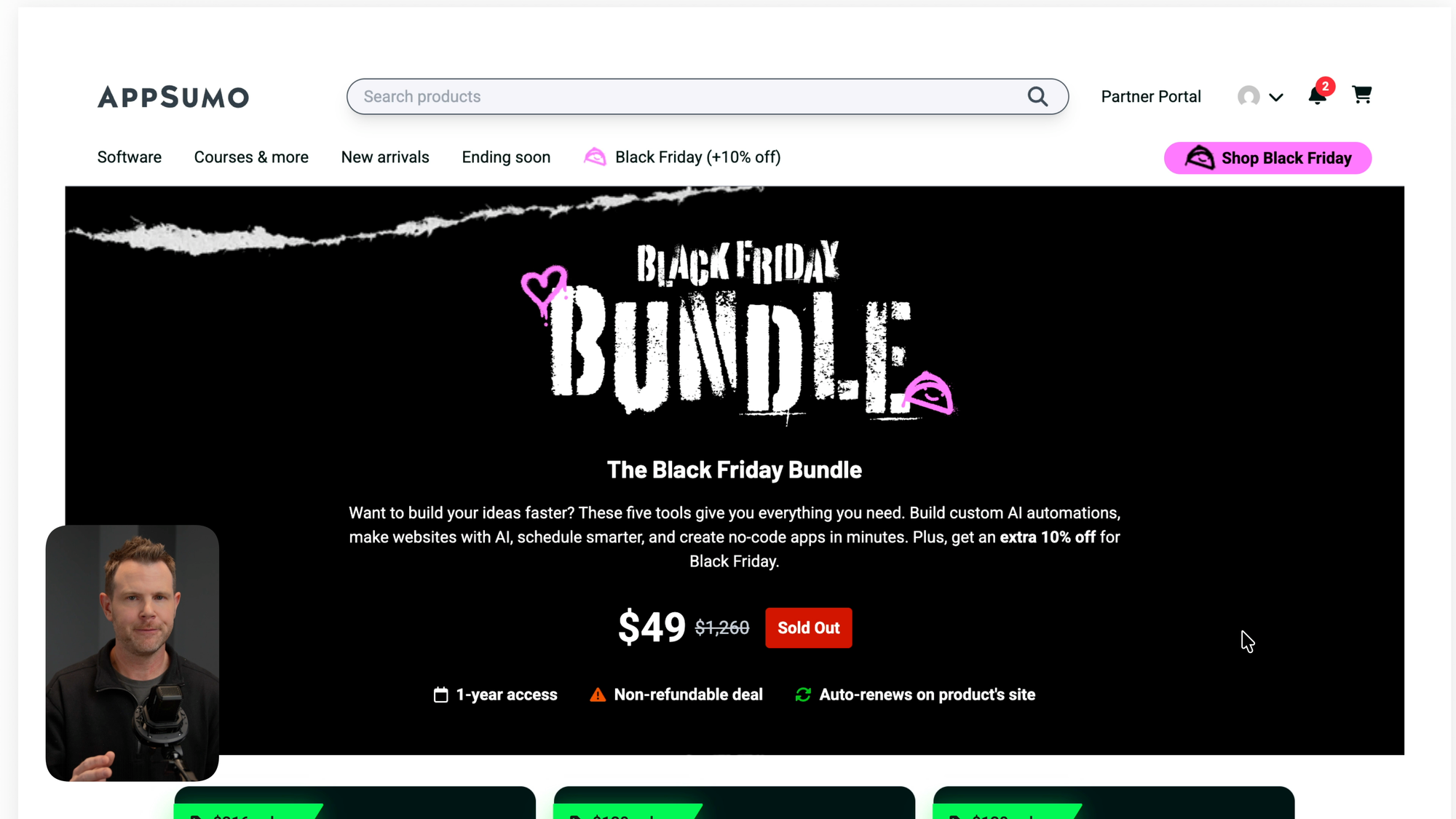
Black Friday is actually here. I know the emails have been saying it for weeks, but this is the real deal – and AppSumo has delivered something special. They just dropped a "super secret" Black Friday Mystery Bundle, and after testing all five tools, I think it's the best AppSumo bundle yet.
The starting price is $49, but here's the catch: the price increases as more codes sell. So if you want to lock in the best price, you'll want to act fast. One important note – this bundle is non-refundable, so make sure it's right for you before pulling the trigger.
In this post, I'll walk through each of the five tools included in the bundle, show you how they work together, and help you decide if this deal makes sense for your business.
What's Inside the Black Friday Bundle? [0:49]
The bundle includes five tools that cover a surprising amount of ground:
- Bolt – An AI app and website builder. Think ChatGPT, but it actually builds functional things.
- Pica – A no-code integration platform with 180+ connections. This one normally runs $600/year for the starter plan.
- Reclaim AI – A smart calendar application from the Dropbox team that automatically schedules your tasks, habits, and focus time.
- Hostinger Cloud Startup – Web hosting for up to 100 websites, plus a free domain for one year.
- Emergent – Another AI app builder that can clone existing apps or create new ones from a single prompt.
What makes this bundle interesting is how several of these tools complement each other. Bolt and Pica in particular create a powerful combination that I'll demonstrate later in this post.
Tool #1: Bolt – AI App & Website Builder [1:10]
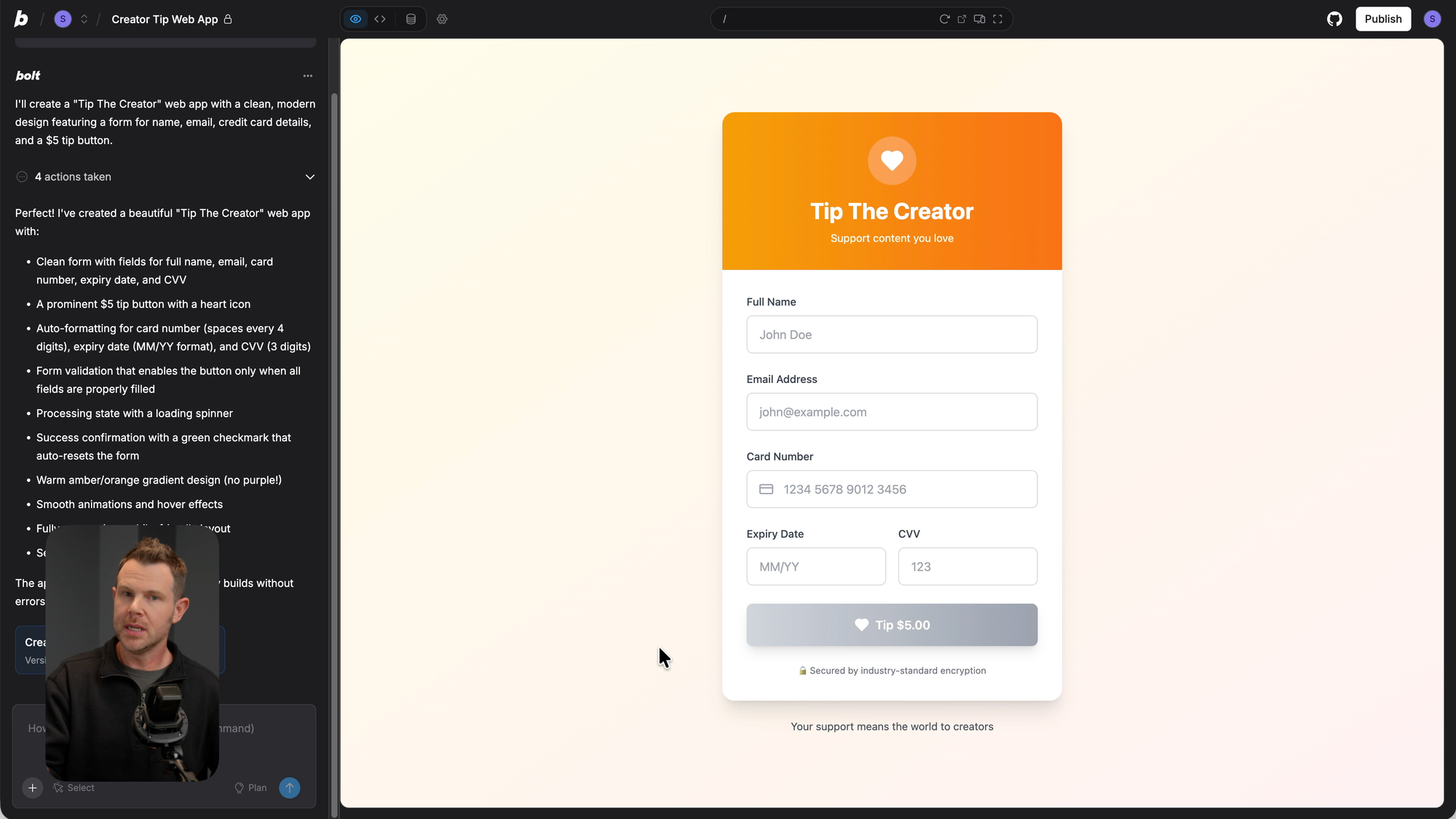
Bolt is an AI-powered app builder with a simple chat interface. You describe what you want, and it builds it. Not a mockup. Not a prototype. An actual working application.
How It Works
The interface looks like a standard chat window. You type in what you want to build, hit enter, and Bolt gets to work. It thinks through the process, creates a plan, and then executes the entire build.
For my test, I asked it to build a "tip the creator" web app with a name field, email field, credit card form, and a $5 tip button. Within moments, it had a working interface ready.
The Catch
Now, Bolt builds out the entire front-end beautifully. The form works, the UI looks clean, and you can fill everything out. But when I submitted the form, it just took me to a thank you page. No actual payment was processed.
That's because Bolt creates the structure, but it doesn't automatically connect to payment processors or databases. The app has the pieces, but they're not wired up to external services.
This is where Pica comes in.
Tool #2: Pica – 180+ No-Code Integrations [4:15]
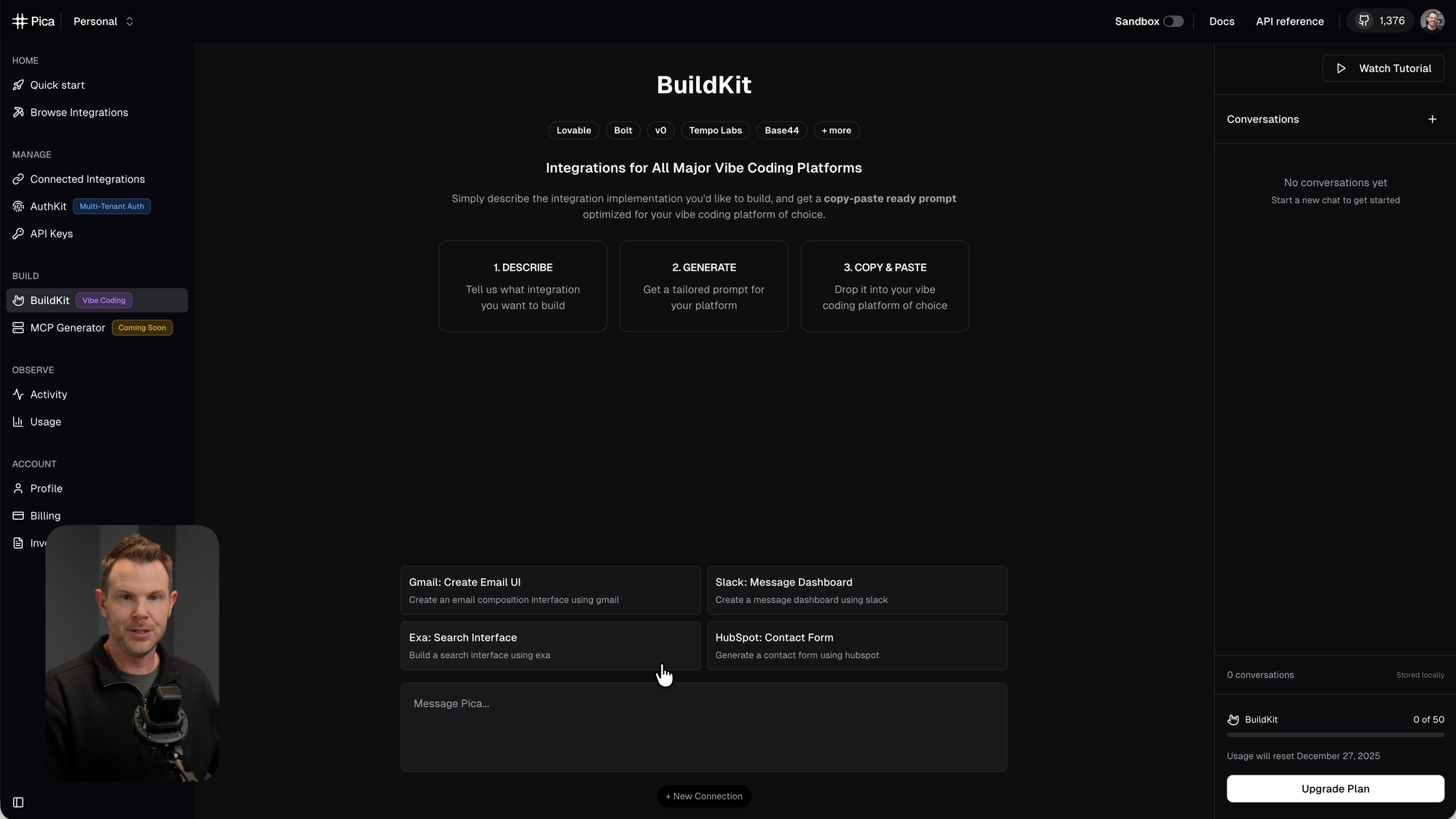
Pica solves the connection problem. It's an integration platform with over 180 integrations – and these aren't obscure services. We're talking HubSpot, Notion, Make, Gmail, N8N, Outlook, Stripe, and pretty much everything else you'd actually want to connect.
What Makes Pica Different
The key differentiator is that Pica lets you create integrations using plain language. You're not dragging and dropping like in Zapier. You're not writing code. You describe what you want in English, and Pica generates the precise prompts and configurations you need.
Pica works with multiple platforms:
- Bolt (which is also in this bundle)
- Vercel AI
- LangChain
- Claude Desktop via MCP
- Other AI builders
The fact that Pica's starter plan normally costs $600/year makes its inclusion in a $49 bundle pretty remarkable.
How Bolt + Pica Create Fully Functional Apps [6:15]
Here's where things get interesting. Let me show you how these two tools work together to build something that actually processes payments.
Step 1: Connect Your Services in Pica
In Pica, head to the Connected Integrations page and add your connections. For my example, I searched for Stripe, selected it, and added my secret key. That's it – Stripe is now connected.
Step 2: Describe What You Want in BuildKit
Pica has a feature called BuildKit where you describe what you're trying to accomplish in plain English. I wrote something like: "I'm building a tip the creator app and I want to charge people's credit cards $5 when they supply their name, email address, and credit card."
Step 3: Copy the Generated Prompt
Pica takes your description and generates a detailed prompt that you can copy and paste directly into Bolt. This prompt includes everything Bolt needs to properly wire up the Stripe integration.
Step 4: Paste Into Bolt
Back in Bolt, paste the prompt from Pica. Bolt will work through the integration, and at some point, it'll ask for specific credentials that you can grab from Pica.
The Result
You now have a fully functional app that can actually process payments. The form collects the information, Stripe handles the transaction, and the money ends up in your account. Built with two tools, no code written manually.
This combination alone justifies the bundle price for anyone who wants to build functional web apps without hiring a developer.
Tool #3: Reclaim AI – Smart Calendar That Plans Your Life [7:21]
I'll be honest – when I saw a calendar app in this bundle, I wasn't sure what to expect. I was deep into testing Bolt and Pica, and a calendar felt like a hard left turn. But Reclaim AI from Dropbox surprised me. This might actually become a daily tool for me.
The Core Concept
Reclaim connects to your Google Calendar or Microsoft Outlook and then intelligently schedules your life. You tell it what matters to you – focus time, habits, tasks, meetings – and it figures out where everything fits.
The key insight is that your calendar should protect your most valuable time, not just record your appointments.
Setting Up Your Hours
The first step is defining three types of hours:
- Working Hours – When you're available for work (default: 8 AM to 6 PM)
- Meeting Hours – A narrower window for when meetings can be scheduled (default: 9 AM to 5 PM)
- Personal Hours – Time reserved for non-work activities
You can customize each of these by day of the week. The goal is to create boundaries between your professional and personal time.
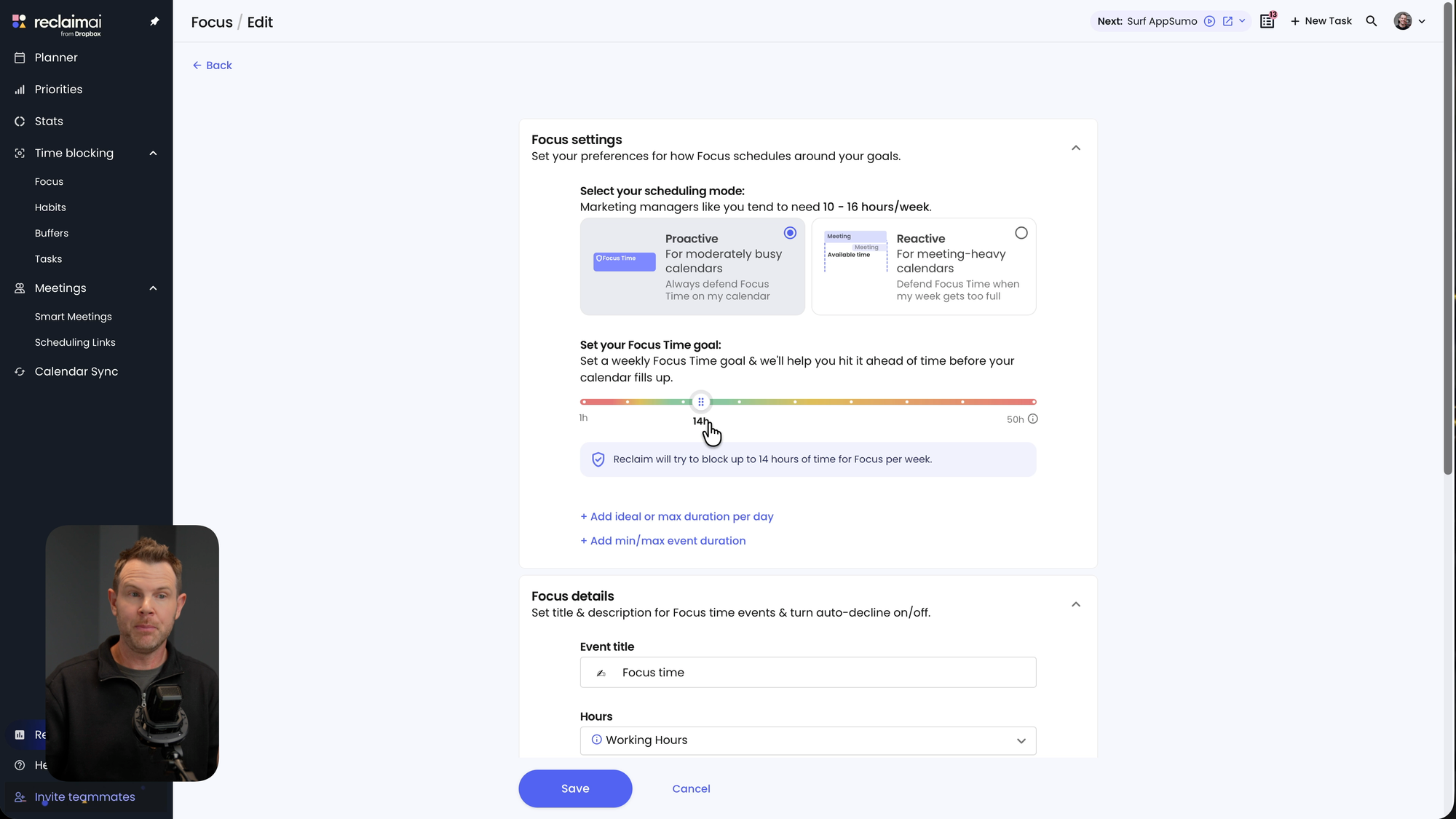
Focus Time
Inside your working hours, you probably need blocks of uninterrupted time to do actual work. Reclaim calls this Focus Time, and you can set a weekly goal. I chose 14 hours per week.
This takes a page from Cal Newport's Deep Work philosophy – we're not actually productive for eight hours a day. If you can protect 14 hours of focused work per week, you're doing well.
Reclaim will automatically find and block this time on your calendar, and it dynamically adjusts as meetings and tasks come in.
Habits
Habits are recurring activities you want to maintain. I added "eating lunch" (a habit I'm trying to kick, yet I still do it every day) and "practice piano."
For each habit, you specify:
- How much time it takes
- Which days of the week
- How many times per week
- Ideal time of day
Reclaim finds slots that work and schedules them automatically.
Tasks
Tasks are one-off items with deadlines. I added "answer client emails" with a one-hour estimate, a 30-minute minimum, and a two-hour maximum. I set it as a work task due by a specific date.
Reclaim found the next logical time slot and scheduled it. When priorities shift, it reshuffles automatically.
Scheduling Links
Reclaim also handles meeting scheduling with shareable links similar to Calendly. The interface is clean, and it respects all the boundaries you've set up.
Team Features
The bundle includes up to 10 seats, so you can invite team members. You can schedule out up to eight weeks in advance, and all AI features are unlimited.
Tool #4: Hostinger Cloud Startup Hosting [10:57]
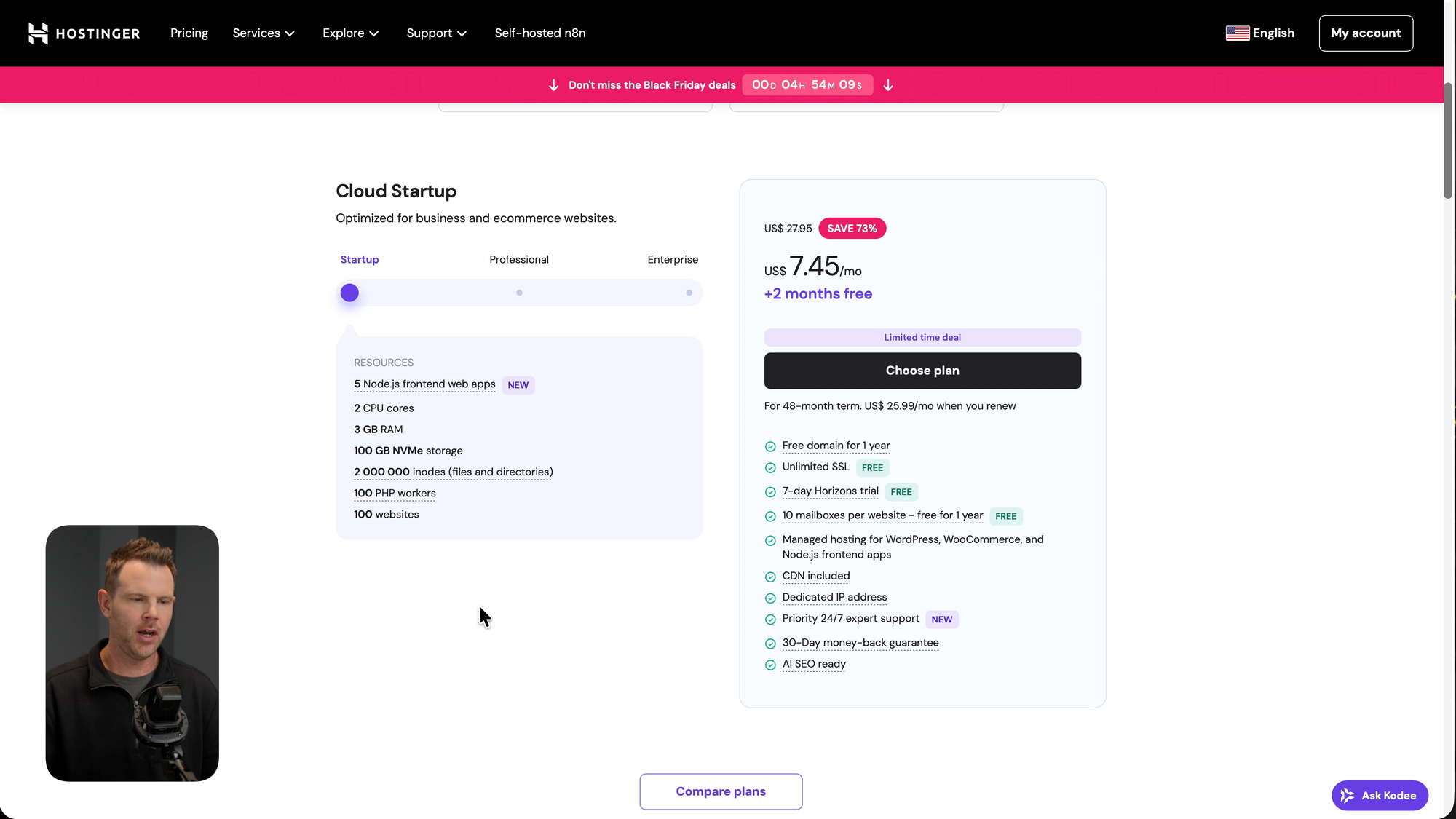
The fourth tool in the bundle is a Hostinger Cloud Startup hosting plan. This is straightforward web hosting, but it's a solid inclusion.
What You Get
- Host up to 100 websites
- 2 CPUs
- 3 GB RAM
- 100 GB NVMe storage
- Free domain for one year (including .com and .net TLDs)
- CDN included
- Dedicated IP address
- Email mailboxes
Setup Options
When setting up a site, you can:
- Create a new website with WordPress
- Use Hostinger's AI website builder
- Start with an empty PHP or HTML site (good for developers deploying code)
- Migrate an existing site
Domain Extensions
The free domain covers most of the extensions you'd actually want: .com, .net, and several others. You won't get premium TLDs like .ai (which runs about $130/year), but the standard options are solid.
Why It Matters
If you're building apps with Bolt and want somewhere to host a marketing page, or if you just need reliable hosting for client projects, this checks the box. Hostinger is a reputable company, and including a year of cloud hosting in a $49 bundle is generous.
Tool #5: Emergent – Build Full Apps & Clones in One Prompt [12:17]
The final tool is Emergent, another AI app builder. While it's similar to Bolt in concept, the output tends to be different – often more polished showcase pieces and complete application clones.
Sample Prompts
Emergent suggests prompts like:
- Clone YouTube
- Create a habit tracker
- Clone Spotify
- Surprise me
You can single-shot these prompts and get working applications.
Showcase Examples
Emergent has a showcase section with pre-built examples that demonstrate what's possible:
Landing Pages – I previewed one that looked like a clean Apple-style product page for a fictional "Aura Max" product. Professional, modern, with smooth animations.
Advanced Applications – An "Ocean Research Platform" demo showed a complex data interface. I didn't understand the content, but the UI was impressive.
Business Tools – This is more my lane. They have a Discord welcome bot, a task manager app, and similar utilities.
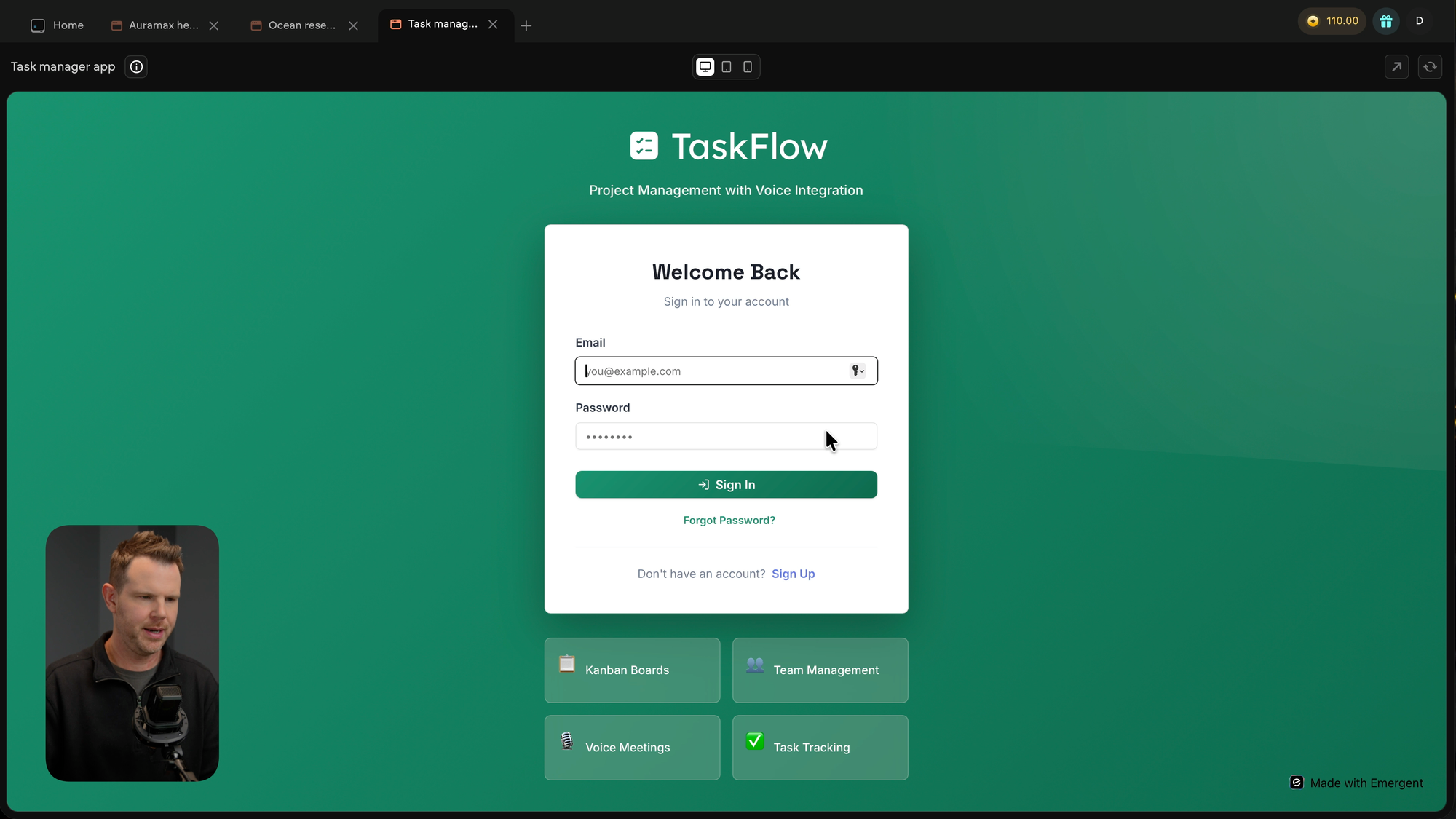
I tested the task manager. It had a full login system, Kanban boards, and team management features. I created an account, added tasks, and moved them around the board. This wasn't a mockup – it was a functional application built from a single prompt.
Personal Tools – Location-based memory apps, virtual piano (pairs nicely with that Reclaim habit), and other utilities.
Mobile Apps – Emergent can generate mobile app interfaces, including things like meditation apps.
Bolt vs. Emergent
Both tools build applications from prompts, but they have different strengths. Bolt excels at building apps that integrate with external services (especially when paired with Pica). Emergent tends to produce more visually polished, self-contained applications. Having both in the bundle gives you flexibility depending on what you're trying to create.
Bundle Recap & Real Value [13:37]
Let's add this up:
| Tool | Normal Value |
|---|---|
| Bolt | AI App Builder |
| Pica | $600/year |
| Reclaim AI | Smart Calendar + 10 seats |
| Hostinger | Cloud hosting + free domain |
| Emergent | AI App Builder |
For $49, you're getting tools that would easily cost several hundred dollars if purchased separately. Pica alone is $600/year for the starter plan.
More importantly, these tools work together. Bolt + Pica lets you build functional apps with payment processing. Hostinger gives you somewhere to host marketing pages. Reclaim keeps your schedule sane while you build. Emergent gives you another option for rapid prototyping.
This isn't a random collection of unrelated tools. There's actual synergy here.
Black Friday Bundle Giveaway [13:45]
I'm giving away 10 free codes for this bundle. If you want a chance to win, enter through my KingSumo giveaway link below. You'll be added to my email newsletter, and I'll randomly select 10 winners.
Final Thoughts [14:03]
I've reviewed a lot of AppSumo bundles over the years, and this one stands out. The combination of AI app builders, a premium integration platform, smart calendar software, and web hosting creates a toolkit that covers real business needs.
The $49 starting price is aggressive, but remember – it increases as codes sell, and the bundle is non-refundable. Make sure it fits your workflow before purchasing.
If you're building apps, automating workflows, or just want a smarter calendar, this bundle delivers genuine value. For tech-savvy entrepreneurs who want to ship products without writing code or hiring developers, the Bolt + Pica combination alone is worth more than the bundle price.
FAQ
Is this bundle refundable? No. AppSumo has stated that this Black Friday Mystery Bundle is non-refundable, so make sure you want the tools before purchasing.
Why does the price increase? AppSumo is using a tiered pricing model where the price goes up as more codes sell. The starting price is $49, but it will increase over time.
How long do I have access to these tools? Access terms vary by tool. Pica includes one year of the starter plan. Hostinger includes one year of cloud hosting plus a free domain. Check the deal page for specific terms on each tool.
Can I use Pica with tools other than Bolt? Yes. Pica works with Vercel AI, LangChain, Claude Desktop via MCP, and other AI builders. It's not locked to Bolt.
How many seats does Reclaim AI include? The bundle includes up to 10 seats for Reclaim AI, so you can invite team members.
What domain extensions are included with Hostinger? You can get .com, .net, and several other standard TLDs for free. Premium extensions like .ai are not included.
Do I need coding experience to use Bolt or Emergent? No. Both tools use natural language prompts. You describe what you want, and they build it.
Can I actually process payments with apps built in Bolt? Yes, but you need to connect a payment processor like Stripe. The Pica integration makes this process straightforward – no coding required.
Is there a giveaway? Yes. I'm giving away 10 free codes through my KingSumo giveaway. Enter your email for a chance to win.
This post contains affiliate links. As an AppSumo partner, I earn from qualifying purchases.


