Awaz Review: AI Voice Agent for Business Phone Calls
Awaz is an AI-powered voice agent that answers and makes business phone calls around the clock. Here's a full breakdown of the features, pricing, and real-world performance.

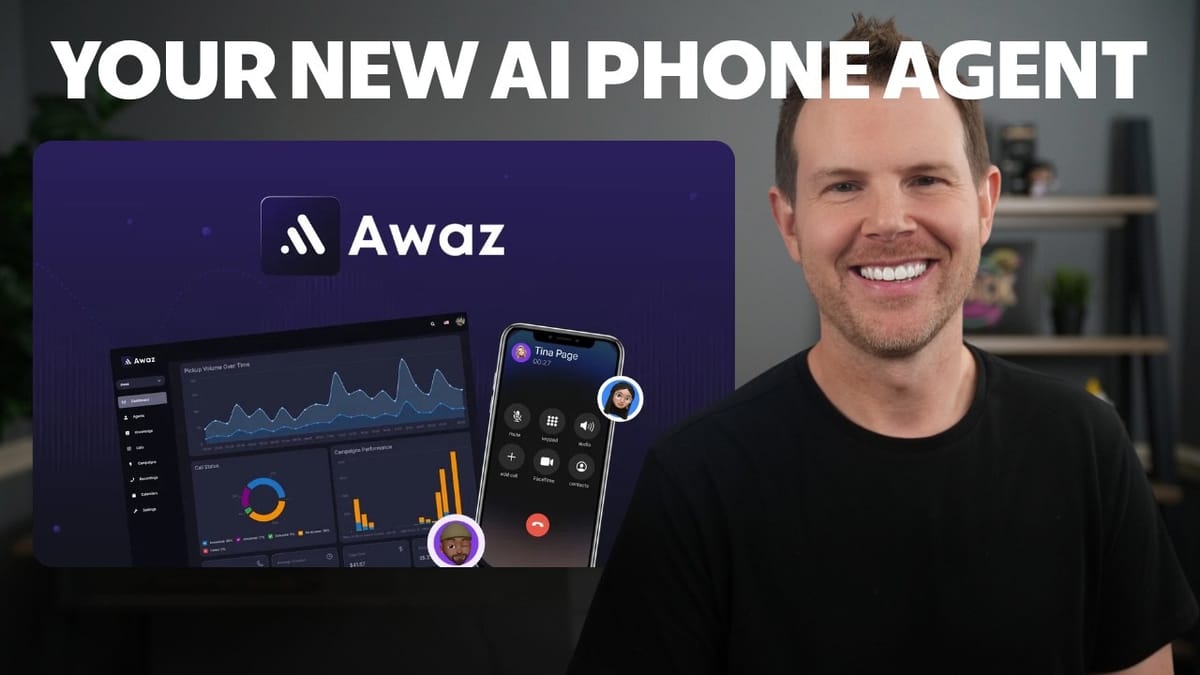
Awaz
An AI voice agent that handles inbound and outbound business phone calls, schedules meetings, sends follow-ups, and integrates with your CRM.
Small business owners, agencies, and solopreneurs who need a 24/7 phone presence without hiring a receptionist or sales rep.
Bland AI, Air AI, Synthflow, Vapi
What Is Awaz and Why Should You Care?
Awaz is an AI voice agent that can handle both inbound and outbound phone calls for your business. And when I say "handle," I don't mean some robotic menu system from 2005. This thing sounds remarkably human. During a live demo call, the AI introduced itself, answered questions naturally, and even responded to curveballs without missing a beat.
The pitch is simple: instead of paying a receptionist or a sales rep to sit by the phone, you deploy an AI agent that works 24/7, speaks multiple languages, and never calls in sick. It can schedule meetings, send texts and emails, update your CRM, and transfer calls to a real human when it's out of its depth. The technology is powered by ElevenLabs voices, which is why the voice quality is leagues ahead of what you might expect from an automated system.
Awaz is currently available on AppSumo as a lifetime deal starting at $49, though there are ongoing per-minute costs since it's a phone service. Whether you're running a support line, qualifying leads, or just want someone to answer after hours, this tool is worth a serious look.
Creating Your First AI Agent
Getting started with Awaz centers around creating what they call an "agent" — essentially your virtual phone rep. The number of agents you can create depends on your AppSumo tier. The entry-level $49 plan gives you one agent, while the top-tier $500 plan unlocks unlimited agents. If you need agents in multiple languages, you'll want more than one since each agent is limited to a single language, though you can clone an existing agent and simply swap the language.
You can start from a template or build from scratch. The setup process walks you through four configuration tabs covering voice, role, prompting, and actions. It's straightforward enough that you won't need a developer, but detailed enough that you can really fine-tune the experience.
Voice Selection and Customization
Awaz offers a massive library of ElevenLabs voices to choose from, and they genuinely sound natural. You'll find male and female voices across a range of accents and styles. That said, the voice browser has room for improvement — there's no way to filter by gender or country, so you end up scrolling through the entire list. Another quirk: when you preview voices, clicking a new sample doesn't stop the previous one, so you get audio overlapping. Minor frustrations, but worth noting if you're auditioning dozens of voices.
Beyond just picking a voice, there's a full voice settings panel where you can adjust speaking speed, volume, and responsiveness. Want your support agent to speak slowly and calmly? Slide the speed down. Running a high-energy sales campaign? Crank it up. You can also tweak interruption sensitivity — how quickly the agent stops talking when the caller speaks over it — and set a max call duration to keep costs under control. These granular controls let you shape the personality of your agent in a way that matches your brand.
Language Support and Pricing Tiers
Each agent speaks one language, but with cloning you can easily spin up multilingual versions of the same agent. The real differentiator between pricing tiers isn't just the number of agents — it's the per-minute call cost. Higher tiers cut the cost per minute roughly in half. So if you know you'll be making heavy use of Awaz, the upfront investment in a higher tier pays for itself quickly.
Think of it this way: at the top tier's rate of around $0.20 per minute, you're looking at roughly $12 per hour for a fully trained sales or support agent that works around the clock and speaks whatever language you need. That's hard to beat, especially for businesses that operate across time zones or serve international customers.
Setting Up the Agent's Role and Knowledge Base
Every agent needs a role — sales, customer support, appointment setter, or whatever fits your use case. You define this during setup, and it shapes how the agent approaches conversations. For the demo, a customer support role was configured to help clients with website questions, but you could just as easily set up an outbound sales agent or a lead qualifier.
Knowledge bases are where things get really powerful, but they do come with an extra cost: $10 per month per database. A knowledge base lets you upload documents, FAQs, and URLs so the agent has deep context about your business. If you're running a support line, you could dump your entire help desk into a knowledge base and the agent would have instant access to every answer. It's optional — you can inject plenty of context through the prompt alone — but for businesses with extensive product lines or complex support needs, it's a worthwhile investment.
Company Info, Objectives, and Ambient Sound
Two critical fields during setup are your company info and the agent's objective, each limited to 1,000 characters. The company info gives your agent context about who it represents, while the objective tells it what it's trying to achieve on every call. Be explicit here — if the agent doesn't know its goal, it won't know how to steer conversations.
A practical tip: grab your "About" section from your website, feed it to an LLM, and ask it to condense everything into 1,000 characters. Then in the same chat, ask it to write the agent objective based on what it knows about your business. It would be great if Awaz had this built in — maybe scraping your website automatically — but for now, using another AI tool to prep these fields works perfectly.
There's also an ambient sound option with choices like coffee shop, convention hall, or outdoor settings. The idea is to make calls sound less sterile, though honestly, modern phones are so good at noise cancellation that silent backgrounds sound perfectly natural. There's no preview for the ambient sounds either, so you'd need to place a test call to hear them.
Prompt Configuration and Instructions
The freestyle prompt is where you really shape your agent's personality and expertise. You can paste in an entire sales script, a support playbook, or a detailed conversation guide. For the best results, grab Awaz's own prompt documentation, feed it to a thinking model like Claude or ChatGPT, and let it generate a comprehensive prompt tailored to your business.
Beyond the main prompt, Awaz offers instruction categories: response guidelines, style guardrails, and custom categories. Response guidelines keep your agent from over-promising — if there are things your business can or can't do, spell them out here. Style guardrails enforce your brand voice. You can add as many instruction sections as you need, and this layered approach means you can get incredibly specific about how your agent communicates.
Don't rush this part. The quality of your prompts directly determines whether your agent delivers a great experience or a mediocre one. Take the time to think through edge cases, common objections, and the specific language your customers expect.
Agent Actions, Variables, and Integrations
Awaz agents aren't just conversationalists — they can take real actions during and after calls. The built-in actions include ending the call, transferring to a human (essential for complex issues), sending SMS summaries, scheduling follow-up calls, and booking live appointments through your connected calendar. There's also Zapier integration baked in by default, plus webhook support for connecting to virtually any other system.
The appointment scheduling feature alone could replace a dedicated appointment setter. Your agent checks your Google Calendar availability and books directly — no back-and-forth emails needed. For outbound campaigns, the schedule-a-call action lets the agent set up follow-ups when a prospect needs time to think it over.
Variables round out the action system. Default variables capture standard call data, while custom after-call variables let you extract specific information — like a call summary, reason for interest, or objection notes — and pipe it into your CRM via Zapier or webhooks. You define each variable as text, number, or yes/no, making it easy to structure your data for analysis.
Voice Settings and Call Controls
The voice settings panel goes well beyond picking a voice. You can fine-tune speaking speed for calmer support interactions or faster-paced sales calls. Volume control helps if your agent sounds too quiet on certain phone systems. Responsiveness adjusts the processing delay — a slightly slower response can actually make the agent feel more thoughtful and human, while faster responses work well for quick transactional calls.
Interruption sensitivity is a clever feature. Set it high and the agent stops immediately when someone talks over it, which feels natural. Set it low and the agent will keep talking through interruptions, which might work for scripted outbound messages but would probably annoy most callers.
Max call duration is a practical cost control. With billing by the minute, you might want to cap calls at 5 or 10 minutes for simple tasks like appointment confirmations. The range goes from 1 minute all the way up to 2 hours. There's also a backchannel feature that adds natural conversational sounds like "uh-huh" and "yeah" to make the agent feel more present, plus an end-call-after-silence timer. For sales calls, set that silence timer generously — people need time to think, and you don't want the agent hanging up on a prospect who's about to say yes.
Boosted Keywords and Pronunciation
Since all calls are transcribed automatically, accurate transcription matters. Boosted keywords help the AI transcription engine correctly capture tricky words — brand names, technical terms, industry jargon — that it might otherwise fumble. Just type them in and the transcription accuracy improves.
Pronunciation controls tackle the other side of that coin: making sure your agent says words correctly out loud. This is crucial for brand names or place names that don't follow standard pronunciation rules. Awaz supports both IPA and CMU (ARPABET) pronunciation formats. If you're not familiar with phonetic notation, just ask any LLM to convert your word into the right format. For example, "Worcester" (the Massachusetts town) would be entered with its CMU pronunciation so the agent says it correctly instead of reading it phonetically.
It would be a nice quality-of-life improvement if Awaz added a built-in AI helper to generate pronunciations automatically, but for now, the two-step process with an external LLM is quick enough.
Live Agent Demo: How It Actually Performs
The real test of any AI voice agent is how it handles an actual conversation, and Awaz performed impressively during a live web call demo. The agent, configured as a website support rep named Dave, answered questions about WordPress, gave step-by-step instructions for changing font sizes in GeneratePress, and walked through clearing a Cloudflare cache — all without any pre-loaded knowledge base.
The agent wasn't perfect. It made one minor mistake during the conversation, and there were occasional moments of slightly jittery speech. But the overall experience was solid. It confirmed the caller's questions before answering, provided structured step-by-step responses, and handled follow-up questions naturally. When the caller intentionally tried to trip it up with a wrong URL, the agent corrected itself and provided the right information.
The key takeaway: don't try to fool callers into thinking they're talking to a human. Be upfront that it's an AI agent, and let the quality of the answers speak for itself. Most people won't care that it's AI if it actually solves their problem quickly and politely.
Demo Results and Optimization Tips
After the demo, a few important insights emerged. First, knowledge bases become essential for domain-specific support. The agent handled general WordPress questions well using its training data, but for business-specific workflows — like which caching plugin your clients use or how your particular hosting is configured — you'd want that information in a knowledge base.
A practical approach: if you already have a help desk with saved questions and answers, export those directly into a knowledge base. Your agent instantly inherits all of that institutional knowledge. Think through your most common support scenarios and make sure the agent has the context it needs for each one.
The other big takeaway is prompt quality. The difference between a mediocre agent and a great one comes down to how thoroughly you've configured the prompts, instructions, and guardrails. Spend the time upfront, test with real scenarios, and iterate. It's the same process you'd use to train a human employee, just faster.
Contact Lists, Outbound Campaigns, and Call Management
For outbound use cases, Awaz has a full campaign system built in. You start by creating contact lists — either adding contacts individually or importing a CSV. Then you build a campaign, choosing your agent, phone number, and contact list. You can run inbound campaigns (the agent answers incoming calls) or outbound campaigns (the agent proactively calls your contacts).
Outbound campaigns include a daily spending cap, which is a smart safeguard. You can let your agent work through a lead list autonomously while keeping costs predictable. The ethical approach here matters: be transparent that it's an AI calling, state the purpose clearly, and provide real value. For businesses with qualified leads expecting follow-up, an AI agent that can answer detailed product questions on the spot is genuinely impressive.
All calls are automatically recorded and transcribed, accessible through the recordings section. You can play back any call and review the full transcript, which is invaluable for quality assurance and training improvements. Calendar integration with Google Calendar enables the agent to check availability and book appointments in real time.
Phone Numbers, Integrations, and Getting Connected
To make real phone calls, you need a phone number. Awaz offers several options. The simplest is buying a number directly through Awaz at $10 per month — you pick your area code, choose from available numbers, and you're up and running in minutes. If you want more control or lower costs, you can integrate with Twilio or Telnyx, or bring in a SIP number from your existing phone provider.
Once your phone number is active, you assign it to a campaign and your agent is live. For businesses that just want a web-based option, you can skip the phone number entirely and deploy a web call widget on your website. Visitors click a button and talk to your agent directly in the browser — no phone costs involved.
The integration options mean Awaz fits into virtually any existing phone setup. Whether you're a solo consultant who needs after-hours coverage or an agency managing multiple client lines, there's a path that works.
Final Verdict: Is Awaz Worth It?
Awaz earns a 7.6 out of 10. All the core features are solid and the voice quality is genuinely impressive thanks to ElevenLabs integration. The agent handles real conversations well, the action system is comprehensive, and the campaign tools make both inbound and outbound use cases practical.
Where it falls short is in polish. The voice browser needs filtering and auto-pause. The prompting sections could use built-in AI assistance to help generate company descriptions and objectives. Pronunciation setup should have a one-click AI lookup. And the dream feature — voice cloning so you could literally clone yourself — isn't available yet.
At $49 for the entry-level plan, it's absolutely worth trying. You get one agent, enough to test whether AI phone support works for your business. At $500 for the top tier with unlimited agents and lower per-minute costs, Awaz could genuinely replace an expensive employee. The math works out to roughly $12 per hour for a 24/7 agent that speaks multiple languages and never has a bad day. For receptionists, appointment setters, and frontline support reps, this technology is a serious wake-up call.
Watch the Full Video
Prefer watching to reading? Check out the full video on YouTube for a complete walkthrough with live demos and commentary.