
Butternut AI Review: AI Website Builder Tested & Rated
Butternut AI generates a full website from a single sentence, but how far can you actually customize it? I put this AI website builder through its paces.

Butternut AI
An AI-powered website builder that generates a complete multi-page website from a short text description in about 20 seconds.
Non-technical users, small business owners, and freelancers who need a basic website up fast without coding or design skills.
Wix ADI, Durable AI, 10Web, Framer
What Is Butternut AI?
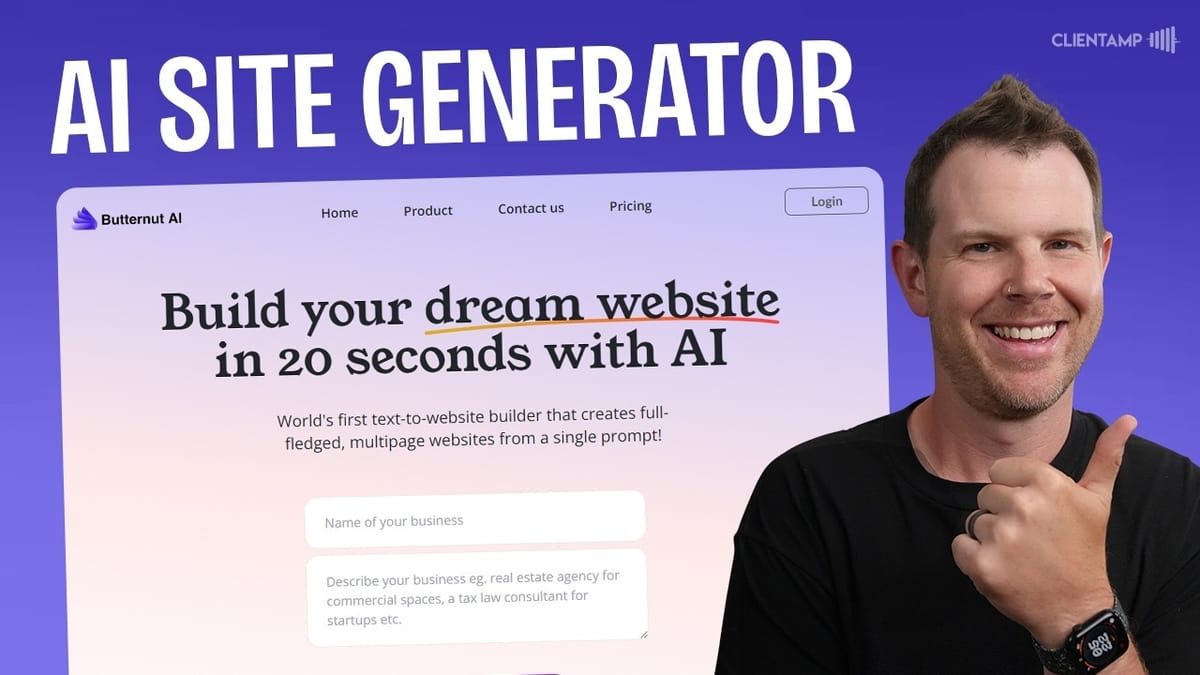
Butternut AI is a lifetime deal currently available on AppSumo that promises to build your dream website in about 20 seconds using artificial intelligence. You type in your business name and a short description, and the tool generates a full multi-page website complete with content, images, and page structure.
The deal starts at $59 for tier one and follows the newer AppSumo pattern of launching at a discounted price for the first seven days before increasing. It's worth noting that if you're browsing AppSumo's "latest" filter, the sorting doesn't always surface the truly newest deals first, so you may need to scroll a bit to find fresh launches like this one.
Onboarding is refreshingly minimal. There are no wizards or multi-step setup flows. You log in, and you're dropped into a blank dashboard ready to create your first site. One small quirk worth mentioning: the password field has a 15-character limit, which is an unusual and arguably less secure choice for any modern application.
The AI-Generated Website: First Impressions
To test the tool, I entered "Client Amp" as the business name and wrote a two-line description: "We manage, support, and host WordPress websites for creators and e-commerce store owners." Butternut AI took that and generated a complete website with a homepage, solutions page, clients page, contact form, testimonials page, privacy policy, and terms and conditions.
The generated content was surprisingly relevant. The homepage featured a hero section, key features like SEO optimization and e-commerce support, service cards for website maintenance, 24/7 support, and hosting solutions, plus testimonials. It even pulled in the correct city (Minneapolis) and generated a plausible contact section with address and phone number.
That said, the default design feels dated. The card layouts aren't particularly polished, and the overall aesthetic leans more 2018 than 2024. The testimonials page uses a slider with dot navigation rather than a scrollable layout, which means most visitors will never see past the first testimonial. Having both a "Clients" page and a "Testimonials" page also felt redundant for a site generated from a two-sentence prompt.
Theme Customization and Design Controls
Switching from light mode to dark mode made an immediate improvement, giving the site a more modern feel. You can also update the brand color, swap fonts, and adjust font sizes through the theme editor. The font selection is limited though — there's no access to the full Google Fonts library and no option to upload custom fonts. Oddly, the secondary font list is a completely different set from the primary, so matching them isn't guaranteed.
One frustrating issue: the navigation menu text color can't be changed independently. On a dark theme with a light accent color, the nav items become nearly unreadable, and there's no fix within the editor. You can upload a logo and favicon to replace the text title, which helps, but doesn't solve the underlying accessibility problem.
Line length is another concern. The default hero text clocked in at 107 characters per line, well beyond the recommended 50–75 characters for readability. You can bump up font sizes as a workaround, but there's no way to constrain the content width of individual sections. Important controls like line height are also missing from the typography settings.
Connecting a Custom Domain
Butternut AI supports custom domains, and you can either buy one through their integrated Inos partnership or connect your own. I set up a subdomain (butternut.clientamp.com) by manually adding an A record in Cloudflare. The process was straightforward: grab the IP address from Butternut's settings, create the DNS record, click verify, and the site goes live.
There's also an automatic option that uses a third-party service called Entri to configure your DNS, but that requires granting access to your domain registrar, which I'd personally avoid. The SSL certificate took a minute or two to issue, so don't panic if you see a "connection not private" warning initially — it resolves on its own.
One important thing to know: tier one only includes one custom domain and one live website. You may be able to create additional sites in the dashboard, but you'll need to upgrade to actually publish them with custom domains.
Content Editing and AI Regeneration
The content editor lets you click on any element and modify it through a popup form. There's no true inline editing where you type directly on the page and see how the typography flows in real time. Instead, you get modal-style text fields that feel more like filling out a CMS form.
The AI regeneration feature is hit-or-miss. Clicking "regenerate" on a headline sometimes produced no change at all, even after multiple attempts. The "regenerate with comments" option, where you provide a guiding prompt, worked better but had its own quirks. In one case, the AI simply used my prompt verbatim as the new headline rather than interpreting it as an instruction.
Background images can be regenerated using AI with keyword prompts (I tried "modern geometric background" and got a decent abstract result), and you can always upload your own images. The editing experience is functional but feels like it needs another iteration of polish to be truly efficient.
Working with Sections
Sections are the primary building blocks of each page. Between sections, you'll find a plus button to add new ones from a library of templates: YouTube embeds, contact forms, wireframe layouts, photo sections, card grids, and more. You can reorder sections with up/down arrows, though each move takes about five seconds to register, which makes reorganizing a page feel sluggish.
A critical thing to understand: every change publishes immediately. There's no draft mode, no save button, no publish confirmation. If you accidentally move a section or type a typo, it's live on your website instantly. This is a significant concern for anyone working on a site that already has traffic.
The section editor has some inconsistencies with element-level controls. Some sections let you add additional items (like adding a fourth card to a three-card layout), while others — like the testimonials section — are locked to their original structure. There's no way to duplicate an element within a section, which limits your ability to build out content without starting from scratch.
Built-In Blogging
Butternut AI includes a CMS for blog posts with an AI writing assistant. You provide a topic, keywords, brand voice settings, and target audience, and the tool generates title options followed by a paragraph-by-paragraph outline that you can rearrange before generating the full article.
The generated blog post looked decent structurally, with proper headings, images, and share links at the bottom. However, the dark theme caused some readability issues — specifically white text on white backgrounds in the share link section, which is clearly a CSS bug. The AI also chose a Bitcoin-related image for a WordPress optimization article, so the image selection logic needs work.
On tier one, AI blog generation is limited. Tier two unlocks unlimited AI blog posts, which is a significant upgrade if content marketing is part of your strategy. The blog editor itself is straightforward, supporting image drops and video embeds, though it's far from a full-featured CMS like WordPress or Ghost.
Forms, Chatbot, and Lead Capture
Contact form submissions arrive via email from a Butternut AI team member's address, which is a bit unorthodox. There's no built-in form submission dashboard or CRM integration — you simply get an email with the form contents. It works, but it's basic.
The newsletter subscriber system is more structured. Subscribers show up in a dedicated settings panel and can be exported to CSV. It's functional for building a simple mailing list, though there's no integration with email marketing platforms like Mailchimp or ConvertKit.
The surprise feature is the custom chatbot. Hidden in the settings panel, you can enable an AI chatbot that trains itself on your website content. You can add custom training data and preset questions. Once enabled, a chat widget appears on your live site. It's a genuinely useful addition, especially considering that many competing tools charge extra for chatbot functionality.
SEO and Analytics
The SEO section provides basic page metadata editing — title tags and meta descriptions for each page. There's a robots.txt file and sitemap.xml generated automatically, plus an option to verify your site with Google Search Console. Notably absent are OpenGraph image settings, which means shared links on social media won't display custom preview images.
For analytics, you simply plug in a Google Analytics ID. There's no built-in analytics dashboard, so you're fully dependent on Google for traffic data. The custom data section shows the original prompt used to generate the site, which is a nice reference but not editable or actionable.
AI Section Builder and Code Mode
Beyond the template-based section library, Butternut AI includes an AI section builder where you describe what you want in a chat interface and the AI generates a custom section with HTML, CSS, and JavaScript. I asked it to create a section about custom course creation services, and it produced a clean layout with feature bullets and a CTA button.
The real surprise is the code mode. You can view and edit the raw HTML, CSS, and JavaScript of any AI-generated section. This is a significant capability that somewhat contradicts the otherwise limited customization options. If you know how to code, you can fine-tune these sections far beyond what the visual editor allows.
The catch, of course, is that anyone comfortable editing HTML and CSS probably isn't the target audience for an AI website builder. Still, it's a nice escape hatch for when the visual tools hit their limits.
PageSpeed Performance
Running the site through Google PageSpeed Insights returned a 24 out of 100 on mobile and 67 on desktop. Those numbers are disappointing for what is essentially a static website with no dynamic content. There's no reason a site like this shouldn't be fully cacheable and loading in under two seconds.
The administrative interface itself is also noticeably sluggish. Page transitions within the editor take two to three seconds, section moves take about five seconds, and theme changes occasionally don't save on the first attempt. The overall experience feels like it could use significant performance optimization on both the front-end and back-end.
Plans and Pricing on AppSumo
Butternut AI is available in four tiers on AppSumo. Tier one starts at $59 and includes one website, one custom domain, and 10 GB of storage. Tier two is a substantial upgrade with unlimited AI blog posts, unlimited AI queries, WhatsApp integration, custom code embedding, 100 GB of storage per site, and three websites total.
Tier three bumps you to 10 websites, and tier four goes up to 25 websites at $700. The higher tiers make sense if you already have clients lined up, but speculating on filling 25 sites is a risky bet at that price point.
Remember that AppSumo's 60-day refund policy applies, and you can upgrade tiers any time the deal is still live. If you're curious, starting with tier one to test the waters is a low-risk way to evaluate the tool.
Final Verdict
Butternut AI earns a 5 out of 10. From a pure technology standpoint, generating a multi-page website from a single sentence is genuinely impressive. The inclusion of a custom chatbot, AI blogging, and a code editor adds real value to the package.
But the execution falls short in areas that matter for anyone planning to use this as a real business website. The design feels dated, customization options are too limited (especially around typography and color controls), there's no draft or preview mode before publishing, and page load speeds are poor. The editing interface is sluggish, and key features like inline editing and element-level duplication are missing.
For someone who needs a quick landing page or a basic web presence and doesn't want to fuss with design details, Butternut AI gets you there fast. For anyone who cares about performance, accessibility, and conversion optimization, you'll likely hit the tool's ceiling quickly. The AI website builder space is moving fast, and while Butternut AI shows where things are headed, it's not quite there yet.
Watch the Full Video
Prefer watching to reading? Check out the full video on YouTube for a complete walkthrough with live demos and commentary.


