
Content Boom Review: AI-Powered WordPress SEO Plugin
Content Boom is a WordPress plugin that uses AI to generate blog posts, SEO metadata, alt text, and compress images — all powered by your own OpenAI key. It's rough around the edges but surprisingly useful.

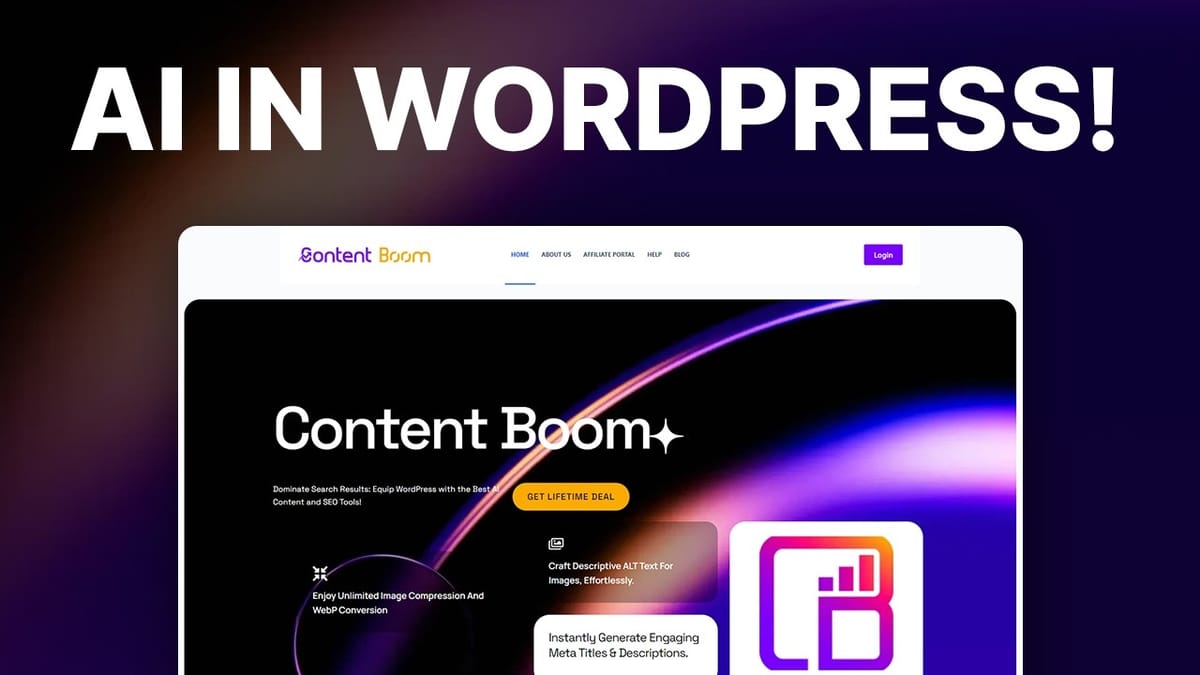
Content Boom
A WordPress plugin that uses AI to generate blog content, SEO meta titles and descriptions, image alt text, and compress images directly inside your WordPress dashboard.
WordPress site owners, bloggers, and agencies who want AI-powered SEO tools built directly into their CMS without relying on external platforms.
Yoast SEO, SEOPress, RankMath, ShortPixel
What Is Content Boom?
Content Boom is a WordPress plugin available as a lifetime deal on AppSumo that bundles several AI-powered SEO tools into a single package. Rather than jumping between different platforms to generate content, optimize metadata, or compress images, Content Boom aims to handle all of that directly inside your WordPress dashboard.
The plugin leverages OpenAI's API to power its AI features, which means you bring your own API key (BYOK). This is actually a smart move for sustainability — the developer doesn't have to absorb the cost of AI generation, and you maintain full control over your usage and spending. During testing, the total cost of generating a full article, metadata, and alt text for multiple images came to roughly four cents.
At its core, Content Boom is a suite of tools rather than a single-purpose plugin. It covers blog content generation, SEO meta title and description creation, image alt text generation, and image compression. Some of these features work better than others, as we'll dig into throughout this review.
Plans and Pricing
Content Boom starts at $39 on AppSumo for a lifetime deal, which gets you access for five WordPress websites. From there, it scales up through multiple tiers: 25 sites, 100 sites, and finally unlimited websites on tier four. That top tier is particularly appealing for agencies managing multiple client sites.
The unlimited tier sounds almost too good to be true — unlimited AI generation on unlimited websites — but the BYOK model is what makes it viable. Since you're providing your own OpenAI API key, the developer's overhead stays minimal regardless of how much content you generate. You'll pay OpenAI directly for whatever you use, which during testing amounted to just pennies per article.
If you're a solo site owner, tier one at $39 is more than enough. But if you run an agency, the ability to install Content Boom on client sites with the client's own API key is a genuine advantage. It means a client can't rack up charges on your account, and each site's AI costs stay isolated.
First Impressions and Setup
Let's address the elephant in the room: Content Boom's website and overall design leave a lot to be desired. The company site looks like it was built without a designer involved, and the help form is buried on the About Us page rather than having its own dedicated support section. These aren't great first impressions, but they're also not deal-breakers for a tool that lives inside your WordPress dashboard.
Setting up Content Boom is straightforward. You log into your Content Boom account, generate a license token, and download the plugin file. From there, it's the standard WordPress plugin installation process — upload, install, activate. One refreshing detail: the plugin doesn't hijack your browser and force you through a setup wizard after activation. You can configure it at your own pace.
Once activated, Content Boom adds a few items to your WordPress sidebar: the main Content Boom menu, an Alt Tag Generator entry, and an Image Compression entry. Having multiple sidebar entries for what's essentially one plugin feels a bit disorganized. A single, consolidated menu would be cleaner. Configuration is simple — paste in your OpenAI API key and your license token, save, and you're ready to go.
Settings and Configuration
Beyond the API key setup, Content Boom offers a handful of site-wide settings worth knowing about. There's a built-in sitemap generator that you can toggle on if you're not already using an SEO plugin like Yoast, RankMath, or SEOPress. If you do have one of those installed, you'll want to leave this off to avoid conflicts.
The external links settings give you two toggle switches: one to mark all external links as nofollow (preventing them from passing SEO value to linked sites) and another to force all links to open in new tabs. Both are off by default, which is the right call. Applying nofollow to every external link site-wide is heavy-handed, and forcing new tabs on every single link — internal or external — can frustrate visitors.
One organizational quirk that becomes apparent quickly: several menu items lead to the exact same screen. The "Content Boom" and "Settings" entries in the sidebar are identical. The "Alt Text Generator" and "Alt Tag Generator" entries go to the same page. Same with the two image compression entries. It's sloppy, and it makes you wonder whether some of this plugin was itself generated with AI without much quality control afterward.
Blog Content Generator
The blog content generator is Content Boom's headline feature, and it works through a two-step process. First, you fill in your topic, target keywords, audience, language, location, tone, and preferred AI model (GPT-4 or GPT-3.5 Turbo). The plugin then generates an outline broken into H2 and H3 headings, which you can review and edit before generating the full article.
This outline-first approach is genuinely smart. Instead of blindly generating an entire article and hoping for the best, you get to shape the structure before the AI fills in the prose. You can remove sections that don't fit, add ones that are missing, and reorder the flow. It gives you meaningful editorial control without having to write everything from scratch.
The generated articles are substantial — a test run produced a 2,700-word article with a 14-minute estimated read time. The content included proper heading hierarchy, a table (though the data needed updating), and an FAQ section. The only real hiccup was the conclusion, which inexplicably switched to Norwegian mid-paragraph. That's an AI quirk rather than a Content Boom bug, but it's worth watching for.
Notably missing from Content Boom's content features: there's no way to use AI generation inside the WordPress block editor. You can't highlight existing text and ask AI to rewrite or expand it. The blog generator is a standalone tool, so if you want to refine existing content with AI, you'll need to use a separate tool for that.
AI Meta Dashboard
The AI Meta Dashboard is where Content Boom really starts to shine for day-to-day SEO work. It displays a list of all your posts alongside their keywords, meta titles, and meta descriptions. With a single click, you can generate optimized meta titles and descriptions for any post.
For a site with dozens or hundreds of posts that are missing proper metadata, this is a genuine time-saver. You can move through your posts rapidly, generating titles and descriptions as you go. The generated meta titles are appropriately concise and keyword-focused, and the descriptions provide reasonable summaries that would work well in search engine results.
There are a couple of usability gaps worth mentioning. There's no bulk generation option — you can't select 50 posts and generate metadata for all of them at once. You also can't edit the generated text directly in the dashboard. If you want to tweak a meta description, you have to navigate to the individual post editor. Adding inline editing and bulk generation would make this feature significantly more powerful, but even as-is, it's faster than writing all that metadata by hand.
Image Compression
Image compression is Content Boom's weakest feature. The tool offers three compression modes — lossy, glossy, and lossless — and processes images directly on your server. This is different from services like ShortPixel or Elementor's image optimizer, which offload the compression work to external servers so your site's performance isn't impacted during processing.
The results were inconsistent at best. While some images saw decent compression ratios, many actually increased in file size after "compression." A 15KB image ballooned to 19KB, and switching to glossy mode made a 6KB image jump to 53KB. That's the opposite of what an image compression tool should do.
The workflow is also cumbersome. Despite a button labeled "Compress All Images," it only processes images on the current page of results — not your entire media library. You have to manually navigate through each page and compress again. There's no setting to display more images per page, and no true bulk processing option. For a site with thousands of images, this is impractical. If image optimization is a priority, dedicated tools like ShortPixel remain the better choice.
Alt Text Generator
The alt text generator is one of Content Boom's better features. It uses AI to analyze your images and produce descriptive alt text — the kind that helps with both accessibility (screen readers) and SEO (helping search engines understand image content).
The quality of the generated descriptions is impressive. A photo of sunglasses produced: "Black sunglasses with round lenses resting on a white surface with a partial red Supreme logo in the background." A toy car image returned: "A white vintage toy car with black windows and yellow accents on a bright yellow background." Both are detailed, accurate, and genuinely useful as alt text.
There is a "Generate for All" option, which is an improvement over the image compression tool, but it still only processes the current page of results. You can adjust the display to show up to 50 images per page, which helps, but a true site-wide bulk generation button would be the ideal solution. The alt text generation appears to use GPT-3.5 Turbo under the hood, and there's no option to choose a different model — though the results were strong enough that this isn't a major complaint.
SEO Metadata Box
Content Boom adds an SEO metadata box to the WordPress post editor, which is useful if you don't already have another SEO plugin installed. It provides fields for meta titles and descriptions directly within the editing interface, keeping your SEO workflow contained to a single screen.
However, there's a notable limitation: you can't use AI generation from within this metadata box. The generate buttons only work from the AI Meta Dashboard, not from the post editor itself. So while you can manually type in metadata here, the one-click AI generation that makes Content Boom useful requires switching to a different screen. It would be a significant improvement to bring the AI generation capabilities directly into the editor view.
If you already use Yoast, RankMath, or SEOPress, the metadata box will appear alongside your existing SEO plugin's fields. It won't conflict, but having two SEO metadata sections on the same post can be redundant.
Final Verdict
Content Boom is a plugin full of contradictions. The design is rough, the menu structure is messy with duplicate entries everywhere, and the image compression feature actively makes some files larger. And yet, despite all of that, it's genuinely useful.
The blog content generator's outline-first approach is thoughtful, the AI meta dashboard saves real time on SEO tasks, and the alt text generator produces quality descriptions that actually help with accessibility and search rankings. The BYOK model keeps costs remarkably low — a full content generation session costs just pennies — and makes the unlimited tier viable for agencies.
Content Boom earns a 6.8 out of 10. It's not going to win any design awards, and the image compression needs serious work, but the core content and SEO features deliver practical value. If it had a polished user interface and fixed the duplicate menu issues, it would easily land in the 7+ range. For WordPress site owners who want AI-powered SEO tools without a monthly subscription, it's worth a look at the current AppSumo price.
Watch the Full Video
Prefer watching to reading? Check out the full video on YouTube for a complete walkthrough with live demos and commentary.


