
Deals on Content Creation Tools I Actually Use
These are deals on tools I rely on every single day to create content for my channel. From the initial recording and editing process to transcription, social media management, and beyond, each of these tools solves a specific problem in my creative workflow.

As a content creator, I know the struggle of building out your tech stack while staying on budget. Black Friday is one of those rare times when you can level up your creative workflow without breaking the bank. This year, I'm sharing the exact tools I use to produce my YouTube videos, manage my social media presence, and keep my content creation process running smoothly.
These aren't just random recommendations – these are the tools that power my channel every single day. And right now, they're all offering some of their best deals of the year.
Recut: The Rough Cut Time Saver

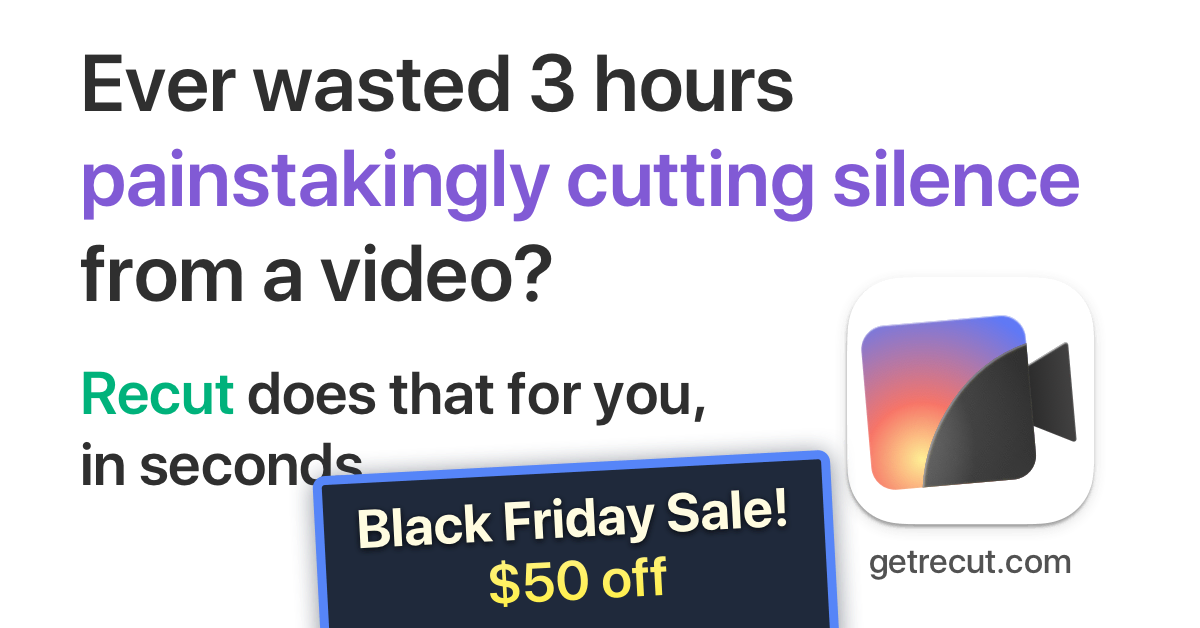
Let me be real with you – nothing has saved me more editing time than Recut. Before I found this tool, I would spend 30-60 minutes on every video just doing the rough cut: manually scrubbing through footage, finding pauses, hitting delete, and ripple deleting. Over and over again. It was tedious, repetitive work that gave me genuine wrist strain issues.
Now? I drag my raw footage into Recut, and it automatically removes all the silence. What used to take an hour now takes seconds. The tool finds every pause, every breath, every moment of dead air, and removes it. Then I export an XML file that I can import directly into Final Cut Pro, where I can focus on the creative work – adding zooms, titles, and making the video actually engaging.
Ecamm Live: The Professional Streaming Powerhouse

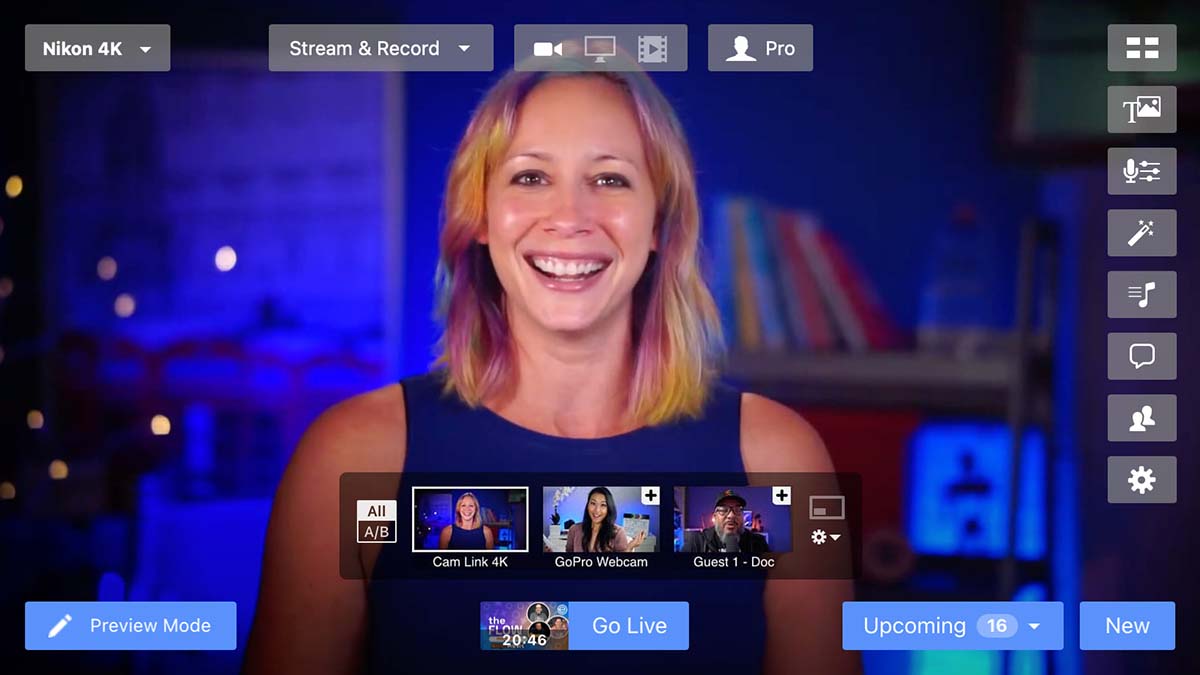
I've been a subscriber to Ecamm Live since the very beginning, and I can honestly say it's become an absolutely essential tool for anyone serious about live streaming or recording video locally on Mac. When I started using Ecamm, it was a solid streaming tool. Now? It's a full production studio that some of the largest podcasts in the world rely on.
What makes Ecamm special is how it turns your Mac into a professional broadcast studio. I can switch between multiple camera angles, add overlays and graphics, bring guests on screen, and stream to multiple platforms simultaneously. But here's the part that often gets overlooked: Ecamm also works as a virtual camera. That means when I jump on Zoom calls or record podcast interviews, I'm not just using my webcam – I'm using my DSLR camera with professional branding overlays piped through Ecamm. People always ask me how my video looks so much better than everyone else's on calls.
Circleboom: The X Account Cleanup Tool


I recently signed up for Circleboom specifically to clean up my X account, and I wish I'd done it sooner. Here's the reality: I've had my X account for 18 years. That's nearly two decades of people following me, many of whom haven't logged in for years or have since abandoned the platform entirely.
Why does this matter? Because the X algorithm pays attention to engagement rates. When you have thousands of inactive followers, your engagement rate tanks, which means your posts reach fewer people. Circleboom lets me identify and remove inactive accounts, clean up fake followers, and basically optimize my account so that the X algorithm actually works in my favor.
I'm making a real effort to grow on social media platforms beyond YouTube, and cleaning up my X account was an essential first step. Better analytics, better reach, better engagement – all because I'm focusing on followers who are actually active on the platform.
ElevenLabs: The AI Voice Powerhouse

Let's talk about ElevenLabs, because this Black Friday deal is absolutely insane. For just $1, you can get access to their Starter plan for your first month. One dollar. That's less than a cup of coffee, and you're getting access to what might be the most comprehensive AI creative suite available right now.
Yes, ElevenLabs is known for their world-class text-to-speech and voice synthesis – and it's genuinely the best in the business. But what many people don't realize is that ElevenLabs has expanded far beyond just voice. They now offer:
- Speech-to-text transcription (yes, it goes both ways)
- Sound effects generation
- AI music creation
- Image generation (including limited access to cutting-edge models)
- Video generation (with access to models like Sora 2)
For creators, this is becoming an essential tool. At $1 for the first month, it's a no-brainer to test it out and see how it fits into your workflow.
Envato Elements: The Creative Asset Library

As a content creator, I'm constantly searching for stock footage, music tracks, sound effects, fonts, and graphics. Having a subscription to Envato Elements has been a game-changer because it gives me unlimited downloads of over 56 million creative assets – all covered under one simple commercial license.
Whether I need a background track for a video, stock footage to illustrate a point, or a graphic template for a thumbnail, it's all there. The alternative would be paying per asset on sites like AudioJungle or VideoHive, which adds up incredibly quickly. With Envato Elements, I pay one monthly fee and download whatever I need.
The library includes stock photos, video templates, music and audio, graphic templates, presentation templates, fonts, WordPress themes, 3D models, and so much more. If you create content regularly, this subscription pays for itself incredibly fast.
Screen Studio: Professional Screen Recordings Made Easy
 Adam Pietrasiak
I see Screen Studio everywhere. Developers all over social media use it to showcase their products, and for good reason – it makes screen recordings look absolutely professional with minimal effort.
Here's what makes it special: Screen Studio automatically zooms in on whatever you're clicking or interacting with on screen. So when you record a demo or tutorial, the video naturally focuses on the important parts without you having to do any manual editing. The cursor movements are smoothed out, making everything look polished and intentional.
It's Mac-only for now, but it's perfect for creating product demos, software tutorials, or any situation where you need to show what's happening on your screen in a way that actually looks good. No more shaky cursor movements or having to manually add zoom effects in post-production.
MacWhisper: The Essential Transcription Tool

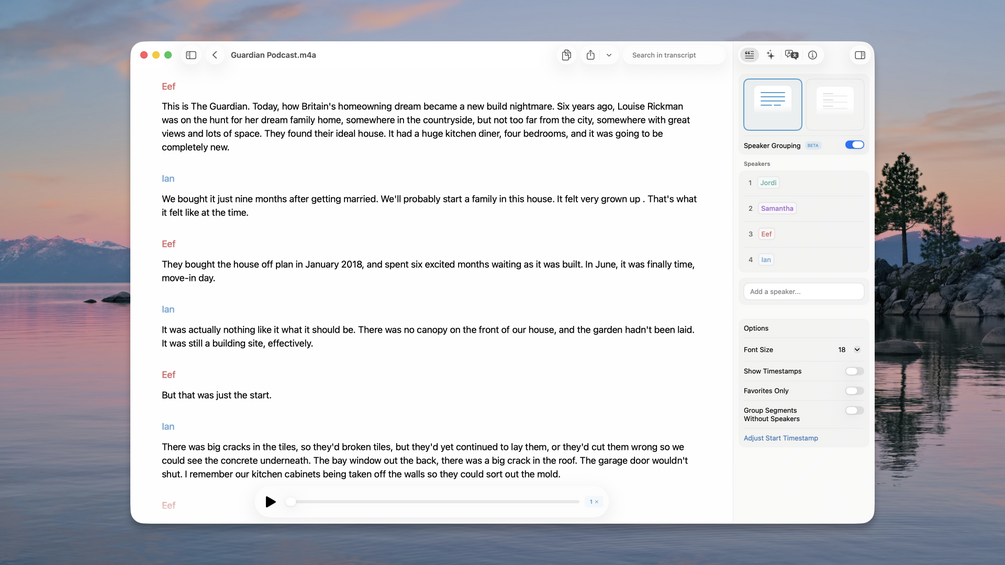
I use MacWhisper every single day, and I'm not exaggerating. It's become such an essential part of my workflow that I honestly don't know how I'd function without it. I recently featured it in a dedicated video on my channel because I think it's that valuable for creators.
Here's how I use it: First, I transcribe every video I produce. Having accurate transcripts is essential for creating YouTube descriptions, show notes for my blog, and social media posts. But MacWhisper does so much more than that.
I also use it as my system-wide dictation tool. Whether I'm writing emails, creating documents, or recording my thoughts, I can dictate everything using OpenAI's Whisper model running locally on my Mac. The transcription quality is exceptional, and because it all runs on-device, my audio never leaves my machine – perfect for sensitive content.
MacWhisper has legitimately enhanced my productivity. It's one of those tools where once you start using it, you wonder how you ever worked without it.
Black Friday Deal: MacWhisper is offering 25% off their Pro license. This is a one-time payment (no subscription), and you own it forever. The price is also set to increase in early 2026, so if you've been considering it, now is the time to grab it.
CleanShot X
 Chris Messina, Hashtag inventor
This is the tool I use to record my screen for all of my videos. While Screen Studio is an audience favorite and developers like it for showcasing their features, CleanShot gives me nice clean screen recording just as the name implies.
Beyond screen recording, CleanShot X packs in a ton of built-in annotation and editing tools for making the most impressive and easiest-to-share screenshots around. I can quickly add arrows, blur sensitive information, or annotate captures without opening a separate editor. It's become an essential part of my daily workflow, whether I'm creating tutorial content or just capturing something to share with my team.
The app includes over 50 features for capturing and editing screen content, including scrolling capture, cloud uploading, and a robust set of markup tools. Everything happens locally on your Mac, which means fast performance and no privacy concerns about uploading to third-party services (unless you choose to use CleanShot Cloud).
I have a dedicated video on CleanShot that shows off all its capabilities if you want to see it in action.
Final Thoughts
These aren't just tools I'm recommending – they're tools I rely on every single day to create content for this channel. From the initial recording and editing process to transcription, social media management, and beyond, each of these tools solves a specific problem in my creative workflow.
Black Friday is one of those rare opportunities to invest in your creative toolkit at a significant discount. If you've been on the fence about any of these tools, the deals running right now make this the perfect time to pull the trigger.
Most of these deals run through Cyber Monday or early December, but I wouldn't wait. The best deals often have limited availability or usage caps, so if you're interested in any of these tools, grab them while the discounts are live.


