
Conversion Bridge Review: Easy WordPress Conversion Tracking
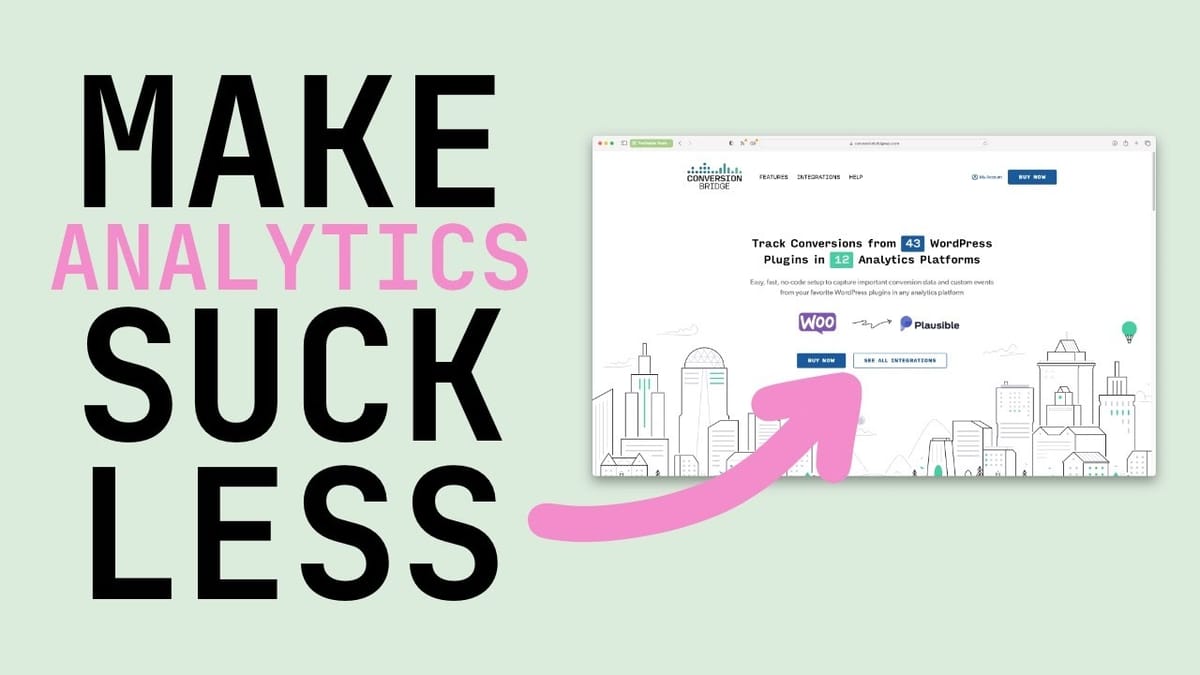
Conversion Bridge is a WordPress plugin that sends conversion data from your existing plugins to 12 analytics platforms, making it easy to track what actually matters on your site.

Conversion Bridge
A WordPress plugin that sends conversion data from plugins like WooCommerce, Fluent Forms, and LearnDash to analytics platforms like Google Analytics, Fathom, and Plausible.
WordPress site owners who want to track real user conversions without complex manual setup.
Google Tag Manager, MonsterInsights, Pixel Your Site
WordPress Finally Gets Proper Conversion Tracking
If you've spent any time in the WordPress world lately, the conversation has mostly been about security vulnerabilities and page builder debates. Not exactly the kind of stuff that moves the needle for your business. Conversion Bridge changes that conversation entirely.
This WordPress plugin does something surprisingly simple that nobody else has really nailed: it takes the data already being generated by your WordPress plugins — things like WooCommerce orders, Fluent Forms submissions, and LearnDash enrollments — and sends that information to your analytics platform as proper conversion data. You get to see when people actually do things on your website, not just how many visitors showed up.
The promise here is real, data-driven decisions with actual data. The marketing gurus have been preaching this for over a decade, but actually tracking conversions on WordPress has always been a pain. Conversion Bridge makes it genuinely easy.
Supported Integrations: 12 Platforms and 43 Plugins
At launch, Conversion Bridge supports 12 analytics platforms and 43 WordPress plugins. That's an impressive spread for a version 1.0 release, and the developer is actively adding more.
On the analytics side, you'll find the big names: Google Analytics 4, Fathom Analytics (the indie hacker favorite), Plausible, and UserMaven among others. For WordPress plugins, the usual suspects are covered — WooCommerce, LearnDash, Fluent Forms, WS Forms, and dozens more.
There's also a "coming soon" list on their site, but the developer has confirmed that even more integrations are in the pipeline beyond what's publicly listed. They won't cover every obscure WordPress plugin in existence, but they're clearly committed to supporting all the major ones.
Setup and Configuration
Getting Conversion Bridge running is refreshingly simple. After installing the plugin, you'll see a settings screen listing all supported analytics platforms. For each one you want to use, you just toggle it on, click configure, and paste in your API key or tracking code. That's it.
This alone solves a problem that used to be one of the most common WordPress questions: how do I add my analytics tracking code? With Conversion Bridge, it's a single click and a paste. No editing theme files, no separate tracking plugins for each platform.
The default settings are smart, too. Tracking is automatically disabled for administrators, so your own browsing won't pollute your conversion data. You can extend this exclusion to editors and authors as well. Even better, if you clone your site for staging or development, Conversion Bridge automatically disables tracking so you don't accidentally send thousands of test form submissions to your analytics platform and ruin your data for the month.
Tracking WordPress Core Events and Media
Beyond third-party plugin integrations, Conversion Bridge can track events baked into WordPress itself. You can monitor site searches, logins, and user registrations — things every WordPress site generates but almost nobody tracks.
Site search tracking is more useful than it sounds. If you have 100 visitors and 45 of them are using your search bar, that's a clear signal that your content isn't easily accessible from your navigation or landing pages. Login and registration tracking is valuable for membership sites and course platforms where you want to know not just how many people signed up, but how many are actually coming back.
The media library integration is another pleasant surprise. You can track video plays (including embedded YouTube videos — just paste the URL and plays are automatically tracked), audio plays, file downloads, and image clicks. File download tracking is particularly handy if you're offering PDFs or other lead magnets and want to measure actual engagement.
Real-World Results Across Analytics Platforms
Testing Conversion Bridge across all 12 analytics platforms reveals some interesting differences. Plausible stands out with a clean interface that shows goal conversions front and center. For WooCommerce, it displays total orders, revenue totals, and average order value right on the dashboard. You can see form submissions, YouTube video plays, and search results all in one view.
Fathom Analytics has arguably the better-looking dashboard — it's just easy to read. However, it doesn't support enhanced e-commerce data, meaning you can see that orders happened but not what they were worth or what products were purchased. This might be fine for SaaS businesses where everyone pays roughly the same price, and Fathom's stronger privacy focus could be worth the tradeoff.
Google Analytics 4 provides the most detailed data by far, including individual product information, order values, and detailed event breakdowns. A single page load fires multiple events: page view, user engagement, scroll, and session start. The catch is there's a delay before data appears in your reports, unlike the near-instant updates on Plausible and Fathom.
E-Commerce Test: Live WooCommerce Tracking
Putting Conversion Bridge through a live WooCommerce test confirms the data pipeline is rock solid. After placing a test order, Fathom updated its conversion count instantly. Plausible followed suit, updating both the conversion count and the revenue total in real time with the correct order amount.
There are a couple of caveats worth noting. Ad blockers can interfere with the data — in one test, Plausible counted the conversion but the order value was obscured by the ad blocker. It's a weird partial block where the platform knows something happened but can't see all the details.
Also, there's a distinction between standard WordPress search and WooCommerce's product search. If your theme has a WooCommerce search bar, those searches won't be tracked by Conversion Bridge's WordPress Core integration. You need to use the standard WordPress search widget for that. It's a minor limitation the developer may address in a future WooCommerce integration update.
Form submission tracking was equally reliable — updates showed up instantly across Plausible and Fathom after each submission. The consistency across platforms is impressive for a 1.0 release.
The Developer Behind the Plugin
Conversion Bridge is built by Derek Oshauer, the founder of WP Sunshine, a company that's been in the WordPress ecosystem for over 10 years with a solid roster of well-respected plugins. This isn't a fly-by-night operation looking to cash in on a launch and disappear — it's backed by someone who's committed to WordPress long-term.
Perhaps the most exciting detail is what's coming next. The developer has confirmed plans to add integrations for advertising pixels, including the Meta Pixel and Pinterest Pixel. This would let you send WordPress conversion data directly to ad platforms, which could be a game-changer for anyone running paid campaigns to their WordPress site.
For a version 1.0 plugin, Conversion Bridge already delivers serious value. The combination of easy setup, smart defaults, broad platform support, and reliable data makes it one of the more genuinely useful WordPress plugins to come along in a while. If you've been meaning to get proper conversion tracking set up on your site, this removes most of the excuses.
Watch the Full Video
Prefer watching to reading? Check out the full video on YouTube for a complete walkthrough with live demos and commentary.


