
Doplac Review: The $79 All-in-One CRM That Does Everything
Doplac bundles a CRM, cold outreach, email marketing, live chat, website builder, social media management, and more into a single $79 lifetime deal. I tested every feature to find out if it's actually usable.

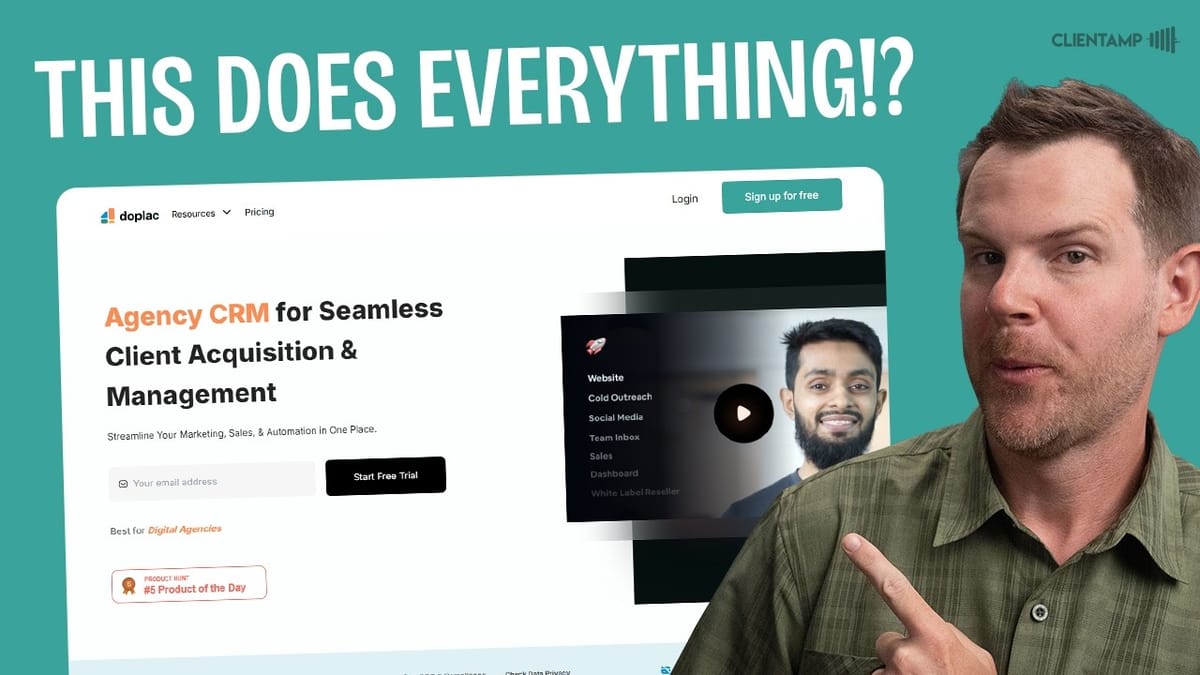
Doplac
An all-in-one business platform combining CRM, cold outreach, email marketing, live chat, website building, social media management, meeting booking, client portal, and billing into a single tool.
Solo business owners and small agencies looking to consolidate their software stack into one affordable platform.
Zoho, GoHighLevel, HubSpot, Crisp
What Is Doplac and Why Does It Exist?
Doplac is one of the most ambitious AppSumo deals I've come across. It bills itself as a CRM, but that undersells it dramatically. This platform packs in CRM pipelines, task management, cold email outreach, meeting booking, a client portal, billing and invoicing, a website builder, live chat, email marketing, social media management, a shared team inbox, web forms, and webhooks. That's not a typo — it genuinely tries to do all of those things.
The deal starts at $79 for a single-user license with access to nearly every feature. Higher tiers unlock sub-accounts for agencies and white labeling at the $700 level. With only 5% claimed at the time of this review, it's still early days for the deal. The big question isn't whether Doplac has features — it clearly does — but whether any of them actually work well enough to replace your current tools.
CRM Dashboard and Sales Pipelines
The CRM is the core of Doplac, and it's where you'll land after logging in. The dashboard displays deal stats, transaction counts, and lead sources at a glance. The real meat is the pipeline view — you can create multiple pipelines (sales, leads, onboarding, whatever you need) and switch between them with a dropdown.
Each pipeline comes with default stages like Prospect, Lead Qualification, Opportunity, Customer, and Advocates. These are fully customizable: rename them, change colors, delete stages, or add your own. Adding clients is straightforward — you enter company and contact info, assign a value, set the stage, and choose a lead source. Contacts are draggable between stages, and clicking into a contact opens a full profile view with filtering options for expected vs. closed deals.
One notable design choice: contacts display by the person's name rather than the company name in the pipeline view. It's a minor thing, but worth knowing if you're used to company-centric CRMs.
Task Management: Trello-Style Project Boards
Doplac includes a built-in project management tool with three views: board (Trello-style), list (database-style), and calendar. Projects can be public or private, and there's no limit on how many you can create. The board view works as expected — drag tasks between columns like To Do, In Progress, and Complete, assign team members, set due dates, and add priority tags.
The tag system is customizable, which is a nice touch. You can also filter down to just your own assigned tasks under the "My Tasks" section. However, I did run into the first real bug here: the calendar view doesn't display tasks on their due dates. A task with a due date of the 11th simply didn't appear on the 11th in the calendar, regardless of its status. For a project management tool, that's a meaningful flaw — the whole point of a calendar view is to see when things are due.
Cold Email Outreach: Powerful but Rough Around the Edges
The outreach module is where Doplac gets ambitious — and where the user experience starts to fray. You can connect Google Workspace, Microsoft, custom SMTP, or even a LinkedIn Chrome extension for multi-channel outreach. The sequence builder supports email steps alongside LinkedIn profile visits, connection requests, and messages. That's genuinely sophisticated functionality.
Setting up email sequences is intuitive once you understand the flow. You build multi-step campaigns with customizable delays, set daily sending limits (default 50 emails), configure LinkedIn interaction caps, and enable smart features like stopping campaigns company-wide when one person replies. The analytics dashboard breaks down performance by email vs. LinkedIn.
The problems start when you actually try to send. Getting contacts to work with the outreach tool requires a confusing dance of verifying email status, marking contacts as subscribed, and toggling a permission to "allow to add sequence this contact" — a setting that only appears in the contacts section, not in the CRM where you originally added the person. I spent a significant chunk of time troubleshooting why leads wouldn't upload to a campaign, and the error messages were unhelpful. The integration between CRM contacts and the outreach tool exists, which is great, but critical fields are missing from the CRM contact form.
Meeting Booking: The Surprise Standout
If there's one feature in Doplac that genuinely impressed me, it's the meeting booking tool. Setup was painless — connect your Google Calendar, choose Google Meet as the platform (Zoom support is coming), configure your availability, and you're done. The booking page looks professional and clean, on par with dedicated scheduling tools like Calendly.
I tested the full flow: booked a meeting, received the confirmation email with a Google Meet link, verified the calendar appointment was created, then canceled the meeting with a reason. Everything worked flawlessly. The cancellation synced back to Doplac immediately, and the rescheduling option worked just as smoothly.
You can create multiple meeting types, view upcoming and past appointments, and even book appointments manually on behalf of clients. I've reviewed dedicated meeting scheduling tools on AppSumo that weren't this polished or easy to set up. For this feature alone, the $79 might be worth it if calendar scheduling is a pain point for you.
Client Portal, Services, and Billing
Doplac includes a client-facing portal where you can list services, process orders, and manage billing. Services can be one-time or recurring, with Stripe integration for payments (PayPal and Wise coming later). Each service can include intake questions — things like "What's your URL?" — that clients fill out at purchase.
The billing section handles invoices, products, subscriptions, and coupons. Invoices pull in clients from your CRM and services from your catalog. Coupons support percentage or fixed discounts with options for duration limits, redemption caps, and date ranges. The language could be clearer ("duration" really means "duration of discount"), but the functionality is there.
The portal itself has two layout options and limited visual customization — you can change backgrounds and text, but you're not designing from scratch. There's also a client-portal-to-CRM integration: new contacts from the service catalog can be automatically added to a specific list, pipeline, and stage. Discord and Slack chat integration rounds out the portal features. It's not going to replace a dedicated client portal solution, but for basic service selling and invoicing, it does the job.
Website Builder: Better Than Expected
I went into the website builder expecting the worst, and came out mildly impressed. It's an Elementor-style drag-and-drop editor with a respectable set of widgets: headings, buttons, icon boxes, countdown timers, images, and multi-column layouts. Mobile responsive editing is built in with desktop, tablet, and mobile preview modes.
The CMS component includes blog post management with categories, tags, SEO metadata, and Open Graph settings. You can connect a custom domain, add a favicon, inject custom code (for Google Analytics or Meta Pixel), and toggle site indexing. The settings are thoughtful for what is essentially a bonus feature inside a CRM.
The templates weren't loading during my testing, which is a drawback if you're hoping for a quick start. And the code output probably isn't winning any performance awards. But for a basic business website or blog that lives alongside your CRM, outreach, and billing tools, it's surprisingly functional. Is it going to replace WordPress or Webflow? No. Could it work for a simple agency landing page? Absolutely.
Live Chat: Quick Setup, Clean Interface
The live chat widget is another feature that punches above its weight. Installation is dead simple — choose your website, grab the embed code, paste it in. The widget itself looks polished and professional, comparable to dedicated tools like Crisp or Tawk.to.
From the visitor's perspective, they enter their name and email, then start chatting. File uploads and emoji support are included. On the backend, you get an inbox with all conversations, the ability to assign chats to specific operators, and visitor information including IP address and location. There's even a real-time visitor map showing who's on your site and where they're located.
The real win here is CRM integration. Chat contacts are automatically linked to existing CRM records when the email matches, so you're not maintaining separate contact lists across tools. Setup took about two minutes with zero errors — a refreshing experience after the outreach module's troubleshooting marathon.
Email Marketing: Campaigns, Sequences, and A/Z Testing
Separate from the cold outreach tool, Doplac's email marketing module is designed for subscribers who've opted in. It supports an impressive range of SMTP providers out of the box: AWS SES, SendGrid, Brevo, Mailgun, Elastic Email, Postmark, SparkPost, Google Workspace, Microsoft, and custom SMTP. Having separate SMTP connections for marketing and cold outreach is a smart design decision that protects your deliverability.
The email builder is a visual drag-and-drop editor with multi-column layouts, buttons, images, and text blocks. Mobile preview is included, and there's a plain text fallback mode. Templates are available, though the selection is basic. You can preview emails on desktop and mobile before sending.
Campaigns (broadcasts/newsletters) include an interesting "A/Z testing" feature — essentially A/B testing but with up to 26 subject line variations. Winning criteria can be set to open rate or click rate. Sequences handle automated drip campaigns with configurable delays (minutes, hours, days, months) and day-of-week controls. There's also an RSS campaign option for automatically turning blog posts into emails, though I hit an error when trying to set one up.
The suppression list and CAN-SPAM compliance features are there, including required business address and phone number fields for email footers. It's a competent email marketing tool that covers the basics well.
Social Media Management: Posts Work, Scheduling Doesn't
Doplac's social media module currently supports Facebook Pages, Instagram Business, YouTube, and Pinterest, with LinkedIn, Twitter, and TikTok coming soon. You're limited to five connected channels on the base tier. Creating and publishing posts immediately worked without issues — my test post appeared on Facebook within seconds.
There's a nice surprise here: deleting a post from Doplac actually removes it from the social platform too. That's a feature I haven't seen in every social media management tool. The media library carries over from other parts of the platform, so images you've uploaded elsewhere are available for social posts.
However, scheduled posting failed completely during my testing. I scheduled a post for a specific time, waited well past that time, and it remained stuck in "scheduled" status indefinitely. For a social media management tool, reliable scheduling is table stakes. Publishing on demand works fine, but if you're planning to batch content and schedule it out (which is the primary use case for most social media managers), this is a significant problem. Analytics are forward-looking only — no historical data import from your connected accounts.
Team Inbox, Web Forms, and Everything Else
The team inbox aims to be a shared email hub, but it's currently limited to Google Workspace accounts despite showing Gmail as an option. Regular Gmail users are out of luck for now, and there's no custom SMTP support for the inbox — an odd omission given how many SMTP integrations exist elsewhere in the platform.
Web forms have a functional builder with text fields, email inputs, dropdowns, radio buttons, image uploads, and even coupon code widgets. I did find a bug where the text field typed right-to-left instead of left-to-right, which is a bizarre issue. Forms can be embedded on your website or shared via link, and submissions are viewable in Doplac. The glaring gap: there's no way to automatically route form submissions into your CRM. You can view responses, but connecting them to pipelines or lists requires manual effort.
Webhooks are available for developers who want to build custom integrations, and workflow automations (Zapier-style) are listed as coming soon. The media library, team member management with role-based permissions, and global business settings round out the platform.
Plans, Pricing, and What Each Tier Gets You
Doplac's AppSumo deal ranges from $79 to $699 across five tiers. The $79 tier includes every feature for a solo user — no sub-accounts, but full access to the entire platform. Tier two and above add sub-accounts for agencies, letting you resell the platform to clients. Tier five at $699 unlocks white labeling and 100 sub-accounts, each with tier-one-level access.
Contact limits scale from 5,000 on tier one to 100,000 on tier five. There are caps on nearly everything: cold outreach emails, monthly email sends, CMS items (300 on the base tier, which could be limiting for daily bloggers), webhooks (3 to 100), and shared inboxes. Email verification credits are included, which explains the email validation workflow in the contacts section.
The team member limit is worth watching — tier one is solo only. If you need collaboration, you're looking at tier two minimum. For agencies considering the white-label option, $699 for 100 sub-accounts is significantly cheaper than buying individual licenses, making it an interesting proposition if the platform matures.
Final Verdict: Impressive Breadth, Inconsistent Depth
Scoring Doplac was one of the hardest calls I've had to make on any lifetime deal. The sheer volume of functionality at $79 is staggering — there are easily a dozen standalone tools packed into this platform. Meeting booking worked flawlessly. Live chat was quick to set up and polished. The CRM pipeline is functional and intuitive.
But the errors pile up. Cold outreach required extensive troubleshooting to send a single email. Scheduled social media posts never went out. The web form text field typed backwards. Templates didn't load in the website builder. The calendar view in project management didn't show tasks on their due dates. Language throughout the UI is rough, with unclear labels and grammatical issues that suggest the tool needs a thorough UX and copywriting pass.
Doplac earns a 6.7 out of 10. It's the Costco food court of SaaS — not the best at anything, but remarkably cheap and surprisingly filling. If the team continues active development, this could evolve into something genuinely impressive in a year or two, similar to how Zoho grew its ecosystem. For now, it's best suited for solo operators who want a single platform for basic business operations and are willing to work around the rough edges. I wouldn't recommend dumping your entire software stack for it, but at $79, it's low-risk enough to experiment with.
Watch the Full Video
Prefer watching to reading? Check out the full video on YouTube for a complete walkthrough with live demos and commentary.


