
Dynosend Review: $59 Email Marketing LTD Worth It?
Dynosend promises to replace your recurring email marketing costs with a one-time payment. Here's a detailed look at its audiences, automations, deliverability, and where it still falls short.

Dynosend
An email marketing platform offering campaigns, automations, transactional emails, and audience management for a one-time lifetime deal price.
Small business owners and solopreneurs looking to replace recurring email marketing costs with a one-time payment.
ActiveCampaign, Mailchimp, ConvertKit, Brevo
What Is Dynosend?
Email marketing is one of those unavoidable recurring expenses that quietly drains your budget month after month. Dynosend, currently available on AppSumo, is pitching itself as the cure — a full-featured email marketing platform you can pick up for a one-time payment starting at $59.
The tool covers the core pillars you'd expect: audience management, campaign sending, automations, transactional emails, and basic integrations. The interface is clean and visually appealing, drawing comparisons to Notion with its simple, modern aesthetic. But a pretty face doesn't always mean a polished product, and Dynosend has some rough edges worth knowing about before you buy.
Audience Management and Contacts
Audiences in Dynosend function as separate contact containers, each with their own settings, custom fields, and segments. On Tier 1, you get up to 10 audiences, scaling to unlimited on Tier 4. Each audience can have its own company name, from address, and CAN-SPAM compliance details — which makes it tantalizingly close to being an agency tool, but more on that limitation later.
Adding contacts is straightforward. You can manually enter them one at a time, import a CSV from another platform, or embed a web form on your site. The audience overview dashboard is genuinely well-designed, giving you a clear snapshot of email engagement and deliverability metrics at a glance.
One small but persistent UX annoyance: you can't click on an audience name to open it. Instead, you have to navigate through a triple-dot menu for every action. It's a pattern that repeats throughout the interface — extra clicks where direct interaction should work.
Web Forms and Custom Fields
Dynosend includes a built-in web form builder for capturing subscribers. The forms support unlimited custom fields — text inputs, date pickers, selects, radio buttons, checkboxes — and installing them on your website requires just two snippets of JavaScript.
The forms themselves are functional but visually limited. There's no custom CSS option, so if your site has a distinctive design language, the default form styling might not blend in well. You get basic controls like rounded corners and field visibility, but that's about it.
There's also a caching quirk worth flagging. If you add or remove custom fields from your form, the changes won't appear on your live site until you modify one of the form's display parameters. Changing a setting like corner radius and then changing it back is enough to bust the cache. It's a minor workaround, but the kind of thing that can cost you 20 minutes of confusion if you don't know about it.
Audience Settings and Double Opt-In
Each audience gets its own configuration for double opt-in, welcome emails, and unsubscribe confirmation messages. You can toggle these on individually and customize the email content for each — though the editor for these system emails is basic compared to the main campaign builder.
The per-audience settings are what make Dynosend look like it could serve as a lightweight agency solution. Different audiences can have different company info, different from addresses, and different compliance details. If you manage email lists for a handful of small local businesses, you could theoretically run them all under one Dynosend account.
The dealbreaker? Team member permissions aren't audience-specific. Anyone you add to your account gets access to everything. Dynosend is so close to being a viable agency tool, but without role-based access tied to individual audiences, it's not quite there yet.
Segments and Tags
Segmentation works the way you'd expect — define conditions like "email contains outlook.com" or "first name equals Dave" and Dynosend filters your audience accordingly. You can match on all conditions or any, giving you solid flexibility for targeted sends.
The tagging system is where things get frustrating. Tags exist in Dynosend and you can segment based on them, but actually applying tags to contacts is unnecessarily difficult. You can do it manually by navigating into a contact's profile, clicking the triple-dot menu, selecting edit tags, typing your tag, and pressing Enter before hitting save (just clicking save won't work). It's a clunky workflow for something that should be seamless.
There's no way to auto-tag contacts via form submissions, and native integrations with e-commerce platforms don't exist yet. You can add tags within automations, which helps, but the overall tagging experience feels incomplete — like the foundation is there but the house isn't built yet.
Domain Verification and Deliverability
Before sending any emails, you'll need to verify your sending domain by adding DNS records. Dynosend requires two TXT records and one CNAME, which you'll configure through your DNS provider (Cloudflare, Namecheap, etc.).
The verification process is smooth. Records can verify almost instantly, and once your domain is active, you're cleared to send. This is standard practice for any legitimate email marketing tool and a good sign — it means Dynosend takes deliverability seriously and isn't letting unverified senders potentially damage shared IP reputation.
Sending Campaigns
Creating a campaign follows a five-step wizard: choose your audience and segment, configure sender details, build your email content, schedule the send, and review a summary before launching.
The campaign setup is mostly intuitive, though there are a couple of quirks. The reply-to field is required and separate from the sender address, which is a minor inconvenience. More notably, there's no "send now" option — you have to pick a specific date and time for every campaign, even if you want it to go out immediately.
Once a campaign is scheduled, you can pause or cancel it, but you can't edit the content. If you spot a typo after scheduling, you'll need to cancel the campaign and create a new one from scratch. The confirmation screen does include a spam check score, which is a helpful touch for optimizing deliverability before your email goes out.
The Email Builder
Dynosend's drag-and-drop email builder is minimal but effective. You get the standard building blocks — text, images, buttons, dividers — and can arrange them with straightforward drag-and-drop interactions. Image handling is solid, with both direct uploads and a built-in Pexels integration for quickly dropping in stock photos.
The preview mode lets you check your email across desktop, tablet, and mobile views. The rendered output looks genuinely good — clean formatting, proper padding, and responsive layouts that hold up on actual devices. That's not a given with email builders, so it's worth noting that Dynosend gets this right.
There's an AI button in the builder, but it's underwhelming. It generates a short text snippet based on a prompt, which you then manually copy and paste into your email. It doesn't generate full email layouts or auto-populate content blocks. It checks the "AI-powered" marketing box without adding much practical value.
Templates
If you send recurring emails like newsletters, Dynosend's template system lets you save and reuse layouts. You can start from one of their built-in templates or build your own from scratch, including custom imagery, logos, and social links that persist across campaigns.
The template workflow has the same UX friction found elsewhere in the tool. Creating a template doesn't take you into the editor — it drops you back to the template list, requiring an extra click to start editing. It's functional, but every interaction involves more navigation than it should.
Transactional Emails
Dynosend supports transactional emails — the automated messages triggered by user actions like purchases, password resets, or account confirmations. Unlike marketing campaigns, these can be sent to non-subscribers since they're responses to specific user actions.
Setting up transactional emails requires API integration, which means you'll likely need some development experience or a developer's help. You can track opens and clicks on transactional emails, though enabling tracking may impact deliverability.
The transactional email management interface has the same modal quirk seen elsewhere: creating a new message doesn't navigate you to it. Instead, you're shown the creation prompt again and need to find your new message in the list manually.
Automations
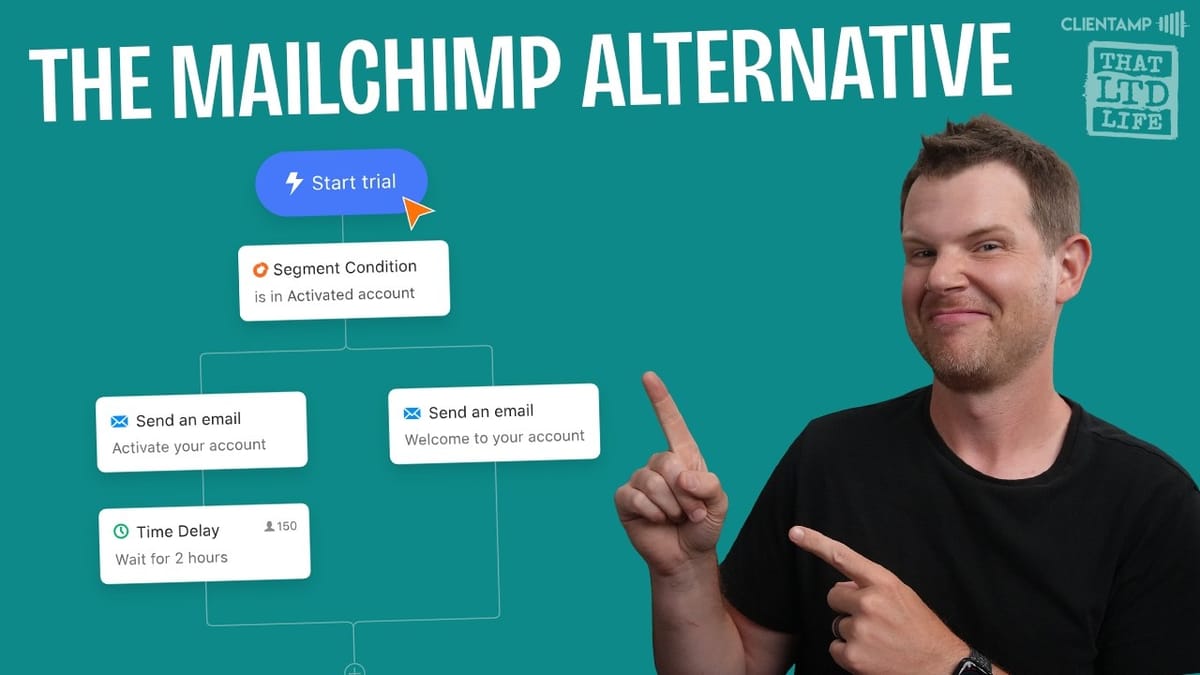
The automation builder is where Dynosend starts to feel like a proper email marketing platform. You get a visual workflow builder with triggers, actions, conditions, time delays, and goals — the full toolkit for building drip sequences, onboarding flows, and re-engagement campaigns.
Available triggers include contact added, birthday, and segment-based conditions. Actions span sending emails, SMS via Telnyx, Slack notifications to your team, and webhooks. Conditions let you branch based on email engagement (opened, clicked) to create responsive sequences that adapt to subscriber behavior.
Goals allow you to pull contacts out of an automation when they complete a desired action — like making a purchase or booking a meeting. However, since native integrations are limited, you'll need to connect these events through the API. The automation builder also supports adding tags to contacts, which partially addresses the tagging limitations mentioned earlier.
One critical reminder: don't forget to actually start your automation after building it. The save button doesn't activate the workflow — there's a separate start action that's easy to overlook.
Integrations and Team Members
Native integrations are slim. You get HubSpot, Zapier, and Intercom out of the box, with Drift and Salesforce listed as coming soon. Slack and Telnyx integrations are available for use within automations. The Slack connection is specifically for notifying your own team about events like new registrations — it won't message your contacts directly.
The API documentation is thorough, which is encouraging for anyone willing to build custom connections. With the help of an LLM or a developer, you could potentially bridge the integration gaps yourself.
Team member support is unlimited across all tiers, which sounds generous. But the permissions system is too broad — every team member gets access to your entire account. There's no way to restrict a team member to a specific audience, which is the one missing piece that would make Dynosend viable for agencies managing multiple clients.
Plans, Pricing, and Contact Limits
Dynosend's AppSumo tiers scale by contacts and monthly email sends. Tier 1 gives you 5,000 contacts and 30,000 emails per month. Tier 2 bumps that to 20,000 contacts. Tier 3 handles 50,000 contacts, and Tier 4 reaches 75,000 contacts with unlimited audiences.
The monthly email send limits are worth paying attention to. Even with a generous contact limit, you're capped on total sends per month. For a business with 5,000 contacts sending weekly newsletters, 30,000 monthly emails gives you about six sends per month — fine for most use cases, but it could get tight if you're running frequent automations alongside regular campaigns.
Final Verdict: 7.2 out of 10
Dynosend earns a 7.2 out of 10. It's a visually appealing email marketing tool with solid fundamentals — good deliverability, a capable automation builder, and transactional email support that many competitors at this price point don't offer.
The weak spots are mostly about polish and workflow friction. Too many actions require extra clicks through triple-dot menus. Modals don't close after completing actions. The tagging system needs more entry points beyond manual editing and automations. And the lack of audience-specific team permissions keeps it from reaching its potential as an agency tool.
The bones are strong, though. If the Dynosend team addresses these UX issues and expands their native integrations over the next several months, this could become an excellent email marketing solution. At $59 for a lifetime deal, it's a reasonable bet for small business owners who want to ditch recurring email marketing costs — just go in with realistic expectations about what's polished and what's still a work in progress.
Watch the Full Video
Prefer watching to reading? Check out the full video on YouTube for a complete walkthrough with live demos and commentary.


