
FluentBoards Review: Self-Hosted Kanban for WordPress
FluentBoards is a self-hosted Kanban board plugin for WordPress that integrates with the Fluent ecosystem. Here's a full breakdown of its features, pricing, and where it still needs work.

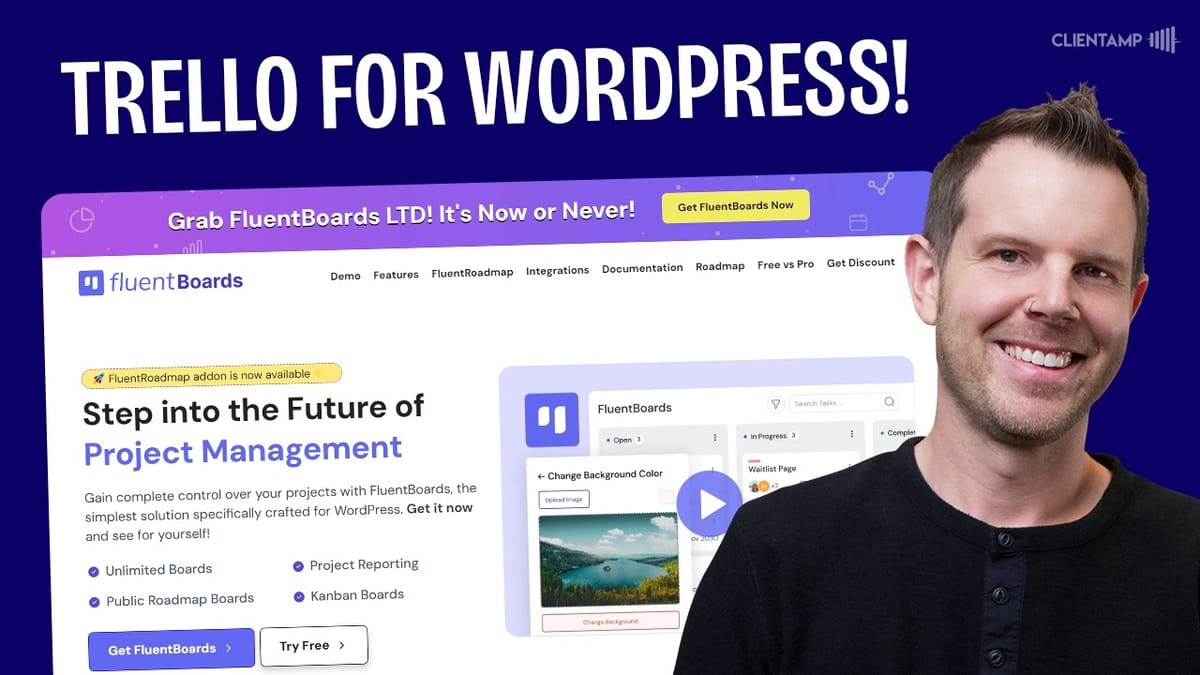
FluentBoards
A self-hosted WordPress plugin that provides Trello-style Kanban boards, project management, and public roadmaps directly inside your WordPress site.
WordPress site owners, freelancers, and agencies who want a self-hosted project management and Kanban board solution that integrates with the Fluent plugin ecosystem.
Trello, Asana
What Is FluentBoards?
FluentBoards is a relatively new WordPress plugin that brings fully self-hosted Kanban boards to your website. If you've ever used Trello, you'll feel right at home — the interface is nearly identical, but everything runs on your own WordPress installation rather than a third-party SaaS platform.
What makes FluentBoards particularly interesting is its tight integration with the broader Fluent ecosystem. If you're already using FluentCRM, FluentForms, or Fluent Support, this plugin slots right in and connects your project management workflow to your existing contacts, forms, and support tickets. Even if you're not deep in the Fluent ecosystem, the plugin stands on its own as a capable Kanban tool.
The plugin launched roughly two months before this review, so it's still young. That said, it has had enough time for several updates and feels surprisingly polished for its age.
Plans and Pricing
FluentBoards offers three lifetime deal tiers. A single-site license normally runs $249 but is currently discounted to $149. The five-site license drops from $499 to $299, and the unlimited-sites license goes from $1,000 down to $599. There's no clear end date on this promotional pricing, so it could change at any time.
There is also a free version available in the WordPress plugin repository if you want to test the waters before committing. The free version covers the basics, but the paid version unlocks the full set of integrations and pro features — including the Fluent Roadmap module — that you'll likely want as your usage grows.
Setup and First Impressions
Getting started with FluentBoards is straightforward. After installing both the free and pro versions, you create your first board by giving it a title and defining your stages — these are the columns your cards will move through. The defaults are Open, In Progress, and Complete, but you can add custom stages like Internal Review or Client Review to match your workflow.
One early friction point: during setup, you can't reorder your stages. You'd have to delete and re-type them to get the order right. Fortunately, once you're on the actual board, you can drag and drop columns into whatever arrangement you prefer.
The resulting interface is unmistakably Trello-inspired. Side by side with Trello's project management template, the resemblance is striking — which is honestly a compliment. The UI feels smooth and responsive, and WP Manage Ninja (the company behind the Fluent products) has clearly matured in terms of user experience quality.
Cards and Task Management
The card system is where FluentBoards really shines. Each card supports assignees, due dates, priority levels, and labels — which function like a tagging system. You could use labels to group tasks by client (e.g., "widgetsite.com") so all related work is easily identifiable at a glance.
Cards also include a rich description field with link support, file attachments that upload cleanly, and a subtask system. Subtasks can have their own due dates and assignees, and there's a handy option to convert any subtask into a full independent card on your board. The commenting system supports replies with one level of threading — a sensible design decision that keeps conversations manageable without letting them spiral.
The activity log on each card tracks every change: status updates, assignments, date changes, and more. This creates accountability and eliminates the "I didn't see that" excuse. On the sidebar, you can associate cards with FluentCRM contacts (even using the free version of FluentCRM), watch cards you're not assigned to, set cover colors, and add custom fields like URLs or text fields.
One standout feature is task templates. Once you've configured a card with the right labels, priority, custom fields, and CRM contacts, you can save it as a template and quickly spin up identical tasks in the future. Attachments carry over, labels carry over — essentially everything except comments.
Board Customization and Settings
The board menu gives you several options to make your workspace your own. You can set a board description, view the full activity log for the board, and — importantly — customize the background. FluentBoards provides built-in images, gradients, and even a CSS gradient builder where you can choose colors, angles, and gradient types (linear, radial, or conic). It's a nice touch that lets your boards feel less generic.
Board labels are managed centrally, so you can create, color-code, and edit labels that apply across all cards on that board. Board membership is tied to your WordPress user system, which is both a strength and a consideration. If you're already running a membership site or selling courses through WordPress, your users are already there. If not, you'll need to add people as WordPress users to grant board access — but this also means each client can have their own board without risk of seeing another client's data.
Notification settings are granular: you can toggle email alerts for comments, stage changes, task assignments, due date updates, archiving, and removal from tasks. One gap is there's no separate toggle for subtask assignments, but the overall notification system is solid. Archived items (both cards and stages) are accessible from the menu if you ever need to restore something.
Views, Filters, and Calendar
Beyond the default Kanban view, FluentBoards offers list and calendar views. The list view works but feels too wide on a standard 1080p display — the columns are spread so far apart that you lose the at-a-glance benefit. It would benefit from tighter, more responsive layout.
The calendar view is more useful, especially for content calendars or project deadlines. Cards with start and end dates appear on the calendar, and you can drag them around to adjust dates. Both monthly and weekly views are available. However, the current implementation shows start and end dates as separate entries on their respective days rather than stretching across the range like a traditional calendar. Without hovering, it's not immediately clear which marker is a start date and which is an end. A color-coded badge system would solve this.
Filtering is well-implemented. You can narrow your view by assignee, status, priority level, or label — or combine these filters. Want to see only your high-priority open tasks? A couple of clicks and everything else disappears.
Dashboard, Reports, and Import Options
The dashboard provides a clean overview of your current tasks, overdue items, completed work, and recently opened boards. It's exactly what you'd want for a quick check-in without diving into individual boards.
The reports section shows task completion metrics with basic chart visualizations. You can filter by individual boards, but the reporting is admittedly thin — there's no per-user task breakdown, no workload balancing view, and no way to add custom data points or modules. For teams using FluentBoards as a serious project management tool or sales pipeline, the reporting capabilities need significant improvement.
On the import side, FluentBoards supports importing boards from both Trello and Asana, making the migration path from those platforms as painless as possible. You'll find this option under the board triple-dot menu.
Settings and Integrations
The settings panel lets you configure member roles, reminders, notification preferences, and default card display options. You can toggle off elements like labels or due dates if they're not relevant to your workflow.
Integration-wise, FluentBoards works natively with FluentCRM, FluentForms, and Fluent Support. Outside of the Fluent ecosystem, your only option is webhooks. This is adequate for connecting to tools like Zapier or Make, but native integrations with popular third-party tools would strengthen the plugin's appeal to users who aren't fully invested in Fluent products.
Additional modules include time tracking, a front-end portal, and a menu position setting. The full-screen mode strips away the WordPress sidebar for a more focused, Trello-like experience, and there's a Command+K search shortcut that lets you quickly find any card across your boards.
Fluent Roadmap: Public Voting Boards
Fluent Roadmap is a brand-new module that lets you create public-facing product roadmaps where users can submit feature ideas and vote on them. You create a roadmap board with four fixed stages — Pending, Under Construction, Planned, and Launched — and connect it to any WordPress page via shortcode.
The workflow is intuitive: visitors submit ideas, which land in an admin-only "Pending" column. You review submissions and drag approved ones into the appropriate public stage. On the front end, users can browse features by stage, click into individual items to leave comments, and upvote ideas they want to see built. Each user gets one vote per item — clicking again removes the vote.
There are some rough edges. The front-end styling pulls partially from your theme but includes hardcoded colors (like a purple accent) that may clash with your design. There's no built-in way to customize these colors without writing custom CSS. The confirmation message after submitting an idea has awkward grammar and isn't editable. You also can't add or remove roadmap stages — you're locked into the four defaults.
Roadmap Settings and Limitations
The roadmap settings are minimal but important. You can require users to be logged in before submitting ideas, commenting, or voting. These should arguably be the defaults — an open roadmap with anonymous submissions could get messy fast. You'd want to actively opt into a fully public setup rather than accidentally leave it open.
Notably absent is any way to limit votes per user. If your roadmap has 30 items and someone votes on all of them, you're not really learning anything about priorities. A system where users get a limited number of votes — say three per month — would make the voting data far more meaningful. Downvoting is also missing, which means you can't capture negative sentiment about proposed features.
What's Missing from FluentBoards
The biggest gap is automations. Power users coming from Asana or similar platforms expect the ability to trigger actions when cards move between columns, when tasks are completed, or based on due dates. Templates are helpful but they're not a substitute for a real automation engine that can create follow-up tasks, send notifications, or update fields based on triggers.
Calendar integration is another notable absence. There's no way to export or share your board's calendar via a link that you could import into Google Calendar, Apple Calendar, or Outlook. For teams managing deadlines across multiple tools, this would be a significant quality-of-life improvement.
The reporting system also needs work. Without per-user task breakdowns or customizable report modules, it's hard to use the data for meaningful team management decisions.
Final Verdict: 7.8/10
FluentBoards earns a 7.8 out of 10, which is genuinely impressive for a plugin that's only been on the market for a couple of months. The core Kanban experience is polished, the card system is feature-rich, and the Fluent ecosystem integration adds real value for WordPress users already in that world.
The missing automations are the dealbreaker for team use — without them, FluentBoards is a very good personal or small-team task board but not yet a full Trello or Asana replacement. The Fluent Roadmap module is a clever addition with clear potential, though it needs more customization options and voting controls before it's truly production-ready.
If you're already using FluentCRM or other Fluent products and want project management that lives inside WordPress, FluentBoards is absolutely worth considering at its current lifetime deal pricing. The foundation is strong, and the development pace suggests the missing features will arrive. Just go in knowing what it can and can't do today.
Watch the Full Video
Prefer watching to reading? Check out the full video on YouTube for a complete walkthrough with live demos and commentary.


