
FluentCommunity Review: WordPress Community Plugin Worth It?
FluentCommunity is a feature-packed WordPress community plugin from WP Manage Ninja that includes feeds, spaces, courses, and gamification — but a few rough edges hold it back from greatness.

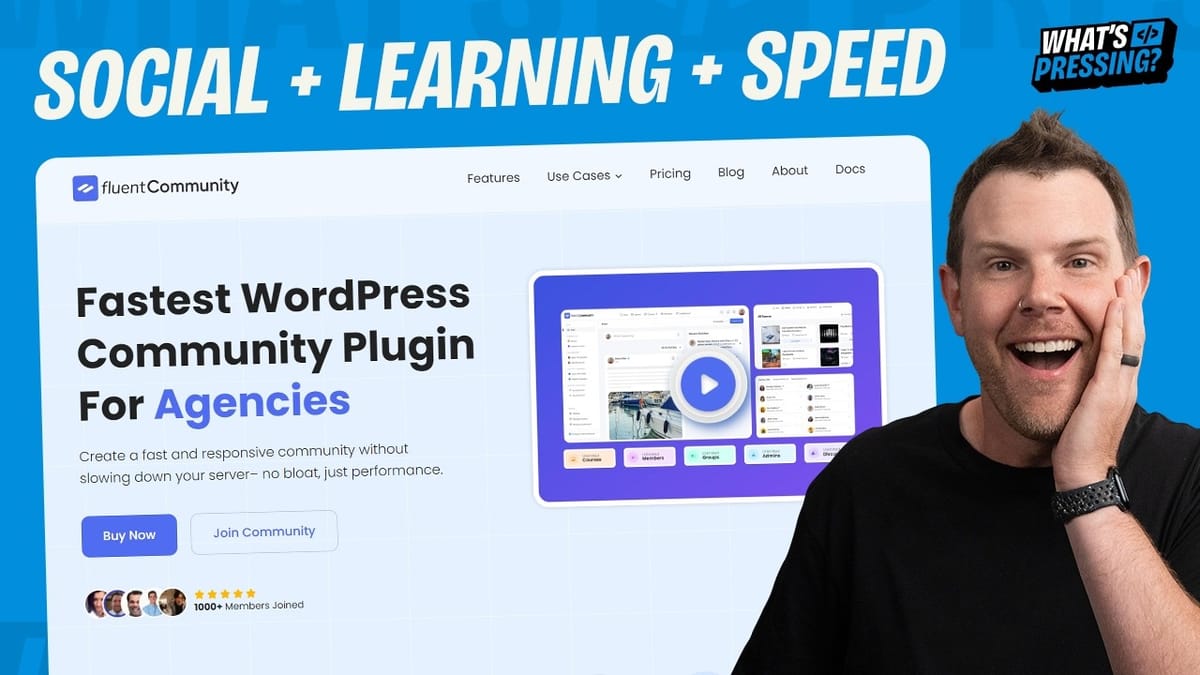
FluentCommunity
A WordPress plugin that lets you build a full-featured online community with feeds, groups, courses, and member management directly inside your WordPress site.
WordPress site owners, course creators, and membership site builders who want a self-hosted alternative to Circle or Skool.
Circle, Skool, BuddyBoss, BuddyPress
What Is FluentCommunity?
WordPress has never had a truly polished, all-in-one community plugin — until now. FluentCommunity comes from the WP Manage Ninja team, the same developers behind Fluent SMTP, FluentCRM, Fluent Boards, and Fluent Support. They clearly have a thing for the word "Fluent," and this latest addition brings a modern, Facebook-style community experience directly into WordPress.
The plugin packs in a social feed, group spaces, a full course builder, member profiles, badges, a leaderboard, and dark mode — all without leaving your WordPress dashboard. It's an ambitious feature set that aims to replace third-party platforms like Circle and Skool with a self-hosted solution you fully control.
The Feed: A Familiar Social Experience
The core of FluentCommunity is its social feed, which aggregates posts from all of your spaces (more on those in a moment) into a single, scrollable timeline. If you've ever used Facebook Groups, you'll feel right at home. You can create posts with titles, attach images, embed videos from YouTube, Vimeo, and Wistia, run polls, and react with emoji.
The UI is genuinely impressive for a WordPress plugin. Replies support two levels of nesting, which keeps conversations readable without getting unwieldy. There's an emoji picker built in, and you can even enable Giphy integration for GIF support — though that requires setting up a free Giphy SDK account. Most of these modules are toggleable, so if you'd rather keep things buttoned-up and professional, you can disable emoji and GIF features entirely.
A couple of small UX quirks stand out. The video embed field doesn't respond to the Enter key — you have to click the "Embed" button manually. And the "Remove Media" button on draft posts is styled in red, which makes it look like an error rather than a simple option. These are minor paper cuts, but they add up in a tool that's otherwise this polished.
Spaces and Groups: Powerful but Confusing
FluentCommunity organizes content into "spaces" (which are essentially groups or channels) and "space groups" (which are folders that hold spaces). If that sentence made you pause, you're not alone. The naming convention is one of the plugin's biggest stumbling blocks. Spaces are groups. Groups are folders. And the whole thing is called a portal, which is really just your community.
Once you get past the terminology, the system works well enough. You can create multiple spaces for different topics, nest them inside groups for organization, and move spaces between groups using a triple-dot menu. Posts must be submitted to a specific space — you can't just post to the general feed — which keeps content organized but requires an extra click.
The organizational UI has room for improvement. You can reorder groups by dragging, but you can't drag spaces between groups — you have to use the context menu instead. Slugs don't auto-generate from titles when you create new groups, so you have to type them manually. These feel like features that just didn't make it across the finish line before launch.
Course Builder: Solid Foundation, Missing Polish
One of FluentCommunity's most surprising features is its built-in course builder. You can create full online courses with sections (modules), individual lessons, video embeds, and discussion threads — all without needing a separate LMS plugin. The course builder supports three delivery modes: self-paced (students go at their own speed), structured (drip content on a schedule), and scheduled (for live cohorts taking the course together).
Lessons are built using WordPress's Gutenberg editor under the hood, though FluentCommunity wraps it in a cleaner interface that initially looks like a custom editor. You get access to most default WordPress blocks, so you can add text, images, headings, and embeds. Each lesson can have its own video, adjustable video length display, and toggleable comment sections.
The builder does have some frustrating limitations. You can reorder lessons within a section, but you cannot move a lesson from one section to another. There's no duplicate function either, which is a real time-saver when building courses with similar lesson structures. And there's no "View Course" button from the admin — you have to navigate back to the community portal and find it manually. A focus mode that hides the rest of the community while students take a course is a nice touch, though.
Member Management and Profiles
The member section gives you a directory of everyone in your community, with profile cards that appear on hover showing a quick preview and a link to full profiles. Individual profiles are clean and well-designed, pulling profile pictures from existing WordPress accounts. Members get a cover image, activity feed, post history, space memberships, and comment history all in one place.
Admin controls are straightforward. You can verify accounts (which adds a checkmark badge), assign user badges, and manage membership. However, badge assignment is entirely manual — there's no automation for granting badges based on activity or achievements, and members can only hold one badge at a time. If someone is both a moderator and an instructor, you'll have to pick one.
Badges and Leaderboard
Gamification comes in two forms: user badges and the leaderboard. Badges are custom labels you create and manually assign to members — think "Moderator," "Instructor," or "Supreme Pizza Lover" if your community skews playful. You can assign colors to badges, though the color picker has a visual bug where all swatches display as red. Dark colors work best for readability.
The leaderboard tracks community activity and awards tiered titles to active members. The defaults lean heavily into a space theme — "Space Initiate," "Space Pathfinder," "Space Enthusiast" — which isn't particularly useful as a starting point. You can rename all of these in the settings, but it would be better if the defaults were something more universally applicable like "Contributor" or "Active Member." The leaderboard module is fully toggleable if gamification isn't your thing.
Dark Mode and Customization
FluentCommunity ships with a solid set of customization options. Dark mode is built in and looks genuinely good, with support for a separate dark mode logo so your branding works in both themes. You can set an OG image for social media previews, and there's a full color customization panel with several presets — Default, Sunset Sands, Ocean Blue, Sky Blue, and Emerald Essence — plus the ability to define your own colors.
Light mode and dark mode can have independent color schemes, which is a thoughtful touch. The customization panel lets you preview changes in real time before saving. It's one of the more polished aspects of the plugin and gives you enough control to make the community feel like a natural extension of your existing site.
Monetization: The Weak Spot
If you're planning to charge for access to spaces or courses, brace yourself. FluentCommunity's monetization workflow is its biggest weakness. To accept payments, you need to set a space or course to private, create a lock screen message, build a payment form in Fluent Forms, then set up an integration between Fluent Forms and FluentCRM to grant access via a list-based automation.
That's three separate plugins working in concert just to let someone pay for a course. It's a convoluted process that feels out of step with the rest of the plugin's user-friendly design. Competitors like Circle and Skool handle payments natively with a simple paywall. The WP Manage Ninja team really should have waited to ship a more streamlined e-commerce solution, or at minimum built a native checkout option before launch.
Final Verdict: Impressive but Early
FluentCommunity is a genuinely impressive first release. Building a community platform that feels this fast and this polished inside WordPress is no small feat, and the WP Manage Ninja team deserves credit for pulling it off. The social feed, member profiles, dark mode, and customization options are all well-executed, and the course builder adds serious value for creators.
That said, this is clearly early software. The naming conventions are confusing, drag-and-drop doesn't work everywhere you'd expect it to, the course builder can't move lessons between modules, monetization requires a Rube Goldberg machine of plugin integrations, and badges are limited to one per user with manual assignment only. None of these are dealbreakers, and the team has a strong track record of iterating quickly on their products.
If you're looking for a self-hosted community platform and you're already in the Fluent ecosystem, this is absolutely worth picking up — especially at the current introductory pricing. Just go in knowing it's a v1 product with a lot of potential and a few rough edges still to sand down.
Watch the Full Video
Prefer watching to reading? Check out the full video on YouTube for a complete walkthrough with live demos and commentary.


