
Focus Keyword Finder Review: AI SEO Content Tool Worth $59?
Focus Keyword Finder merges keyword research with AI-powered content creation to help you rank locally and nationally. Here's whether this AppSumo lifetime deal can replace pricier monthly SEO subscriptions.

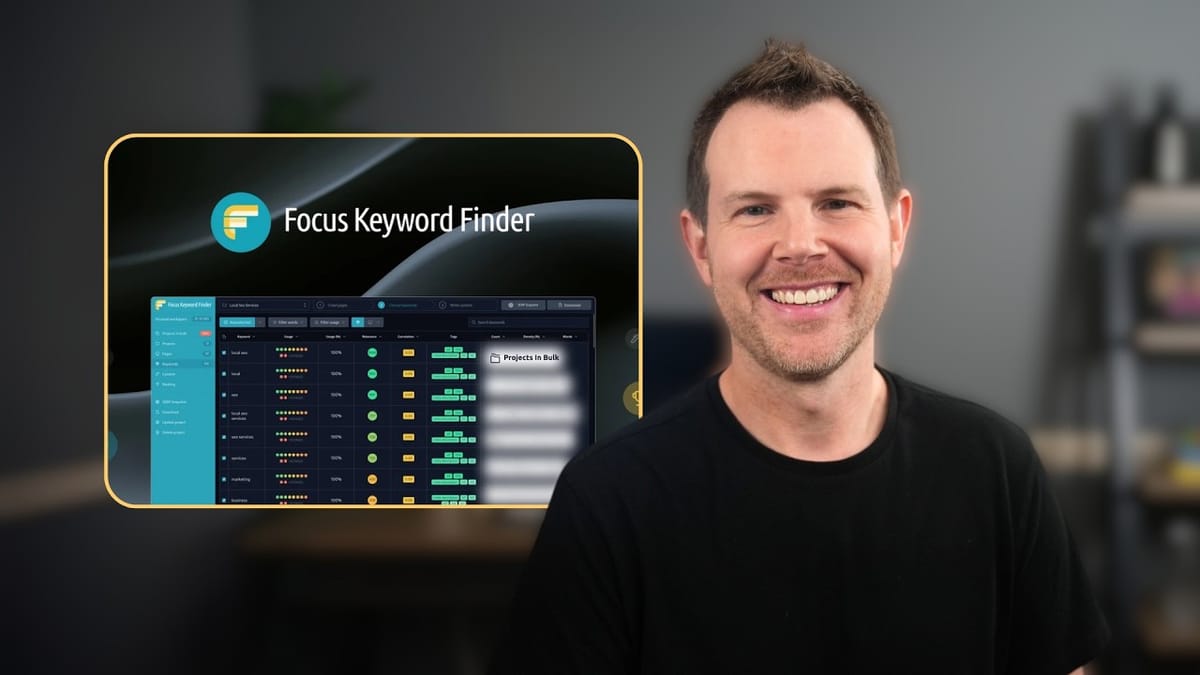
Focus Keyword Finder
Analyzes competitor SERP data for a given keyword and generates SEO-optimized articles using AI, combining keyword density analysis with content creation in one tool.
SEO professionals, local business owners, and content marketers who want an affordable alternative to monthly tools like Surfer SEO for generating keyword-optimized blog content.
Surfer SEO, SEMrush, Frase, NeuronWriter
What Is Focus Keyword Finder?
Focus Keyword Finder is a new SEO tool that just landed on AppSumo as a lifetime deal, positioning itself as a more affordable alternative to monthly subscriptions like Surfer SEO. At its core, the tool does two things: it analyzes what's currently ranking on Google for your target keyword, and then it uses AI to generate content designed to compete with those top results.
The workflow is project-based. You start by entering a primary keyword, the tool crawls Google's top results, extracts keyword data from those pages, and then generates an article that hits the right notes in terms of keyword usage, density, and structure. It's less of a pure keyword research tool and more of an AI content writer with built-in SEO intelligence.
One important note right up front: despite the name "Focus Keyword Finder," this tool doesn't help you discover which keywords to target in the first place. You need to come in already knowing what you want to rank for. If you're expecting keyword ideation or topic discovery, you'll want to handle that step with another tool before bringing your keyword here.
Setting Up a Project and Local Search
Everything in Focus Keyword Finder is organized around projects, which are essentially folders for your content. Creating one involves a simple six-step form where you define your main keyword, name the project, and configure your search parameters.
The local search capability is where things get genuinely interesting. During project setup, you can narrow the Google search to a specific geographic area. For example, if you're creating content for a business in Minneapolis, you can restrict the SERP crawl to that metro area. This means the keyword data and competitor analysis you get back is hyper-relevant to the local market rather than pulling in national results that may not reflect what your local audience actually sees.
For agencies or freelancers managing multiple clients, there's also a categorization system. You could name each project after the target keyword but group them by client, which keeps things organized when you're juggling a dozen or more active campaigns. It's optional but becomes valuable at scale.
SERP Snapshot and the Credit System
Once you create a project, Focus Keyword Finder takes what it calls a "SERP snapshot." This crawls your specified number of Google results (the default is 10, but you can go up to 30 or more) and captures detailed data about each ranking page. You'll see competitor URLs, their Open Graph images, and a breakdown of their keyword usage, heading structure, and word count.
The credit system is straightforward and fairly generous. Each page you crawl costs one credit, so a 30-result snapshot uses 30 credits. The tier one plan comes with 2,000 crawl credits per month, which means you can run quite a few projects before running dry. If your initial 10-result crawl doesn't surface enough useful data, you can incrementally add more results without starting over.
You also get 20,000 AI content generation credits on tier one, though these are a one-time allotment rather than monthly. Generating a full article with images used roughly 500 credits in testing, so you'll get a solid number of articles before those run out. After that, you'll need to connect your own OpenAI API key (available on tier two and above).
Keyword Analysis and Competitor Data
After the SERP snapshot completes, Focus Keyword Finder extracts all the keywords from the crawled pages and presents them in a dashboard. You'll see how many keywords each competitor uses, their heading structures, total word counts, and how frequently specific terms appear across the top-ranking content.
Most of the extracted keywords tend to be short-tail (one to three words), which is expected since the tool is analyzing what already exists on the SERP rather than generating long-tail suggestions. The real value here isn't keyword discovery; it's competitive intelligence. You can see exactly what terms the top-ranking pages are using and how often, which gives you a clear blueprint for your own content.
That said, if you approach this expecting a keyword research tool in the traditional sense, you'll likely be disappointed. The tool's name is a bit misleading. You need to enter your target long-tail keyword at the project creation stage, using your own SEO knowledge or a separate research tool to identify it. Focus Keyword Finder then tells you how to optimize your content around that keyword based on what's already working in the SERPs.
AI Content Generation
The content generation side of Focus Keyword Finder offers several options. You can have AI write the entire article, upload existing content for optimization, pull in content from a URL to improve, or just generate a content structure to work from in your preferred writing tool.
When going the full AI route, you choose between long, medium, and short articles, each with options for how many AI-generated images to include (four, one, or none). The interface for selecting these options could be more intuitive—a cleaner layout that separates article length from image count and defines what "long" versus "medium" actually means in terms of word count would go a long way.
Under the hood, the AI generation runs on GPT-4o Mini with DALL-E 3 for images. The generated article came back at 2,852 words, which actually overshot the tool's own recommendation of 1,550 words to rank. The images are immediately recognizable as DALL-E output, which feels a bit dated given the rapid improvements in AI image generation. There's a WordPress integration for direct publishing, or you can export as HTML, Markdown, or DOCX.
Editor and SEO Optimization Tools
The built-in editor is functional but basic. You get standard formatting options—headings, paragraphs, bulleted and numbered lists, image embedding, and video embeds. There's also an HTML mode for direct code editing, which is a nice touch for those who want more control. You can collapse sidebars for a cleaner writing space, though there's no true full-screen distraction-free mode.
Where Focus Keyword Finder really earns its keep is the SEO optimization panel on the right side. There's a checklist of suggestions for improving your content's SEO score, covering things like heading hierarchy, keyword usage, and content structure. The scores break down into relevance, keyword coverage, HTML tag optimization, content density, and keyword correlation.
The keyword density view is particularly valuable. It shows exactly how many times each relevant keyword appears in your article versus what the top-ranking competitors are using. You can see at a glance whether you need to add more mentions of a specific term or if you're over-stuffing. For anyone who's been paying monthly for Surfer SEO to get this exact type of analysis, getting it in a one-time purchase is a significant cost savings.
Long-Tail Keywords and Tag Analysis
Beyond basic keyword density, the tool provides a long-tail keyword analysis that activates when you click into a specific paragraph. It surfaces relevant long-tail phrases from your niche that you might want to weave into that section of content, which is a practical way to naturally incorporate more targeted phrases without awkwardly forcing them in.
There's also a keywords-and-tags view showing where your important terms appear across your URL, title, headings, and meta description. This gives you a quick audit of whether your on-page SEO elements are properly aligned. The HTML tags panel lets you inspect each tag in the generated content along with the keywords contained within it.
For downloading your work, you can export just the keywords, long-tail keywords, headings, ranking data, or the full article. Article exports are available in HTML, Markdown, or DOCX formats. If you're running a WordPress-based workflow, the direct WordPress connection is the fastest path since it skips the export-import cycle entirely and avoids the formatting headaches that inevitably come with pasting from a DOCX file.
AppSumo Pricing Breakdown
Focus Keyword Finder's AppSumo deal starts at $59 for tier one, which includes 2,000 monthly crawl credits, 20,000 one-time AI generation credits, and 50 simultaneous projects with 50 pages each. The critical limitation on tier one is the lack of bring-your-own-key (BYOK) support, meaning once your one-time AI credits run out, you can't generate new content without upgrading.
Tier two at $99 unlocks the BYOK feature, which is honestly where the practical starting point should be for most users. Without the ability to plug in your own OpenAI API key, the tool has a built-in expiration date on its most useful feature.
Tier three ($200) adds bulk project creation, which is a game-changer for agencies churning out content at volume. Tiers four and five push into agency territory with higher credit allotments and access to agency-specific features as they're developed. If you're planning to use this tool to generate revenue through client work, tier three or above makes the most financial sense since you'll recoup the investment quickly with just a handful of client articles.
Final Verdict: 6.3 Out of 10
Focus Keyword Finder lands at a 6.3 out of 10. It's a capable tool with genuine utility, particularly for local SEO content creation, but it has some clear areas that need improvement. The competitive keyword analysis and density optimization are legitimately valuable features that can save you real money compared to monthly Surfer SEO subscriptions.
The biggest drawback is the reliance on GPT-4o Mini and DALL-E 3 for content generation. In 2025, these models feel a generation behind, and the lack of integration with Claude, Llama models, or even newer OpenAI offerings limits the quality ceiling of generated content. The BYOK feature being locked behind tier two is also frustrating, as it effectively turns the cheapest plan into a trial with an expiration date.
The naming issue deserves mention too. "Focus Keyword Finder" implies keyword research and discovery, but the tool really excels at content optimization and generation. Users who come in expecting help figuring out what to write about will hit a wall immediately since the first thing the tool asks for is a keyword you've already identified. If you know your target keywords and want an affordable way to generate SEO-optimized content around them, this tool delivers. If you're hoping for keyword ideation and content strategy guidance, you'll need to pair it with another tool.
Watch the Full Video
Prefer watching to reading? Check out the full video on YouTube for a complete walkthrough with live demos and commentary.


