
Frank AI Review: A $69 Pay-Once ChatGPT Alternative Worth It?
Frank AI promises a one-time $69 payment for lifetime access to GPT-4, positioning itself as a budget-friendly ChatGPT Plus alternative with both web and mobile apps.

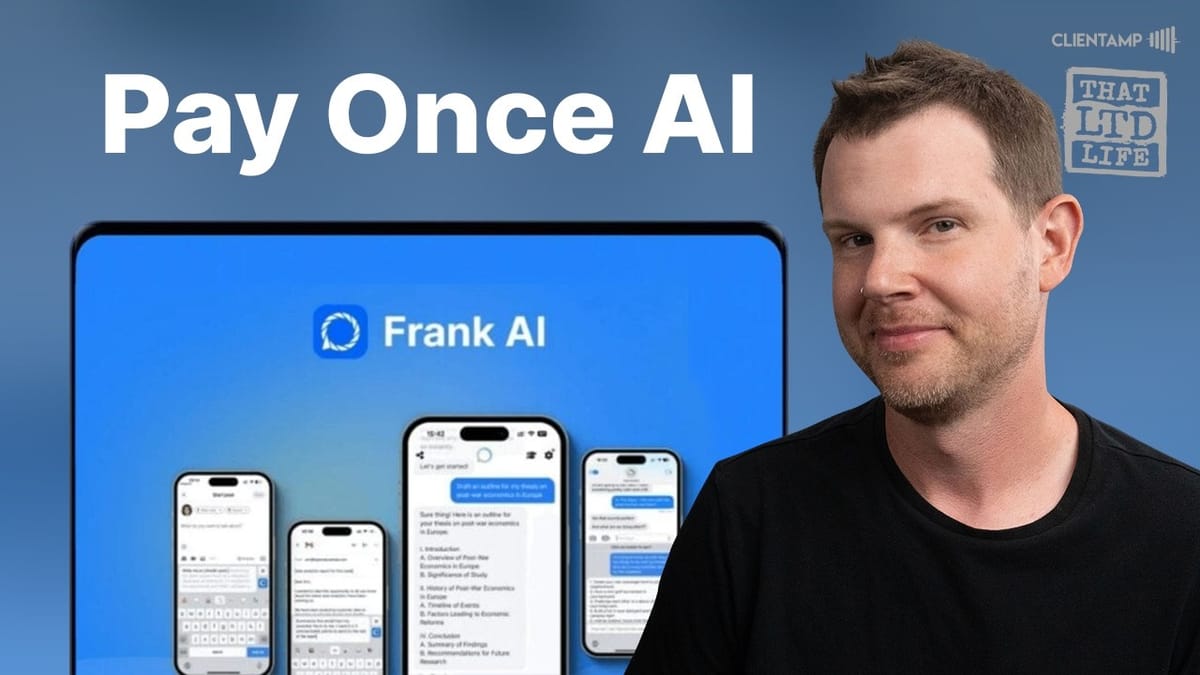
Frank AI
A general-purpose AI assistant powered by GPT-4 with web and iOS apps, offering chat, image generation, document analysis, and voice conversation features.
People who want ChatGPT-level AI capabilities without paying a monthly subscription fee.
ChatGPT Plus, Claude, Letterly
What Is Frank AI?
Frank AI is a general-purpose AI assistant that's currently available as a lifetime deal on AppSumo for $69. Unlike more specialized tools like Letterly (which focuses on voice-to-content transcription), Frank AI aims to be a full ChatGPT alternative — complete with a web app and an iOS mobile app.
The big selling point here is obvious: ChatGPT Plus runs $20 per month, which adds up to $240 a year. Frank AI is a single payment of $69 and you're done. That's a compelling pitch, especially if you're someone who uses AI tools occasionally but doesn't feel great about paying a recurring subscription for something you might not touch every day.
One thing Frank AI does well right out of the gate is personalization. The app introduces itself as "Frank" — an actual character you're chatting with, not just a faceless AI. This is a tactic that worked extremely well for Jasper (back when it was called Jarvis). People naturally prefer talking to a personality rather than a generic chatbot, and Frank leans into that.
Pricing and AppSumo Deal
The pricing couldn't be simpler — there's one option. Pay $69 on AppSumo and you get lifetime access to both the web app and the iOS app. No tiers, no stacking, no complicated license structures.
For context, Frank AI's own website lists lifetime access at $299, so the AppSumo deal represents a significant discount. The redemption process is a bit unconventional — when you click to redeem your AppSumo code, it takes you through what looks like a standard checkout flow showing the $299 price, then applies your code to bring the total to zero. It's clever marketing psychology: you see the full price crossed out, reinforcing that you're getting a great deal even though you already paid $69 on AppSumo.
The real question with any AI lifetime deal, though, is longevity. Frank AI is using OpenAI's GPT-4 API under the hood, and those API calls aren't free. How long can they sustain lifetime access for a one-time payment? That's a concern worth keeping in mind, though AppSumo's purchase protection policy does offer some safety net.
The Web App Interface
Frank AI's web interface will feel immediately familiar if you've used ChatGPT. It's clean, minimal, and straightforward. You get a chat window, a sidebar for previous conversations, and a few key features: pinned answers, a memory prompt, and model selection between GPT-3.5 and GPT-4.
The pinned answers feature is genuinely useful. When Frank gives you a response worth saving, you can pin it for quick access later. These pins sync across devices too, so anything you pin on desktop shows up on mobile. The sharing feature lets you copy answers or share them to social media, though a simple inline copy button (like ChatGPT and Claude offer) would be a welcome improvement over opening a separate share dialog.
Dark mode is available and looks solid — good contrast, easy on the eyes. The account settings page includes some social profile fields, though the selection is oddly limited to Twitter, Reddit, and LinkedIn. No Instagram, Facebook, YouTube, or TikTok. Also worth noting: the Twitter field doesn't accept x.com links, only twitter.com — a small sign that the app could use some updates.
Memory and Custom Instructions
Frank AI includes a memory prompt feature that works similarly to ChatGPT's custom instructions. You fill in a structured template telling Frank about yourself — your name, interests, profession, family details — and it uses that context to personalize responses going forward.
The implementation is more like a mad-lib than a freeform text field. You get prompts like "My name is ___" and "I want you to remember this about me: ___" which makes it approachable for non-technical users. There's also an option to let Frank "improve over time" by remembering things from your conversations, similar to ChatGPT's evolving memory feature.
One advantage of the structured approach is that it feels less unpredictable than ChatGPT's automatic memory, which can sometimes surface random facts you mentioned in passing weeks ago. With Frank, you have clearer control over what it knows about you from the start.
Chat Quality and Coding Tests
When it comes to actual chat quality, Frank AI delivers solid results. Using GPT-4 under the hood, the text output is high quality and on par with what you'd expect from ChatGPT. A test asking for the top 15 Minnesota Twins relief pitchers of all time produced a well-reasoned, debatable list — exactly the kind of nuanced response that shows GPT-4 is doing the heavy lifting.
However, one major limitation surfaced immediately: Frank AI cannot browse the internet. Asking about current events or live scores gets you a flat "I can't browse the internet" response. This is a meaningful gap compared to ChatGPT Plus, which has web browsing built in.
For coding tasks, Frank performed well. A test asking it to generate custom routes for a Ghost site produced correct YAML output (not JSON, as initially expected) with accurate implementation instructions. The output was technically sound. The main complaint here is the lack of a copy button on code blocks — you have to manually select and copy the code, which is a small but frequent annoyance for anyone doing development work.
Formatting and Copy-Paste Issues
One area where Frank AI stumbles is output formatting — specifically when copying and pasting responses into other applications. Copying a response directly from the chat into Apple Notes, for example, produced garbled formatting with unwanted list markers applied to every line.
The workaround is to use the "Copy Answer" button from the share menu rather than selecting text directly, which produces cleaner output. You can also paste without formatting (Shift+Option+Command+V on Mac) to strip out the markdown entirely. But ideally, you shouldn't need workarounds for something this basic.
This is a broader problem across AI tools, not unique to Frank. Markdown doesn't translate cleanly into most word processors, email clients, or note-taking apps. But ChatGPT and Claude have invested more in making their copy-paste experience smoother, and Frank has some catching up to do here.
Image Generation
Frank AI includes built-in image generation, accessible through a plus button in the chat input. You can choose from different style options — portrait mode, natural, HD — and describe what you want. The results are genuinely impressive. A test image of "a man using a computer really excited about his website" came out with proper anatomy (correct finger count!), good composition, and only minor AI artifacts like a reflection bleeding onto the subject's forehead.
What's interesting is that you don't actually need to use the dedicated image generation tool. Simply asking Frank to "generate an image" in regular chat works just as well, producing the same quality output. A whimsical request for "a mouse riding a motorcycle on an X Games course" returned a high-quality image with a shareable direct link.
The generated images are high resolution and look professional enough for social media posts or blog thumbnails. Image generation is one of Frank AI's stronger features and holds up well against what you'd get from ChatGPT's DALL-E integration.
Website Analysis and Document Upload
The "Analyze Website" feature is where things get rocky. Despite having a dedicated URL analysis button, Frank AI consistently failed to actually visit and analyze websites. Entering a URL and asking for feedback resulted in the bot asking you to provide the text manually — because it can't access the internet. This is a confusing user experience: why offer a website analysis feature if the tool can't browse the web?
Document analysis fared better, though with some quirks. Uploading a spreadsheet with 100 sample contacts, Frank correctly identified all the column headers and could answer questions about the data. However, it initially "forgot" the document between messages, requiring a second upload before it could answer follow-up questions. After that second upload, it maintained context and answered subsequent queries correctly.
Image analysis works well. Uploading a photo of tacos, Frank accurately described the contents — grilled meat, diced onions, cilantro, lime wedge, and radish slices. It was appropriately cautious about details it couldn't confirm, like whether the tortillas were flour or corn.
The Frank AI Mobile App
Frank AI's iOS app is free to download and included with your AppSumo purchase. The app is well-designed and mirrors most of the web app's functionality while adding mobile-specific features like voice dictation, text scanning via camera, and a keyboard extension for using Frank inside other apps.
The onboarding process asks what you'd like to use Frank for — marketing, internet search, workout routines, recipes, and more — reinforcing the general-purpose assistant positioning. It pulls in your memory settings from the web app, though the personalized suggestions aren't always precise (it suggested "activities for a family of four" when the user profile mentioned having four kids, making the family six total).
One oddity: the app defaults to GPT-3.5 even though GPT-4 is available. There's really no reason to use 3.5 at this point — 4.0 is nearly as fast and significantly more capable. This should default to the better model, or at least remember your preference.
Voice Dictation and Conversation Mode
Frank AI's voice features are functional but have some rough edges. The built-in dictation does real-time speech recognition, but there's a significant usability problem: when voice dictation stops, whatever you've dictated disappears instead of staying in the text field for editing. This means you can't dictate a prompt, then manually fix a word or URL before sending. For something like a website URL where speech recognition might insert unwanted spaces, this is frustrating.
The practical workaround is to use iOS's native dictation instead, which behaves like normal text input and lets you edit before sending. It's a better experience, which somewhat undermines Frank's own dictation feature.
Conversation mode lets you have a back-and-forth voice chat with Frank, complete with selectable voice styles — Frank, Samantha, and Hannah. The voice quality is decent but noticeably behind ChatGPT's voice mode. Frank does maintain conversational context and references your memory settings (asking about the Twins' season, for example), which makes for a reasonably natural interaction.
Templates and Prompt Shortcuts
The mobile app includes a templates library with pre-built prompts for common tasks: school exams, work emails, translations, brainstorming subject lines, writing music lyrics, and more. You can also create your own custom templates, which is a nice touch for tasks you repeat often.
Creating a custom template is straightforward — you write your prompt, save it, and then it's available from the templates menu whenever you need it. For example, you could create a template like "give me ideas for clickable YouTube video titles based on this copy" and then just paste in different copy each time you use it. The generated results are reasonable starting points that you'd want to refine, but the workflow is smooth.
There's also a text scanning feature that uses your phone's camera to capture text from the real world and feed it directly into a Frank prompt. Point your camera at a book, document, or screen, and the scanned text becomes your input. It's a clever feature for quickly digitizing physical content and getting AI to work with it.
AppSumo's Purchase Protection Policy
One factor worth considering with any AI lifetime deal is the risk of the service shutting down. This is where AppSumo's relatively new purchase protection policy becomes relevant. If you're an AppSumo Plus member and an app shuts down within 12 months of your purchase, you get 100% of your money back in AppSumo credits. Non-Plus members get 50% back.
For a $69 purchase like Frank AI, that means Plus members would get the full $69 back in credits if things go south, while regular members would receive about $34.50. It's not a cash refund, but it's meaningful protection for a product category where sustainability is a legitimate concern.
This policy is especially relevant for AI tools that rely on expensive third-party APIs. Every query Frank AI processes costs them money through OpenAI's API, and with unlimited lifetime access for users, the math has to work out long-term. The purchase protection at least gives you a safety net.
Final Verdict: Is Frank AI Worth $69?
Frank AI earns a solid 7 out of 10. It's a genuinely impressive app that checks most of the same boxes as ChatGPT Plus — GPT-4 access, image generation, voice conversation, document analysis, and a well-designed mobile app. For a one-time payment of $69, that's real value.
The limitations are real but not dealbreakers for casual users. No web browsing is the biggest gap. The website analysis feature doesn't actually work. Copy-paste formatting needs improvement. Voice dictation has usability quirks. And the document memory can be spotty on first upload. These are all solvable problems if the team continues developing the product.
The ideal user for Frank AI is someone who wants AI assistance without the guilt of a monthly subscription they might not fully use. If you reach for ChatGPT a few times a week for writing help, brainstorming, image generation, or quick questions, Frank AI delivers about 80% of that experience for a fraction of the long-term cost. Power users and developers who rely on web browsing, plugins, and advanced features should stick with ChatGPT Plus — but for everyone else, Frank AI is a smart buy with one important caveat: keep an eye on whether the service can sustain itself long-term.
Watch the Full Video
Prefer watching to reading? Check out the full video on YouTube for a complete walkthrough with live demos and commentary.


