
Fusebase Review: Notion Alternative With AI Agents (AppSumo LTD)
Fusebase is a feature-packed workspace tool with client portals and AI agents that gives Notion a real run for its money. Here's whether the AppSumo lifetime deal is worth picking up.

Fusebase
Fusebase is an all-in-one workspace platform combining collaborative editing, client portals, and AI agents for managing your entire business.
Freelancers, agencies, and small business owners who want a simpler alternative to Notion with built-in client-facing portals and AI capabilities.
Notion, Evernote, Nimbus Note
What Is Fusebase and Why Should You Care?
Fusebase is one of those tools that keeps popping up in my comments and DMs, so I finally sat down to give it a thorough review. Originally a note-taking app that competed more with Evernote, Fusebase has evolved into a full-blown workspace platform that now draws comparisons to Notion.
The platform focuses on three core pillars: internal workspaces for your team, external workspaces (called portals) for your clients, and AI features woven throughout the entire experience. That's a pretty ambitious combination, and honestly, Fusebase pulls it off better than I expected.
One important caveat right up front: Fusebase is not a direct Notion replacement. If you're going into this expecting to replicate every single Notion workflow, you'll be disappointed. But what Fusebase does, it does very well, and there are areas where it genuinely outshines Notion — particularly with client portals and AI agents.
Pricing, Storage, and Choosing the Right Plan
The AppSumo deal starts at $79 for a single code and scales all the way up to nearly $800 for ten codes. The biggest variable between tiers is storage: one code gets you 50 gigabytes, while ten codes unlock two terabytes. If you're primarily sharing PDFs and standard documents, 50GB is perfectly adequate. But if you're dealing with large media files, you'll want to stack codes.
There's a meaningful feature gap between the lower and upper tiers, too. Features like HTML export and web search in AI agents don't unlock until tier three. If you need white labeling or HIPAA compliance, you're looking at tier five. For anyone going the ten-code route, grabbing AppSumo Plus for the 10% discount practically pays for itself at that price point.
AI Features and Chrome Extensions
AI is integrated at every level of Fusebase, and the implementation is surprisingly thoughtful. Beyond the AI agents (which we'll cover in detail later), you get three Chrome extensions bundled with the deal.
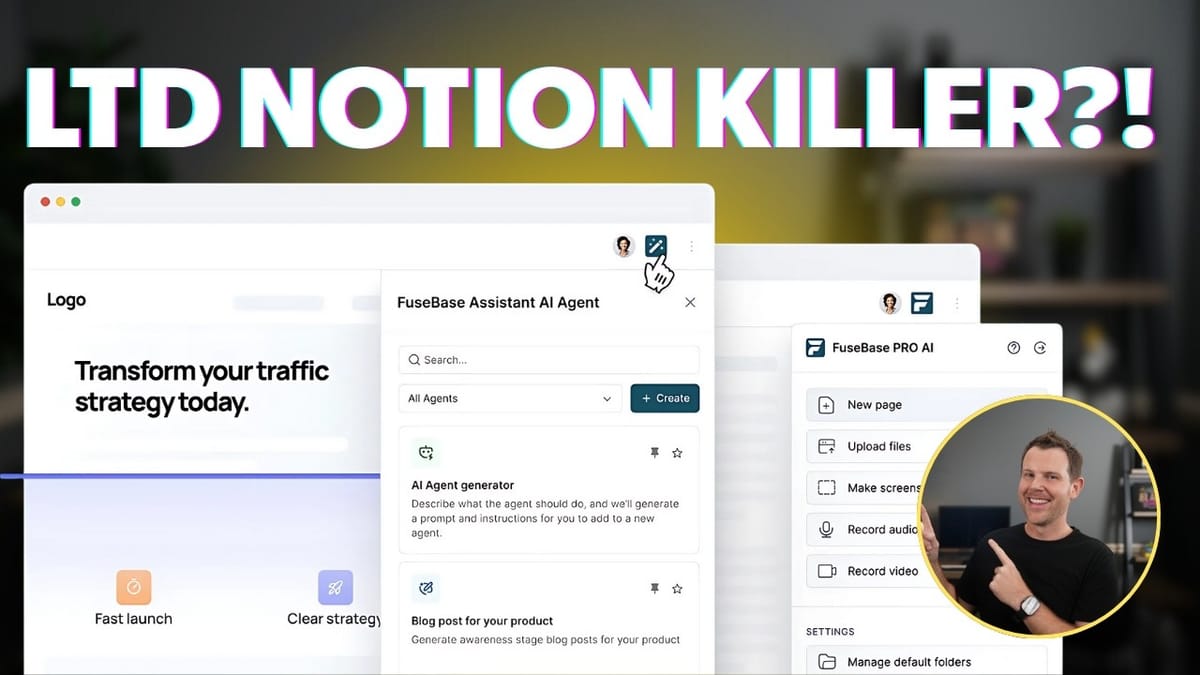
The Fusebase Assistant gives you access to your AI agents right in the browser, and it's contextually aware of what's on your screen. Fusebase Clarity acts as an automatic SOP creator — perform a task on screen and it documents the steps for you. And Fusebase Pro AI lets you quickly interact with your Fusebase workspace from any webpage, creating new pages or uploading files without switching tabs.
These extensions transform Fusebase from a standalone app into something that genuinely follows you around the web. Being able to highlight content on any webpage, ask your AI agent about it, and save the response directly to your workspace is a workflow that's hard to go back from once you've experienced it.
Workspaces: How Fusebase Is Organized
Understanding workspaces is key to getting the most out of Fusebase. Think of each workspace as a completely isolated environment — documents, files, and data in one workspace are invisible to another unless you explicitly switch between them. It's similar to profile switching in Chrome.
Each workspace is divided into internal spaces and client portals. Internal spaces require a Fusebase login to access, while client portals offer flexible access controls: completely public, password-protected, magic link authentication, or invite-only. This separation makes it easy to keep your internal operations tidy while still sharing polished, professional-looking content with clients.
The Editor and Block System
If you've used Notion or any modern block-based editor, Fusebase's editor will feel immediately familiar. You write in Markdown, use slash commands to insert blocks, and everything flows in a clean, distraction-free interface.
The block library is comprehensive. Beyond the basics like headings, paragraphs, and lists, you get Kanban boards, progress charts, dropdown lists, and inline databases. Media support includes images, audio, video, bookmarks with OG data, and an Unsplash integration for quick stock photography. For embeds, Fusebase supports links, iframes, and direct integrations with tools like Figma and Miro, plus thousands of other embed-compatible services.
The editing experience is smooth and responsive. Pages can be organized into nested folders, tagged for easy retrieval, and shared individually with password protection or embed codes. You can also download any page as HTML or PDF with style options for width and read-only mode.
Databases: Where Fusebase Falls Short of Notion
This is the section Notion power users need to read carefully. Fusebase does have databases, but they're inline views on a page rather than dedicated page types like in Notion. You get column types including text, numbers, currency, files, checkboxes, single and multi-select, mentions, dates, links, ratings, and progress indicators.
For 80 to 90 percent of users, that's going to be plenty. But if you rely on advanced Notion features like rollups or relational data linking between databases, Fusebase simply can't do that right now. There's no way to create relationships between databases or pull aggregated data from one table into another.
That said, the Kanban view is nicely implemented and ties into a unified tasks dashboard that aggregates all your Kanban boards across the entire workspace. It's a convenient bird's-eye view that Notion doesn't offer natively.
Files, Tags, and Sharing
Fusebase includes a unified file management view that collects every file uploaded across your workspace into one browsable interface. Upload a file inside a document and it automatically appears in your central files dashboard. Images embedded in documents can be resized and converted from file attachments to inline images with a couple of clicks.
The tagging system is straightforward and effective. Assign tags to any page and then filter by tag from a dedicated sidebar section. It's a simple way to create cross-cutting categories that don't depend on your folder structure.
One notable gap: there's no search functionality within the file management view. The workspace-wide search doesn't look inside uploaded files either. Hopefully that's a quick fix from the Fusebase team, because being able to locate files by name or content would be a significant quality-of-life improvement.
Building Client Portals
Client portals are where Fusebase really differentiates itself from Notion. When you create a portal, Fusebase generates a fully templated website with customizable color schemes, a subdomain (or your own custom domain), and a complete page structure including a homepage, task management, live chat, and file sharing.
The portal editor operates in three modes: builder mode with full access to all configuration, focus mode with a cleaner interface, and preview mode to see exactly what your clients will see. You can customize the sidebar, top bar, and footer independently, adding document pages, file dashboards, external links, and chat interfaces.
The built-in live chat is a standout feature. It gives you a real-time communication channel with clients directly inside the portal, keeping conversations contextual and organized. The file dashboard makes collaborative projects easy to manage, though you'll want to be mindful of storage limits if you're working with large media files.
Every aspect of the portal's appearance is customizable — color schemes, background images, layouts, branding, metadata, and favicon. You can toggle Fusebase branding on or off, and the white-label option on higher tiers lets you present a completely branded experience to clients.
Creating and Using AI Agents
The AI agents feature is Fusebase's biggest differentiator and the newest addition to the platform. Think of it as building your own custom ChatGPT project that has direct access to everything stored in your Fusebase workspace.
This solves a real problem I've experienced with other LLMs. When you build projects in ChatGPT or similar tools, the training data lives separately from your actual business documents. When information changes, you end up maintaining two sources of truth. Fusebase eliminates that by pulling directly from your workspace documents, which means your AI agent is always working with current information.
Setting up an agent is straightforward: give it a title, description, and custom prompt, then choose your LLM. Currently, the available models are all from OpenAI, going up to GPT-5 Pro. If you're a Claude or Grok fan, those aren't available yet. You can toggle web search on or off and add sources from your internal documents.
The real power comes from the Sources tab. Beyond your own documents, you can connect third-party services via MCP (supporting both SSE and streamable HTTP), including Airtable, Asana, Google Drive, and even Notion. Agents can be set to private, workspace-wide, or shared with specific members. Embedding and sharing agents externally is listed as coming soon.
Using AI in the Editor
Fusebase gives you three distinct ways to use AI while editing, and understanding when to use each one matters. The inline AI tool (accessible via the AI icon or "Work with AI" menu) writes directly into your document. Ask it to draft a sales email or generate content, and the output appears right on the page with options to continue writing, shorten, lengthen, or regenerate.
The AI assistant widget in the corner takes a different approach. It reads and summarizes your page content without modifying anything, making it perfect for quick analysis or fact-checking without risking accidental edits.
The third option is using your custom AI agents in a sidebar chat format. Enable page context, ask questions about your document, and get responses in a conversational interface. You can then selectively insert those responses into the page. Each approach has its sweet spot, and having all three available keeps the workflow flexible.
Chrome Extensions in Action
The Chrome extensions deserve their own mention because they extend Fusebase well beyond the main application. During testing, I pulled up a random article about the invention of the electric guitar, opened the AI agent extension, asked it a question with page context enabled, and had the answer saved back to my Fusebase workspace in a few clicks.
The response took about 21 seconds, which is honestly slower than finding the answer yourself in most cases. But the real value isn't speed — it's the seamless pipeline from web content to your organized workspace. Every answer can be added to a new document or appended to an existing one, building up your knowledge base as you browse.
The Clarity extension for SOP creation is particularly useful for agencies and teams that need to document processes. Perform a workflow on screen and Clarity captures the steps automatically, creating shareable documentation without the tedium of writing it manually.
Final Verdict: 8.4 Out of 10
Fusebase earns a strong 8.4 out of 10. It's a powerful platform that strikes a smart balance between capability and complexity. Where Notion can feel overwhelming with its relational databases and interconnected everything, Fusebase keeps things more linear and approachable while still packing in serious functionality.
The client portals alone justify the price for agencies and freelancers. Add in the AI agents with direct workspace integration, three Chrome extensions, and a solid collaborative editor, and you've got a platform that genuinely competes in the productivity space.
The main caveats: no relational databases or rollups for power users, the file search needs work, AI models are limited to OpenAI, and the lower tiers lock out some important features. But for the majority of users who want a clean, capable workspace with client-facing portals and smart AI tools, Fusebase delivers.
Watch the Full Video
Prefer watching to reading? Check out the full video on YouTube for a complete walkthrough with live demos and commentary.


