
GSpeech Review: Text-to-Speech for Your Website Worth It?
GSpeech promises to turn your website content into audio with a simple embed, but dated voices and buggy behavior hold it back from being a must-have tool.

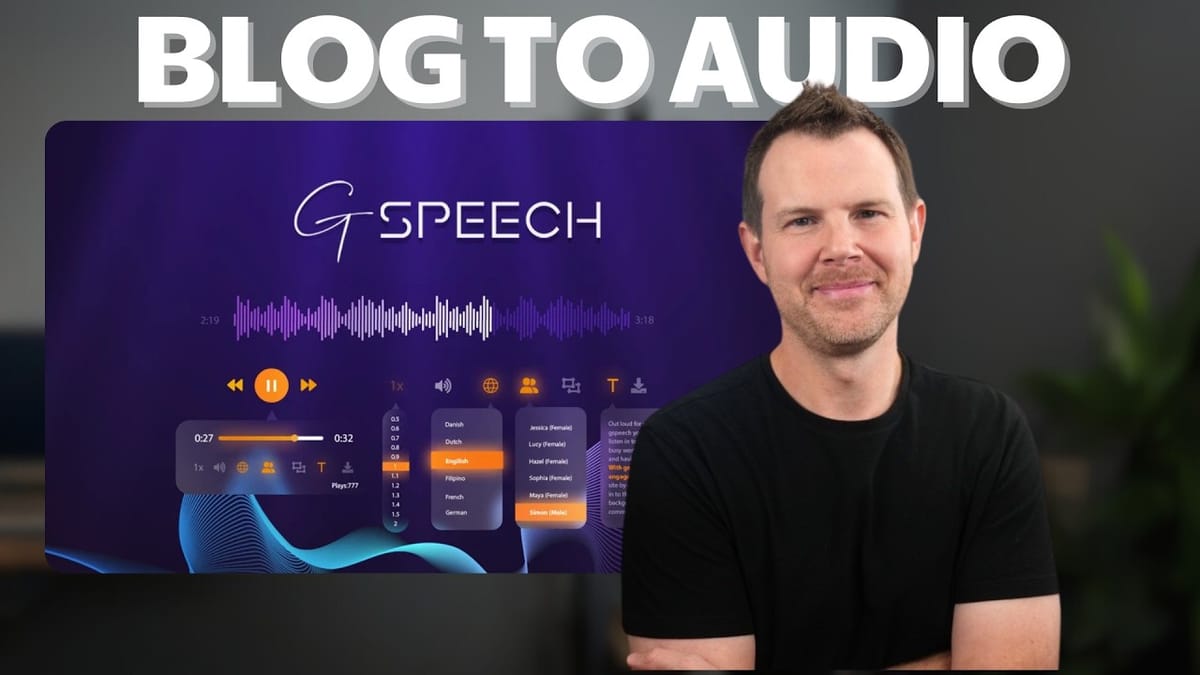
GSpeech
Converts your website's text content into audio using text-to-speech, embedding a customizable player on your pages.
Website owners, bloggers, and agencies who want to offer audio versions of their written content for accessibility or convenience.
ElevenLabs, Play.ht, Speechify, BeyondWords
What Is GSpeech and Why Would You Want It?
GSpeech is a text-to-speech tool that takes the written content on your website and converts it into audio, embedding a player right on your pages so visitors can listen instead of read. The idea is straightforward: give your audience an alternative way to consume your blog posts, articles, or landing pages without you having to record anything yourself.
The tool works on both WordPress and non-WordPress websites, which is a nice touch. You either install a WordPress plugin or paste a small script snippet into your site's code. GSpeech handles the audio generation on their end and serves it through a customizable player widget.
This review is a real-time, first-impression walkthrough. I hadn't used GSpeech before recording, so you're getting genuinely fresh reactions to the setup process, voice quality, and overall experience.
AppSumo Deal Pricing and Tier Breakdown
I picked up GSpeech through their AppSumo lifetime deal at Tier 2, which runs $159. The tiers go all the way up to Tier 5 at around $1,300, so there's a wide range depending on your needs.
Tier 2 gets you three websites and most of the core features. The two things you miss out on compared to higher tiers are real-time translation and advanced analytics, though you still get basic statistics. If you're an agency managing websites for multiple clients, Tier 5 is worth a look since it includes unlimited websites.
Each tier comes with monthly credits that replenish. Tier 2 provides one million credits per month, which sounds like a lot until you start converting longer articles. More on credit usage later, because it's an important factor in evaluating this deal.
First Impressions: The GSpeech Dashboard
Let's just say the GSpeech interface is... nostalgic. The dashboard looks like something straight out of 2015, and the copyright footer confirms it's been around since 2012. That predates the modern AI voice generation era entirely, which immediately set my expectations for voice quality pretty low.
The interface is functional enough, but it doesn't inspire confidence. You'll find settings organized across tabs for general configuration, voice selection, content settings, player customization, and integrations. Everything you need is there; it just doesn't feel modern.
Setting Up GSpeech on a Non-WordPress Website
For a custom (non-WordPress) website, the setup process is refreshingly simple. You add your website URL, choose a language for the voices, and hit create. GSpeech supports an impressive number of languages — easily 30 to 40 different options just scrolling through the list — so international coverage is solid.
Once your site is added, you'll configure a few general settings. There's a toggle to publish or unpublish the widget, an option to add an affiliate link to the player (so you can earn commissions if visitors sign up through your widget), and a multi-language toggle for sites that serve content in multiple languages.
The actual integration is just a small script tag you copy and paste into your website's code. For my Ghost site at clientamp.com, I injected it site-wide and the widget appeared on every page within seconds. You can exclude specific pages later if you don't want it everywhere.
Voice Quality: The Biggest Letdown
This is where GSpeech really struggles. The default voice, Samantha, is listed as a "basic" voice, and it sounds like a robot. Not a charming robot — more like early Siri. I figured the premium voices would be a step up, but they're honestly at about the same level. Voices like Caroline and Christopher offer slightly different tones, but they all share that unmistakably synthetic quality.
After listening to every available voice, I can say with certainty they're all tolerable but nowhere near human-sounding. If you've used ElevenLabs or any modern AI voice tool, you'll find GSpeech's output disappointing. It doesn't feel like a podcast being created from your content — it feels like a machine reading words.
There are some customization options. You can adjust the pitch (drag it down for deeper or up for a Mickey Mouse effect), and there's a toggle to let your visitors choose between a male and female voice. The tuning is a fun novelty, but it doesn't fix the fundamental issue: these voices sound dated.
Content and Player Settings
GSpeech gives you decent control over what content gets converted and how the player behaves. On the content side, you can exclude specific elements by CSS class or ID, block or allow specific URLs, and toggle on-the-fly translation (though that requires Tier 3 or above).
The player settings offer a solid list of features. You can enable speed control so listeners can adjust playback rate, volume control, a text panel that highlights words as they're read, downloadable audio for offline listening, a context player that follows users as they scroll, and a play count showing how many people have listened. There's also a custom code section for injecting CSS or JavaScript if you want to go deeper on styling.
On paper, these features sound great. In practice, as we'll see, not all of them work as advertised.
Live Testing: How It Actually Works on a Website
With everything configured, I loaded up an article on clientamp.com and hit play. The player appeared at the top of the post and started reading the content right away. The audio was functional — it read the article from top to bottom — but I immediately ran into a pronunciation issue. The tool read "LTD" (a common abbreviation for lifetime deal) as "limited," which is technically a valid interpretation but not what you'd want in context.
One genuinely useful feature is inline text-to-speech: you can select any text on the page, and a small speaker icon appears. Click it, and GSpeech reads just that selection. It's a nice touch for readers who want to hear a specific paragraph rather than the whole article.
The first time audio plays on a new article, there's a noticeable delay while it renders. This is a real problem for user experience. If someone visits your freshly published post and hits play, they'll sit there waiting with nothing happening, which makes your site look broken.
Pronunciation Aliases: A Necessary but Fiddly Feature
To fix the LTD pronunciation issue, I dove into the aliases feature. The concept is simple: you define a phrase and tell GSpeech how to pronounce it. Their example is having "AI" read as "artificial intelligence" — useful for acronyms that sound odd when read letter by letter.
The setup is straightforward: original phrase, colon, desired pronunciation. But getting it to actually work was another story. I added the alias, saved, and reloaded — and it still read "LTD" as "limited." I tried adding the alias at both the account level and the widget level, even spelling out the pronunciation phonetically, and the results were inconsistent.
This is the kind of thing that should just work. If you're running a niche blog with industry-specific terminology, aliases are essential, and having them behave unreliably is a real frustration.
Customizing the Player's Appearance
The player design options are extensive but strange. GSpeech offers a collection of backgrounds including minesweeper themes, floral patterns, Van Halen stripes, wood grain textures, and cedar tongue-and-groove designs. If that sounds like an odd assortment, it is. Most of them are far too busy for a modern website.
What I really wanted — a simple flat color or clean white background — wasn't immediately obvious. You can disable the background entirely, which is honestly the best option. Combined with their SoundCloud-style player layout and dark icon backgrounds, turning off the decorative elements gives you something much more usable.
Color customization is limited to preset gradient options rather than a proper hex code picker, which feels like an oversight for a tool that's supposed to blend into your website's branding. There are also CSS options for width and margins, but the design system overall feels like it was built in a different era of web design.
WordPress Plugin Installation and Setup
The WordPress plugin, simply called "GSpeech," has over 2,000 active installations and decent reviews. Installation is standard: search for it in the WordPress plugin repository, install, and activate. Connecting it to your account requires logging into GSpeech through the plugin's settings and activating the cloud console.
Once connected, you get the same configuration interface you'd see on the GSpeech website, but embedded right in your WordPress dashboard. This is genuinely nice for client work — your clients can customize their player settings without needing access to your GSpeech account. One caveat: they will be able to see your account info and that you're using AppSumo, so keep that in mind for white-label situations.
I hit a frustrating bug during setup: the voice selector kept reverting to Samantha (the default basic voice) no matter what I chose. The fix was unintuitive — I had to toggle my plan to "free" and then back to "AppSumo" in the GSpeech dashboard. After that, voice selection worked properly. It's the kind of bug that could easily stump someone without a workaround.
Credit Usage: How Fast Do They Burn?
Credit consumption is worth paying attention to. After converting just four full articles and one inline audio selection, I'd used 61,000 credits out of my monthly million. That's roughly 15,000 credits per article, though it depends entirely on article length.
Some quick math: at that rate, you could convert around 65 average-length articles per month on Tier 2. If you have a large back catalog, it'll take several months to get through everything. The credits do reset monthly, so once your archive is converted, ongoing usage for new content should be manageable.
If you're a high-volume publisher, Tier 5 offers 10 million credits per month, giving you roughly 10x the capacity. For most small to medium blogs, Tier 2's million credits should be sufficient for keeping up with regular publishing schedules.
The Load Time Problem
One of the biggest practical issues with GSpeech is the first-play load time. When a visitor hits play on an article that hasn't been previously generated, there's a significant delay while the audio renders. During this time, the player appears unresponsive, which is a terrible look for any website.
The "add new audio" button that's supposed to let you pre-generate audio simply didn't work in my testing across multiple browsers and websites. It would be great if you could feed GSpeech a list of URLs to pre-populate, but that functionality either doesn't exist or is broken.
My strong recommendation if you use this tool: after publishing any new article, visit it yourself and hit play to trigger the audio generation before your visitors encounter the delay. It's an annoying manual step, but the alternative — visitors thinking your site is broken — is worse.
Final Verdict: GSpeech Scores 5.3 out of 10
GSpeech is a tool with a reasonable concept but poor execution. The idea of automatically adding audio versions of your content is appealing, especially for accessibility. But between the dated voices, buggy features (aliases not working, styles not updating, WordPress voice selection glitches), and the load time issue on first play, it's hard to recommend.
There's also a broader question about utility. How many blog visitors actually want to listen to articles read by a synthetic voice? With podcasts and human-created audio content so readily available, the value proposition feels thin. If text-to-speech is important for your site's accessibility, modern browser extensions already handle that reasonably well.
At 5.3 out of 10, GSpeech lands in "probably pass" territory. The lifetime deal pricing is fair for what you get, but what you get simply isn't polished enough to enhance your website. The voices need a serious upgrade, the bugs need fixing, and the player design needs to catch up to modern web standards.
Watch the Full Video
Prefer watching to reading? Check out the full video on YouTube for a complete walkthrough with live demos and commentary.


