
Hopper HQ Review: Social Media Scheduling & Link in Bio
Hopper HQ bundles social media scheduling, hashtag analytics, and a link-in-bio builder into one lifetime deal. Here's whether it can actually replace your Buffer and Linktree subscriptions.

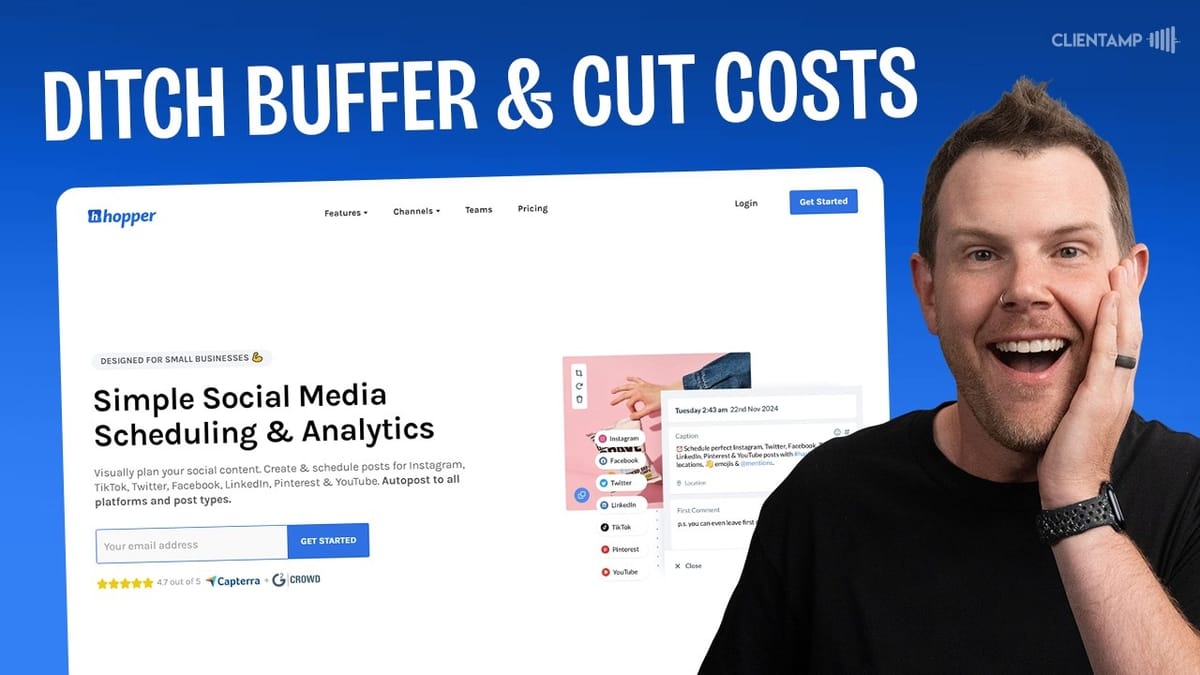
Hopper HQ
An all-in-one social media scheduling, analytics, and link-in-bio tool that supports Instagram, Facebook, X/Twitter, LinkedIn, TikTok, YouTube Shorts, and Pinterest.
Solopreneurs, small marketing teams, and agency owners who want to consolidate social media scheduling and link-in-bio tools under a single lifetime license.
Buffer, Linktree, Later, Hootsuite
What Is Hopper HQ?
Hopper HQ is a social media management platform that combines post scheduling, analytics, and a link-in-bio page builder into a single tool. It currently supports Instagram, X/Twitter, TikTok, YouTube Shorts, Pinterest, LinkedIn, and Facebook — covering just about every major platform you'd want to schedule content for.
The pitch is straightforward: if you're currently paying monthly for Buffer, Later, or a similar scheduling tool plus a separate Linktree subscription, Hopper HQ aims to replace both with a one-time lifetime deal. The AppSumo deal starts at $49 for the base tier, making it a potentially significant cost saver over the long run.
That said, the onboarding experience leaves something to be desired. After redeeming the code, you're hit with a lengthy survey followed immediately by an upsell screen — not the warmest welcome. Once you click past that, though, you're into the actual dashboard and can start connecting accounts.
Connecting Social Media Accounts
Adding social accounts is genuinely simple for most platforms. X/Twitter connected in a single click since the browser was already logged in. LinkedIn and TikTok followed the same straightforward OAuth flow — authorize, confirm, and you're done.
Instagram requires an extra step because it routes through Facebook's business permissions. You'll need admin access to a Facebook page connected to your Instagram account, and pop-up blockers need to be disabled. It's not difficult, but it's not quite as seamless as the other platforms. Facebook page connections work the same way once you've authenticated through Meta.
YouTube integration is limited to Shorts only, which makes sense given Hopper HQ's focus on social-format content rather than long-form video. Pinterest is also supported, though it wasn't tested in this review. On the tier one plan, you get one account per platform — think of it as a single "social set" representing one brand or client's complete social presence.
Scheduling and Creating Posts
The post creation workflow is functional but has some interface quirks worth knowing about. When you click "Create," you can make a single post or use the bulk create option. The platform defaults to whichever social account is currently selected in the left sidebar, and accounts reorder themselves based on your selection — which means your muscle memory for where each platform sits in the list gets constantly disrupted.
The actual composer is clean enough. You upload media, write your caption, set a date and time, and schedule. During testing, a Facebook post was scheduled about four minutes out and published right on time, which is the most important thing a scheduling tool needs to get right.
One genuinely useful feature is cross-platform posting. When composing a post, you can click a plus button to add additional platforms, and the composer adapts to show the relevant fields for each network. A YouTube post gets a title field, Instagram gets reel/story options, and so on. It's a real time-saver when you want to push the same content across multiple channels simultaneously.
AI Caption Tools and Image Editing
Hopper HQ includes a built-in AI caption generator that can write or rewrite your social media copy in different tones — humorous, friendly, professional, and so on. The results are about what you'd expect from an LLM-powered feature: serviceable but generic. During testing, the AI initially failed to generate a humorous caption but worked fine on a second attempt with the "friendly" tone selected.
The AI requires an image to be uploaded before it can generate captions, which is a minor limitation if you're drafting text-only posts first. You get 100 AI credits on the base tier, and they go quickly — about 10 were consumed during a single review session. Power users will probably want to draft captions in ChatGPT or Claude and paste them in instead.
For image editing, Hopper HQ embeds Pintura, a popular drop-in editor you'll find in tools like Ghost as well. It handles basic crops, filters, and adjustments. It's fine for quick touch-ups but won't replace a proper design tool like Canva for creating polished social graphics from scratch.
Link in Bio Builder
The link-in-bio feature is Hopper HQ's answer to Linktree. You claim a short URL, add your links, upload a profile photo, write a bio, and attach social follow icons. The page builder is straightforward — add links with titles, reorder them, and choose a color scheme.
There's a selection of pre-built themes (including one named after Elementor, curiously), but most are fairly plain. The custom theme editor is where things get more useful: you can adjust background colors, font families from a solid selection of popular Google Fonts, button styles ranging from pill-shaped to square, and shadow effects. The result is a clean, functional page that gets the job done.
It's worth noting that this feature had a bug at launch that prevented page creation entirely, showing an "active subscription required" error despite having a valid plan. The support team fixed it in real time during testing — impressive responsiveness, but concerning that it shipped broken. The page includes built-in analytics showing click sources, devices, and visitor locations, which is a nice touch for tracking which links actually drive traffic.
Analytics and Hashtag Explorer
Analytics is where Hopper HQ genuinely shines, particularly for Instagram. The post analytics dashboard shows engagement rates calculated from likes, comments, and saves versus follower count. There's a "best time to post" visualization that maps when your audience is most active — the kind of data that's actually actionable for improving reach.
The hashtag Explorer, available on Instagram, is a standout feature. You can browse trending hashtags, see competition levels, daily post volumes, and engagement metrics like minimum and maximum top-nine likes. This lets you find hashtags the same way you'd approach SEO keyword research — looking for tags with decent volume but manageable competition. You can save hashtag groups, upload hashtag lists via CSV, and monitor their performance over time.
Account-wide analytics showed errors on Facebook during testing, with "invalid Facebook request" messages appearing for both account analytics and best-time-to-post data. Instagram analytics, however, worked flawlessly and offered country breakdowns, device stats, and detailed engagement metrics. The disparity in platform support is noticeable — Instagram clearly received the most attention from the development team.
Bulk Uploading and Workflow
The bulk create feature isn't quite what you might expect. Rather than accepting a CSV file with pre-written posts and scheduled dates, it's essentially a batch image uploader. You drag and drop multiple images, and then you're taken into the post editor to write captions and set schedules for each one individually.
This approach works well if you have a designer handing off a batch of social graphics and you want to queue them all up in one session. But it's arguably more error-prone than a CSV import would be, since you're manually setting dates and writing copy for each post in sequence rather than reviewing everything in a spreadsheet first.
Bulk actions do include some useful shortcuts: you can mark all uploads as drafts or scheduled, and convert between post types (stories, reels, standard posts). The calendar view helps catch scheduling conflicts, and you can filter it to show all accounts at once or drill into a specific platform. For teams, there's a draft mode for works-in-progress and a history tab showing the last six months of posts with a one-click reschedule option.
Settings and User Experience Quirks
The settings architecture in Hopper HQ is genuinely confusing. Each social media account has its own settings panel with notification preferences, time zones, and display names. But there's also a global settings area accessible from your profile icon, and a third settings path through the account management row that appears when you select different platforms.
The practical impact is that you might find yourself in TikTok's settings while X/Twitter is highlighted as your active account, with no clear indication of which context you're actually editing. It's not a dealbreaker, but it adds unnecessary friction — especially since there isn't much to configure in the first place.
On the bright side, dark mode is available and looks good, complete with a smooth transition animation. Time zone settings support separate personal and account time zones, which is genuinely useful if you're managing accounts for clients in different regions or working with overseas team members. Push notifications and email fallback reminders round out the notification options.
Plans, Pricing, and What You Get
The AppSumo lifetime deal comes in three tiers. Tier one at $49 includes one social set (one account per platform), 30 posts per account per month, 100 AI credits, one team member, 2GB of storage, and six months of content retention. The notable limitation here is X/Twitter, which is capped at just 10 posts per month — likely due to Twitter's expensive API fees.
Tier two jumps to around $139 and roughly triples everything: 150 social posts, 300 AI credits, three team members, 5GB storage, three social sets, and 30 tweets per month. If you're managing multiple brands or need more posting volume, this is where the value starts to scale.
Tier three is the full package at the highest price point, offering 600 social posts, 1,000 AI credits, 15 team members, 10GB storage, 10 social sets, and 100 tweets per month. Critically, this is the only tier that includes the post approval workflow, which lets a manager review and approve scheduled content before it goes live. If you need that oversight capability, you're locked into the top tier.
Client Management Limitations
One area where Hopper HQ falls short for agency use is client management. Even on tier three with 10 social sets — potentially 70 different social accounts — there's no dedicated workspace or client separation feature. You can't easily switch between client profiles the way you can in tools like SocialBee or Sendible.
Hopper HQ does have a "teams" feature, but each team requires its own paid plan with separate billing. That means you can't just carve up your 10 social sets into neat client buckets with isolated dashboards. Everything lives in one flat workspace, which could get messy fast if you're managing more than a couple of clients.
For solopreneurs or small businesses managing their own social presence, this isn't an issue at all. But if you were hoping to use this as an agency tool with proper client segregation, you'll need to weigh whether the cost savings justify the organizational trade-offs.
Final Verdict: 7.2 out of 10
Hopper HQ earns a 7.2 — a solid tool with genuine strengths held back by bugs and UX inconsistencies. The Instagram analytics and hashtag Explorer are legitimately excellent, the cross-platform posting works well, and the link-in-bio builder is a nice bonus that could genuinely replace a Linktree subscription.
The bugs encountered during testing were concerning: the link-in-bio feature was broken at launch, Facebook analytics threw errors, and the tagged posts section had permission issues. Credit where it's due — the support team fixed the link-in-bio bug in real time during the review, which speaks well to their responsiveness. But shipping a product on AppSumo with this many issues is a risk.
The confusing settings layout and the reordering sidebar are annoyances rather than dealbreakers, but they add up to a tool that feels like it needed another month of polish before its big AppSumo debut. If you're currently paying monthly for Buffer or a similar scheduler plus Linktree, the lifetime deal math works out strongly in Hopper HQ's favor — just go in expecting a few rough edges while the team continues to iron things out.
Watch the Full Video
Prefer watching to reading? Check out the full video on YouTube for a complete walkthrough with live demos and commentary.


