
LaunchPod Review: AI Voice Cloning for Podcasts Worth It?
LaunchPod lets you clone your voice and generate podcasts or audio blogs without recording. But does the voice cloning actually sound good, and is the platform ready for prime time?

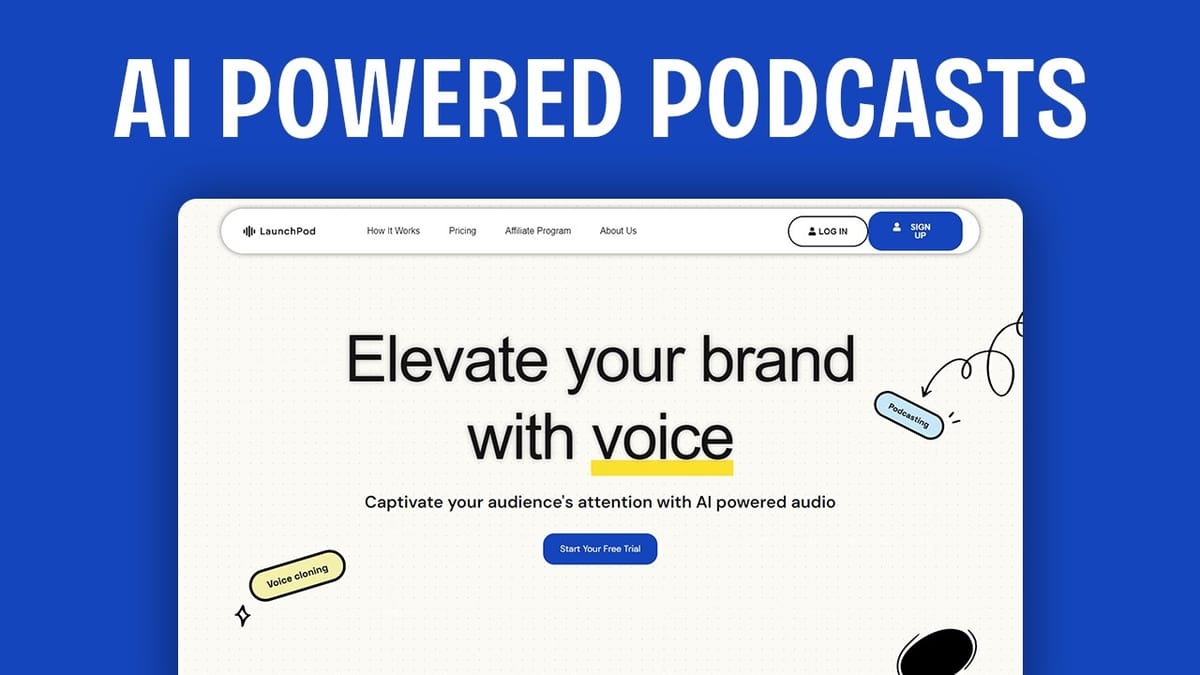
LaunchPod
LaunchPod clones your voice using AI and lets you create podcasts and audio blogs from written text without ever recording yourself.
Content creators, bloggers, and marketers who want to repurpose written content into audio formats like podcasts and audio blogs.
ElevenLabs, Translate Video
What Is LaunchPod?
LaunchPod is a lifetime deal available on AppSumo that promises something genuinely interesting: clone your voice with AI, then use that clone to narrate blog posts and generate entire podcast episodes from text. You never have to record yourself again — just feed it written content and let the AI do the talking in your voice.
This is a different approach from tools like Translate Video, which clones your voice specifically for dubbing content into other languages. LaunchPod focuses on creating new audio content in your own language using your cloned voice. The concept has obvious appeal for content creators who want to repurpose their written blog posts into audio formats without the time commitment of actually recording everything.
That said, LaunchPod arrived on AppSumo with notably low review scores — just 3.25 out of 5 tacos — and early reviewers flagged concerns about production readiness. The question is whether the platform delivers enough value at its lifetime deal pricing to justify buying in, even if you're betting on future improvements.
Plans and Pricing Breakdown
LaunchPod's pricing starts at $39 for Tier 1 and scales up through five tiers, topping out around $400 for Tier 5. The key metric is credits, where one credit roughly equals one minute of generated audio. Tier 1 gets you about 15 credits per month, while Tier 5 provides 480 minutes.
Here's where it gets interesting from a value perspective. If you compare the Tier 5 plan to ElevenLabs' Pro plan — which runs about $100 per month or roughly $1,000 per year — you're looking at a one-time payment of $400 versus an ongoing subscription that costs more than double annually. The minutes are comparable, so on paper the lifetime deal pricing is genuinely compelling.
There's an important catch, though: using a custom cloned voice costs double the credits. So those 15 credits on Tier 1 effectively become about 7 minutes of content when using your own voice. That's a significant limitation that could frustrate users on lower tiers who specifically bought the tool for voice cloning.
AppSumo Reviews and First Impressions
The AppSumo reviews paint a mixed picture. Comments like "not ready for production release" and "I like the concept, but it's not there yet" set expectations pretty low before even logging in. Interestingly, the complaints weren't focused on credit limits — which is usually the number one gripe from AppSumo users — but rather on the overall polish and reliability of the platform.
Once inside, those concerns become understandable. The dashboard has a developer-built aesthetic — functional icons and some playful illustrations, but the overall design feels like it shipped without input from a UI designer. It works, but small details like inconsistent navigation patterns and confusing button states hint at a product still finding its footing.
Dashboard and Navigation Quirks
LaunchPod's dashboard organizes content into three categories: podcasts, audio blogs, and audiobooks (coming soon). You can create new projects from the main dashboard cards or the left sidebar, though these two paths don't always behave consistently.
Several usability issues stand out. The kebab menu (three dots) doesn't open a submenu as expected — it navigates directly into the project. Labels change between screens, with "audio blogs" on the main dashboard becoming just "blogs" inside the project view. The project type selector doesn't always update when you change your selection, requiring manual correction.
These aren't dealbreakers, but they add friction to what should be a straightforward workflow. The organizational structure itself makes sense once you understand it: projects act as containers (like a website or show), and individual episodes or blog posts live inside them.
Creating an Audio Blog
The audio blog feature lets you paste in existing written content and have it narrated by an AI voice. The setup wizard walks you through selecting your language (dozens are supported, from English to Thai, Welsh, and Zulu), pasting your text, choosing background music, and selecting a voice.
The music options are limited and feel like stock loops — think basic GarageBand quality or worse. Options like "Advertising Logo," "Beat 9," and "Hip Hop Beat" aren't going to elevate your content. Skipping music entirely is probably the better choice for most professional use cases.
The text input process has a few rough edges. The "next" button sometimes requires clicking around in the text area before it activates, and the wizard doesn't always remember your previous selections correctly. Still, the core workflow of paste-text-choose-voice-generate is simple enough once you push through the interface quirks.
Voice Cloning: Setup and Challenges
Voice cloning is LaunchPod's headline feature, and the setup process asks you to record at least 10 seconds of audio (ideally 30 seconds). You can either record directly in the browser or upload a pre-existing audio file. The platform doesn't provide a script to read, so you're left to improvise your recording.
The browser recording option proved unreliable during testing. After recording a sample, the clone creation process returned a "temporary error connecting to the Sections API" — a technical error that shouldn't be surfacing to end users. The cloning simply failed with no recovery option.
Uploading a pre-recorded audio file worked much better. After uploading a high-quality audio sample, the cloning process completed successfully in under a minute. If you're planning to use LaunchPod, having a clean audio recording ready to upload is the way to go rather than relying on the browser-based recorder.
Audio Generation and Results
With the cloned voice ready, generating audio from three paragraphs of text cost four credits — roughly four minutes of content. The generation process takes about four minutes as well, which is reasonable for this type of AI processing.
The credit accounting is worth noting: LaunchPod reported 1.1 minutes used for the generation, but custom voices cost double credits. The granularity of billing in decimal minutes feels a bit nickel-and-dime, especially when it could simply round to the nearest credit in the user's favor.
Voice Quality: How Does It Sound?
The generated audio was intelligible and mostly accurate in reading the source text. It sounded human enough to pass a casual listen, and it got the words right for the most part. But there are significant quality gaps that keep it from being truly convincing.
The biggest issue is intonation. Natural speech follows predictable musical patterns — statements end with a downward inflection, questions rise at the end. LaunchPod's AI frequently mixes these up, making declarative sentences sound like questions and vice versa. This is immediately noticeable and gives the audio an unmistakably artificial quality.
Cadence and pacing also suffer, especially with complex sentences containing multiple commas or unusual punctuation. The AI doesn't handle pauses and emphasis the way a human reader would. In a direct A/B comparison reading the same paragraph, the difference between human narration and AI output is stark.
Honestly, the result isn't dramatically better than the built-in text-to-speech features already available on macOS, iOS, or Windows. Those have been around for over 20 years and continue to improve. As for voice cloning accuracy, the output only occasionally captured the original speaker's intonation — it sounded more like a generic AI voice than a convincing clone.
Podcast Creation Features
LaunchPod's podcast feature takes a different approach from the audio blog tool. Instead of pasting your own content, it generates an entire podcast script using AI based on your episode description and selected duration. You can edit the generated chapters and script before producing the audio.
The inability to paste your own content for podcast episodes is a notable limitation. If you've already written a blog post and want to convert it into a podcast-style audio piece, you're stuck using the audio blog feature instead. A more flexible workflow would let you feed existing content into the podcast format with AI-enhanced transitions and structure.
During testing, the podcast generation process encountered issues. The audio generation hung indefinitely — well past the estimated four minutes — and never completed. Credits were deducted despite the failure. This kind of reliability problem, combined with the earlier voice cloning error, reinforces the "not ready for production" sentiment from AppSumo reviewers.
RSS Feed and Distribution
One genuinely useful feature is LaunchPod's built-in RSS feed generation. With a single click, you can publish an episode and receive an RSS feed URL that works with Spotify, Apple Podcasts, Amazon Music, and any other podcast platform that accepts RSS feeds.
This removes a real pain point for creators who want to distribute podcast content without managing a separate hosting platform. You still need to set up accounts on each distribution platform, but LaunchPod handles the hosting and feed generation, which is a nice touch for a tool at this price point.
Final Verdict
LaunchPod earns a 4.6 out of 10. The concept is genuinely appealing — clone your voice, turn blog posts into audio, generate podcast episodes from text, and distribute via RSS with a single click. But the execution falls short across nearly every dimension.
The voice cloning doesn't produce a convincing replica. The AI narration has noticeable intonation and cadence issues. The platform has usability problems throughout the interface. And critical features like podcast generation can fail silently while still consuming your credits.
If you buy LaunchPod at its current lifetime deal price, you're essentially betting that the team will significantly improve the product over time. The pricing compared to ElevenLabs is attractive, but only if the quality reaches a level where the output is actually usable for professional content. For most creators right now, LaunchPod is a "buy and shelve" deal — hold onto it and hope it matures into the tool it promises to be.
Watch the Full Video
Prefer watching to reading? Check out the full video on YouTube for a complete walkthrough with live demos and commentary.


