
LazyBird Review: AI Voice Generator with 200+ Voices ($49 LTD)
LazyBird is an AI voice studio that lets you create realistic voiceovers from text with over 200 voices, celebrity clones, multilingual translation, and a built-in video editor — all for a one-time $49 lifetime deal on AppSumo.

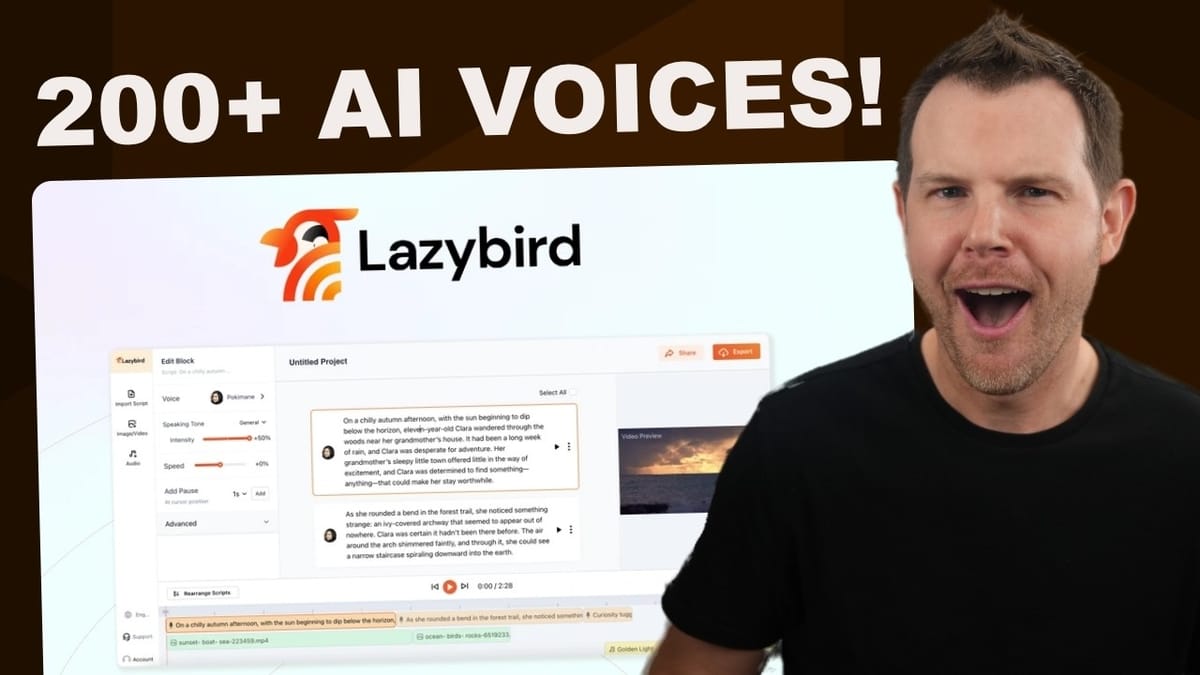
LazyBird
LazyBird is an AI voice generation studio that converts text into natural-sounding voiceovers with 200+ voices, supports 100+ languages, and includes a built-in timeline editor for combining narration with video and background music.
Content creators, faceless YouTube channel operators, podcasters, self-publishers looking for audiobook narration, and anyone who needs professional-sounding voiceovers without recording their own voice.
ElevenLabs, Murf AI, Play.ht, Speechify
What Is LazyBird and Why Does It Matter?
LazyBird is a new AI voice generation tool that just landed on AppSumo as a lifetime deal. At its core, it lets you type or paste in text, pick from over 200 different voices, and generate realistic spoken audio — no microphone required.
What makes this interesting beyond the usual text-to-speech crowd is the combination of features packed into one tool. You're not just getting voice generation. LazyBird bundles in a full timeline editor, video and image support, background music mixing, and one-click translation into over 100 languages. It's essentially trying to be a one-stop shop for creating narrated video content.
For anyone running a faceless YouTube channel, producing short-form social content, or even narrating an audiobook, the appeal is obvious: script it out, generate the voices, layer in your visuals, and export — all without ever stepping in front of a camera or opening a separate video editor.
AppSumo Pricing: Two Simple Tiers
The deal structure on AppSumo is refreshingly straightforward. There are two tiers, both of which include every feature LazyBird offers — no gated functionality.
Tier 1 comes in at $49 and gives you 200,000 characters per month. That's a substantial amount of text-to-speech generation for most use cases. If you're producing a handful of videos or podcast episodes per month, you're unlikely to hit that ceiling. Tier 2 bumps things up to $69 and multiplies your limit to one million characters per month, which is really only necessary if you're running a high-volume content operation.
Compared to monthly subscription pricing on competing platforms like ElevenLabs or Murf AI, a one-time payment for this level of functionality is genuinely compelling.
The AI Voice Studio: Block-Based Editing
LazyBird's editor is built around a block-based system. Each block holds a segment of text — a sentence, a paragraph, whatever you need — and the assigned narrator reads that block aloud. You can preview individual blocks or play back the entire project from a full timeline editor at the bottom of the screen.
The inline editing experience is surprisingly smooth. When you modify text within a block, the audio regenerates automatically in the background. There's no manual "regenerate" button to hunt for — just edit your script and the narration updates in real time. That kind of responsiveness makes the whole workflow feel closer to a desktop app than a web tool.
The timeline view at the bottom gives you a visual overview of every audio block, video clip, and music track in your project. You can drag clips around, overlap them slightly for natural-sounding transitions, and zoom in for precise placement.
Voice Selection and Customization Options
With over 200 voices to choose from, there's plenty of variety. The voice library includes multilingual narrators that work across any language, as well as voices optimized for specific languages. Switching narrators is as simple as clicking the current voice name on any block and picking a new one from the list.
Each block can have a different narrator assigned to it, which opens up some creative possibilities. You could simulate a two-person podcast, create a dialogue-driven explainer video, or build a full cast of characters for an audio drama. The ability to mix and match voices within a single project is a genuine differentiator.
Some narrators come with expression controls — indicated by a green "expressions" badge. When available, you can toggle between speaking tones like cheerful, angry, sad, or neutral. The results vary in quality. In testing, the cheerful setting sounded a bit over-the-top, while the angry tone ironically sounded like a modern social media influencer. Your mileage will vary depending on the voice and the context.
Fine-Tuning with Pauses, Speed, and Pitch
Beyond voice selection, LazyBird gives you granular control over delivery. The pause feature lets you insert timed breaks anywhere in your text — just place your cursor, choose a duration (down to half a second), and the narrator will pause naturally at that point. It's a small feature that makes a big difference in how natural the output sounds.
Speed and pitch adjustments are available per block as well. You can speed up or slow down delivery by percentage, which is useful for matching narration pacing to your video content. Pitch adjustment is also available, though it works by literally re-pitching the audio rather than regenerating the AI voice at a different register. This means large pitch shifts (15-20%) tend to sound robotic and unnatural.
The sweet spot for pitch changes is around 5% — enough to subtly alter a voice without making it sound processed. If you're looking to differentiate two narrators that use the same base voice, a small pitch tweak can work well. Anything beyond that starts to sound like a witness protection voice modulator.
Script Import and Bulk Management
If you'd rather not type or paste text block by block, LazyBird supports script importing. You can drag and drop .doc, .docx, or .txt files directly into the editor, and it will automatically create blocks from your content.
The import tool gives you a choice of how to split the document: by paragraph or by sentence. Paragraph-based splitting makes sense for podcast scripts or longer narrations where each section has a distinct speaker or topic. Sentence-based splitting gives you finer control, which is handy if you want to assign different voices or expressions to individual lines.
For bulk editing, you can select all blocks at once and change the narrator, speed, or other settings across your entire project in one go. This is a huge time saver if you're working with longer documents — imagine importing a full audiobook manuscript and being able to assign and adjust the narrator for every chapter without clicking through each block individually.
Video and Image Integration
LazyBird isn't just an audio tool — it includes a visual layer that turns it into a basic but functional video creator. You can upload your own videos and photos or pull from the built-in stock media library to add visuals to your narrated projects.
The timeline editor handles video clips with the same drag-and-drop fluidity as audio blocks. You can reposition clips, trim them by dragging the edges, and line them up with your narration. The video preview updates in real time as you make adjustments, and the whole experience feels surprisingly responsive for a browser-based tool.
There's also a "rearrange scripts" button that automatically compresses gaps between clips, snapping everything together tightly. It's a nice quality-of-life feature when you've been moving blocks around and want to clean up the timeline without manually nudging every clip.
For faceless YouTube content or short-form social videos, this integration means you can go from script to finished video without ever leaving the LazyBird interface.
Background Music and Audio Mixing
Adding background music is straightforward. LazyBird includes a stock music library, or you can upload your own tracks. Once added, the music appears on its own lane in the timeline, separate from your narration blocks.
The volume control is per-track, so you can dial the background music down to a subtle bed (around 20% works well) without it competing with your narration. You can also trim the music track by dragging its edges to match the length of your content.
One small gripe: the music track doesn't automatically snap to the end of your narration content. You'll want to zoom in on the timeline to make sure your background music and voiceover end at the same point. It's a minor inconvenience, but an auto-snap feature would be a welcome addition in a future update.
One-Click Language Translation
The translation feature is one of LazyBird's standout capabilities. You select a target language from over 100 options, choose a default voice (ideally one of the multilingual narrators for consistency), and click translate. LazyBird clones your entire project — text, video, music, and all — into a new project with the translated script.
What's particularly thoughtful is that the translation preserves your multi-narrator setup. If your original project used two different voices, the translated version will assign appropriate voices to each block rather than defaulting everything to a single narrator.
The original project stays untouched, so you end up with both versions side by side in your dashboard. For anyone creating content for international audiences, this is a massive time saver. You could realistically produce a video in English, translate it to Spanish, Portuguese, and Hindi, and have four versions of the same content ready to publish in minutes.
Celebrity and Character Voices
Here's where things get interesting — and slightly controversial. LazyBird's voice library includes a number of celebrity and character voices, including Morgan Freeman, Snoop Dogg, Gordon Ramsay, Ben Shapiro, Kanye West, Mr. Beast, SpongeBob, Squidward, and more.
In testing, these voices were impressively accurate. A simulated conversation between Snoop Dogg, Gordon Ramsay, Kanye West, and Ben Shapiro sounded remarkably close to the real people. The Mr. Beast voice reading a Spanish translation was particularly convincing.
That said, there were a couple of hiccups. Kanye's voice occasionally defaulted to a non-English output for no apparent reason, and needed a second attempt to work correctly. Minor bugs aside, the celebrity voice quality is genuinely impressive.
Whether these voices are officially licensed or operating in a legal gray area is unclear. LazyBird presumably has the rights to offer them, but it's worth being aware that using celebrity likenesses in commercial content could carry its own risks depending on your jurisdiction and use case.
Export Options
When your project is ready, LazyBird offers flexible export options for both video and audio. On the video side, you can choose your resolution and aspect ratio — 16:9 for landscape YouTube content, 9:16 for shorts and TikTok, or square for Instagram. Export formats include MP4 and MOV.
For audio-only exports (great for podcasts or audiobook chapters), you can choose between MP3, WAV, or OGG Vorbis. Having lossless WAV as an option is a nice touch for anyone who wants to do further processing in a dedicated audio editor.
What's Missing: Voice Cloning and Captions
For all its strengths, there are two notable features LazyBird doesn't yet offer. The first is custom voice cloning — the ability to upload a sample of your own voice and have the AI replicate it. Given that competitors like ElevenLabs have made this a core feature, it feels like a gap that LazyBird will need to fill eventually.
The second missing feature is built-in captioning. Since LazyBird already supports video creation and export in short-form aspect ratios, adding a caption generator with styling and timing controls would make it a true end-to-end solution for social content. The rest of the editor is polished enough that a well-implemented caption tool would feel right at home.
Both of these feel like natural evolution points rather than dealbreakers, especially at the current price point.
Final Verdict: 7.7 out of 10
LazyBird earns a solid 7.7 out of 10. It's a genuinely impressive tool that combines AI voice generation, multi-narrator support, video editing, background music mixing, and multilingual translation into a single, responsive web interface.
The voice quality across most narrators is excellent, the block-based editor is intuitive, and the timeline feels more like a native app than a browser tool. The translation feature alone could justify the purchase for anyone producing multilingual content. Celebrity voices are a fun bonus, and the pricing at $49 for a lifetime deal is hard to argue with.
Where it falls short is in the absence of voice cloning and built-in captions — two features that would elevate it from a very good tool to a great one. But for what it does right now, particularly for faceless content creators, podcasters, and anyone tired of recording their own voiceovers, LazyBird delivers real value at a price that's easy to say yes to.
Watch the Full Video
Prefer watching to reading? Check out the full video on YouTube for a complete walkthrough with live demos and commentary.


