
LearnDash Cloud Review: WordPress Course Hosting for $25/mo
LearnDash Cloud gives you a fully managed WordPress course site with LearnDash pre-installed, starter templates, and premium plugins — all from $25 a month.

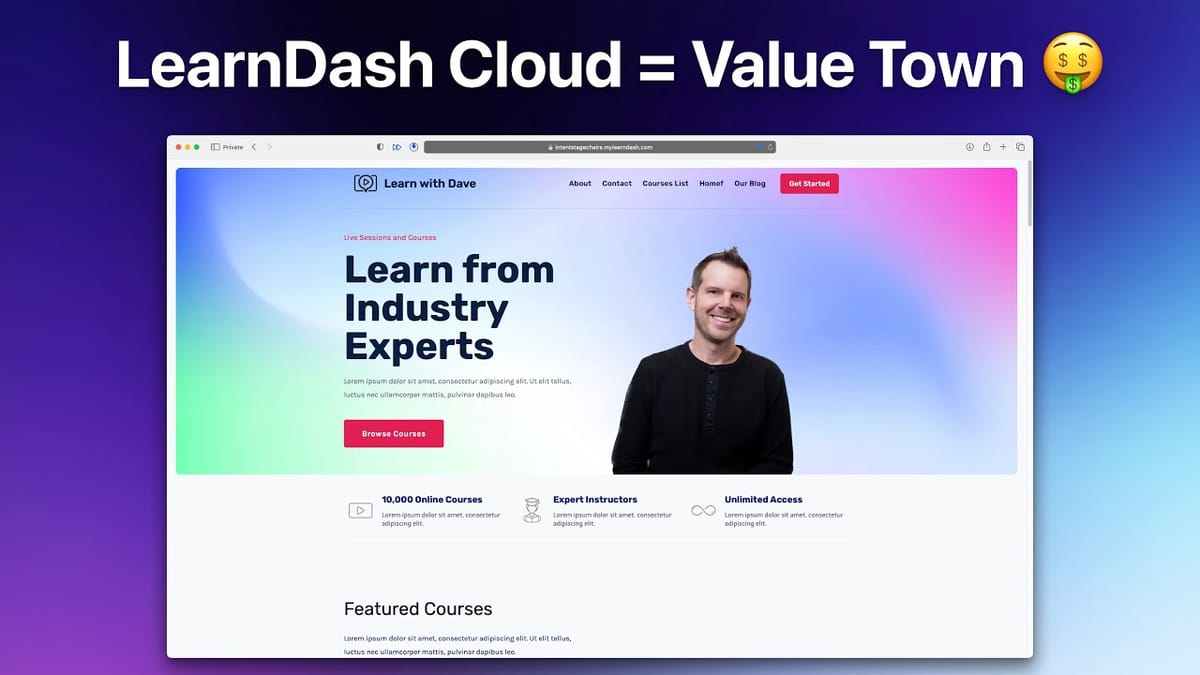
LearnDash Cloud
A managed WordPress hosting platform with LearnDash LMS pre-installed, designed to let course creators launch and sell online courses without the usual WordPress setup headaches.
Online course creators who want the flexibility of WordPress without the complexity of self-hosting, plugin management, and server configuration.
Teachable, Thinkific, Kajabi, self-hosted LearnDash
Why WordPress Deserves a Second Look for Online Courses
WordPress has a reputation problem in the online course world. Mention it to most course creators and you'll hear the same complaints: it's complex, it's hard to set up, and you need a computer science degree just to get a checkout page working. And honestly, some of that is fair.
But here's the thing — WordPress also gives you something that closed platforms like Teachable and Kajabi never will: full ownership and control. You're not renting space on someone else's platform where the rules can change overnight. Your content, your students, your data — it all belongs to you. The trade-off has always been that you pay for that freedom with hours of setup and maintenance.
LearnDash Cloud changes that equation entirely. It takes LearnDash, one of the most established WordPress LMS plugins on the market, and wraps it in a managed hosting package that eliminates virtually all of the WordPress friction. No hunting for hosting providers, no plugin compatibility nightmares, no security configuration rabbit holes.
What You Get with LearnDash Cloud (and What It Costs)
The starter plan comes in at $29 per month, or $25 per month if you pay annually. For that price, you're getting a surprisingly comprehensive stack. The LearnDash plugin itself — which normally costs $200 a year as a standalone license — is included. So is ProPanel, their $49/year analytics add-on that lets you track student progress, quiz completions, assignment submissions, and login activity.
On top of that, LearnDash Cloud bundles iThemes Security Pro (typically $100/year), automatic daily backups, and Object Cache Pro — a premium caching plugin that costs $950 per year on its own. That last one is a big deal for performance, especially when you're serving video-heavy course content to hundreds of students simultaneously.
The starter plan supports up to 1,000 students. If you scale to 5,000 students, the next tier is only $41 per month. When you add up the individual cost of all the bundled plugins and a decent WordPress host, LearnDash Cloud actually saves you money — and arguably gives you better hosting than most course creators would configure on their own.
From Zero to Live Site in Under 10 Minutes
The setup experience is where LearnDash Cloud really shines compared to traditional WordPress. After purchasing, your site is provisioned automatically — no server configuration, no database setup, no FTP nonsense. You get a temporary URL (something like intentstagechairs.mylearndash.com) and can connect your own domain through the dashboard. They even sell domains directly if you don't have one, handling all the DNS configuration for you.
The first thing you'll see after logging in is a setup wizard, not the intimidating WordPress dashboard. It walks you through the essentials: setting a secure username and password, uploading your logo, choosing how many courses you plan to offer, and deciding on your course complexity level. LearnDash supports everything from simple video courses to full certification programs with timed assessments and cohort-based learning.
The wizard also handles payment configuration. If you have a Stripe account, you can connect it in a single click and start accepting payments immediately. For more advanced sales setups — bump offers, upsells, funnels — you can integrate WooCommerce later. The key point is that you're not blocked from launching while you figure out the perfect sales flow.
Starter Templates That Actually Look Professional
Once the setup wizard is complete, LearnDash Cloud offers a library of starter templates that go well beyond basic homepage layouts. These are full website packages with pre-built pages for your course catalog, about page, and even specialized layouts for different niches — coding instructors, yoga teachers, consultants, authors.
The template customization flow is genuinely well-designed. You pick a template, then choose from curated font pairings (hover over any preset to see the actual font names) and color schemes. The preview updates in real time so you can see exactly how your site will look before committing. The entire template import process takes about three seconds.
What's worth emphasizing is that none of these choices are permanent. You can swap fonts, colors, and layouts at any point through the WordPress customizer. The templates just give you a professional starting point that would take hours to build from scratch. For anyone who's ever stared at a blank WordPress install wondering where to begin, this is a massive quality-of-life improvement.
Importing a Course from a YouTube Playlist
One of LearnDash's standout features is the ability to create a course directly from a YouTube, Vimeo, or Wistia playlist. You grab the shareable link from your playlist, paste it into LearnDash, and it automatically generates a course with individual lessons for each video. The import is nearly instant — no processing delays, no progress bars.
During the import, you choose your access model. Open courses let anyone watch without logging in. Free courses require registration but no payment — a smart choice if you want to build an email list. Buy Now and Recurring options connect through Stripe for one-time or subscription pricing. The Closed option is for when you're selling through WooCommerce with a more custom checkout experience.
You also decide whether the course is linear (students must complete lessons in order) or freeform (students can jump to any lesson). For most educational content, freeform tends to work better since adult learners usually know what they're looking for.
Focus Mode and the Student Experience
The default course layout is functional but a little plain. Enabling Focus Mode under LearnDash settings transforms the student experience dramatically. It strips away all the standard WordPress chrome — headers, sidebars, footers — and replaces it with a clean, distraction-free interface with a lesson sidebar. This is the kind of layout students expect from platforms like Udemy or Coursera.
Performance is impressive across the board. Pages load quickly, lesson navigation is snappy, and video playback is smooth. The 2GB of memory allocated to each site, combined with Object Cache Pro, means the hosting can handle the demands of video-heavy course content without breaking a sweat. For context, many budget WordPress hosts allocate 256MB or 512MB — a fraction of what LearnDash Cloud provides.
From the student's perspective, the registration and enrollment flow is clean. They can browse available courses, see pricing (or "Free" if applicable), create an account, and start learning within a couple of minutes. For a more polished experience, you'd want to customize the registration page and add a member dashboard showing enrolled courses — but even out of the box, it's a solid experience.
The Open Ecosystem Advantage
The real selling point of LearnDash Cloud isn't any single feature — it's the fact that you're building on WordPress. Every plugin in the WordPress ecosystem is available to you. Want to add a sales funnel? Install a funnel builder. Need advanced email marketing automation? There's a plugin for that. Want to add a community forum, gamification, or membership tiers? All possible without waiting for a platform vendor to build it.
More importantly, nothing is locked in. If you outgrow LearnDash Cloud's hosting or decide to move to a different provider, you can migrate your entire WordPress site — courses, students, content, everything — to any host you choose. Try doing that with Kajabi or Thinkific.
For anyone who's been hesitant about WordPress for their course business, LearnDash Cloud removes the legitimate objections while preserving all the benefits. The setup is genuinely simple, the performance is strong, the bundled plugin value is hard to beat, and you maintain full control of your platform. At $25 a month for up to 1,000 students, it's an exceptionally competitive option in the online course space.
Watch the Full Video
Prefer watching to reading? Check out the full video on YouTube for a complete walkthrough with live demos and commentary.


