
Legitt Review: AI Contract & Proposal Tool Worth It?
Legitt combines document signing, proposal creation, and a surprisingly full-featured CRM into one platform — but the complexity may be overkill for smaller teams.

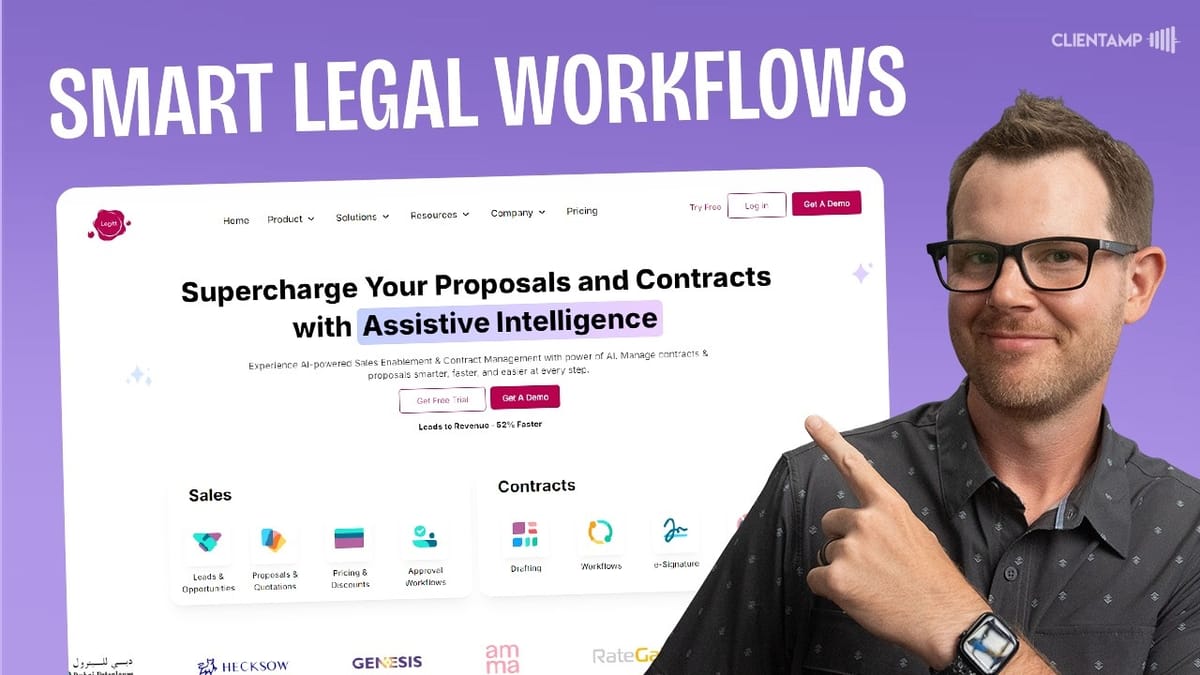
Legitt
An AI-powered platform for creating, signing, and managing contracts and proposals with a built-in CRM and blockchain-based smart contracts.
Medium to large businesses that need structured contract approval workflows, document signing, and CRM functionality in a single platform.
Notch, BreezeDoc
What Is Legitt?
Legitt (yes, spelled with two Ts) is a document signing and contract management platform that showed up on AppSumo as a lifetime deal. On the surface it sounds similar to tools like Notch — you can create proposals, contracts, and get documents signed electronically. But Legitt goes considerably further, bundling in a CRM, AI-assisted content generation, smart contracts on the blockchain, and a repository analyzer.
The big question is whether all that extra functionality makes Legitt a better choice or just a more complicated one. Having just reviewed Notch the day before, which took a clean, block-based approach to document creation, Legitt offered an interesting contrast — more features, more ambition, but also more rough edges.
Onboarding and First Impressions
Getting started with Legitt involves a standard username and password setup with OTP verification. Once inside, the platform asks what you want to do: create sales documents (proposals, leads, opportunities) or manage contracts (create, review, sign, or analyze). There are also integrations listed for Salesforce, Oracle, and HubSpot right from the onboarding screen.
The interface introduces you to "Lana," an AI assistant that's supposed to help you create, sign, and track contracts. It's a nice touch, though the real surprise comes when you start exploring the sidebar — there's a full CRM hiding in here that goes well beyond what you'd expect from a document signing tool.
The Built-In CRM and Dashboard
The CRM is genuinely unexpected. You can create leads with company names, contact details, expected deal values, close dates, and lead sources (website, referral, social media, etc.). There's a pipeline board view for tracking leads through stages like contacted, qualified, and closed — though dragging cards between columns doesn't work yet. You have to manually update the status to move leads through the pipeline.
Beyond leads, there's a separate pipeline for opportunities and a database view of all records. The dashboard gives you an overview of leads, their total value, and opportunity counts. It's not going to replace a dedicated CRM like HubSpot or Pipedrive, but for teams that want lightweight deal tracking alongside their contract workflow, it's a useful addition.
Creating Proposals and Documents
Document creation starts with choosing between sales enablement or contract management. For proposals, you can pick from pre-existing templates or upload your own Word documents. Legitt offers a traditional document editor — think more along the lines of a classic word processor than the modern block-based approach you'd find in Notch.
One genuine advantage here is the ability to upload existing PDFs or Word documents and then customize them with signature fields and other form elements. If you already have a library of contracts and proposals, this is a much more practical workflow than rebuilding everything from scratch in a new editor.
That said, the editor experience itself is rough. Adding content blocks like images, text, or pricing tables often places them in unexpected positions rather than where your cursor is. Compared to the delightful editing experience in Notch, Legitt's editor feels clunky and unpredictable.
Variables, Recipients, and Document Management
One genuinely clever feature is Legitt's variable system. You can define variables like a project budget — say $100,000 — and insert them anywhere in the document. When that number changes to $250,000, every instance updates automatically. For anyone managing proposals where pricing and details shift frequently, this is a real time-saver.
Recipient management lets you add customers, collaborators, and approvers to each document. Recipients can be set as signers or simply receive a copy for informational purposes. Once you finish a proposal and send it, it goes out immediately — almost too quickly, with no confirmation dialog or preview of the outgoing email. If you need to make changes after sending, you'll have to recall the document first, which is a reasonable safeguard but could use better UX around the send confirmation.
Document Organization, Alerts, and Tasks
The manage section organizes documents into pending and finished folders with a clean, almost retro folder-based UI. Filters let you toggle between company documents and those shared with you specifically. It's straightforward and gets the job done.
Alerts live in their own dedicated section, which is a design choice worth questioning. Having to navigate to a separate alerts page means you might miss urgent notifications. It would make more sense to surface alerts inline — flagging overdue documents right where you're already looking at your document list.
The task system is functional. You can create tasks with descriptions, due dates, attachments, and team assignments. Tasks can be classified as general or linked to specific documents, and they integrate with Google Calendar. One quirk: the date picker uses day/month/year format with no apparent option to switch to month/day/year, which could cause real confusion for US-based teams.
Contacts and Smart Contracts
The contacts section exists separately from the CRM, which is a bit confusing. Contacts you add in the CRM don't automatically appear here — you'd need to integrate with tools like Monday or Zoho, or add them manually. Since Legitt is already building out CRM functionality, merging these two systems would make the experience far more cohesive.
On the more advanced end, Legitt offers blockchain-based smart contracts. The idea is that your contracts get verified on the blockchain, making them extremely difficult to tamper with. The workflow involves uploading a document, generating credentials, connecting to MetaMask, and eventually receiving a QR code for your contract. This is a niche feature that most small businesses won't need, but for organizations dealing with high-stakes agreements, it could be a compelling differentiator.
Reports, Analytics, and Org Settings
The reports section provides an overview of document statuses with daily and monthly trend views. It's basic but useful for tracking how many contracts are out, what stage they're in, and spotting bottlenecks.
Organizational settings is where Legitt reveals its enterprise DNA. You can set up departments, designations, and approval hierarchies with sequential approval chains — making sure contracts pass through the right hands in the right order before final sign-off. There's also a robust template management system where you can upload Word documents and customize them with Legitt's editor. You can define regions, business units, agreement types, clauses, and even products with recurring or one-off billing. Stripe and Razorpay integrations are available for payment processing.
This level of configuration is impressive but also signals that Legitt is built for organizations with real complexity — multiple departments, formal approval processes, and large contract volumes.
The Repo Analyzer
The repository analyzer is supposed to be one of Legitt's standout AI features. According to the AppSumo listing, it uses AI to examine your uploaded documents, identify action items, categorize and tag contracts, and surface insights about your contract portfolio. It offers two modes: contract analysis and contract review.
In practice, the feature didn't work during testing. The interface showed loading screens for generating, transforming, and extracting — but none of the sections were clickable, and the upload button didn't respond. It's possible the analyzer needs time to process uploaded documents, or it may simply be incomplete. Either way, better onboarding and in-app guidance would go a long way toward making this feature accessible.
Plans and Pricing on AppSumo
Legitt's AppSumo deal is one of the more complex pricing structures you'll encounter. There are six tiers, and the platform is essentially broken into three products: e-signing, AI features, and the repo analyzer. Each product has its own plan level (Starter, Pro, Business, Enterprise) that advances independently as you move up tiers.
Tier one gets you basic e-signing with 50 monthly signatures and storage for 100 signed contracts. Tier two adds AI features: 50 content generator credits, 50 review credits, and 200 "Legitt Magic Write" credits per month. Tier three and above unlock the repo analyzer. The catch is that different products hit different plan levels at different tiers — e-signing becomes Enterprise at tier five, but the AI features only reach Business at tier six. It's unnecessarily confusing.
The real consideration is future-proofing. If Legitt adds new features to their Enterprise tier, you'll need tier five or six to access them. For anyone considering this deal, carefully mapping out which features you actually need across all three product categories is essential before picking a tier.
Final Verdict: Who Should Buy Legitt?
Legitt earns a 5.2 out of 10. It's an ambitious platform that tries to be a lot of things — document signer, proposal builder, CRM, smart contract platform, and AI-powered contract analyzer — all at once. For medium to large businesses with complex approval chains, multiple departments, and high contract volumes, there's genuine value here that could save thousands compared to enterprise contract management solutions.
But for freelancers, solopreneurs, and small teams? It's overkill. The editor is clunky compared to competitors, features like comments and the repo analyzer didn't work out of the box, and the date format issue with no US option is a surprising oversight. The pricing structure is also needlessly complex for what should be a straightforward lifetime deal.
If you're running a smaller operation, tools like Notch (for beautiful, modern proposals) or BreezeDoc (for straightforward document signing) are better fits. Legitt is built for businesses with enterprise-level needs — and if that's you, the lifetime deal could represent significant savings. Just make sure you pick the right tier.
Watch the Full Video
Prefer watching to reading? Check out the full video on YouTube for a complete walkthrough with live demos and commentary.


