
5 Essential Mac Video Tools – Black Friday Deals 2024
From screen recording to transcription, these five Mac video tools are staples of any creator's workflow — and they're all on sale for Black Friday 2024.

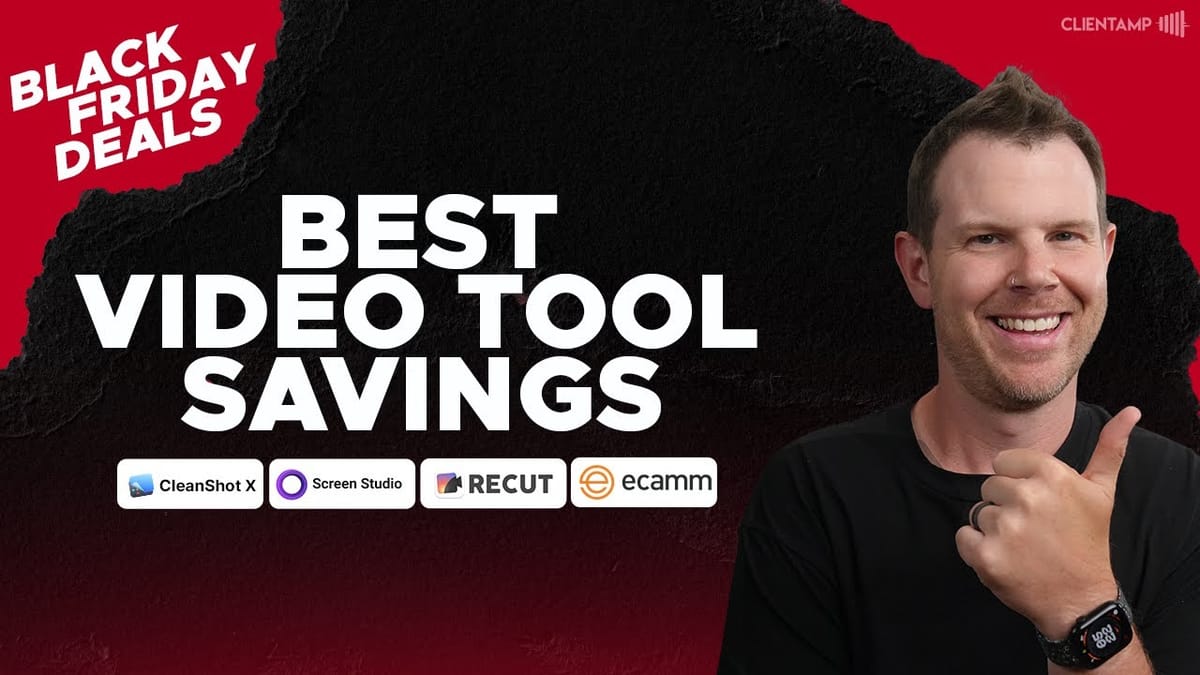
The Best Black Friday Deals for Mac Video Creators
If you create videos on a Mac, Black Friday 2024 is delivering some seriously good deals on the tools that matter most. Whether you're recording tutorials, producing live streams, or editing down long-form content, the right software can shave hours off your workflow.
This roundup covers five Mac-centric video tools that I personally use on a regular basis. Each one is currently discounted, and I'll break down exactly what they do, what they cost, and whether the deal is actually worth grabbing. Let's get into it.
CleanShot X – The Best Screen Recording and Screenshot Tool for Mac
CleanShot X is the tool I use to record my screen for every single video on the channel. It handles screen recording, screenshot capture, and annotation in one lightweight package. You can set custom frame rates for recording, which is a huge deal if you're producing tutorials or software demos — QuickTime can technically record your screen, but the file sizes it generates are massive compared to what CleanShot produces at the same resolution.
Beyond recording, CleanShot X makes it dead simple to annotate screenshots, drop them onto styled backgrounds, and share them on social media or via email. If you ever need to send a quick video message to a client or coworker — think Loom-style — CleanShot handles that too, with both screen and webcam recording.
For Black Friday, the standalone app is just $20 as a one-time purchase. There is a $19/year renewal fee if you want continued updates, but that's a steal for what you get. If you need cloud storage and team features, the team plan is 50% off at $4 per user per year (billed annually, first-year pricing). Either way, this is one of the most affordable pro-grade screen tools on the Mac.
Ecamm Live – A Virtual TV Studio on Your MacBook
Ecamm Live turns your Mac into a full-blown virtual production studio. Think of it like OBS, but with a far more polished user experience. You can connect multiple cameras, pull in any audio device, grab your desktop screen, and then either record everything locally or stream directly to YouTube, Facebook, LinkedIn, or any other platform — even multi-streaming to up to 10 destinations at once.
The Standard plan ($115/year at 40% off) covers a lot of ground: built-in green screen, web widget overlays, in-stream comments, screen sharing with picture-in-picture, and that multi-stream capability. But the Pro plan ($230/year) is where things get really interesting. Interview mode lets you bring remote guests into your stream — like a CNN satellite link, except you're running it from your laptop. Zoom is also integrated directly into Ecamm now (Pro only), and you get isolated audio and video recording for each source, plus 4K recording and streaming.
If you do any amount of live streaming or multi-camera recording on a Mac, Ecamm is hard to beat. The Pro plan is especially compelling if you need remote interviews, 4K output, or isolated track recording for post-production flexibility.
Screen Studio – Automatic Zoom and Polish for Screen Recordings
Screen Studio is the tool behind all those slick, professionally styled app demos you've been seeing everywhere. It records your screen and then automatically adds smooth zoom effects, cursor highlights, and clean backgrounds — the kind of polish that would normally require manual keyframing in Final Cut Pro or DaVinci Resolve. If you've ever wanted your screen recordings to look cinematic without spending ages in an editor, this is it.
Pricing has crept up over time as features have been added, but the Black Friday deal brings it back into reasonable territory. The one-time purchase is $137, which gives you lifetime access plus one year of updates. If you want to keep receiving updates after that, it's $109/year — a model similar to CleanShot X where the developer keeps earning when they ship something worthwhile, but you're never forced to pay.
There's also a monthly plan at $5.40/month ($64.80/year billed annually) that includes access to Screen Studio's new cloud AI features and sharing links, currently in beta. If you just want the core recording and auto-editing features, the one-time purchase is the better value. If cloud sharing matters to your workflow, go monthly.
Recut – Automatically Remove Silence from Your Videos
Recut does one thing incredibly well: it scans your video files for silence and automatically cuts it out. If you've ever spent 30 minutes manually trimming dead air, awkward pauses, and retakes from a recording, Recut will change your life. It works with multiple video tracks simultaneously, so even a three-camera setup can be processed in one pass.
Once Recut has identified and trimmed the silences, you export an XML file that opens directly in Premiere Pro, DaVinci Resolve, Final Cut Pro, or ScreenFlow — your timeline shows up with all the cuts already made. For creators who record multiple takes with short pauses between them, this is a massive time-saver. You just scroll through the takes, delete the ones you don't want, and you're done.
Originally a Mac-only app, Recut is now available on Windows too. For Black Friday, it's $50 off — just $79 as a one-time payment. For the amount of editing time it saves, that investment pays for itself quickly.
MacWhisper – Fast Local Transcription Powered by OpenAI Whisper
MacWhisper takes OpenAI's Whisper model and runs it entirely on your local machine. No cloud processing, no waiting in queues — if you've got an Apple Silicon Mac (M1 or later), you can transcribe a 20-minute video in roughly two minutes. One of my favorite features is the ability to paste in a YouTube URL and have MacWhisper download and transcribe the video automatically.
The developer, Jordy, ships updates at a relentless pace. MacWhisper 11 just launched with a completely redesigned interface, and it seems like there's a meaningful update every time you open the app. We use MacWhisper for every video on this channel — it generates transcripts that we then feed into AI models like Claude or ChatGPT to create show notes, blog posts, and summaries.
There's a free version if you want to test the waters, and for Black Friday it's 40% off with a promo code. That discount applies across all license tiers, including 5, 10, and 20-seat team packs. If transcription is part of your workflow — and for video creators, it really should be — MacWhisper is the best local option on the Mac.
Which Mac Video Tools Should You Grab?
All five of these tools solve distinct problems in the video production workflow, so there's no single "must-buy" — it depends on what you're creating. If you record your screen at all, CleanShot X at $20 is an absolute no-brainer. If you live stream or produce multi-camera content, Ecamm Live's Pro plan is worth the investment. Screen Studio is ideal for polished app demos and marketing videos. Recut is a pure time-saver for anyone who records long-form or multi-take content. And MacWhisper is essential if transcription plays any role in your process.
Black Friday pricing won't last forever, so if any of these tools have been on your radar, now is the time to lock in. Check the links below to grab any of these deals and see the full tutorials I've published on CleanShot X and Screen Studio for a deeper dive.
Watch the Full Video
Prefer watching to reading? Check out the full video on YouTube for a complete walkthrough with live demos and commentary.


