
MaximiseAI Review: Anonymous Lead Identification Worth It?
MaximiseAI aims to identify anonymous leads visiting your website and help you close the deal, but the reality fell short of expectations in this hands-on review.

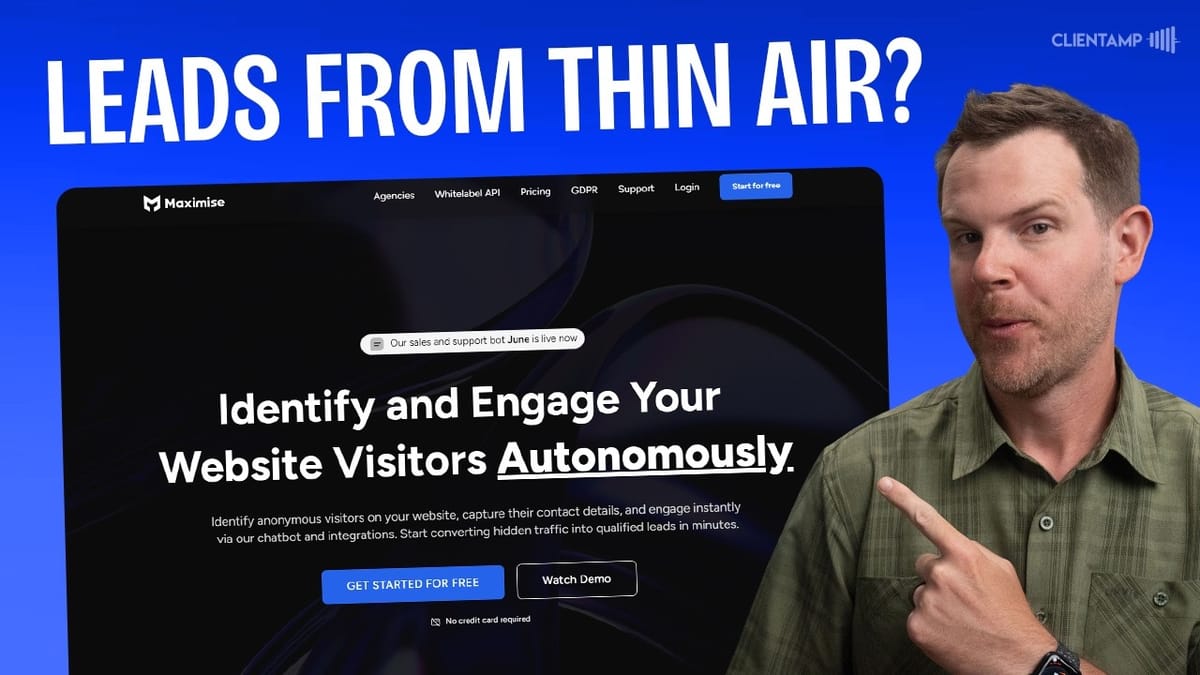
MaximiseAI
Identifies anonymous website visitors and provides an AI-powered chatbot to engage and convert leads.
Agencies, B2B businesses, and service providers who want to identify and reach out to anonymous website visitors.
HyperReach, InsertChat
What Is MaximiseAI and How Does It Compare to HyperReach?
MaximiseAI is a visitor identification tool that promises to reveal the anonymous leads browsing your website so you can reach out and close the deal. If someone lands on your site but doesn't fill out a contact form, MaximiseAI attempts to figure out who they are — or at least which company they're from — and surface that information for your sales team.
This concept isn't new. I reviewed HyperReach about a week and a half prior, and while it handled identification reasonably well, the outreach features were a mess. MaximiseAI enters the ring as a direct competitor, so the question is whether it can deliver where HyperReach stumbled. For this review, I'm testing with the $59 Tier 1 license from AppSumo.
Setup and Onboarding
Credit where it's due — MaximiseAI's onboarding is significantly smoother than HyperReach. The process walks you through entering your domain name, grabbing a tracking script, and placing it on your website. There's no hunting around the UI trying to figure out where things are.
For WordPress users, you just copy the script into your site's header using a snippet plugin like Fluent Snippets, though any method of injecting header code works fine. After clearing your cache and running the verification step, MaximiseAI loads a quick preview of your site, confirms the script is active, and you're done. From there, it's a waiting game for visitors to show up.
Dashboard and Visitor Identification Results
Here's where things get disappointing. After running MaximiseAI on my site for several days with nearly 2,000 page views, the tool identified exactly two companies and zero individual visitors. That's a rough conversion rate for a tool whose primary job is visitor identification.
The two companies it found were T-Agency from Russia and Juristech from Malaysia — neither of which are remotely relevant leads for my business. Meanwhile, hundreds of other visitors went completely unidentified. The homepage dashboard provides some traffic statistics, including visitor locations, but the geolocation data was noticeably inconsistent with my own analytics tool (Umami), which showed the United States as the dominant traffic source rather than the obscure municipalities MaximiseAI was reporting.
Accounts and Visitor Details
When MaximiseAI does identify a company, you get a profile with basic information: company size, industry, and links to their website or LinkedIn page. For Juristech, it pulled in a LinkedIn profile and showed that they visited four pages. For T-Agency, the session duration was literally zero seconds — almost certainly a bot.
One frustrating limitation is that the GUI only shows the last page visited, not a complete activity log. To see every page a visitor browsed, you have to export a CSV file. Inside the export, the full URL history is there, which revealed that Juristech had actually checked out my courses page, the Ghost Mastery course, and the services page. That's genuinely useful sales intelligence — if only it were visible in the actual interface.
Both the Visitors and Accounts tabs have an export button for downloading contacts as CSV files. The exports contain a decent amount of company information including descriptions, but personal contact details were completely absent for the leads I received.
The Engage Chatbot: A Hidden Feature Worth Exploring
If the visitor identification side leaves you cold, MaximiseAI has a secondary feature called Engage that might catch your attention. It's currently in beta, and activating it is as simple as flipping a toggle switch — no additional code required. It piggybacks on the same tracking script you already installed.
Engage adds an AI-powered chatbot to your website. During setup, you provide your URL and the tool scrapes your site content to build a knowledge base. It then generates a sales pitch, extracts proof points from your site, and identifies customer pain points. The concept is solid: an AI bot trained on your actual business that can sell to visitors in real time.
Chatbot Setup: Promising Concept, Rough Execution
The pitch generation is where cracks start to show. MaximiseAI pulled my company name but included the LLC portion and wouldn't let me edit it. The auto-generated description of what we sell was accurate but dripping in that unmistakable AI voice — phrases like "premium courses designed to make you a master of essential web management tools and techniques." Nobody talks like that.
Worse, the proof points it extracted were flat-out wrong in places. It merged two completely unrelated client testimonials, attributing Dane Maxwell's quote to Enlightened 4D Imaging. These are real people and real companies, so inaccurate associations could be a genuine problem. The pain points it identified were reasonable but generic, and none of these fields were editable — a significant oversight.
The playbook feature lets you configure a sales approach using templates inspired by well-known business personalities like Alex Hermozi and Gary Vaynerchuk, complete with their photos. The legality of using their likenesses feels questionable. You can set up conversation styles, sales techniques, and calls to action, but the UI is confusing — choosing "Request More Information" still displays "Schedule a Meeting" text in places, suggesting unfinished development.
Training Data and Knowledge Base
You can supplement the chatbot's knowledge by feeding it your sitemap, specific URLs, or uploaded PDFs and CSVs. I submitted my full sitemap and it pulled in about 50 pages, which may be a hard cap. The problem? After 30 minutes of waiting, not a single document moved past "in progress" status. Every page sat there training indefinitely.
This is a stark contrast to other chatbot tools I've tested. Most can process a document in under a minute, and certainly handle at least one in a 30-minute window. The training data links weren't even clickable in the UI, adding to the overall sense of an unfinished product. For comparison, InsertChat — a recent AppSumo deal — handles page imports far more elegantly, letting you categorize and select which pages to train on before processing begins.
Testing the Chatbot in Action
Despite the training data seemingly stuck in limbo, I tested the chatbot anyway. The first thing it does is ask for your email address, which is smart from a lead capture perspective. Then it starts responding to questions using whatever knowledge it has.
When I asked about a specific product review on my site (Croto), the bot had no awareness of the actual content. It gave vague, generic responses rather than referencing the specific 7.3/10 rating from my review. More concerning, when comparing my services to a competitor, the chatbot fabricated a claim about a "95% increase in online sales for our clients" — a statistic that appears nowhere on my website. AI hallucinations in a customer-facing sales context could be a real liability.
There's also a persistent bug where the chatbot causes the page to auto-scroll to the bottom as it types responses, which is extremely disorienting for the user.
Admin Inbox and Video Calling
On the admin side, MaximiseAI provides a real-time inbox where you can monitor chatbot conversations and jump in as a human agent at any time. The lead profile enrichment here is actually impressive — it found my LinkedIn profile, pulled in my title, location, and a scraped description. This is the kind of context that makes sales outreach effective.
The video calling feature is where things get truly bizarre. You can initiate a full video call to someone browsing your website, right through the chat widget. While the technology works — it's essentially a mini Zoom meeting embedded in the chat — the implementation is backwards. The site owner initiates the call, which means a random visitor suddenly sees an incoming call notification on a website they're casually browsing. The answer and decline buttons were buggy, the notification kept restarting its jingle on each click, and the whole experience felt intrusive. This feature desperately needs to be visitor-initiated rather than admin-initiated.
Hidden Toggle Switches and UX Issues
MaximiseAI has a handful of confusing UX decisions that can trip you up. The most important one: company identification isn't actually turned on by default. There's a toggle switch buried under Identification Preferences that you need to enable before the tool will identify visiting companies. I missed this for an entire day, potentially losing early data.
The Engage chat widget toggle is similarly hidden under Identification Preferences rather than in the Engage section where you'd expect it. And saving preferences sometimes results in an infinite loading spinner, requiring a page reload to confirm your changes actually stuck. The user avatar upload is completely broken — I tried in both Safari and Chrome with different file formats and couldn't get it to work at all.
Integrations and Team Features
MaximiseAI currently supports integrations with Slack, Instantly, webhooks, and SmartLeads. When a new visitor is identified, you can push notifications to any of these platforms or use a webhook to connect to your CRM. Integrations with Apollo, HubSpot, Salesforce, Zapier, and HayReach are listed as coming soon.
The team feature is generous — every AppSumo tier includes unlimited team members with Administrator and Member roles. However, the white-label option is a separate $500/month upsell that's not included at any AppSumo tier. While I generally appreciate upsells as a sign of a sustainable business, jumping from a $59 lifetime deal to $500/month feels wildly disproportionate.
Plans, Pricing, and the Missing Multi-Site Feature
The AppSumo deal starts at $59 for Tier 1, which includes 250 monthly identification credits, unlimited users, and 60 video call minutes per month. Plans scale up to Tier 5 at $699, offering 5,000 credits and 1,200 video minutes. The deal claims to include unlimited sites, but I could not find any way to add a second domain anywhere in the interface — not in the dashboard dropdown, the script installation page, team settings, or billing.
Another oddity: my credit counter showed one credit used despite not identifying any actual visitors. The math just doesn't add up, and it raises questions about how credits are consumed behind the scenes.
Final Verdict: A 3.9 Out of 10
MaximiseAI is, frankly, incomplete. The core promise of identifying anonymous website visitors produced almost nothing useful across nearly 2,000 page views. The chatbot training process appears broken, with documents stuck in progress for over 30 minutes without completion. The video calling feature is a creative idea implemented backwards, and the UI is riddled with broken uploads, hidden toggles, and confusing navigation.
Compared to HyperReach, it's almost a lateral move. HyperReach at least had some redeeming qualities with its outreach messaging and drip sequences (even if I couldn't get the email integration to work). MaximiseAI doesn't even have native email integration, so it doesn't have that opportunity to fail. Both tools in this category have been disappointing, and I'm giving MaximiseAI a 3.9 out of 10 — it has a lot of room to grow before it's ready for serious use.
Watch the Full Video
Prefer watching to reading? Check out the full video on YouTube for a complete walkthrough with live demos and commentary.


