
Mobiroller Review: Build a Mobile App for Under $100
Mobiroller is a no-code mobile app builder available as a lifetime deal on AppSumo. Here's an honest look at what it can do, where it falls short, and who should consider it.

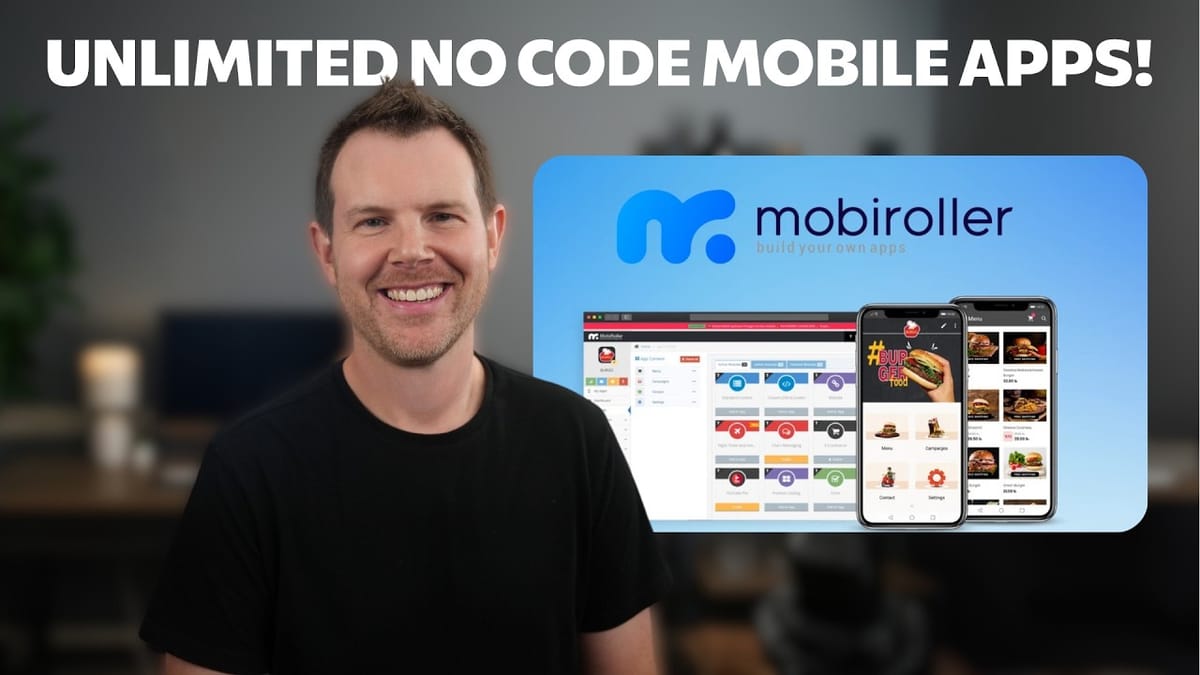
Mobiroller
A no-code platform that lets you build and publish native mobile apps for iOS and Android without writing any code.
Small business owners, local service providers, and Shopify store owners who want a mobile app without the cost of custom development.
Adalo, Glide, FlutterFlow, AppGyver
The Case for a Budget Mobile App
Hiring a custom developer to build a mobile app can easily run into tens of thousands of dollars — sometimes well into six figures depending on complexity. That's a non-starter for most small businesses, solopreneurs, or anyone who just wants to test a new idea without betting the farm.
Mobiroller is a no-code mobile app builder that recently landed on AppSumo as a lifetime deal. The pitch is simple: build a functional mobile app for both iOS and Android without writing a single line of code, and do it for a fraction of what custom development would cost. Starting at $79 for the tier one plan, it's hard to argue with the price of admission.
AppSumo Deal Breakdown and Pricing Tiers
Mobiroller is available on AppSumo across five license tiers. The good news is that every feature is included in every plan — the only variable is how many apps you can create. Tier one gives you up to 10 apps for $79, while tier five unlocks unlimited app creation, which makes it a solid option if you're an agency or service provider building apps for clients.
At the time of review, the deal launched as a Plus exclusive, meaning you need an AppSumo Plus membership to purchase during the early window. Plus members also get a 10% discount on the purchase price, and the deal price tends to go up once it hits general availability. If you're on the fence, the math favors acting sooner rather than later.
First Impressions and the App Builder Interface
Once you're inside MobiRoller, the interface is clean enough. You get two options when creating a new app: start from a classic template or go with a blank slate. There's also a "Generate by AI" option listed, though it wasn't functional at the time of this review.
The templates are, frankly, the weakest part of the experience. They all look dated, heavily reminiscent of early Android design, and each one forces a generic avatar at the top of the screen. They're categorized by industry — shopping, education, fashion — but none of them feel modern. Going with the blank app and building from scratch is the recommended path if you care at all about aesthetics.
One nice touch is that you can change the layout of the app builder itself. There's a gear icon that lets you switch between different builder views, including a material design layout. It's a small thing, but it shows some thoughtfulness in the UX — even if the default view remains the most practical option for day-to-day use.
Designing Your App: Icons, Splash Screens, and Colors
The design settings in MobiRoller cover the essentials: app icon, splash screen, background images, loading animations, color schemes, and menu templates. You can upload a custom app icon and see a preview of how it'll look on a home screen, though the preview itself has some rough edges — the font size doesn't quite match real-world rendering.
Splash screens are straightforward. Upload your own image or gradient, and it displays as the first thing users see when launching the app. Background images are split into two categories: the default app background and a separate list item background for menu screens. You can pull from MobiRoller's built-in image library or upload your own.
The color options let you control navigation bar color, text color, list item text color, and loading animation color. It's functional but spread across multiple screens, which can make the design process feel a bit fragmented. A unified design dashboard where you could see and tweak everything in one place would be a significant improvement. That said, each save triggers a code regeneration that takes around 20 seconds, which adds up if you're making lots of small adjustments.
Adding Content and Connecting Services
This is where MobiRoller shows its real value. The content system works through modules — pre-built integrations that you add to your app. You can embed your website, add custom HTML screens, connect a Shopify store, set up IPTV for live streaming, build forms, add product catalogs, display maps, integrate SoundCloud, and much more. There's even a built-in to-do list, inbox for messaging, and a favorites system.
The approach is integration-first: rather than building features from scratch, MobiRoller connects to services you already use. Want appointment booking? It's actually a Calendly integration under the hood. Want e-commerce? There's a Shopify connection or their own ShopRoller product catalog. This is smart from a development perspective — they don't need to reinvent every wheel — but the labeling could be much clearer. You often have to click into a module before discovering which third-party service it actually connects to.
The built-in form builder is a standout, letting you create contact forms and other input screens without relying on external services. The icon library for menu items, however, is extremely limited and generic. If you want your app to look polished, plan on hiring a designer to create custom menu icons — it makes a noticeable difference in the overall feel.
Login, Chat, and User Management
MobiRoller includes a built-in user authentication system with login, registration, and Google sign-in support. Enabling login is required for certain features like the chat module to work, which isn't immediately obvious. If you add chat to your app and it doesn't appear in the preview, the fix is buried under Settings > App Login/Register > Basic Configurations — you need to toggle login on and activate the chat feature separately.
Once login is enabled, you get access to a suite of user management tools: customizable login page design, profile element selection, manual member management, and role-based permissions for both system access and chat functionality. It's a surprisingly complete authentication system for a no-code builder at this price point, though testing chat requires an actual device build rather than the in-browser preview.
Monetization, Push Notifications, and Extra Features
Beyond the core content modules, MobiRoller packs in several features that matter for businesses looking to actually generate revenue from their app. In-app advertising is supported through AdMob integrations for both iOS and Android, so you can display ads and earn money from your user base. There's also an in-app purchases system that lets you paywall specific content using a Google Play license key.
Push notifications are arguably the biggest advantage of having a native app over a mobile website. MobiRoller lets you send messages directly to users' lock screens, though you'll need to complete a build for iOS or Android first to obtain the proper credentials. This alone could justify the investment for businesses that rely on repeat customer engagement.
Building, Publishing, and Optional Services
When you're ready to go live, MobiRoller generates builds for both Android and iOS right from the dashboard. You will need a Google Play developer account and an Apple App Store developer account to publish — Apple charges an annual fee for theirs — but both are significantly cheaper than hiring a development team.
For those who'd rather not handle the technical side at all, MobiRoller offers optional paid services. They'll build and upload your app for you, handle the design work, and even create your App Store screenshots for $200. These services sit in a middle ground between DIY and full custom development. They weren't tested in this review, so your mileage may vary.
Final Verdict: Who Should Buy Mobiroller?
MobiRoller earns a 6.8 out of 10. It's a solid budget option for getting a mobile app on the App Store without any coding knowledge, but it's not going to wow anyone with its design polish or flexibility. The templates are dated, the design workflow is fragmented, and you're limited to the features and integrations that MobiRoller supports.
Where it shines brightest is for local service businesses — think handymen, window washers, cleaning services, personal trainers. If you have repeat customers, getting them to download your app means they come back to you instead of Googling a competitor next time. Put your Calendly link, a chat module, and push notifications in the app, and you've got a retention machine for under $100. Shopify store owners who want a branded mobile presence without committing to a full custom build are another strong use case.
The bottom line: Mobiroller is good but not great. If you need something on the app stores quickly and affordably, it gets the job done. Just don't expect the kind of polish or customization you'd get from a proper development team.
Watch the Full Video
Prefer watching to reading? Check out the full video on YouTube for a complete walkthrough with live demos and commentary.


