
MyMeet.io Review: Meeting Tool With Promise But Major Bugs
MyMeet.io bundles booking pages, video meetings, and AI summaries into one tool — but a frustrating setup experience and multiple bugs make it hard to recommend over established alternatives like TidyCal or Cal.com.

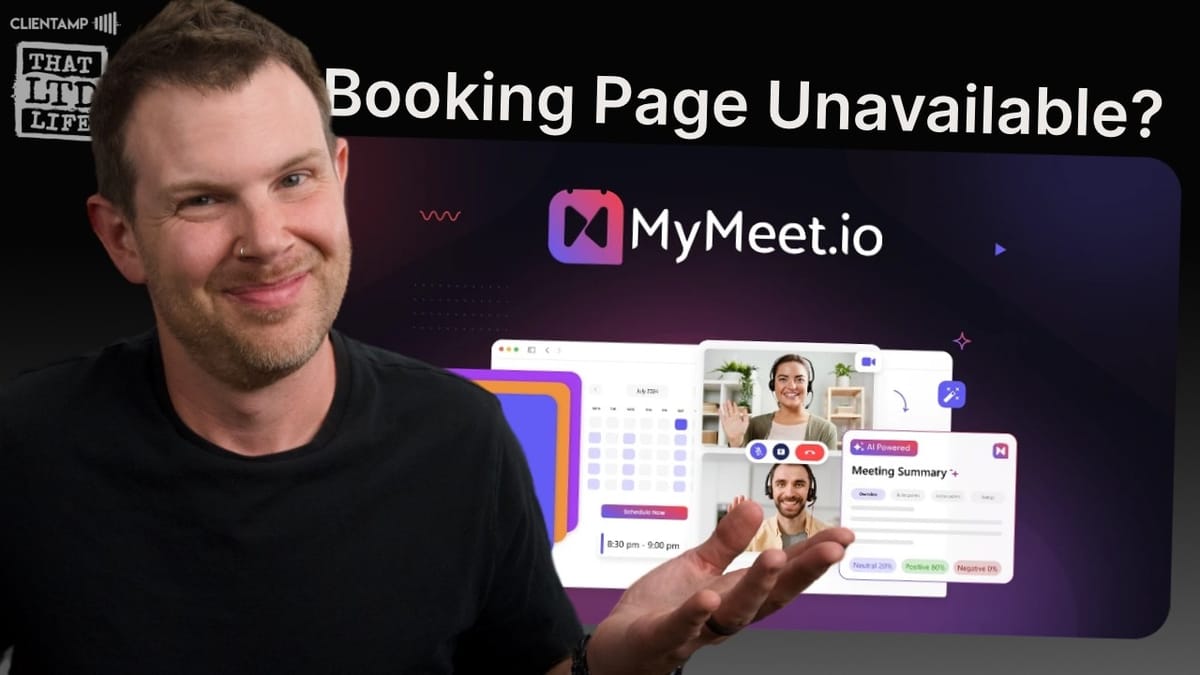
MyMeet.io
An all-in-one meeting platform that combines appointment booking, video conferencing, AI meeting summaries, and whiteboarding.
Solopreneurs and small business owners who want a single tool for scheduling and hosting online meetings, especially those already in the Google ecosystem.
TidyCal, Cal.com, Calendly
Plans, Pricing, and What You Get on AppSumo
MyMeet.io launched on AppSumo with a three-tier lifetime deal structure. Tier two — the sweet spot for most users — runs around $56 with an AppSumo Plus membership and includes 540 minutes of meetings per month, meeting recording, whiteboarding, WhatsApp notifications, digital visiting cards, and after-meeting redirection. Those minutes renew monthly, which is good to know upfront.
Tier three doubles the price but unlocks unlimited everything and removes MyMeet branding from your booking pages. If you're running a client-facing business where polish matters, that branding removal alone might justify the upgrade. Tier one is the budget option but comes with significant restrictions — more on that in a moment.
Quick note on AppSumo Plus: the membership saved roughly $13 on this purchase and frequently unlocks exclusive early pricing on new deals. If you're buying lifetime deals regularly, it pays for itself fast.
Meeting Topics: Useful but Restrictive
Meeting topics are essentially the categories or types of appointments you offer — think discovery calls, coaching sessions, or monthly check-ins. Each topic gets its own duration (in 15-minute increments), currency setting, and optional fee. You can charge for appointments through PayPal or UPI integration, though the absence of Stripe is a notable gap for anyone who prefers a more modern payment flow.
The real issue here is the topic limits. Tier one gives you just one meeting topic. Tier two gives you two. That's extremely restrictive. If you offer 15-minute, 30-minute, and 60-minute sessions — a pretty standard setup for consultants and coaches — you're already over the tier two limit. Bumping those numbers to five and ten per tier would feel much more reasonable without undermining the value of tier three.
Each topic also gets a direct shareable link, which is handy. Instead of sending clients to your full booking page where they choose from all your meeting types, you can send a direct link for a specific appointment type — great for embedding in emails or on specific landing pages.
Setting Your Availability
The availability settings work about how you'd expect: set your hours for each day of the week, copy availability across days, and block off holidays. You can also create multiple availability windows per day, so if you want to take a break from 5–6 PM and then resume appointments from 6–9 PM, that's supported.
There are a couple of rough edges, though. Copying availability to another day requires you to enable that day first — it won't auto-enable, which feels like an unnecessary extra step. The holiday calendar is limited to just a few months out, so you can't set up your full year of holidays in January. For recurring holidays like Christmas or New Year's Day, you'd ideally want a "repeat yearly" option, but that doesn't exist here.
Holiday and payment settings live under your personal profile rather than in a global settings area, which makes sense for a single-user tool but could get confusing if team plans ever materialize.
Branding and Booking Page Design
MyMeet puts branding controls right in the main sidebar rather than burying them in settings. You can upload a logo, set a brand color and font color, and preview the result in real time. There are also preset themes — Playful, Classic, Serene, and Calming — though the names don't always match the vibes. "Playful" reads more emergency-red, and "Calming" has some contrast issues that could cause accessibility problems.
The booking page itself is functional but not going to win any design awards. It shows your avatar, your meeting topics, and lets clients select one to proceed. The MyMeet branding at the bottom is only removable on tier three, and frankly, the font choice in that branding badge is reason enough to want it gone — it clashes with most custom setups.
One frustrating bug: uploading a profile avatar repeatedly failed with a vague "could not update data" error. After some detective work, the fix turned out to be filling in the "Designation" field (essentially your job title) first. The app requires it but gives zero indication that a missing designation is blocking your avatar upload. That's the kind of UX issue that wastes real time.
Integrations and the Booking Page Disaster
MyMeet integrates with Google Calendar and Microsoft Calendar for syncing, and uses Google Meet as its default video provider. There's also a built-in MyMeet video platform if you'd rather not route through Google. Zoom integration is listed on their roadmap as "in progress," which would be a welcome addition for anyone who finds Google Meet unreliable.
Here's where things went sideways. After connecting Google Calendar, the booking page remained "temporarily unavailable." No error message, no guidance on what was wrong. The integration UI itself is confusing — buttons are full-width with no outlines, making it hard to tell what's clickable. Linking the Google account failed on the first attempt with a generic error before succeeding on retry.
Even with the calendar connected and the booking page visibility toggle confirmed as "on," the page stayed down. Toggling it off and back on didn't help. There's no way to manually create a booking from the admin panel as a workaround, and the preview mode doesn't let you actually complete a booking. This was a showstopper that required contacting support.
Nice-to-Have Features and Dark Mode
Beyond the core booking functionality, MyMeet includes a few quality-of-life features worth mentioning. Each meeting topic gets its own shareable direct link, so you can bypass the main booking page entirely. The dark mode toggle is there but goes extremely dark — pure black rather than a softer dark gray, making text harder to read than it should be. A bit more contrast would go a long way.
There's no option for in-person meeting types, which is a significant gap for anyone who does a mix of online and face-to-face appointments. Phone meetings aren't supported either. Every booking routes to an online meeting provider, full stop. That's a simple feature that competitors like TidyCal and Cal.com handle without issue.
Team functionality is also absent from the AppSumo deal. Their website mentions an upcoming enterprise plan with multi-user support, but that won't be included in the lifetime deal tiers. For now, this is strictly a solo tool.
Contacting Support and the Long Wait
With the booking page completely non-functional, reaching out to support was the only option. To their credit, the support team did eventually resolve the issue — but it took roughly two days for a response. The initial wait was about six hours before recording had to wrap, and the actual fix came through the next day.
For a tool that's actively selling lifetime deals on AppSumo, that turnaround time is concerning. New users hitting a wall during initial setup need faster resolution, especially when the problem is entirely on the platform's side. The fix itself seemed to be something on their backend rather than a configuration issue, which suggests this could affect other new signups as well.
Updates and Roadmap: How Mature Is This Tool?
MyMeet includes a built-in updates panel that shows recent changes and improvements. The pattern here is telling: roughly a dozen updates all landed on June 22nd — just days before the AppSumo launch — with nothing visible before that date. That's a strong indicator this is a very early-stage product that got a rush of polish before going public.
The roadmap shows Zoom integration in progress and a website embed widget coming soon. Both would be meaningful additions. The embed widget especially would solve a real problem, letting you place a booking form directly on your own site rather than sending people to a mymeet.io subdomain. Whether these ship on a reasonable timeline remains to be seen.
Instant Meetings and the Video Platform
The instant meeting feature lets you spin up a video call on demand — useful for those "can we talk right now?" moments. Using MyMeet's own video platform (rather than Google Meet), the interface is clean and functional. Your logo appears in the upper-left corner, and you get controls for muting, camera toggle, and screen sharing.
Screen sharing works well, letting you pick specific windows or entire screens. The picture-in-picture layout during screen shares looks solid, though the logo can overlap shared content if it's too large. Video quality options range from QVGA up to Full HD, though FHD is locked to tier three. The default VGA setting feels dated — "VGA" isn't a term you hear much in 2024.
Chat is available within meetings but has a minor annoyance: links without "https://" aren't rendered as clickable. The recording button gave no visual feedback when clicked during a solo meeting, and the meeting link couldn't actually be shared externally during testing — which kind of defeats the purpose of an instant meeting feature.
Whiteboard: Basic but Functional
MyMeet includes a built-in whiteboard that opens alongside your video feed. You can draw freehand, add text in various sizes, place shapes like boxes and arrows, and take snapshots to save the board state. There's also a clear-screen option to start fresh.
The whiteboard works but has some quirks. The text editing toolbar pops open every time you interact with it, which gets repetitive. The undo function caught a few intentional elements during testing, though that's more about getting used to the tool than a real bug. It's not going to replace Miro or FigJam, but for quick sketches during a meeting — diagramming a workflow, jotting down action items — it does the job.
The Booking Page (After Support Fixed It)
Two days and a support ticket later, the booking page finally came to life. The client-facing experience is straightforward: choose a meeting topic, pick a date, select an available time slot, enter your name and email, optionally add a phone number and guest list (up to seven), and write a meeting agenda. Booking confirmation includes options to add the event to Google or Microsoft calendars.
Notably missing is CalDAV support — the open calendar standard — so if you're running your own calendar server, you'll need to manually add appointments. The post-booking experience simply kicks you back to the top of the page, which works but feels abrupt. A confirmation screen with next steps or a summary would be a nicer touch.
The dashboard correctly reflects new bookings, and holidays set earlier in the process are properly respected in the availability display. The AI meeting summary feature shows remaining minutes on your account, though a full test of the AI transcription wasn't possible due to the setup delays.
Final Verdict: Promise Buried Under Bugs
MyMeet.io is trying to be an all-in-one meeting solution — booking, video calls, AI summaries, whiteboarding — and on paper, that's a compelling pitch. The built-in video platform works, the feature set is broader than something like TidyCal, and the lifetime deal pricing is reasonable if everything functions as advertised.
But "if" is doing a lot of heavy lifting in that sentence. The initial setup experience was plagued with bugs: avatar uploads failing silently, the booking page being completely inaccessible, vague error messages, and a confusing integration UI. These aren't edge cases — this is the first-run experience for a paying customer. The burst of updates right before the AppSumo launch and the lack of prior update history strongly suggest this is a very early product.
If you need a booking solution that works today, TidyCal and Cal.com are both proven, reliable options. If you're willing to gamble on MyMeet's potential and can stomach some growing pains, the lifetime deal might pay off down the road — especially once Zoom integration and the website widget ship. Just go in with realistic expectations about the current state of things.
Watch the Full Video
Prefer watching to reading? Check out the full video on YouTube for a complete walkthrough with live demos and commentary.


