
NextCloud on Hetzner: Self-Host Your Cloud Storage for $5/mo
Tired of paying for bloated cloud storage you don't need? NextCloud on Hetzner gives you unlimited users, up to 10TB of storage, and full control of your data for a fraction of what Dropbox charges.

NextCloud
Open-source, self-hosted cloud storage platform that lets you sync, share, and manage files on your own server.
Individuals, teams, and businesses who want full control over their cloud storage without per-user pricing or storage caps.
Dropbox, Google Drive, OneDrive, iCloud
Why Cloud Storage Got Worse (And What You Can Do About It)
When Dropbox launched in 2007, it solved a real problem: sharing large files was painful, and suddenly everyone had gigabytes of cloud storage at their fingertips. Fast forward 17 years, and the cloud storage industry has taken a frustrating turn. Instead of making things cheaper and simpler, providers have piled on features nobody asked for — PDF editing, document signing, AI assistants — all while hiking prices.
The core promise was simple: store files and share them easily. But now you're paying premium prices for a bundle of tools you'll never touch. If you've ever looked at your Dropbox bill and thought "I just want to send files back and forth," you're not alone. There's a better way, and it involves taking control of your own storage.
What Is NextCloud?
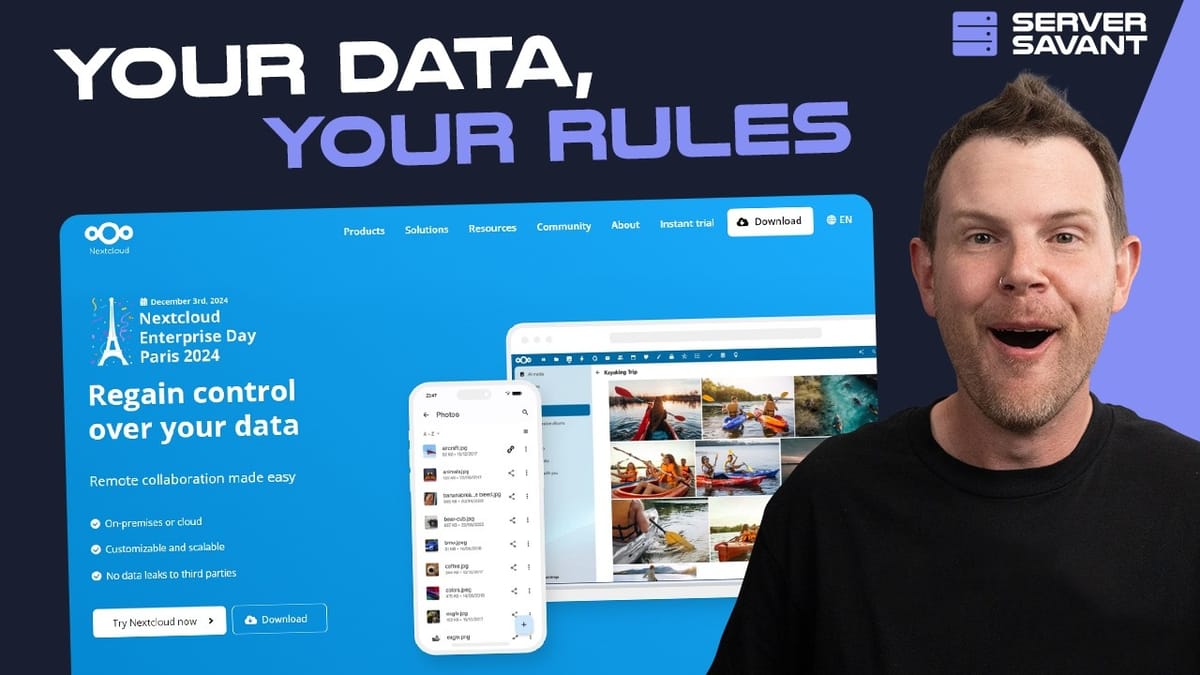
NextCloud is open-source software that gives you everything you'd expect from a modern cloud storage platform — shared team folders, multi-device sync, mobile and desktop apps — except it runs on hardware you control. You download it, install it on a server, and you own the entire experience.
The economics are where things get interesting. Most cloud providers charge per user and cap your storage. Need 5TB but you're a solo user? Too bad, that's an enterprise plan. Got a 20-person team that only needs a terabyte? You're still paying per seat. NextCloud flips this model completely: there are no limits on users and no limits on storage. You just attach whatever storage you need and add as many users as you want.
Privacy is another major draw. When your cloud provider has a dedicated page explaining how they handle government data requests, that should give you pause. With NextCloud, your data lives on your server, under your control. No third party has access unless you explicitly grant it.
Hetzner Storage Share: NextCloud Without the Headaches
The biggest barrier to self-hosting has always been the technical overhead. Setting up a server, installing software, keeping it updated, managing security patches — it's a lot of work. Hetzner's Storage Share product eliminates almost all of that friction. It's a managed NextCloud instance that you can spin up with a single click.
Hetzner offers three plans based on storage and performance. The entry-level NX11 gives you 1TB of storage, unlimited users, up to three custom subdomains, and handles 50 concurrent connections — all for around $5 per month. The mid-tier NX21 bumps you to 5TB, and the top-tier NX31 offers 10TB with 200 concurrent connections. You're billed by the hour, so you can spin one up, test it out, and delete it if it's not for you.
Even backups are handled automatically. You get multiple backups per day with seven days of retention. There's no console access to accidentally break things, and Hetzner handles all software updates and security patches. It's genuinely a set-it-and-forget-it setup.
Launching Your Server Step by Step
Getting started is straightforward. Sign up for a Hetzner account, head into the console, and navigate to the "New Order" tab. You'll want Storage Share specifically — don't confuse it with Storage Box, which is a different product entirely.
Pick your plan (you can always upgrade later without losing data), then set up your admin credentials. Hetzner supports a wide range of backend languages, so if English isn't your first language, you'll likely find your preferred option. Use a strong password from a password manager — this is your admin account, after all.
Once you confirm the order, your NextCloud instance is live within seconds. Head over to the Products tab to see your new storage share listed and ready to configure.
Connecting a Custom Domain
Hetzner gives you a default domain that works fine, but it's not pretty. If you're sharing links with clients or team members, having your own branded domain like cloud.yourcompany.com looks significantly more professional.
The setup takes about two minutes. In the Hetzner console, select your storage share, click "Subdomains" in the sidebar, and enter your full subdomain (e.g., cloud.yourdomain.com). Before hitting Add, jump over to your DNS provider — whether that's Cloudflare, GoDaddy, SiteGround, or wherever you manage your DNS.
Create a CNAME record pointing your chosen subdomain to the Hetzner domain they assigned you. If you're on Cloudflare, turn off the proxy for the initial setup. Save the DNS record, go back to Hetzner, click Add, and wait about 15 seconds. Hetzner will verify the DNS settings and automatically issue an SSL certificate. Once you see the green checkmark, your custom domain is live and secured with HTTPS.
Using NextCloud: Files, Sharing, and Organization
The NextCloud interface will feel immediately familiar. It looks and works like any file manager — Windows Explorer, Mac Finder, you name it. You can create folders, upload files by dragging and dropping, and organize everything exactly how you'd expect.
Sharing is where NextCloud really shines. Right-click any file or folder and you can generate a public link for sharing anywhere on the web. Recipients get a clean download page without needing an account. For more controlled access, you can share directly with specific users by name or email, and you can share entire folders so teams always have access to the latest files.
All the standard file operations work smoothly — move, copy, rename, favorite. There's a Recent section showing your latest activity and a Favorites section for quick access to important files. The experience is polished enough that you'd never guess it's running on a $5/month server.
Managing Users, Groups, and Quotas
Adding users is dead simple. Click your avatar, go to Users, and hit "New Account." Enter a username, password, and email, and you're done. But the real power is in groups.
Create groups for each department — designers, developers, marketing — and assign users accordingly. When you share a folder with a group, everyone in that group automatically gets access. When someone joins or leaves the team, you just add or remove them from the group. No need to manually update file permissions across dozens of shared folders.
This same approach works brilliantly for client management. Set up a group per client, add their team members, and you'll always know exactly who has access to what. No more anxiety about accidentally sharing sensitive data with the wrong people.
User quotas let you control how much storage each person can use. Set a default quota globally — say, 10GB per user — or override it for specific accounts. Admins can have unlimited storage while regular users stay within defined limits.
Apps, Dashboard, and Console Settings
NextCloud has apps for every platform: Windows, macOS, Linux, Android, and iOS. Download them from nextcloud.com and your files will sync automatically across all your devices, just like Dropbox or Google Drive.
The dashboard is customizable with useful widgets like local weather. One quick tip for US-based users: the default locale shows temperatures in Celsius. Fix this by going to Personal Settings and changing the locale to "English (United States)" — small detail, but it makes the daily experience nicer.
Over in the Hetzner console, you've got a few useful management tools. The backup section lets you restore to any point within the last seven days with a couple of clicks. The contract section lets you upgrade or downgrade your plan instantly. And while there's no full command-line access (by design — you can't break it), there is an OCC command runner that lets power users execute specific NextCloud commands through a graphical interface.
Is NextCloud on Hetzner Worth It?
If you're tired of overpaying for cloud storage filled with features you don't use, NextCloud on Hetzner is a compelling alternative. For roughly $5 per month, you get a terabyte of storage, unlimited users, automatic backups, custom domain support, and complete control over your data. No per-seat pricing, no artificial storage caps, no feature bloat.
The managed approach through Hetzner Storage Share removes the biggest objection to self-hosting: the technical maintenance. You don't need to be a server admin. You don't need to worry about updates or security patches. You click a button, set up your domain, and start using it.
Whether you're a solo creator who needs a lot of storage, a small team looking to cut costs, or a business that takes data privacy seriously, NextCloud checks all the boxes. The hourly billing means there's zero risk in trying it out — spin one up, kick the tires, and see if it fits your workflow.
Watch the Full Video
Prefer watching to reading? Check out the full video on YouTube for a complete walkthrough with live demos and commentary.


