
OneTab Review: Developer Project Management Tool on AppSumo
OneTab bundles Slack-like chat, Kanban boards, CI/CD pipelines, and API documentation into a single platform built for development teams. Here's whether this AppSumo lifetime deal is worth your money.

OneTab
An all-in-one project management platform for developers that combines chat, Kanban boards, CI/CD pipelines, API documentation, and analytics in a single workspace.
Developers and development team leads who want to consolidate their project management, communication, and DevOps tools into one platform.
Slack, Jira, Linear, GitLab
What Is OneTab and Who Is It For?
OneTab is a project management tool currently available as a lifetime deal on AppSumo, and it's squarely aimed at development teams. It's categorized under development tools rather than general project management, and after spending time with it, that classification makes perfect sense.
The platform tries to be an all-in-one solution for dev teams by bundling chat, Kanban boards, CI/CD pipeline management, API documentation, a code-to-HTML converter, document editing, and even an analytics engine powered by AI. It's an ambitious scope, and the question is whether OneTab pulls it off well enough to replace the individual tools your team is already using.
Plans, Pricing, and What You Get
The AppSumo deal maps to OneTab's Team Collaboration plan and comes in three tiers. Tier one starts at $49 and gives you 5 users, 5 GB of file storage, and 1 code repository. Tier two bumps that to 15 users, 15 GB of storage, and 3 repos. Tier three maxes out at 50 users, 50 GB, and 15 repos.
Beyond the scaling numbers, there are feature differences between tiers that matter. Tier two unlocks sub-user module access permissions, which lets you restrict what parts of the platform certain team members can see. Tier three adds SAML-based single sign-on and data exports for all messages. That last one is a sore point — data portability really should be a baseline feature at every tier, not something locked behind the highest plan.
Getting Started and Initial Setup
The onboarding process is straightforward. After redeeming your AppSumo code, OneTab asks for a company name (no spaces allowed, and it likely becomes your subdomain), then a workspace name. The workspace concept was a bit confusing at first — the example they give is "marketing," which implies you might want separate workspaces for each department.
The good news is there's no limit on the number of workspaces you can create on any tier. The user limit applies across your entire account, not per workspace. License activation went smoothly even though I started on one device and finished on another, which is always a relief with lifetime deal redemptions.
Chat: A Solid Slack Alternative
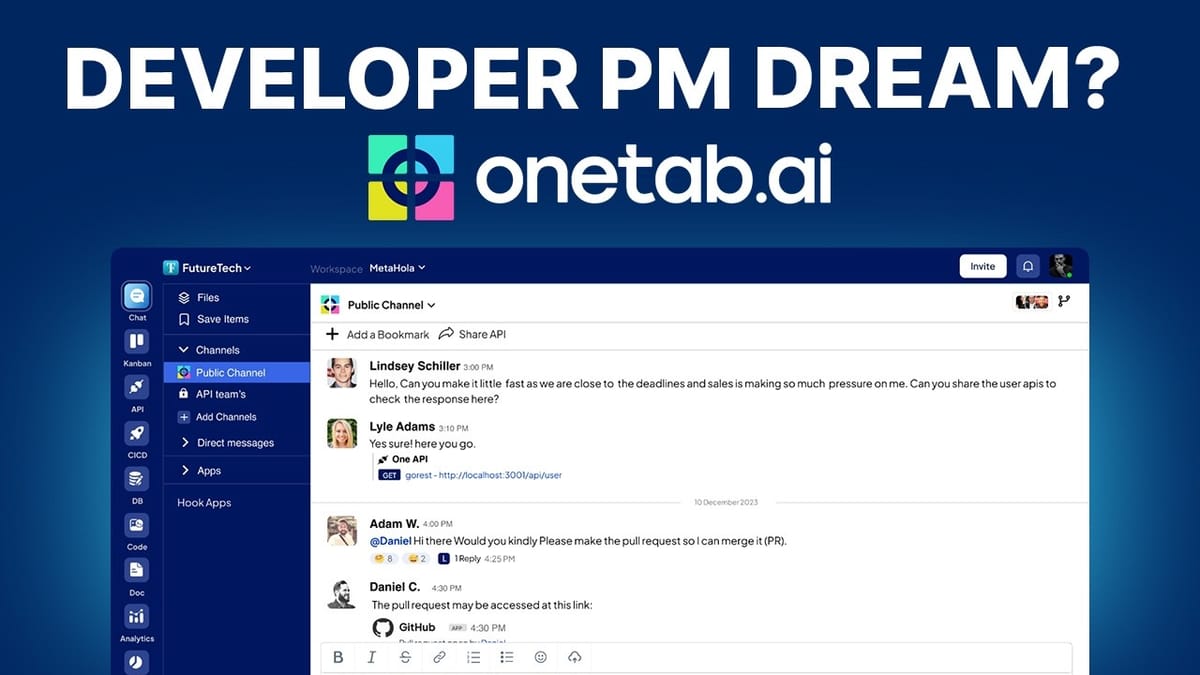
OneTab's chat feature is essentially a Slack clone, and I mean that as a compliment. You get channels (both public and project-specific), direct messages, threaded replies, reactions, and bookmarked items. The interface feels familiar and professional, which means your team won't need much ramp-up time.
Files shared in chat automatically appear in the dedicated Files section, where you can search by filename or filter by who uploaded them. It's the kind of cross-referencing that saves time when you're hunting for that screenshot someone shared three weeks ago. The only real gap compared to Slack is the integrations ecosystem — OneTab currently only offers a GitHub app, which shows new commits and pull requests directly in your channels. If your team relies heavily on Slack integrations with other services, that could be a dealbreaker.
Notification Preferences and Account Settings
One of the first things you should set up in any project management tool is notifications, and OneTab gives you decent control here. You can choose between receiving all notifications, only direct messages and mentions, or turning them off entirely. There are separate toggles for the API and Kanban modules as well.
The standout feature is working hours configuration. Similar to what Basecamp offers, you can define a schedule so notifications only come through during your work hours. You can set it to weekdays only or customize it day by day. For remote teams where work-life boundaries are already blurry, this is a genuinely thoughtful feature. The members section lets you assign roles and permission levels, though the full role customization is more useful once you're on tier two or above.
Kanban Boards: Functional but Basic
The Kanban view is the heart of OneTab's project management, and it delivers the basics competently. You get default columns for To Do, In Progress, and Complete, plus the ability to add custom lanes. There's also a list view toggle if you prefer that layout. Tasks support due dates, priority flags (urgent, high, normal, low), labels, file attachments, and subtask checklists where each item can be assigned to a different team member.
However, there are some rough edges. The task description field doesn't support rich text or markdown — it's plain text only, which feels limiting when you need to document complex requirements. The comments section, oddly, has more formatting options than the description field. Creating a task only lets you enter a title initially; you then have to click into it to add all the other details, which adds unnecessary clicks to your workflow.
The bigger structural limitation is that you only get one Kanban board per workspace. If you need multiple boards, you have to create separate workspaces, which also separates your docs, code, and everything else. Templates, recurring tasks, and automation are all missing — features that power users on other platforms take for granted. The filtering works well at least, letting you sort by assignee, due date, status, or priority.
Developer Tools: API, CI/CD, and Code Generation
This is where OneTab really leans into its developer identity. The API section lets you build, test, and document APIs directly within the platform. You can run API calls, organize them into collections, set up a mock server, and generate documentation — essentially covering what you'd use Postman or Insomnia for.
The CI/CD module connects to your GitHub repositories and lets you view commit logs, create pipelines, and monitor builds. There are even templates for common setups like React Native Android apps. It includes a step-by-step guide for installing the CLI tool on your local machine, which is a nice onboarding touch.
Perhaps the most surprising feature is the code generation tool. Upload a screenshot and OneTab will attempt to convert it into clean HTML, CSS, and JavaScript using Tailwind. I tested it with Apple's homepage hero section and the results were genuinely impressive — the layout was responsive, the structure was solid, and it correctly identified most of the content elements. Not perfect, but surprisingly capable for a feature buried inside a project management tool.
Documents and Analytics
The docs section uses a block-based editor with slash commands, similar to Notion. You can add headings, images with captions, checklists, code blocks, delimiters, and warning boxes. The drag-and-drop reordering isn't great — you have to use manual controls rather than just grabbing elements and moving them — and there's no markdown support, which feels like an oversight for a developer tool.
More critically, there's no collaborative editing, no commenting on documents, and no folder organization. Documents just stack in a flat list, which becomes unmanageable as your library grows. There's also no search functionality in the docs sidebar.
The analytics module is more interesting. You can connect data sources (databases or uploaded Excel files) and use natural language to query your data. It generated charts and visualizations automatically, including suggesting follow-up questions. The AI understood requests well and produced clean bar charts for things like state distribution in a contact list. It's not a replacement for a dedicated BI tool, but for quick data exploration within your project context, it's a nice addition.
What Could Be Improved
After spending time with OneTab, a few improvements stand out. Multiple Kanban boards per workspace would be a significant upgrade — the current one-board-per-workspace limitation forces you to fragment your project context. Task templates and recurring tasks are essential for teams with repeatable workflows. The description field needs rich text editing and markdown support, especially for a developer audience.
On the usability side, external links should open in new tabs (a basic web standard), the copy-link-to-task feature has a clipboard bug, and the document editor needs folders, search, and collaborative features to be taken seriously. Data export being locked to tier three is a questionable product decision that could give teams pause about long-term commitment.
Final Verdict: A 7.2 for the Right Team
OneTab earns a 7.2 out of 10. It's a beautifully designed tool with an ambitious feature set that covers chat, project management, DevOps, and analytics in one platform. For development teams looking to consolidate their tooling, there's real value here — especially at the lifetime deal price point.
The platform has desktop apps for Mac, iOS, and Android (though Windows is notably absent), and the Slack import feature makes migration easier if you're coming from that ecosystem. The GitHub integration is solid, and the CI/CD and API tools add genuine developer-specific value that generic project management tools simply don't offer.
Where OneTab falls short is in the depth of its individual features. The Kanban is functional but lacks templates and automation. The docs editor is basic compared to Notion or Google Docs. The one-board-per-workspace limitation is a real constraint. If you're a developer or run a dev team and you value having everything in one place over having best-in-class individual tools, OneTab is worth a serious look at this price.
Watch the Full Video
Prefer watching to reading? Check out the full video on YouTube for a complete walkthrough with live demos and commentary.


