
OpnForm Review: Open Source AI Form Builder with Lifetime Deal
OpnForm combines AI-powered form generation with open source flexibility, letting you build complex multi-page forms in under a minute. Here's everything you need to know about this form builder and its AppSumo lifetime deal.

OpnForm
An open source, AI-powered form builder that generates beautiful, multi-page forms from simple text prompts in under 60 seconds.
Small business owners, freelancers, and agencies who need lead generation forms, surveys, or registration forms without wrestling with complex form builders.
Typeform, Tally, JotForm, Google Forms
What Is OpnForm and Why Does It Stand Out?
Form builders aren't exactly new territory. They've been around forever, and most of them do roughly the same thing. So when another one shows up, you'd be forgiven for scrolling right past it. But OpnForm has a couple of things going for it that caught my attention: it's fully open source and it's powered by AI.
Being open source means the entire codebase is available on GitHub. If you're a developer, you can review the code, contribute to the project, or even self-host it on your own server. That level of transparency is rare in the form builder space, where most tools are completely proprietary. For everyone else, it just means there's a community behind the tool pushing it forward.
The AI angle is where things get genuinely interesting. Instead of dragging and dropping fields one at a time, you describe the form you want in plain English and OpnForm builds the whole thing — multi-page layouts, conditional logic, field types, helper text, and all. We're talking a fully functional form in about 45 to 60 seconds.
AppSumo Lifetime Deal Pricing Breakdown
OpnForm is currently available as a lifetime deal on AppSumo, which means you pay once and you're set. The pricing structure is straightforward and every tier gets the full feature set — confirmation emails, Slack and Discord notifications, editable submissions, and branding removal are all included regardless of which plan you pick.
The main differentiator between tiers is the number of custom domains you can connect. Tier 1 starts at $59 and gives you one custom domain. Tier 2 jumps to $99 for 10 custom domains, which is honestly the sweet spot for most people. If you're running an agency or managing forms for multiple clients, Tier 3 at $199 unlocks unlimited custom domains. Each tier also bumps up the file upload size limit, which matters if your forms collect attachments.
For the price of a single month on most competing form platforms, you're getting lifetime access here. That's a pretty compelling value proposition, especially at the Tier 2 level where 10 domains covers most use cases comfortably.
Building a Form with AI in Under a Minute
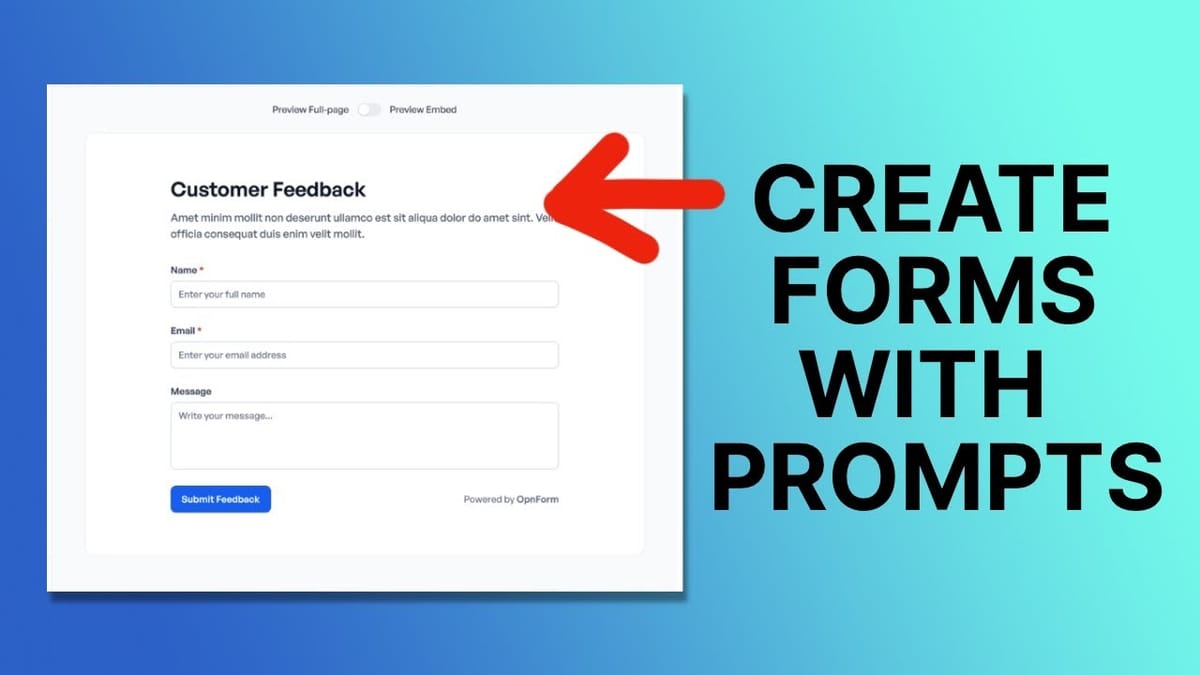
When you click to create a new form, OpnForm gives you three options: start from scratch with a blank contact form, pick from hundreds of pre-built templates, or use AI to generate one from a prompt. The template library is massive, likely because the AI makes it trivial to generate new ones, but the real magic is in the AI generation.
To test it out, I entered a prompt asking for a detailed lead generation form for a website optimization service — specifically, a form that lets people request a free website audit. I clicked generate and within about 45 seconds, OpnForm delivered a complete multi-page form. Not just a few text fields slapped together, but a properly structured form with a full name field, email with helper text, phone number with international country code selection, website URL, a goals text area, and a multi-select dropdown for services like SEO optimization, page speed improvement, content review, and UI/UX audit.
The AI even split the form across multiple pages with a logical flow. Page one collects contact details and basic info, page two handles the deeper questions and includes an hCaptcha verification. It's not using Google reCAPTCHA either — hCaptcha is more privacy-focused and doesn't make you click fire hydrants, which is a win for everyone involved.
Customizing Fields, Layout, and Conditional Logic
Once the AI generates your form, you've got full control to tweak everything. The left sidebar shows your form structure and lets you drag fields between pages, rename them, and adjust settings. Moving the page break is as simple as dragging it up or down in the field list, instantly reshuffling which fields appear on which page.
Each field has a gear icon that opens its configuration panel. You can toggle fields as required, add or remove helper text, change the helper text position (above or below the input), and rename fields to match your preferred wording. I changed 'Services Interested In' to 'Where Should We Focus?' with helper text reading 'What parts of your website need the most help?' — small tweaks that make the form feel more conversational.
Adding new fields is equally painless. Click the plus button next to any existing field and choose from the block list: text inputs, number fields, selects, multi-selects, signatures, ratings, scales, sliders, and more. I added an urgency dropdown with options like 'Just Looking,' 'Medium Priority,' and 'Urgent,' plus a star rating field asking people to rate their existing website.
The conditional logic feature is where OpnForm really flexes. You can show or hide fields based on previous answers. I set up a follow-up multi-select for SEO sub-categories (technical SEO, on-page SEO, off-page SEO) that only appears when someone selects 'SEO Optimization' as their focus area. The logic builder is intuitive — pick the field, set the condition, choose the action. No code required.
Theming, Branding, and Form Appearance
OpnForm ships with a couple of built-in themes. The default 'Simple' theme is clean and works for most situations. There's also a Notion-inspired theme if that aesthetic fits your brand better. Dark mode is available too, though I found the contrast a bit low for my taste — light mode is the safer bet for readability.
Form width can be set to centered or full-width. Centered looks best as a standalone page, while full-width makes more sense when embedding the form into an existing page layout where the parent container handles the margins. You can upload a cover image and logo for the standalone version, though these won't display when the form is embedded.
The color picker lets you set a brand color for buttons and accents, and it's smart enough to automatically choose a high-contrast text color based on your selection. You can also enter a hex code directly if you have specific brand guidelines. Additional toggles let you hide the form title, remove OpnForm branding (included with the AppSumo deal), switch to uppercase labels, enable a transparent background for embedded forms, trigger confetti on submission, and turn on auto-save so users don't lose their progress if they accidentally close the window.
Notifications, Integrations, and Submission Handling
The notification system covers both sides of the form submission. For you as the form owner, email notifications can be sent to any address when a submission comes in. There's a thoughtful reply-to setting that automatically uses the submitter's email address, so when you hit reply on the notification, you're actually emailing the person who filled out the form — not yourself. It sounds like a small thing, but I've seen countless clients accidentally emailing themselves for weeks because this wasn't configured properly.
On the submitter's side, you can enable confirmation emails with customizable sender name, subject line, and message body. You can even include a copy of their submission data so they have a record of what they entered.
Beyond email, OpnForm supports Slack notifications, Discord notifications, and webhooks. The webhook option is particularly powerful for developers who want to pipe submissions directly into a CRM, email platform, or custom application. Zapier integration is also available for no-code automation workflows, connecting OpnForm to thousands of other tools.
Submission settings give you control over what happens after someone fills out the form. You can redirect them to a specific URL or display a customizable success page. Editable submissions let people come back and update their responses, with the option to either create new records or overwrite existing ones.
Security, Access Controls, and SEO Settings
OpnForm includes several access control features that add flexibility for different use cases. Password protection lets you lock down a form so only people with the password can access it — useful for internal forms or exclusive signups. You can set a close date to stop accepting submissions after a deadline, which is perfect for event registrations, sports team signups, or limited enrollment periods. There's also an option to cap the total number of submissions allowed.
When a form is closed, you can customize the message visitors see, letting them know submissions are no longer being accepted. The form visibility toggle lets you switch between published, draft (not accessible), and closed states at any time.
On the security front, hCaptcha comes built in with a single toggle — no API keys or external accounts needed. For SEO, you can control whether your form page is indexable by search engines and customize the page title, meta description, and social thumbnail for link previews. There's even a custom code injection option for adding analytics scripts or tracking pixels to the form page's head section.
Custom Domains and Sharing Options
Connecting a custom domain is straightforward. Head to your workspace settings, add your desired subdomain (something like forms.yourdomain.com), and then create a CNAME DNS record pointing to domains.openform.com. OpnForm verifies the DNS setup automatically when you save, and once it's confirmed, you can assign the custom domain to any of your forms.
Existing form links continue working even after you connect a custom domain, so you won't break any links that are already out in the wild. Your form just becomes accessible from both URLs.
The sharing options are solid. You get a direct link, an embed code for dropping the form into any website, and even a QR code — handy for physical locations like restaurant feedback forms. Advanced sharing options include hiding the form title, auto-submitting partial responses to capture data even from people who don't finish the form, and a popup embed mode that adds a floating button to your site which opens the form in a modal overlay. The popup even lets you customize the trigger button emoji.
Final Verdict: Is OpnForm Worth It?
OpnForm hits a sweet spot that's hard to find in the form builder market. The AI generation genuinely works — you describe what you want, and you get a usable multi-page form in under a minute. The conditional logic, field variety, and customization options rival tools that charge monthly fees many times the cost of this lifetime deal.
The open source nature adds a layer of trust and longevity that proprietary tools can't match. Even if the company pivots or changes direction, the code is out there for the community to maintain. Combined with built-in hCaptcha, webhook support, Zapier integration, and custom domain mapping, OpnForm covers the full spectrum from simple contact forms to complex lead generation workflows.
At $59 for the entry tier and $99 for the 10-domain sweet spot, the AppSumo lifetime deal makes this an easy recommendation for anyone who regularly builds forms. Agencies should look seriously at the $199 unlimited tier. It's one of those deals where the value is obvious enough that you don't need to overthink it.
Watch the Full Video
Prefer watching to reading? Check out the full video on YouTube for a complete walkthrough with live demos and commentary.


