
Path Pro Review: A $49 Product Roadmap Tool Worth It?
Path Pro is a lifetime deal on AppSumo that gives you feature voting boards, product roadmaps, and release notes for just $49. It has solid bones but needs some polish.

Path Pro
A feature voting and product roadmap tool that lets your customers submit ideas, upvote features, and track development progress.
Software developers, SaaS founders, and product teams who need to collect user feedback and communicate their product roadmap publicly.
Canny, Nolt, Fider, UserVoice
What Is Path Pro?
If you've ever used a tool like Canny or Nolt to collect feature requests from users, Path Pro occupies the same space — but at a fraction of the cost. It's a feature collection and product roadmap tool currently available as a lifetime deal on AppSumo, meaning you pay once and skip the monthly fees entirely.
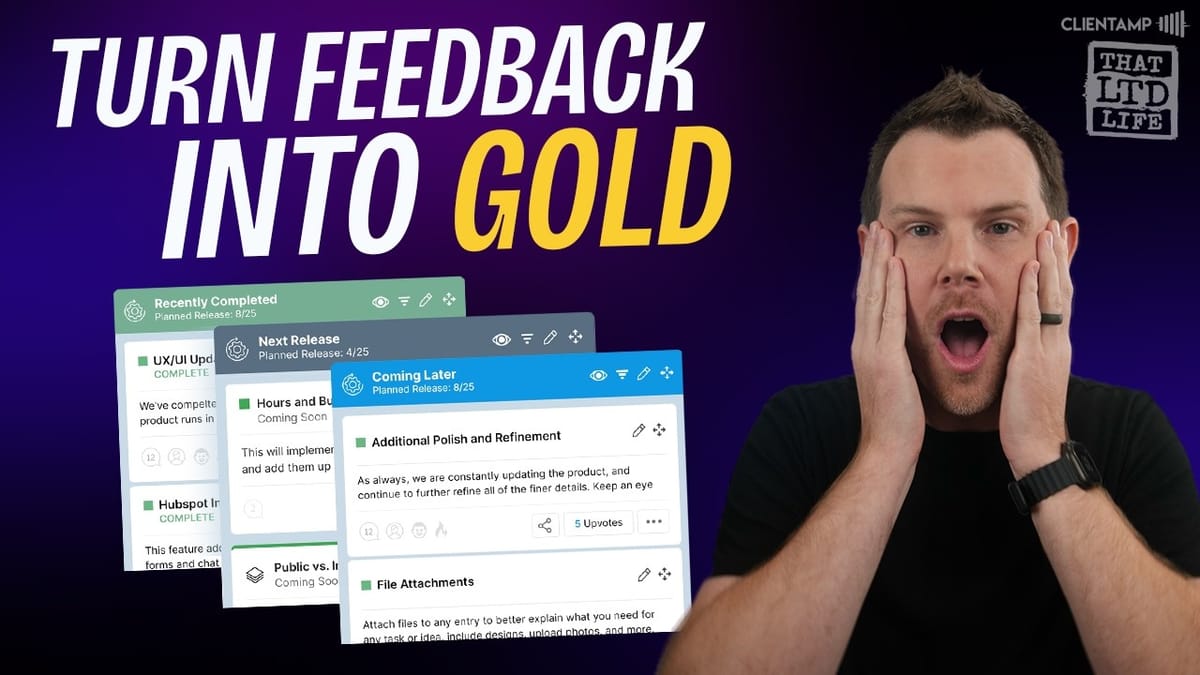
The core idea is straightforward. You set up a public-facing board where customers can submit ideas for your product or service, and other users can upvote the ones they care about most. Your team reviews submissions, moves items through a Kanban-style roadmap, and publishes release notes when features ship. It's the kind of tool that software teams have used for years, but Path Pro makes it accessible to smaller businesses and solo founders who don't want to pay hundreds per month for the privilege.
Plans and Pricing
Path Pro starts at $49 for Tier 1, which gets you two projects (think of these as products or services), up to 200 community members, and four team members. That's a reasonable starting point for a solo founder or a very small operation, but AppSumo has structured the tiers to nudge you upward.
Tier 2 bumps you to unlimited community members and unlimited team members, which is a significant jump. You also get private roadmaps and task lists. Tier 3 adds white labeling — you can remove the Path Pro branding and replace it with your own logo. All tiers include custom domain support, and Tier 3 will even issue you an SSL certificate once you've connected your domain.
The real question is how many projects you need and whether your customer base will exceed 200 people. If you're running a SaaS with any traction at all, Tier 2 is probably the realistic starting point. Still, even at the higher tiers, you're paying a one-time fee versus something like Canny at $359 per month.
Dashboard and Project Setup
The Path Pro dashboard is functional and clean, if not particularly flashy. Once you're inside, you'll set up your projects — each one representing a product or service you want to collect feedback on. For example, you could create a project for your main SaaS product and a separate one for a secondary tool or service.
Each project acts as a self-contained workspace with its own roadmap, feature voting board, release notes, and community members. The organization makes sense, and it's easy to navigate between the different sections from the left-hand sidebar. Everything works as you'd expect — no confusing UI patterns or hidden menus.
The Roadmap and Task System
The roadmap section uses a Kanban-style layout where you create task groups that represent stages of development. You might set up columns like "User Submitted Ideas," "In Production," and "Published" — or whatever workflow makes sense for your team. Tasks live inside these groups and can be dragged between them as they progress.
Each task has a decent set of properties. You can assign a title, description, type (things like CSS updates, code updates, UI/UX updates, feature requests), visibility, and status. There's a slight overlap between the Kanban stages and the built-in status field (options like "Coming Soon," "Complete," "Confirmed"), but you can use them together to communicate more nuance. For instance, a task might sit in the "Ideas" column but carry a "Confirmed" status to signal that it's definitely happening.
Tasks can be assigned to team members, and you can give credit to the end user who originally submitted the idea. That's a nice touch — when you ship a feature and publish a changelog, the person who suggested it gets recognized. The discussion section on each task supports upvoting, commenting, nested replies, and pinned comments. It covers the basics of what you'd need for collaborative feedback.
The User-Facing Experience
When community members visit your Path Pro board, they see the public roadmap with all your task groups and items. They can click into individual tasks to view descriptions, see the current status, read the conversation thread, and upvote items they care about.
The interface is functional but leans toward the technical side. It's not ugly, but it's the kind of design that an engineer would build rather than a designer. If your audience is other developers, that's probably fine. If you're running a consumer-facing product and want something polished and inviting, you might find the aesthetics a bit lacking.
One notable performance issue: the upvote action is sluggish. There's a noticeable delay between clicking the upvote button and seeing the count update. During testing, it was easy to accidentally click twice and undo the vote because nothing happened immediately. It's a small thing, but it affects the feel of the tool.
Feature Voting
Feature voting is separate from the roadmap and serves as a simpler idea board. Users submit feature ideas, and the community upvotes the ones they want to see built. There's no Kanban workflow here — it's purely a list of suggestions ranked by popularity. Highly upvoted features get a flame icon to indicate community demand.
Every feature request has a shareable link, which is genuinely useful. If someone mentions a feature idea in a Facebook group or Slack channel, you can drop the direct link and let people upvote it without navigating through your entire board. Visitors who aren't logged in can view features but need to create an account to vote.
There's a minor bug worth mentioning: clicking the "Join the Conversation" link on a feature page leads to a blank white screen instead of the registration form. The workaround is to use the "Join Product" button instead, which correctly loads the signup page. It's the kind of thing that should get patched, but it's worth knowing about if you're testing the tool.
Feedback Submission and Moderation
Users submit new ideas through a simple feedback form that slides out from the side of the interface. They fill in their suggestion, submit it, and get a confirmation message. On the admin side, submissions appear in a dedicated queue where your team can review them.
The moderation workflow is clean. You can review each submission, update its details, and then route it to either the roadmap or the feature voting board. Once adopted, the item appears on the public-facing board almost immediately. This gating step is important — it means you're not publishing every random suggestion to your public roadmap without review.
The one thing that felt slightly off is how adopted features display on the voting board. New items appear in a grid layout rather than a list, which can look a bit scattered when you only have a few items. A list view option would make the feature voting section feel more organized.
Release Notes and Project News
Release notes are created by your team rather than generated by users. You write up a changelog entry, associate it with completed tasks, and publish it so your community knows what shipped. The editor is basic — a simple text field with standard formatting. It gets the job done for straightforward changelogs.
Project news works like a notification bar (similar to what Beamer does). A bell icon appears on your board, and users can click it to see important announcements. AppSumo themselves use a similar feature on their own site. It's useful for highlighting major updates or time-sensitive news that you don't want buried in the release notes feed.
The project news editor is quite limited, though. There's no support for images, GIFs, embeds, or even basic links. You're working with plain text only, which makes it hard to create visually engaging updates. Adding support for media embeds and YouTube links would make this feature significantly more useful for product launches and demo announcements.
Community and Team Management
Path Pro gives you visibility into your community members — you can view their profiles, see where they've participated, read their comments, and change their roles. Role options include community member, lead developer, and elite contributor, which gives you some flexibility in how you organize your user base.
Team members are managed separately. These are the people on your side who review submissions, update the roadmap, and manage the platform. You assign them to specific projects, and they get admin-level access for those projects.
There's a ban feature for dealing with problematic users, but during testing it didn't work correctly. Attempting to ban a community member triggered an error message, and the user remained active. The option to ban disappeared after the failed attempt, and subsequent tries returned an "unauthorized" error. This is a bug that the development team needs to address — moderation tools are essential for any community-facing platform.
Settings, Design, and Customization
The settings panel lets you upload your logo, change the language, and rename the main navigation labels (feature voting, roadmap, release notes, project news, and the submit feedback button). Custom domain support is available across all tiers, with SSL certificates issued automatically once you connect your domain.
There's a custom CSS option for users who want to restyle the interface, which is a nice escape hatch if the default look doesn't match your brand. However, doing a full visual overhaul through CSS alone would be a significant undertaking.
The customization options feel incomplete. You can rename some labels but not all of them — for example, the "Join Product" button that appears for logged-out users can't be changed, and it feels a bit cold as a call to action. Ideally, every piece of user-facing text should be customizable so you can match the tone of your brand.
Final Verdict: 6.6 out of 10
Path Pro earns a 6.6 out of 10. It's a well-thought-out tool with solid fundamentals — the feature voting, roadmap, release notes, and feedback submission workflow all make sense and work as expected. The project structure is logical, the moderation queue is useful, and the shareable links for feature requests are a genuinely handy touch.
Where it falls short is the polish. The user interface leans heavily toward the technical side and could use a design refresh. The upvote lag is noticeable, the ban feature is broken, the project news editor is too limited, and the customization options don't go far enough. These aren't dealbreakers, but they add up.
The value proposition comes down to price. When you compare a one-time $49 payment to Canny's $359 per month, it's hard to be too critical about an interface that's merely functional rather than beautiful. If you need a product roadmap and feature voting tool and you're not ready to commit to a premium monthly subscription, Path Pro gives you the bones at a price that's hard to argue with. Just go in knowing you're buying potential as much as polish.
Watch the Full Video
Prefer watching to reading? Check out the full video on YouTube for a complete walkthrough with live demos and commentary.


