
Playzo Review: Create Marketing Games and Quizzes Easily
Playzo is a no-code platform for creating branded marketing games and AI-generated quizzes. Here's a hands-on look at what it can do and where it falls short.

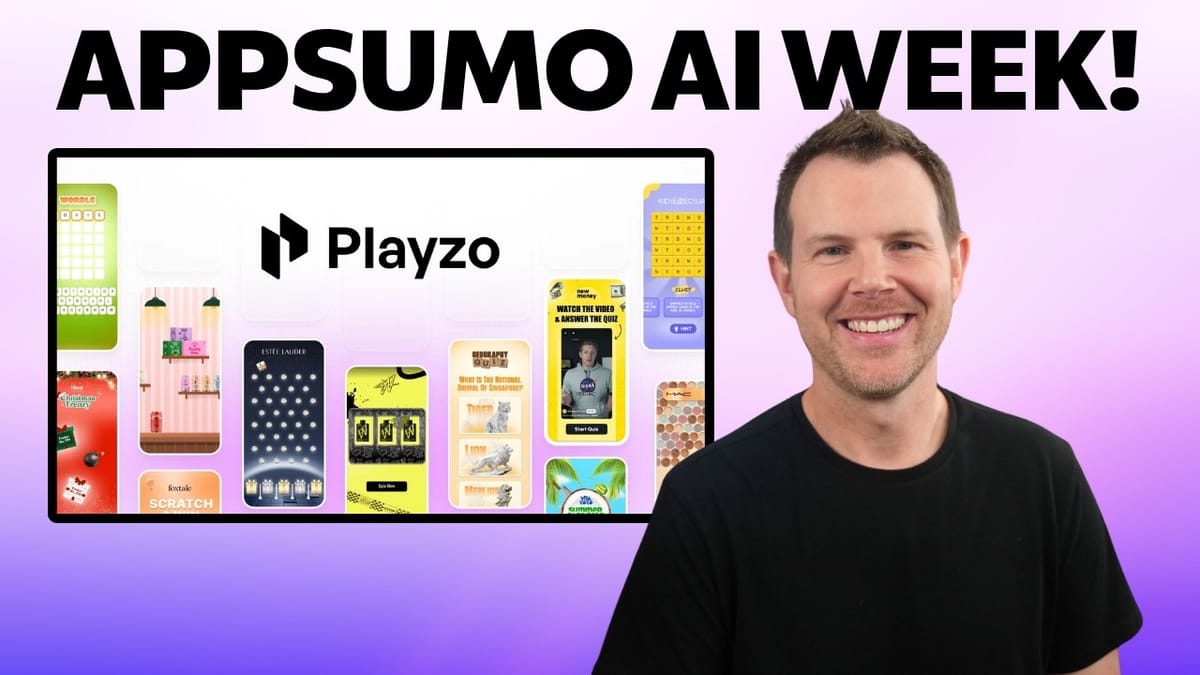
Playzo
Playzo lets you create branded interactive games, spin-to-win wheels, scratch cards, and AI-powered quizzes to capture leads and engage your audience — no coding required.
Marketers, e-commerce store owners, and educators who want to gamify lead generation or create interactive quizzes for courses.
Gamify, Dot.vu, Involve.me, Outgrow
Why Gamified Marketing Actually Works
You've seen them everywhere — scratch-and-win popups on e-commerce sites, spin-to-win wheels dangling a discount code, even Wordle-style games that keep you coming back to the same website day after day. These interactive experiences work because they tap into something deeply human: we love games, and we'll happily hand over our email address for a chance to win something.
The problem has always been the development side. Building a custom branded game from scratch means hiring a developer, designing assets, and dealing with ongoing maintenance. That's where Playzo comes in. It's a new lifetime deal on AppSumo that takes the development headache out of the equation, letting you customize pre-built games with your own branding, products, and lead capture forms.
Playzo's Game Library: What's Available
Playzo comes with an impressive library of game templates that should feel familiar to most people. You'll find classics like crossword puzzles, match-three games (think Bejeweled or Candy Crush), Wordle-style word games, scratch cards, spin-to-win wheels, and even a Fruit Ninja clone.
The real standout is the variety. These aren't just generic mini-games — many of them support product images, which means you can swap in your own merchandise. Imagine a match-three game where customers are matching your actual products instead of cartoon candies. It turns what would normally be a throwaway popup into something people genuinely want to interact with.
Playzo also offers AI-powered quizzes, which opens the door beyond marketing into education. If you're running online courses, you can use the quiz builder to test comprehension and keep students engaged. More on that later.
Customizing a Game: The Hands-On Experience
To get a feel for the customization process, let's walk through building a match-three game from scratch. When you create a new game, you're working with three main screens: the game screen (where the actual gameplay happens), the lead screen (where players enter their contact info), and the end screen (where results and rewards are displayed).
The game screen editor is where you'll spend most of your time. You can swap out the background image, replace all of the in-game items with your own product photos, and adjust the grid layout including padding and spacing. Everything updates in a live preview as you make changes, which makes the whole process feel responsive and intuitive.
You also have control over the game mechanics themselves. For the match-three game, you can set how many moves players get (the default is 10) and define score thresholds that determine whether someone wins a prize. Want to make it harder? Drop the moves down to 8. Want to offer tiered rewards? Set multiple score brackets on the end screen.
Score, Typography, and Visual Polish
Every text element on the game screen — score display, moves counter, labels — can be repositioned using X/Y coordinates, resized, and recolored using hex values. This level of control is appreciated, though the typography options could use some work.
Playzo includes a small selection of built-in fonts, and you can upload your own TTF files if you have a brand font. However, the built-in options are limited and many of them look quite similar. It would be a significant improvement if Playzo integrated the full Google Fonts catalog instead of the small curated list they offer now.
There's also a persistent text outline (a black border around all text) that's designed to ensure readability on any background. It works, but there's no option to remove it. If your brand aesthetic doesn't include outlined text, you're stuck with it. These are relatively minor issues, but for a tool focused on brand customization, having full control over typography matters.
Lead Screen and Form Customization
The lead screen is where you capture contact information from players. Playzo provides a fixed set of form fields — name, phone number, email, address, and date of birth — and you can toggle each one on or off. There's no way to add custom fields beyond what's provided, so if you need something specific like a company name or job title, you're out of luck.
Positioning and layout controls are solid. You can move the form around the screen, adjust spacing, and swap out the background image. The submit button is handled differently than you might expect: rather than styling a built-in button, you upload your own button image. This means you'll need to do a bit of graphic design work (or grab a button asset from somewhere like Envato), but the upside is that it can perfectly match your existing website buttons.
There's also an optional terms and conditions checkbox that you can require before submission. One improvement worth noting: font and color settings are configured per-screen rather than globally. This gives you flexibility but also means you need to manually keep things consistent across all three screens. A global brand settings panel would save time and reduce errors.
End Screen, Rewards, and Calls to Action
The end screen is where you map player performance to outcomes. Playzo calls these "game over cases," and you can create multiple winning tiers alongside a single losing screen. For example, you might offer a 10% discount for scores between 100 and 300, a 20% discount for 300 to 500, and a free product for anything above 500.
Each case can include a play-again button (useful for giving losers another shot), a call-to-action button linking to any URL, and a coupon code. The CTA setup is flexible enough to send players to your store, a landing page, or even another game.
For quiz-based games, there's an additional feature: certificate generation. You can enable a "Generate Certificate" button that appears when someone passes, and customize the certificate with your own background image and text. This is a nice touch for educators who want to give students something tangible after completing a course module.
Game Mechanics, Sound, and Publishing
Under the mechanics settings, you can toggle sound effects on or off and replace any of the default sounds with your own audio files. There's also a loading animation that can be swapped out with a custom SVG, and the color of the default loader is adjustable.
When your game is ready, publishing is straightforward. You get three deployment options: a direct URL you can share, an embed code for dropping the game into your existing website, and a floating widget that overlays the game on any page. The embed and widget options make it easy to add gamification to an existing site without any major redesign.
Custom Domains and AppSumo Pricing Tiers
One of Playzo's more impressive features is custom domain support. You can point a subdomain like games.yourbrand.com to your Playzo games, making the whole experience feel native to your business. The number of custom domains (CNAME records) you get depends on your AppSumo tier.
Here's what you need to know about the tier structure: Tier 1 starts at $59 and gives you 5 custom domains with 6,000 monthly views. That's probably fine if you're just getting started. However, two important features are locked behind higher tiers. Removing the Playzo watermark requires Tier 2, which will push most serious users up a level. And if you want a leaderboard — which is essential for education-focused use cases where students compete — that doesn't unlock until Tier 4.
For established brands with significant traffic, Tier 4 or Tier 5 is likely the right fit. Take a close look at the monthly view limits for each tier to make sure you're covered.
Building a Quiz with AI
Playzo's AI quiz builder is arguably its most forward-looking feature. There are five quiz templates to choose from, including a video quiz template that was actually added based on user feedback from Sumo-lings who purchased the tool during its first AppSumo run.
The video quiz template adds a start screen where you can embed a video — perfect for creating a lesson-then-quiz flow. The video player is optimized for vertical/mobile-first layouts, though it handles standard 16:9 content as well. You can adjust the video container dimensions to accommodate different aspect ratios.
The quiz editor follows the same three-screen pattern (start, game, end), and the game screen is where the AI features live. Clicking "Generate with AI" lets you specify a topic, number of questions, options per question, and difficulty level. The AI then generates the full quiz — questions, answer options, correct answers, and even explanations for why each answer is correct.
AI Quiz Generation: How Well Does It Work?
In testing, the AI generated a three-question HTML basics quiz with four options per question at hard difficulty. The questions were well-formed, the correct answers were accurate, and each came with a clear explanation. The generation process is fast — questions appeared in real time as the AI worked through them.
Playzo supports AI quiz generation in a comprehensive list of languages, making it viable for international educators and marketers. Once generated, every question can be manually edited if you need to fine-tune the wording or swap out options. You can also add images to individual questions or answer choices for a more visual experience.
One important detail: the AI doesn't randomize correct answer positions automatically. You'll want to review each question to make sure the correct answer isn't always in the same slot, which could make your quiz too predictable.
Quiz End Screen and Certificates
The quiz end screen works similarly to the game end screen, with score-based cases determining what message and options players see. You can set it up so that passing students see a "Next Lesson" button that links to another quiz, effectively chaining quizzes together into a self-paced course.
The certificate feature shines here. When enabled, students who pass can generate and download a certificate directly from the results screen. You upload a certificate template image and configure overlay text (like the student's name and completion date). It's not the most sophisticated certificate builder, but it gets the job done for lightweight credentialing.
Final Verdict: Is Playzo Worth It?
Playzo is a genuinely intuitive platform. The editor is well-organized, the live preview makes customization feel immediate, and the learning curve is minimal. You don't need to hunt around for features — everything is pretty much where you'd expect it to be.
The areas where it could improve are relatively minor: better built-in font selection (or Google Fonts integration), the ability to remove text outlines, global brand settings that apply across all screens, and the option to add custom form fields. None of these are dealbreakers, but they'd elevate the tool from good to great.
The bottom line is that Playzo is dramatically cheaper and faster than hiring a developer to build custom marketing games. If you're in e-commerce and want to gamify lead capture, or you're an educator looking for an engaging way to quiz students, Playzo delivers solid value — especially at the lifetime deal price. Rating: 8.1 out of 10.
Watch the Full Video
Prefer watching to reading? Check out the full video on YouTube for a complete walkthrough with live demos and commentary.


