
AppSumo Black Friday Drop 2: Zapier Alternatives + AI SEO That Works
AppSumo Black Friday Drop 2 features four automation tools: Meetin video conferencing, ClickRank AI SEO, Robomotion RPA, and Albato Zapier alternative. Prices increase in 7 days. Here's my honest review of each tool and who should buy them.

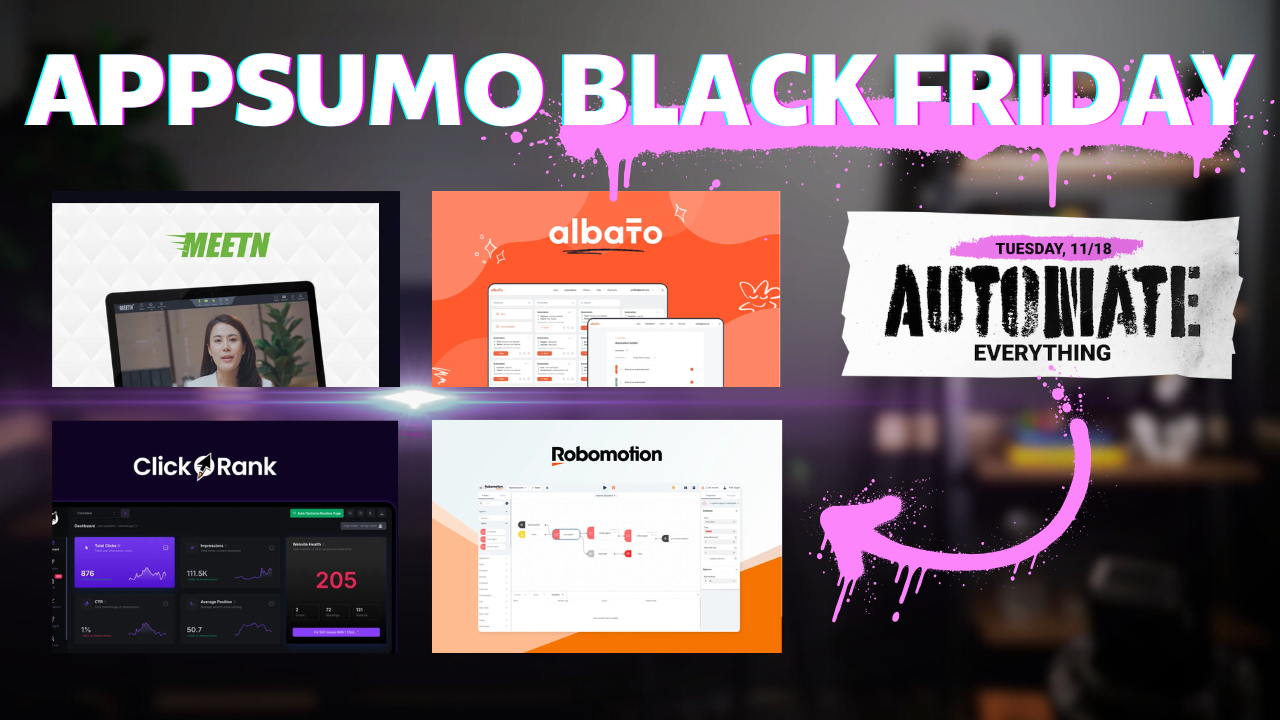
AppSumo's Black Friday week continues with drop number two, and the theme is automate everything. I'm covering four tools that can help you cut software costs and streamline your workflow: Meetin (video conferencing), ClickRank (AI-powered SEO), Robomotion (robotic process automation), and Albato (Zapier alternative).
These deals are available now, and you'll get the best price if you act within seven days. After that, prices increase by 10-15% depending on which tier you choose. This video isn't sponsored by anyone except you. If you're planning to shop AppSumo this Black Friday, I'd appreciate it if you use my affiliate link to support the channel.
AppSumo Black Friday Drop 2 – Automate Everything [00:00]
Drop number two is all about automation. Whether you're trying to replace expensive monthly subscriptions or automate tasks you currently do manually, at least one of these four tools should fit your needs. I'll walk through each one, show you how they work, and you can decide if they're worth adding to your collection.
Meetin – Video Conferencing That Doesn't Break the Bank [00:39]
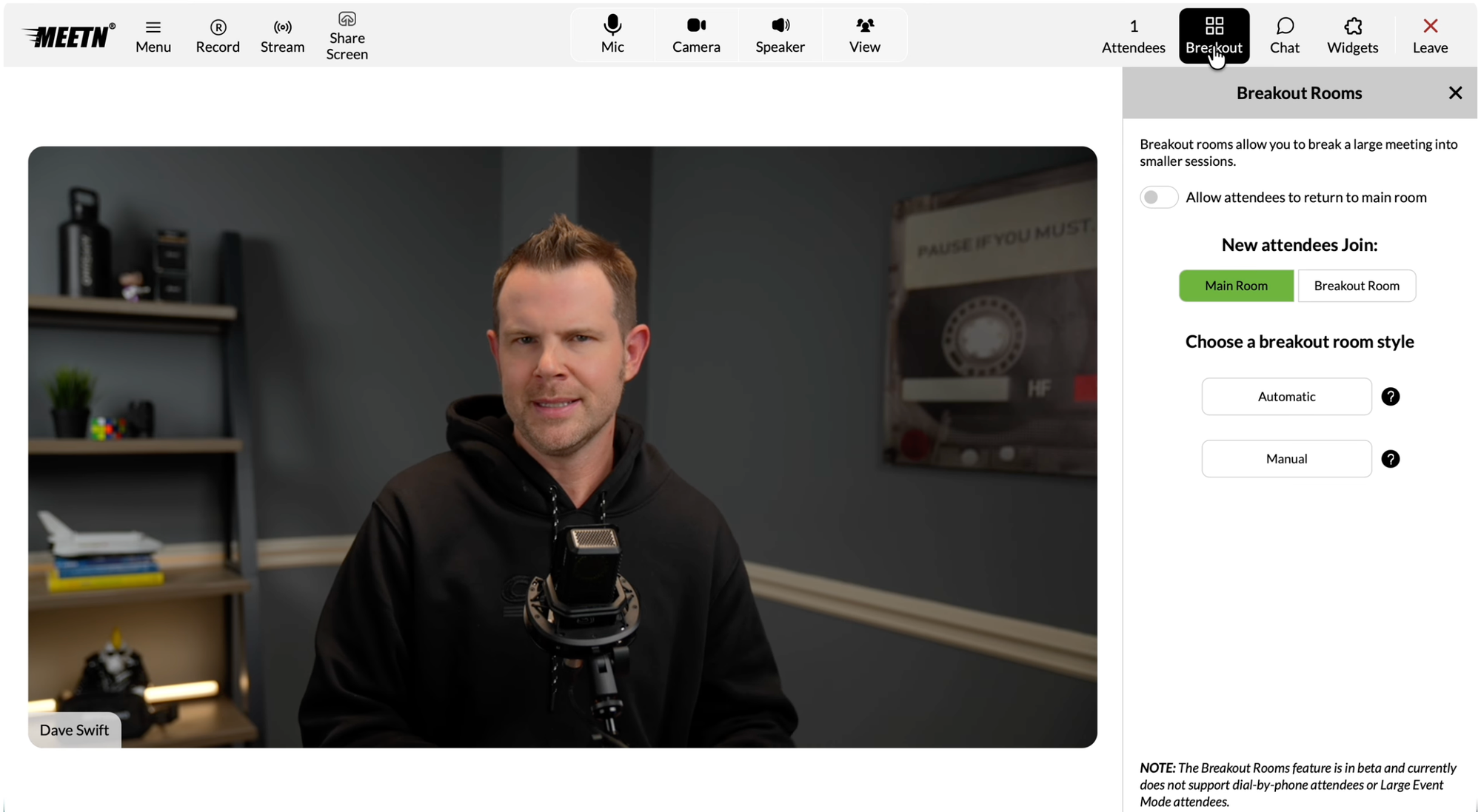
Meetin is a video conferencing platform that lets you do one-to-one meetings, group meetings, and even stream to social media platforms if you want to go live. Think of it as your grandma's Zoom—and I mean that as a compliment. The interface features really nice, big, clear buttons that you don't have to hunt for.
Interface and Core Features
The platform has large, obvious buttons for mic, camera, and speaker controls. If you want to mute your mic, just click the button. Want to turn off your camera? It's right there. The speaker button mutes sound from other people, which can be confusing at first if you're expecting it to control your own audio.
You get multiple view options including gallery view, active speaker, and active speaker excluding yourself. The platform supports up to 24 videos max, which should cover most meeting scenarios. You can even do webinars, though you need to upgrade to tier two to access those features.
Advanced Capabilities
One feature I really appreciate is breakout rooms. If you're hosting large meetings or training sessions, you can give a presentation to everyone and then split people into breakout rooms for more detailed discussions. There's also text chat built in, with options to message everyone, just the host, send private messages, or use Q&A style communication.
Meetin includes widgets that let you preload slides or graphics you want to display during presentations. This makes it useful for more formal presentations where you need to show specific materials.
Quality and Performance
Based on the AppSumo reviews I've seen from people using this over several months, most users are happy with the service. Some complaints about audio quality or video artifacting exist, but those issues often relate to upload speed and overall bandwidth of meeting participants rather than the platform itself. If you have slow internet at home, you're not going to have great video quality whether you're using Zoom, Google Meet, or Meetin.
Live Streaming Integration
What I really like about Meetin is the ability to stream directly to social media platforms. This lets you reach a larger audience at once without dealing with third-party software. After your event ends, the link you shared becomes a replay link. I don't always have time for live events, but I often want to see the presentation. With a replay, I can watch at 2x speed and get through it quickly.
Who Should Consider Meetin
If you're sick of paying for Zoom or you're currently spending thousands of dollars a month on webinar services, Meetin deserves a look. Tier one has some limitations, but tier two opens up significantly more features including three meeting rooms and much more storage.
ClickRank – AI-Powered SEO Built for the LLM Era [03:28]
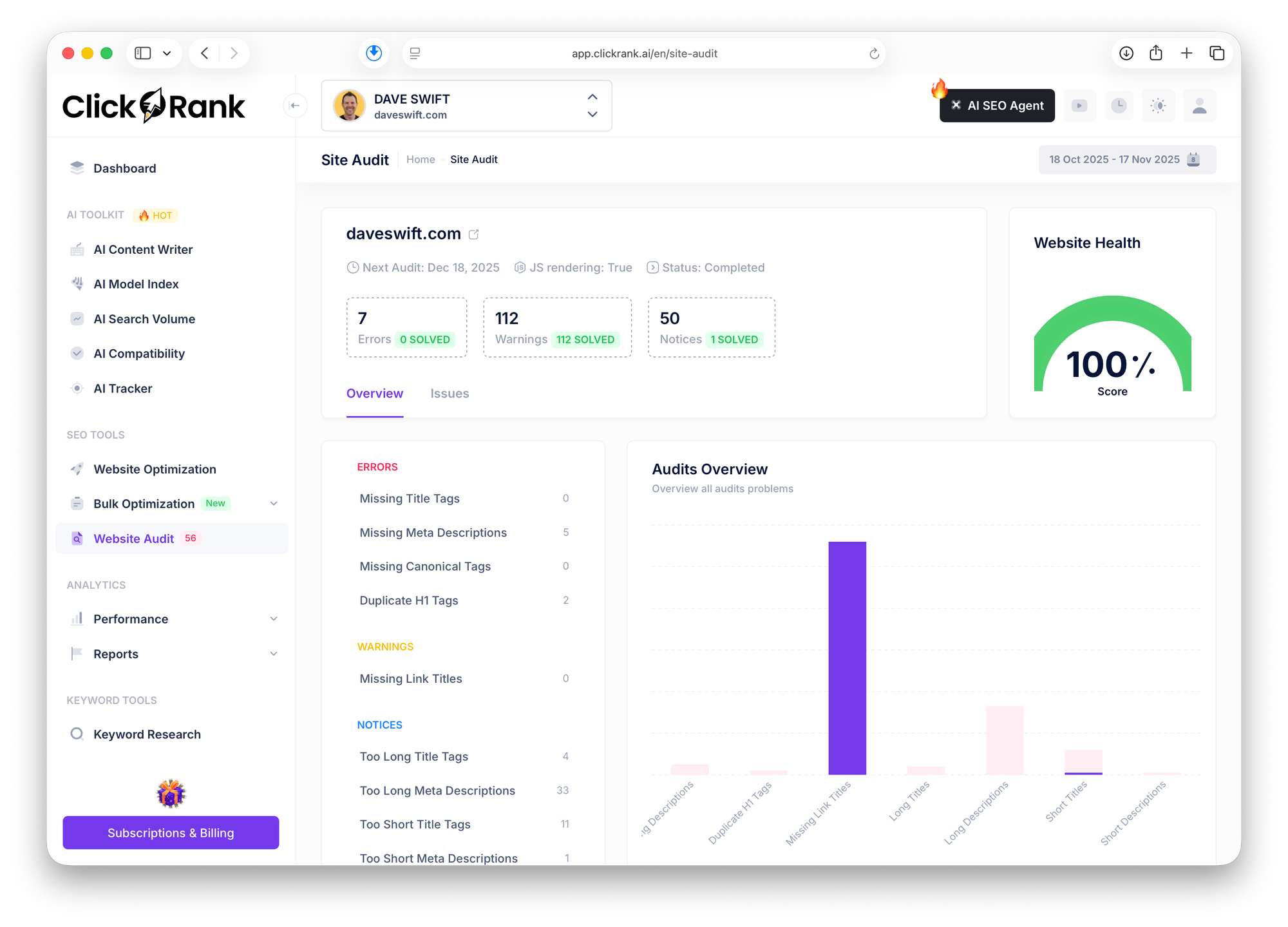
ClickRank is an SEO tool that promises to automate your optimization efforts so you can rank higher in search engines. What sets ClickRank apart is that it's forward-thinking. It's not stuck in old-school SEO tactics. There are AI tools baked right in, and it actually pays attention to how LLMs observe your content. That's really important as search evolves.
I'm going to give you a speed run through this application. If you want a deeper analysis of ClickRank with exhaustive detail, let me know in the comments. I really like this tool and there's a lot to cover.
Five Main Components
ClickRank has four or five main areas:
- AI Toolkit - Multiple AI-powered features to speed up content creation and optimization
- Traditional SEO Tools - Website audits, but AI-powered to work much faster
- Analytics and Reports - Thoughtful reports that surface low-performing pages
- Keyword Tools - Research and tracking across different websites
- AI SEO Agent - This is marked with a fire emoji for good reason
The AI SEO Agent
The AI SEO agent is like having an SEO agency on contract that knows everything about SEO, except it's AI and won't laugh at you if you ask silly questions. You can ask about your performance, how to improve things, put together an action plan, or identify critical issues that need solving.
Setup Process
Setup is straightforward. When you enter your domain name, ClickRank provides a script to add to your website, or if you're using WordPress, they have a plugin. I also recommend connecting Google Search Console so the tool can grab all the data Google knows about your website.
If you're privacy-focused and try to avoid Google products, Search Console is the one I recommend you reconsider. You're not giving data to Google—Google is telling you what they know about your website based on search behavior. If you're showing up in Google search results, they're just letting you know if you're getting clicked on. That's valuable information.
AI Content Writer
ClickRank includes an AI content writer that lets you create full blog articles inside the tool. You never have to stare at a blank page again. Just add your topic, language, and country, then begin writing. The tool walks you through selecting a title, intro, headline structure, and then uses AI to create the article.
Creating content with LLMs has become so common that it's not even impressive anymore. So many tools do this. But having it integrated into your SEO platform means you can create optimized content without switching between different tools.
LLM Visibility Score
This is where ClickRank gets really interesting. It shows you an LLM visibility score—basically how visible your content is to AI models. You can view scores across different models including GPT-4, Claude, Gemini, and others. Each model gets scored, and you can view details showing what needs improvement.
For example, it might tell you that you need more authoritative sources. Or it might mention brand public reviews, suggesting you use platforms like G2, Capterra, or Trustpilot. Personally, I don't trust those platforms myself, but that's just my opinion.
Website Optimization Features
The website optimization section lets you analyze your pages and see what needs improvement. Then you can have the AI do it for you. For example, if your about page only has two clicks, that's not very good. You can click "auto optimize" and it will improve that page by looking at metadata, descriptions, and finding ways to make it more clickable and interesting.
If you don't want to do page-by-page optimization, there's bulk optimization. Under bulk titles or bulk meta descriptions, you can select all the pages you want optimized at once. The tool can rewrite titles or generate better meta descriptions for multiple pages simultaneously.
Reports and Analytics
The reports are thorough and have a great interface for building new reports. This is where you connect your Google Search Console data. Without that connection, you won't get many of these reports, but once connected, you get valuable insights like low click-through rates by page. These are your stinkers—pages that aren't performing well and need improvement.
Who Should Use ClickRank
Whether you have one website or many, you can choose a plan that works for you. This tool isn't really built for agencies to use on clients. The max plan supports eight websites. But if you're an entrepreneur managing everything on your own, this could save you from contracting a dedicated SEO agency.
If you already know a little about SEO but don't have time to do everything manually, you can guide the AI and get things done in a fraction of the time. SEO still matters. LLMs matter too, but your website is still how customers find you. Don't give up on it. Continue to innovate and make your website better.
One criticism I have about the platform is that it's kind of slow. You click something and there's a loading screen every time. If they could get rid of that, the experience would feel much better. But honestly, it's not that bad. The loading screen itself makes it feel slower than it probably is.
Robomotion – Robotic Process Automation [11:46]
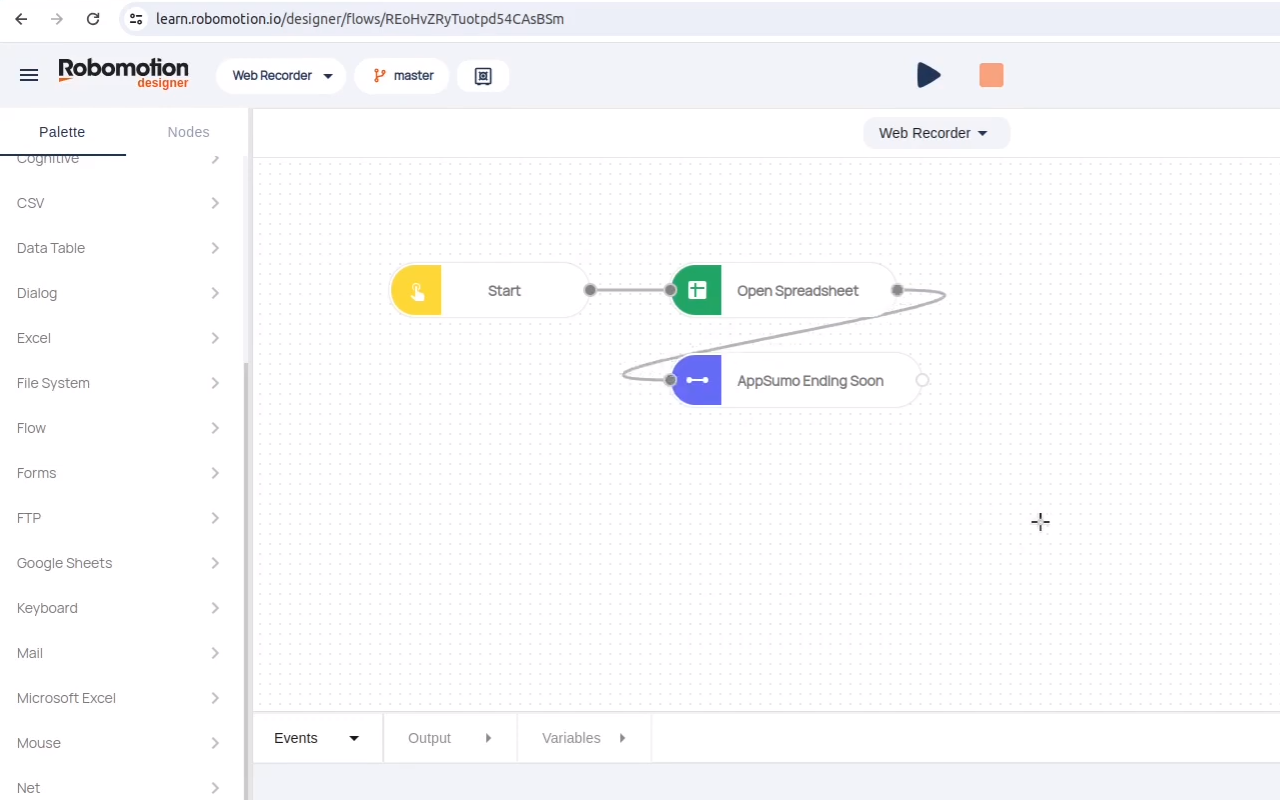
Robomotion and Albato are both automation tools, similar to what I think of when I consider platforms like Zapier. You have a flow with a trigger, some actions happen, and you get a result. But while they're both automation platforms, they're extremely different.
What Makes Robomotion Different
Robomotion is what they call robotic process automation. The real distinction here is that Robomotion can control a keyboard and mouse. That means it can automate anything you could do on your computer.
You can set up Robomotion to control a computer—either your own local computer by installing their software, or by running it in the cloud.
Previous AppSumo Appearances
Robomotion has been on AppSumo before. They were part of Black Friday last year. They've now diversified and made their product much more accessible to end users. Prior to their "for users" section, this tool was really meant for hardcore computer users who wanted to automate as much as possible.
Powerful Integrations
Robomotion has a ton of powerful integrations. You'll see LLMs including Llama and ChatGPT. There are also all the productivity tools you typically use—Google apps, social media platforms, and many other tools it works well with to accomplish things you can't do any other way.
The Agent Marketplace
With the "for users" side of things, they've opened a shop where you can grab pre-built agents. Most of them right now focus on things like making AI images. They integrate with tools like Nano Banana. That seems to be the trending use case people are taking advantage of.
I love this direction for the company. If there are more pre-built, usable agents available, it's going to make this tool much more accessible to more people.
Who Should Choose Robomotion
If you want to automate tasks that other platforms can't handle—tasks that require actual keyboard and mouse control—Robomotion is your answer. It's still a power user's tool, but the agent marketplace is making it more approachable for everyday users.
Albato – Traditional Automation Done Right [13:55]
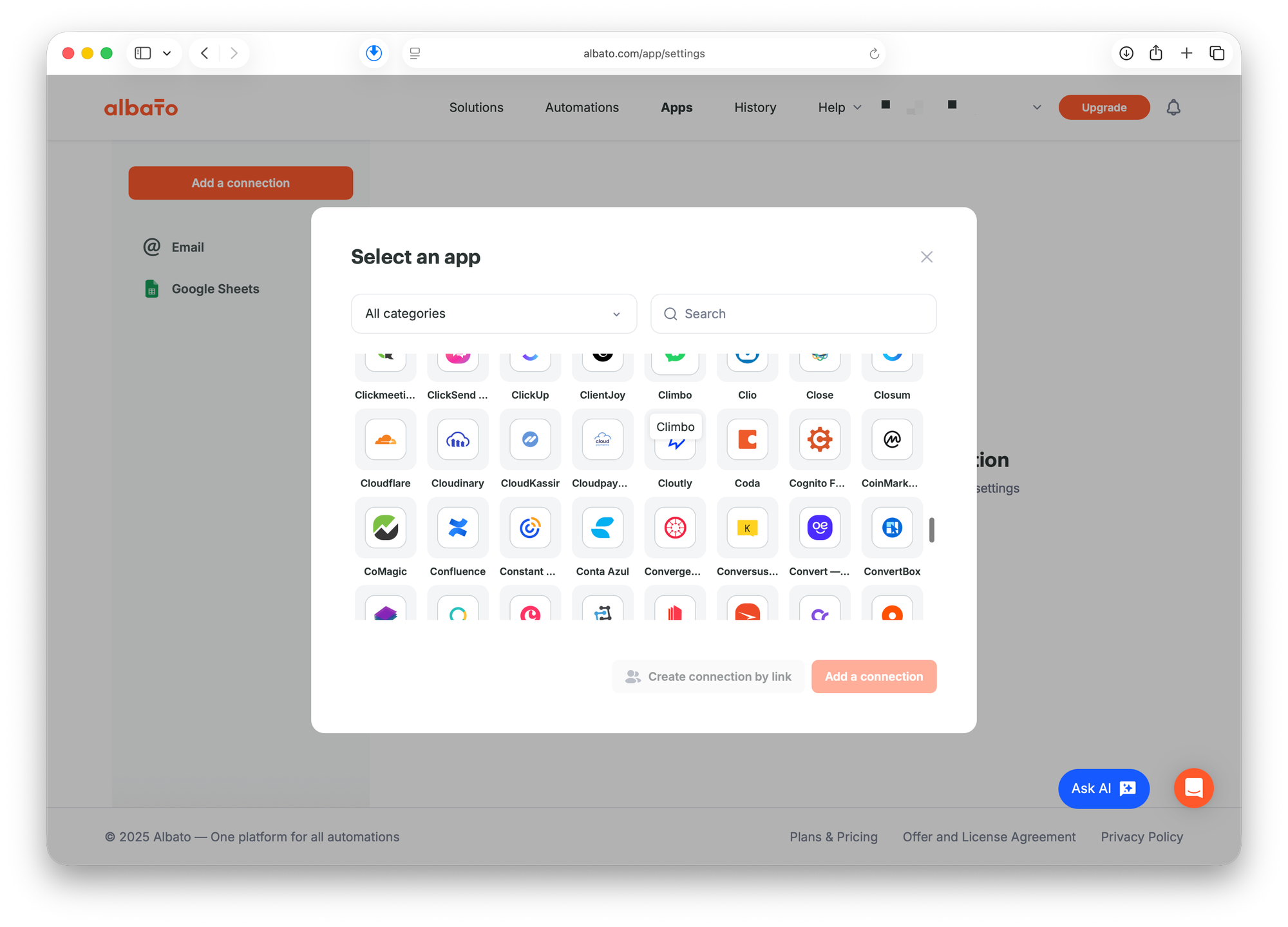
Albato has a marketplace with presets—over 1,400 presets included. But it's not shying away from being a power user's tool. To be clear, Robomotion is still a power user's tool too, but Albato hasn't done anything to move into the consumer-centric area. It's staying focused on what it does best.
How Albato Works
Albato is more like a traditional Zapier-type tool. With these types of platforms, I always recommend looking at what apps are supported natively. With Albato, you get a ton of integrations.
You can always use webhooks and web requests to grab data, but unlike Robomotion, Albato does not have the ability to use keyboard and mouse automation. It's a different approach to automation entirely.
Massive Integration Library
The list of supported platforms is extensive. Scrolling through the integrations, you'll see hundreds and hundreds of apps. The automation builder can be very simple with a list view, or if you want branching effects, you can open things inside the canvas view.
Building Automations
You start with a trigger and add your actions. Email could be an action where you send via SMTP, or you can add whatever integration you need. The process is straightforward if you've used similar automation tools before.
The AI Tutorial Finder
Albato has added an AI aspect, though it's not a true agent where you can say "make a connection between my Gmail and my productivity tool." That would be awesome, but it doesn't exist yet. Currently, it's a tutorial finder. You start with "how to" and it helps you find relevant tutorials. It's better than nothing.
Choosing Between Robomotion and Albato
If you're deciding between these two platforms, think about your use case. Are there things you want to automate that you can't do any other way? Maybe you've tried other platforms and can't figure out how to automate a certain task. Then give Robomotion a try.
If you're simply trying to eliminate Zapier fees, Albato is probably the way to go, especially if you check the integrations and find the apps you need are already supported. If you're not a developer and don't want to deal with webhooks, definitely look into Albato.
<div class="kg-card kg-button-card kg-align-center"><a href="https://appsumo.8odi.net/09JmGY" class="kg-btn kg-btn-accent">Get Albato on AppSumo</a></div>
Final Thoughts and Pricing Reminder [16:12]
These four automation tools represent different approaches to solving workflow problems. Meetin tackles the expensive video conferencing problem. ClickRank addresses SEO in the age of AI and LLMs. Robomotion handles automation tasks that require actual computer control. And Albato provides a solid Zapier alternative with extensive integrations.
Remember, you need to act within the next seven days to lock in the best price. After that, prices increase by 10-15%. That's how AppSumo's Black Friday drops work—early adopters get rewarded.
I'll be watching the comments. If you have questions about any of these tools, feel free to ask. Tomorrow I'll be back with drop number three.


