
Prosp Review: LinkedIn Outreach with AI Voice Cloning
Prosp is a LinkedIn automation tool with a standout feature: AI voice cloning for personalized outreach. Here's a full walkthrough of how it works and whether it deserves a spot in your sales stack.

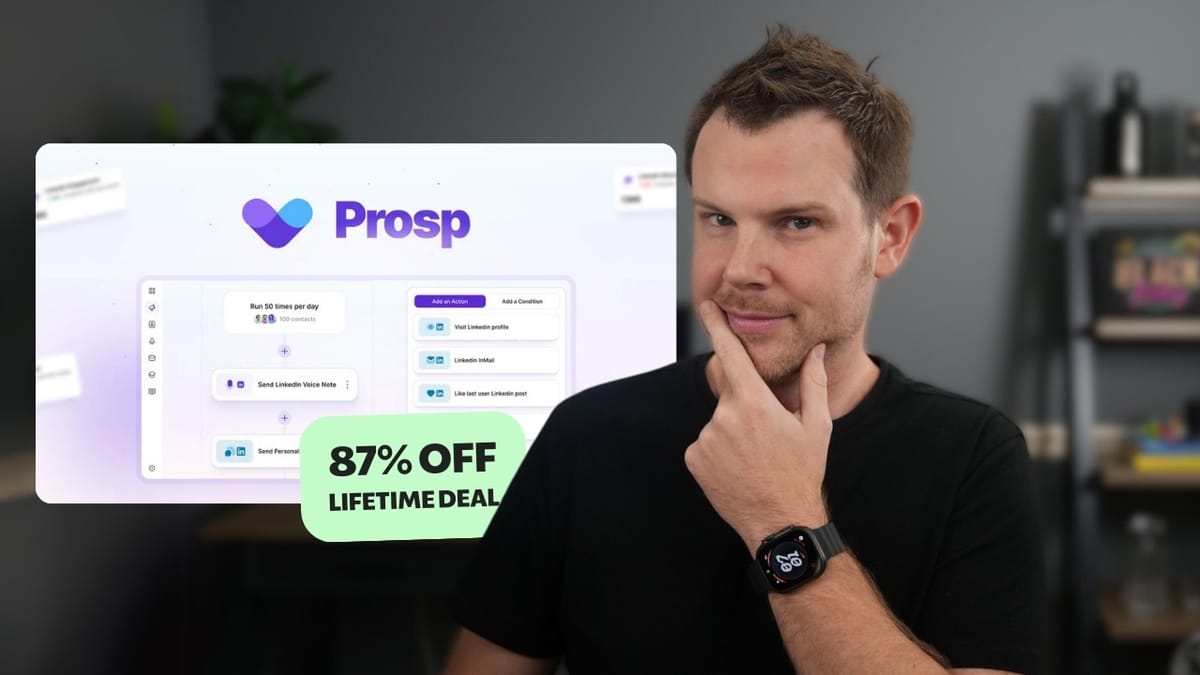
Prosp
Automates LinkedIn outreach campaigns with AI-personalized messages and voice cloning.
Sales professionals, agencies, and B2B marketers who rely on LinkedIn for lead generation and cold outreach.
Dux-Soup, Expandi, Waalaxy, LinkedHelper
What Is Prosp and Why Does It Stand Out?
Prosp is a LinkedIn automation tool that recently launched on AppSumo, and on the surface it looks a lot like the existing players in this space. You get the usual suspects: automated connection requests, message sequences, and profile visits. But Prosp has two features that genuinely set it apart — AI-personalized messaging and AI voice cloning for voice notes.
The idea is simple but powerful. Instead of blasting the same generic connection request to hundreds of people, Prosp can analyze each contact's LinkedIn profile and generate a custom message that references their actual work. And with voice cloning, you can send a voice note that sounds like you — but was generated automatically with personalized content for each lead.
Prosp also comes with a built-in CRM for managing your contacts, a visual campaign builder for designing multi-step outreach sequences, and proxy support to keep your LinkedIn account safe. There's a Chrome extension as well, which makes exporting leads from LinkedIn into Prosp a one-click affair.
AppSumo Deal Tiers and Pricing Breakdown
The AppSumo deal for Prosp comes in three tiers, and the differences are pretty straightforward. Tier one gives you a single LinkedIn account connection, which is fine for most individuals doing personal outreach. Tier two bumps that up to three accounts and unlocks AI voice cloning. Tier three supports up to ten LinkedIn accounts.
Outside of account limits and voice cloning access, the feature set is identical across all three tiers — green check marks across the board. User seats also scale with higher tiers, so if you have a team managing outreach, you'll want to factor that in. Each connected account also gets a free proxy included, which is a nice touch that saves you from sourcing your own.
Connecting Your LinkedIn Account
Nothing in Prosp works until you connect a LinkedIn account, so this is your first real step after signing up. Head to Settings, then Accounts, and you'll see two connection methods: credentials (email and password) or the Chrome extension.
In testing, the extension method didn't work — the account simply wouldn't connect. Using credentials was seamless, though. You enter your login info, and Prosp handles the rest. Once connected, your account appears in your workspace alongside any others you add later.
A quick note on LinkedIn best practices: most experts recommend staying under 20 connection requests per day and around 100 per week. If you need to exceed that, you'll want multiple LinkedIn accounts connected, which means moving to a higher AppSumo tier.
Proxies, Workspaces, and Team Management
Each LinkedIn account you connect to Prosp gets a free proxy automatically, which helps protect your account from getting flagged by LinkedIn's anti-automation systems. If you prefer to use your own trusted proxy, there's a spot to enter custom proxy credentials as well.
Workspaces in Prosp are how you organize things at a higher level. All your LinkedIn accounts sit inside a single workspace, and if you're running outreach for multiple clients, you'll want to create a dedicated workspace for each one. This keeps accounts and campaigns cleanly separated.
For teams, the member management is straightforward. There are two roles — member and owner. Owners control billing and top-level settings, while members can access and manage campaigns. Just head to the member section and add people as needed.
Setting Up AI Voice Cloning
Voice cloning is one of Prosp's headline features, and the setup is surprisingly painless. You'll find it in the settings area, and all you have to do is read a short script out loud. Prosp captures your voice, processes it, and gives you a confirmation that your voice has been cloned.
The entire process takes just a couple of minutes. The cloned voice isn't perfect — you can tell it's AI-generated if you listen closely — but it's impressively close. For cold outreach purposes, where the goal is to feel more human than a plain text message, it does the job well. How effective it is will depend on your industry and audience, but having the option to send a personalized voice note at scale is genuinely novel.
Keep in mind that voice cloning requires at least a tier two AppSumo plan. It's the only feature gated behind a higher tier, so if this is the reason you're interested in Prosp, plan your purchase accordingly.
Finding and Importing Leads from LinkedIn
Prosp gives you several ways to bring leads into the platform. The most common workflow starts on LinkedIn itself — run a search (ideally using Sales Navigator for better filters and higher limits), then copy the search URL and paste it into Prosp's import tool.
You can also import leads from a standard LinkedIn search, a CSV file, people who liked or commented on a specific post, or members of a LinkedIn group. This flexibility is one of Prosp's strongest points. Finding and importing leads is genuinely simple.
A practical tip: if you're new to LinkedIn automation, consider timing your Prosp purchase with a free trial of LinkedIn Sales Navigator. Navigator gives you much better search filters and higher outreach limits, and you can use AppSumo's 60-day return policy alongside Navigator's 30-day trial to properly test whether this approach works for your business before committing.
Understanding Your Imported Contact Data
One thing to be clear about: Prosp doesn't magically surface hidden contact information. The data it imports is exactly what's visible on LinkedIn. If someone's email or phone number isn't public on their profile, it won't appear in Prosp either.
What you do get is their LinkedIn URL, name, headline, biography, and company information — and for LinkedIn outreach, that's usually all you need. The real value comes from what Prosp does with this data. The AI features can analyze profile details like job titles, company descriptions, and recent activity to generate personalized outreach messages at scale.
There's a minor UX gripe worth mentioning: Prosp forces title case on list names, so if your brand uses unusual capitalization (like "AppSumo" or "ClientAmp"), it won't display correctly. A small thing, but the kind of polish issue you'd hope gets fixed in updates.
Building an Outreach Campaign
Creating a campaign in Prosp starts with a choice: build from scratch or use a template. The template is a great starting point because it pre-populates a full automation sequence that you can customize.
The first step is selecting your contacts. You can pull from an existing list you've already imported, or run a fresh import directly within the campaign setup. Once your contacts are loaded, you move into the automation builder — which is where things get interesting.
The visual builder lays out each step of your outreach sequence as connected blocks. The default template includes: visit the lead's profile, like their most recent post, send a connection request with a personalized message, follow up with a direct message, send an AI voice note, wait a day, and send another follow-up message. Every step is editable, and you can add, remove, or rearrange blocks as needed.
The Campaign Automation Builder
The automation builder is the heart of Prosp, and it's well designed — simple enough to understand at a glance, but flexible enough for complex sequences. Each action block opens up with configuration options when you click on it.
For example, the "visit profile" step lets you choose which LinkedIn account performs the visit. If you have multiple accounts connected, you can distribute actions across them to avoid hitting LinkedIn's rate limits. The same goes for liking posts and sending connection requests.
Beyond actions, you can add conditional logic to your campaigns. Conditions let you branch your sequence based on things like whether a lead has a LinkedIn URL, whether they're a first-level connection, whether they opened your message, or whether specific data exists in your contact records. This means you can create smart sequences that adapt based on how leads respond — following up with engaged contacts while leaving cold ones alone.
AI-Personalized Messaging in Action
Prosp's message editor supports two types of dynamic content: contact variables and AI prompts. Contact variables are straightforward — things like first name, company name, or job title pulled directly from the lead's profile. AI prompts are where the magic happens.
When you insert an AI prompt into a message, Prosp feeds the lead's LinkedIn profile data (headline, bio, company overview) into an AI model and generates a custom snippet for each individual contact. For example, you might write "Hey {{first_name}}, {{AI: profile observation}}" and the AI will analyze each person's profile to generate a unique, relevant observation.
Prosp includes a library of community-created AI prompts you can use out of the box, covering things like role-based insights, casual compliments, and value-focused openers. You can also write your own custom prompts. The preview feature is invaluable here — it lets you see exactly what the generated message will look like for a specific contact before you launch the campaign, so you can fine-tune the tone and content.
Voice Note Customization and Preview
Voice notes in Prosp come in three flavors: a generic recorded message that goes to everyone, an uploaded MP3, or AI-cloned voice notes. The cloned option is the most interesting because it combines voice cloning with the same AI personalization used in text messages.
You can mix contact variables and AI prompts into your voice note script, so each lead hears a message that sounds like you and references details specific to them. In testing, a voice note to a lead named Elvin came out as: "Hey Elvin, solid work on the Django projects. Eight plus years in front-end development shows strong dedication." It sounds like AI if you're really listening for it, but in the context of a LinkedIn voice message, it's convincing enough to feel personal.
The preview tool works for voice notes too, so you can listen to sample outputs before committing. This is critical for quality control — you want to make sure the AI-generated content sounds natural and appropriate before it goes out to your entire contact list.
Campaign Analytics and Safety Limits
Once your campaign is running, Prosp provides analytics showing how your outreach actions are performing — connection requests sent, messages delivered, profile visits completed, and more. The dashboard gives you a clear picture of what's happening in real time.
To protect your LinkedIn account from getting banned, Prosp includes frequency limits that you can configure at the campaign level. You can set caps on how many connection requests, messages, or other actions are taken per day. There's also a scheduling feature so your campaigns only run during business hours — because a bot blasting out messages at 3 AM is a dead giveaway to LinkedIn's detection systems.
These safety controls are essential for anyone serious about LinkedIn automation. Getting your account restricted or banned defeats the entire purpose, so take the time to configure conservative limits, especially when you're first getting started.
Final Verdict: Is Prosp Worth It?
Prosp earns a 7.9 out of 10. The user interface is clean and well-organized, the campaign builder is intuitive yet powerful, and the AI personalization features — especially voice cloning — genuinely differentiate it from other LinkedIn automation tools on the market.
The tool isn't without its rough edges. The Chrome extension didn't work for connecting a LinkedIn account during testing, and the forced title case on names is an annoying detail. But these are relatively minor issues that should be fixable in future updates.
Where Prosp really shines is in making personalized outreach scalable. The combination of AI-generated messages that reference actual profile data, plus voice notes that sound like you, creates outreach that feels significantly more human than typical automation. If you're doing B2B sales or lead generation on LinkedIn, Prosp is a strong contender — especially at AppSumo's lifetime deal pricing.
Watch the Full Video
Prefer watching to reading? Check out the full video on YouTube for a complete walkthrough with live demos and commentary.


