
Remo Review: Virtual Events Without Recurring Costs
Remo is a virtual event platform that replaces boring Zoom calls with interactive floor plans, breakout tables, and presentation tools — and the AppSumo lifetime deal eliminates recurring costs entirely.

Remo
Remo is a virtual event platform that recreates the feel of in-person events with interactive floor plans, breakout tables, and built-in presentation tools.
Event organizers, community builders, remote teams, and anyone hosting webinars, networking events, or online workshops who wants something more engaging than Zoom.
Zoom, Google Meet, Hopin, Airmeet
Getting Started with Remo
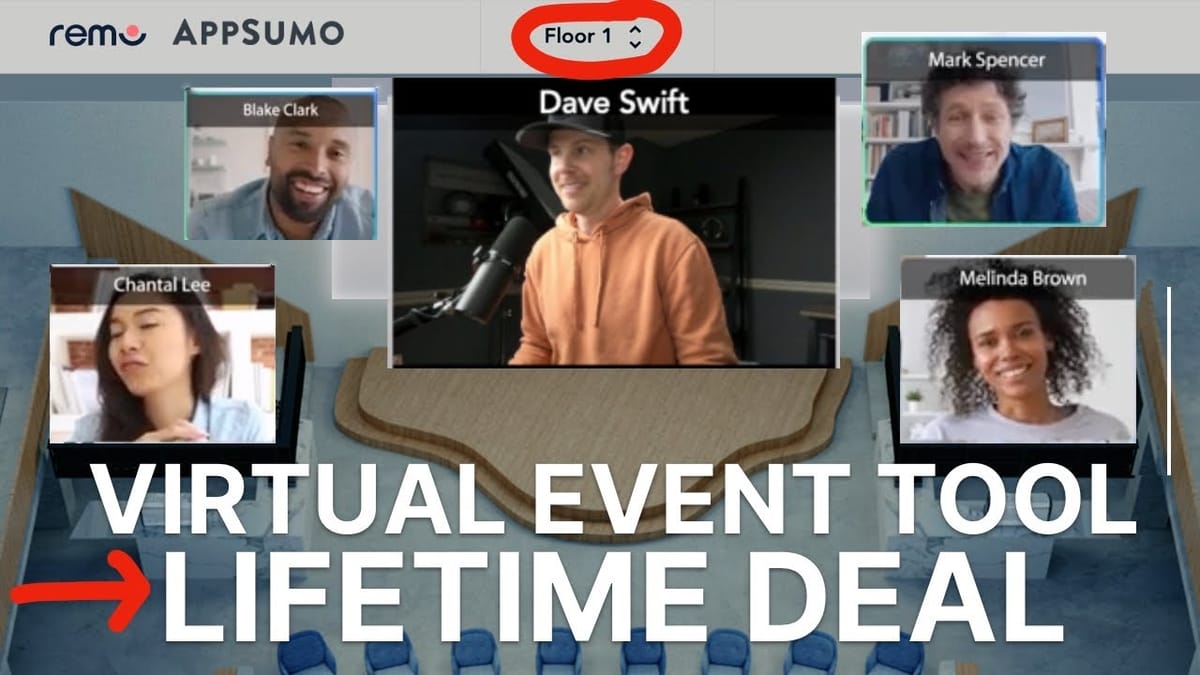
Remo bills itself as the virtual event platform that makes every interaction feel real, and after spending time with it, that claim has some real weight behind it. The platform is designed around a simple but powerful idea: instead of staring at a grid of faces like every other video call tool, attendees move around a visual floor plan, sit at tables, and have natural conversations with whoever is nearby.
Setting up a new Remo account is straightforward. You'll walk through a guided setup that covers your profile, organization details, and team configuration. The organization settings let you upload your logo, configure event registration defaults, and even enable VPN checking for added security. Depending on your plan, you can also add team members — the AppSumo tier I tested supports up to seven.
One standout feature right from the start is white labeling. You can set Remo up on your own custom domain, add a company badge beneath your avatar, and upload custom logos and favicons. The custom domain setup requires emailing Remo's support team and updating your DNS records (a CNAME redirect), so plan ahead — it can take up to seven days to go live. Not something you want to leave until the night before your event.
Creating an Event
Creating your first event in Remo is where the platform really starts to differentiate itself. You choose between public and private events, set your start and end times, and upload a custom event image. But the real magic happens when you pick your floor plan.
Remo offers dozens of themed floor plans — sky bars, job fairs, patio lounges, cigar lounges, conference rooms, even Christmas-themed layouts. Each plan is more than just a background image; it defines the spatial layout where attendees will sit and interact. You can filter plans by style (realistic, isometric, modern, classic) or by event type (speed networking, workshops, etc.).
The floor plan system also scales dynamically with your expected attendance. As you increase the attendee count, Remo automatically adds additional floors. In my testing, bumping from 39 to 40 attendees triggered a second floor, and going from 78 to 79 added a third. Each floor functions independently, so you can have different conversations and even different speakers running simultaneously across floors.
After publishing, Remo generates a shareable link for your event. You can invite guests via email or import a CSV of attendees — handy if you're selling tickets through another platform and need to bulk-import purchasers. Speaking of tickets, Remo has built-in ticketing if you want to charge for events, though they do take a cut plus a per-ticket fee.
Interactive Features That Beat Zoom
This is where Remo earns its keep. The interactive feature set goes well beyond what you'd get from Zoom or Google Meet, and most of it is baked right into the event experience without any plugins or third-party tools.
The chat system supports table-level conversations, private direct messages, and a dedicated Q&A section where attendees can submit questions and upvote the best ones — perfect for large events where you need to surface the most relevant audience questions. There's also a full polling and quiz system. Polls let attendees vote on options, while quizzes add correct answers and time limits, so you can gamify your events with timed trivia rounds.
Reactions are a small but welcome touch. Attendees can send hearts, laughs, or the suspicious-eye emoji during presentations — the kind of real-time feedback that makes online events feel less like talking into a void.
The whiteboard integration deserves special mention because Remo didn't try to build their own half-baked version. Instead, they integrated Miro directly. You get the full Miro toolset — shapes, arrows, pen, eraser, comments, text — right inside your event. You'll need a Miro account to save your work, but the free tier (three editable boards) is enough for occasional use. It's a smart decision that gives you a genuinely useful collaboration tool instead of a toy.
Other standout features include screen sharing, presentation mode with optional recording, timed session rounds with automatic guest shuffling for speed networking, and content pop-ups that let you push URLs or sponsor content to all attendees. You can even send announcements that appear as overlays for everyone in the event.
Support and Getting Help
Remo's support setup is refreshingly transparent. There's a built-in help widget accessible from within any event that searches their knowledge base and connects you to live chat. They also offer a dedicated help center, a resource center, and — importantly — they actually list their support email address.
That last point might sound minor, but it's worth calling out. Too many SaaS tools hide behind chatbots or force you into Slack communities when you just want to send an email. Remo puts their email front and center, which is the kind of straightforward approach that builds trust.
For the AppSumo deal specifically, support has been responsive in the community threads, and the onboarding guide walks you through every major feature. If you run into trouble with DNS setup for white labeling or need help configuring floor plans, you have multiple channels to get answers.
Video and Audio Quality
To properly test Remo's video quality, I brought in a very special guest — my son Maverick, joining from his mom's phone over Wi-Fi. The results were genuinely impressive. Video was crisp, audio came through clearly, and there was no noticeable lag or sync issues despite the wireless connection.
Remo supports multiple camera inputs and microphone sources, and the setup wizard runs quality checks before you join an event. There's a built-in virtual background feature with green screen effects, blur, and preset backgrounds. The keying isn't perfect — hats and fast movements can trip it up — but it's a solid built-in option that saves you from needing a third-party tool.
One minor gap: there's no dedicated speaker output selector. You can choose your microphone input, but if you want your computer audio going to speakers while monitoring through headphones, you'll need to manage that at the system level. It's a small thing, but other platforms like Zoom handle this natively.
The spatial audio concept works exactly as advertised. When Maverick and I were at the same table, we could hear each other naturally. When I moved to a different floor or table, he disappeared completely — no audio, no video. Jumping back to his table instantly restored the connection. The transitions were snappy with no awkward loading screens.
Advanced Features and Event Management
Beyond the core event experience, Remo packs in a set of advanced features that make it viable for serious, professional events. The registration system lets you add custom questions for attendees, and you can set up a lobby with a welcome message, image, or video that greets people as they arrive.
Floor content management allows you to place sponsor banners and branded content directly into the floor plan layout — a genuine revenue opportunity if you're running larger events. You can also toggle individual features on or off at the event level. Don't need the whiteboard for a particular event? Turn it off. Want to disable chat? Done.
Assigned seating is available for events that need more structure. You drag email addresses to specific tables on the floor plan, and those attendees will be locked into their assigned spots. For events that need to stream beyond the Remo platform, there's RTMP support for pushing your event to YouTube, LinkedIn, or any other streaming destination.
Post-event, you get analytics, guest lists, poll results, submitted Q&A questions, and presentation recordings all in one place. It's the kind of comprehensive event lifecycle management that normally requires stitching together three or four different tools.
AppSumo Plans and Pricing
Context matters here: Remo's regular pricing starts at $380 per month for their Starter plan, and a single one-time event costs $900. That makes the AppSumo lifetime deal genuinely significant.
Tier 1 ($69 one-time) gets you 15 attendees per event, 90-minute event durations, 8 attendees per table, and up to 20 speakers on stage. It's enough for small team meetings or intimate workshops.
Tier 2 ($249 one-time) opens things up considerably: 75 attendees, 4-hour events, 20 speakers, 2 event assistants, custom floor plan uploads, and Zapier integration. The custom floor plans aren't just images — they're 3D mockups created in tools like SketchUp, so there's a learning curve if you want to go that route.
Tier 3 ($729 one-time) is what I demoed throughout this review: 300 attendees, 6-hour events, 24 attendees per table, 50 speakers, 6 event assistants, custom floor plans, Zapier, white labeling, and SSO. At $729 one-time versus $380/month, this tier pays for itself in under two months.
All tiers are mapped to Remo's Starter plan, meaning you'll receive any future updates to that plan tier. If you need more than 300 attendees, you'll need to contact Remo directly for a custom enterprise plan.
Final Verdict: Is Remo Worth It?
I'm rating Remo an 8.2 out of 10. It's genuinely one of the better virtual event tools I've tested, and I'm honestly surprised it ended up on AppSumo at these prices. If you do anything in the online event space — webinars, workshops, team meetings, networking events, community gatherings — this is a serious upgrade over the standard Zoom experience.
The spatial layout with floor plans and tables fundamentally changes how online events feel. Instead of everyone staring at the same grid of faces, attendees can move around, form small groups naturally, and have the kind of organic side conversations that make in-person events valuable. The Miro whiteboard integration, built-in polls and quizzes, and presentation mode with recording make it a complete event toolkit.
My one feature request: a coffee shop floor plan designed for intimate one-on-one or one-on-two meetings. Something that could replace Zoom or Google Meet for client calls in a more personal setting. If Remo nailed that, it could become the default for both large events and small meetings — and I think a lot of us are ready to move on from Zoom fatigue.
If what you've seen here interests you, don't wait on this one. The AppSumo deal is only available for a limited time, and the savings compared to Remo's regular pricing are substantial.
Watch the Full Video
Prefer watching to reading? Check out the full video on YouTube for a complete walkthrough with live demos and commentary.


