
Rybbit Review: A Privacy-Focused Google Analytics Alternative
Rybbit is a privacy-focused, open-source analytics platform that replaces Google Analytics with a cleaner interface, custom event tracking, and a one-time lifetime deal starting at $49.

Rybbit
Rybbit is an open-source web analytics platform that tracks visitors, events, funnels, and journeys without cookies or invasive tracking.
Website owners, marketers, and small business operators who want a simpler, privacy-friendly alternative to Google Analytics.
Google Analytics, Plausible, Fathom, Microsoft Clarity
What Is Rybbit and Why Consider It?
If Google Analytics makes your eyes glaze over, you're not alone. The interface is dense, the learning curve is steep, and half the time you just want a quick answer to a simple question: how many people visited my site today and where did they come from?
Rybbit is a web analytics platform built as a direct alternative to Google Analytics. It's open source, privacy-focused, and designed to surface the data you actually care about without burying it under layers of menus. The project is on GitHub, so you can self-host it if you're technically inclined, or you can grab a lifetime deal on AppSumo starting at $49 and let them handle the infrastructure.
One of Rybbit's core values is being open source forever, which is a meaningful commitment for anyone who's been burned by tools that start free and slowly lock features behind paywalls. After installing it on daveswift.com for about 24 hours, the data was already flowing in and genuinely useful.
Dashboard Tour and Globe Visualization
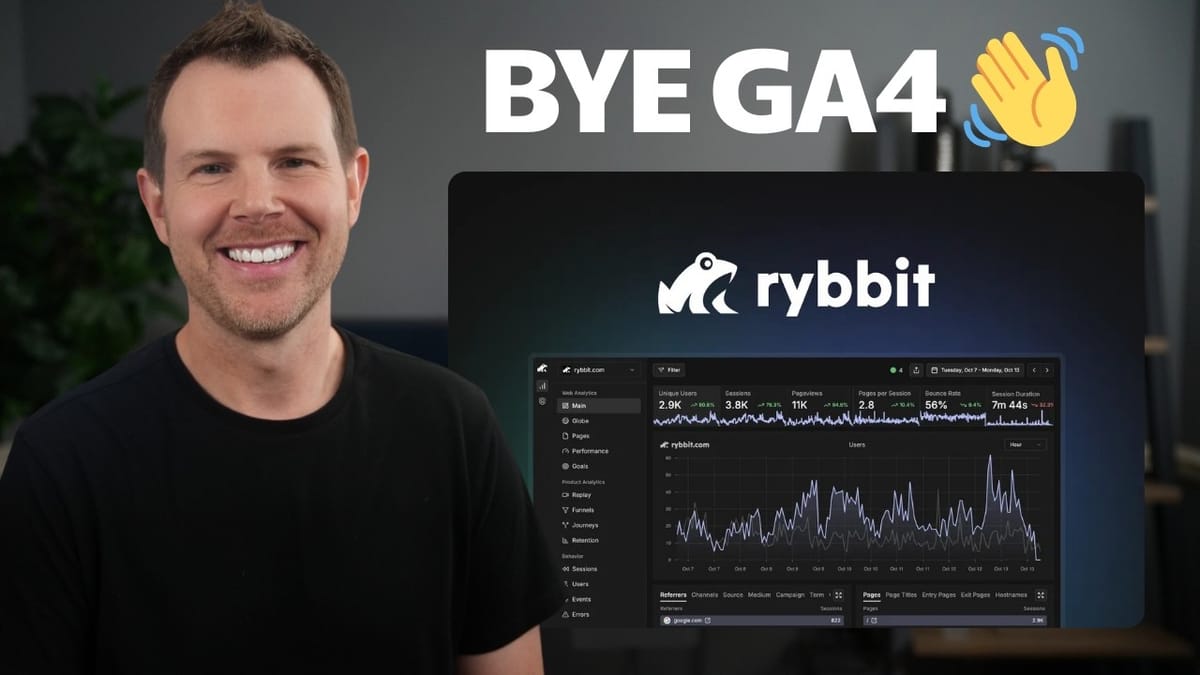
The first thing you'll notice when you log into Rybbit is how clean the main dashboard is. Up top, you get key metrics at a glance — visitors, page views, bounce rate, session duration — and clicking on any metric updates the chart below to visualize that specific data point. There are mini sparkline charts and comparison indicators that show performance against the previous time period, so you can immediately spot trends without digging.
The globe visualization is a standout feature. It renders a 3D view of where your visitors are located in real time, and you can toggle between 3D, 2D, country-level, and subdivision-level views. It's more than just eye candy — you can quickly identify geographic patterns in your traffic and drill down by region or state.
The rest of the dashboard is organized into cards covering traffic sources, referrers, UTM parameters, top pages, entry and exit pages, and more. Rybbit supports up to two years of data retention on the AppSumo deal, which means you'll eventually be able to compare performance year-over-year or quarter-over-quarter — the kind of insight that's genuinely useful for content strategy.
Filtering, Device Data, and Search Console Integration
Filtering is where Rybbit really shines compared to Google Analytics. You can click on virtually any data point in the dashboard — a specific page, a country, a referrer — and instantly filter the entire view to show only data matching that criteria. Filters stack, so you can combine them to ask questions like "show me visitors from the United States who landed on my Black Friday page" with just a couple of clicks.
The hardware and location cards give you a breakdown of browsers, mobile vs. desktop, operating systems, screen sizes, regions, cities, languages, and time zones. This is the kind of data that helps you make practical decisions about responsive design and localization.
Rybbit also integrates with Google Search Console, pulling in keyword data, page performance, country breakdowns, and device information. The data is delayed by two to three days (that's a Google limitation, not Rybbit's), but once it's flowing, you get organic search insights right alongside your analytics without needing to switch tools.
Installation and Setup
Setting up Rybbit is straightforward. When you add a website to your account, you get an HTML tracking script that needs to go in the head section of your site. If you're on WordPress, there's a dedicated Rybbit plugin — just install it, enter your site ID, and you're done.
For other platforms like Ghost, Squarespace, or custom-built sites, you simply copy and paste the script tag into your site's head. It's the same process as adding any other tracking code, so if you've ever installed Google Analytics or a Facebook pixel, you already know the drill. If not, it's a two-minute job for any developer.
One important setting to configure right away: IP exclusions. You'll want to add your own IP address and the IPs of anyone on your team who visits the site regularly. This keeps your personal browsing from inflating your analytics numbers.
Custom Events and E-Commerce Tracking
Beyond basic page view tracking, Rybbit supports custom events that let you track specific user actions. For example, on daveswift.com, a custom event tracks newsletter signups with eight different parameters — the action, the subscriber's domain, which page they were on, and which section of the page triggered the signup. That level of granularity tells you not just that someone subscribed, but exactly where and how.
For e-commerce users, Rybbit has pre-built event templates for WooCommerce and Shopify. WooCommerce users install the WordPress plugin and add code snippets for the events they want to track — product views, add-to-cart actions, checkout initiation, and purchases. Shopify users skip the plugin and add the tracking script directly, then paste in the relevant event snippets.
The documentation walks you through each integration step by step, and if you're on a platform that isn't officially supported, you can write custom JavaScript to track whatever actions matter to your business. With a bit of AI assistance, setting up custom events took almost no time at all.
Funnels, Journeys, and Retention
Once you have events flowing in, you can build funnels to track conversion paths. Creating a funnel is simple: name it, define the steps (landing on the homepage, visiting a product page, completing a purchase), and Rybbit shows you exactly where people drop off. For a content site, a funnel might track homepage visits through to newsletter signups. For e-commerce, it's the classic browse-to-buy pipeline.
Journeys are similar to funnels but require zero setup. They automatically map out the paths visitors take through your site, showing you how people move from page to page. You can see, for example, that four people landed on the homepage, two clicked over to the sponsorship page, and two went to the about page. You can increase the number of journey steps displayed and filter by starting page to focus on specific user flows.
This kind of data is incredibly valuable for conversion rate optimization. You can identify which pages are dead ends, which internal links actually get clicked, and where you should be placing calls to action. The retention tab rounds things out by showing how many visitors return week over week or day over day, giving you a clear picture of whether your content is bringing people back.
Goals, Privacy, and User Tracking
Goals in Rybbit let you define specific conversions you want to track — a visit to a thank-you page, a custom event like a newsletter signup, or any other measurable action. Once configured, each goal shows you the number of conversions and your conversion rate over time, and you can click through to see which individual (anonymized) users converted.
Privacy is a genuine strength here. Rybbit is hosted in the EU (Germany), making it GDPR compliant out of the box. It doesn't use cookies at all, which means you don't need a cookie consent banner just for analytics. Users are anonymized with generated names like "Magenta Emu" or "Aqua Meerkat" — you can see their browsing behavior, device info, and general location without ever knowing who they actually are.
There is an optional setting to track IP addresses if you need it, but Rybbit makes it clear this breaks GDPR compliance and recommends adding a consent banner if you enable it. The sessions and users tabs give you a condensed view of individual visitor journeys, which is useful for understanding real browsing patterns without the ethical baggage of invasive tracking.
Event Limits and Which Tier to Choose
Here's the detail that trips people up on the AppSumo deal: everything in Rybbit counts as an event. Page views are events. Custom event triggers are events. Error tracking generates events. Even outbound link clicks are events. So when a tier says "50,000 events per month," that number goes faster than you might expect.
After just one day of tracking on a modest website, roughly 1,400 events had already been consumed — mostly from page views. Tier one at $49 comes with limited events, and for most sites with any real traffic, you'll hit that ceiling quickly. Tier three at $279 includes 250,000 events per month, which provides a much more comfortable buffer.
The practical recommendation: skip tier one unless your site is brand new with minimal traffic. Tier two at $129 is a reasonable middle ground, and tier three is the safest bet if you plan to use custom events, error tracking, and e-commerce tracking. If you're concerned about burning through events, consider turning off error tracking first — it contributes to your event count and is the easiest feature to live without.
Final Verdict: Is Rybbit Worth It?
Rybbit earns an 8.6 out of 10. It's a genuinely impressive analytics platform that manages to be both accessible for beginners and powerful enough for data-driven marketers. The interface is clean, filtering is intuitive, and features like journeys and funnels are implemented in a way that doesn't require a PhD in analytics to use.
The open-source commitment, GDPR compliance, and cookie-free tracking make it a strong choice for anyone who cares about user privacy — or just doesn't want to deal with cookie consent banners. The Search Console integration, core web vitals monitoring, and custom event system round out a feature set that covers most of what you'd need from an analytics tool.
The main caveat is the event-based pricing. Tier one is too restrictive for most real-world use cases, so budget for tier two or three. Session replays are also excluded from the lifetime deal and require a separate $40/month pro plan, though Microsoft Clarity handles that use case for free if you need it. Overall, as a one-time purchase that replaces a tool most people tolerate rather than enjoy, Rybbit is an easy recommendation.
Watch the Full Video
Prefer watching to reading? Check out the full video on YouTube for a complete walkthrough with live demos and commentary.


