
Softr AI Agents Review: Automate Lead Scoring Without Code
Softr has added AI agents to its no-code platform, letting you automatically validate leads, score opportunities, and draft follow-up emails — all without writing a single line of code.

Softr
A no-code platform that lets you build business apps with a built-in database and AI agents that can automatically enrich and act on your data.
Service providers, agencies, and small business owners who want to automate lead qualification and internal workflows without hiring a developer.
Airtable, Glide, Retool, Bubble
AI Is Finally Becoming a Real Collaborator
For the longest time, AI in business tools felt like a novelty — a chatbot living in a sidebar somewhere, hoping you'd copy-paste its output into the thing you were actually working on. That's changing fast. We're starting to see AI behave more like a genuine team member, one that can take action on real data inside the tools you already use.
Softr has been a solid no-code app builder for a while now, letting you spin up client portals, CRMs, and internal tools without touching code. They added their own native database last year, which removed the need for external data sources like Airtable. And now they've layered in something genuinely exciting: AI agents that work directly inside your database columns to enrich, validate, and act on incoming data automatically.
Building a Smart Project Request Form
To put Softr's AI agents through their paces, the demo centers around a real-world use case that any service provider will recognize: a project request form. Using one of Softr's built-in templates, you can set up a multi-step intake form with conditional logic that adapts based on the answers a lead provides. Fields cover everything from the type of service they need, their target audience, project deadlines, and budget.
The form itself is quick to fill out despite having a lot of fields, thanks to that conditional logic. What makes it powerful isn't the form — it's what happens after submission. Rather than having someone on your team manually review every single inquiry, the AI agents kick in on the backend and do the heavy lifting for you. For anyone fielding more than a handful of leads per day, this is where real time savings start to stack up.
The form also includes a file upload field where prospects can attach project briefs or requirements documents as PDFs, which the AI agent can actually read and analyze — a strong signal that someone is serious about getting work done.
Viewing Submissions and AI-Powered Columns
Once a form submission lands in Softr's database, each column maps to a field from your form. But scroll past the standard data and you'll find something new: AI-powered columns that automatically process and enrich every record as it arrives.
The first AI column in this setup is a lead validation check. It's configured as a select field with two options — valid or invalid — and uses web search to verify that the person and business submitting the form actually exist. If someone fills out the form with fake information, this agent catches it before you waste a second of your time.
Next up is a communication check that scans the submission for red flags — belligerent language, unreasonable demands, or anything that suggests a difficult working relationship. If this check flags an issue, subsequent agents won't even bother running, thanks to conditional filters you can set up. This cascading logic means your pipeline is genuinely intelligent, not just running every agent on every record blindly.
Beyond those initial gates, there are agents evaluating project complexity, budget feasibility, and timeline realism. Each one calculates a score, and those individual scores feed into an overall lead quality rating that classifies the prospect as hot, warm, cold, or unqualified.
AI Agent Configuration and Workflow Settings
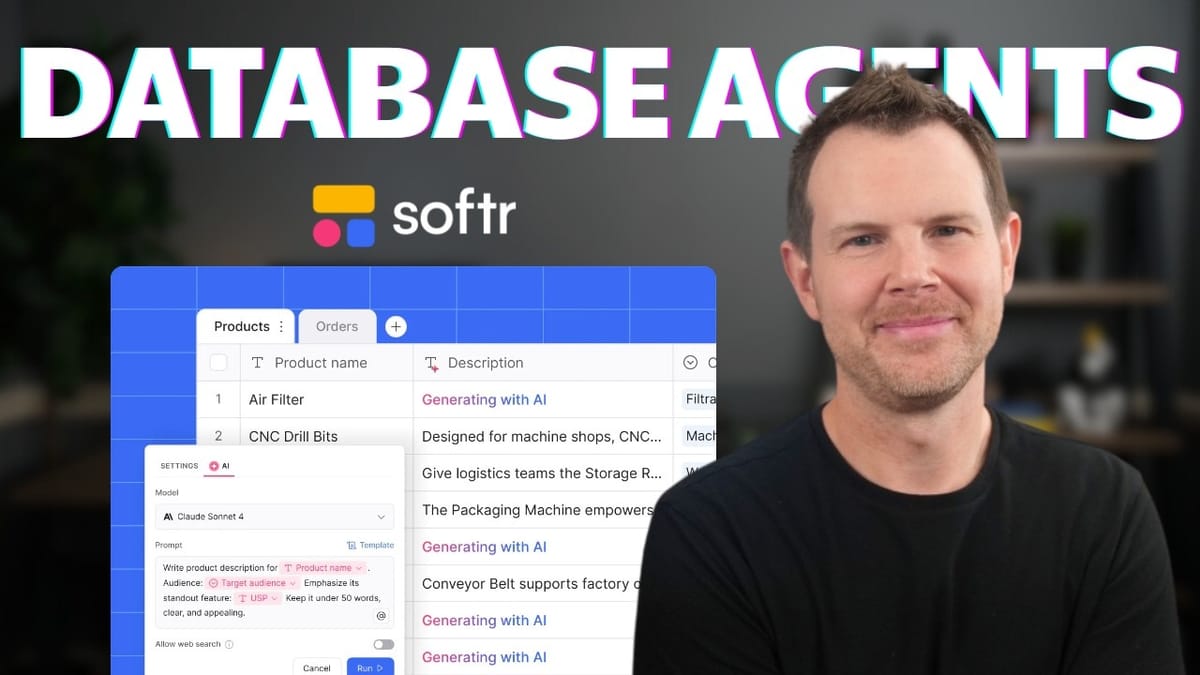
Setting up each AI agent column is straightforward. You toggle on the AI agent feature for any column, choose a data type (text, select, number), and pick your model. Softr supports models from both Anthropic and OpenAI — Claude 4.5 Sonnet is the cost-effective pick, while GPT-5 is available if you want to spend a few extra credits for potentially richer output.
The prompt editor is where it gets interesting. You write natural-language instructions telling the agent what to do, and you can pull in data from other form fields using an @ reference system. Need the agent to factor in the prospect's name, email, budget, and project description? Just tag those fields in your prompt. There's also a web search toggle for agents that need to verify external information.
Each agent can be configured to run automatically when a new record is created, when a record is updated, or both. You can also layer on filters so an agent only fires if certain conditions are met — for example, only running the project complexity analysis if the communication check returned "proceed." This conditional chaining is what turns a collection of standalone AI columns into a genuine automated workflow.
Softr even includes an "improve my prompt" button powered by AI that analyzes your instructions and suggests refinements. It's a small touch, but it's genuinely useful when you notice your agents producing repetitive or narrow outputs.
PDF Analysis and Document Intelligence
One of the more impressive capabilities is the file attachment analysis. When a prospect uploads a project requirements PDF — sometimes four or five pages long — the AI agent can parse the entire document and extract key information: actual requirements, technical details, budget clues, timeline indicators, and complexity signals.
The output gets condensed into a clean bullet-point summary you can scan in seconds. Even better, this analysis feeds into downstream agents, so your lead quality score becomes more accurate when there's a real project brief backing up the submission. It's the kind of feature that turns a basic intake form into something that rivals what a junior account manager would produce after a 30-minute review.
Automated Lead Scoring, Assignment, and Email Drafting
The final stages of the pipeline pull everything together. Based on the combined scores from project complexity, budget feasibility, and timeline realism, each lead receives an overall quality score. That score determines a classification — hot, warm, cold, or unqualified — which then triggers two final actions: the lead gets assigned to a specific team member, and a pre-drafted follow-up email is generated.
The practical upside here is speed. Before jumping on a call with a prospect, you can glance at a dashboard and instantly see that their timeline expectations are unrealistic, or that their budget doesn't align with the scope of work. You're walking into every conversation prepared, without spending 20 minutes reviewing form submissions and doing background research.
For agencies and service providers handling a growing volume of inbound leads, this kind of automation isn't just nice to have — it's the difference between scaling your team and scaling your tools.
Is Softr's AI Agents Feature Worth Trying?
Softr's AI agents sit at a sweet spot between simplicity and genuine utility. You don't need to understand APIs, webhooks, or automation platforms to get this running. If you can write a clear prompt and configure a database column, you can build a multi-step AI workflow that would otherwise require stitching together three or four different tools.
The fact that Softr gives you 500 free AI credits on signup means there's essentially no barrier to testing this out. Build a lead intake form, wire up a few agent columns, and see how well it handles your specific use case. The conditional logic and model selection give you enough flexibility to fine-tune things without ever leaving the platform.
Whether you're qualifying leads, enriching CRM data, or analyzing uploaded documents, the new AI agents feature makes Softr a genuinely compelling option for anyone building no-code business tools in 2025.
Watch the Full Video
Prefer watching to reading? Check out the full video on YouTube for a complete walkthrough with live demos and commentary.


