
Software Subscriptions Review: Track Every SaaS Bill for $59
Software Subscriptions is a dedicated tool for tracking all your SaaS spending, billing dates, and payment methods. Here's whether this $59 AppSumo lifetime deal deserves a spot in your stack.

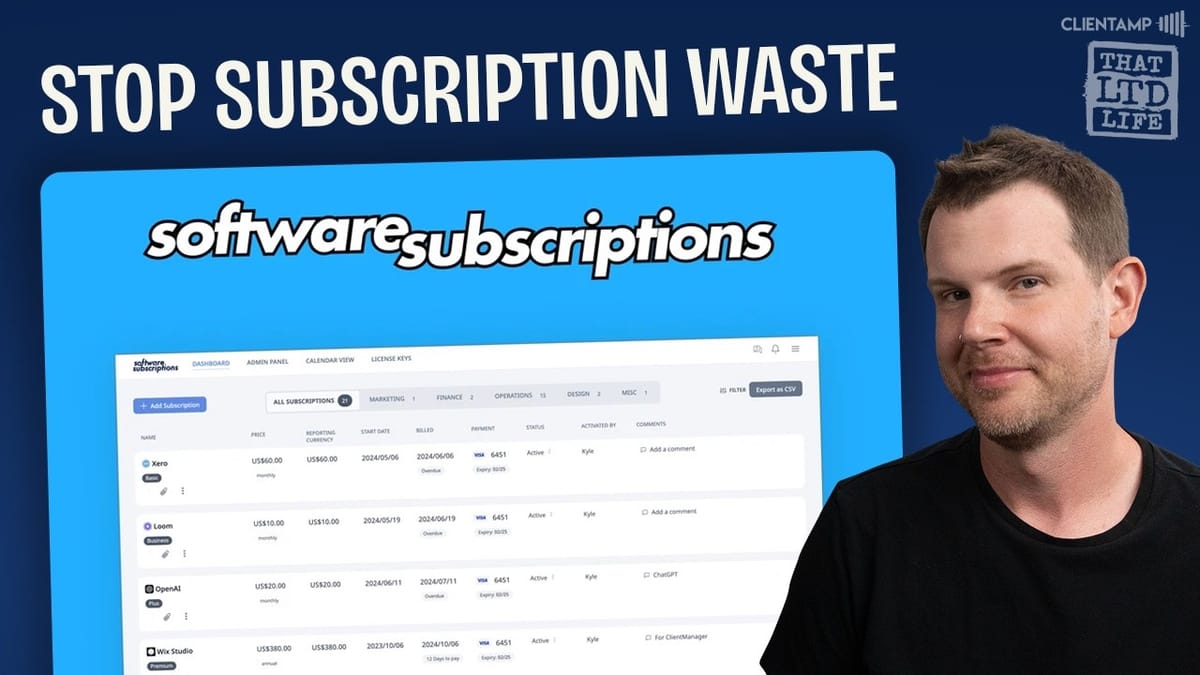
Software Subscriptions
Tracks all your software subscriptions, billing dates, payment methods, and spending across departments in a single dashboard.
Small business owners, freelancers, and teams who juggle multiple SaaS tools and want visibility into their recurring software costs.
Xero, QuickBooks, Truebill, Notion
What Is Software Subscriptions?
If you've ever been blindsided by a surprise annual charge from a tool you forgot you were paying for, Software Subscriptions was built for you. It's a straightforward SaaS tracking tool that puts all of your software costs, billing dates, and payment methods in one place.
Currently available as a lifetime deal on AppSumo for just $59, there are three tiers to choose from. Tier one covers smaller teams, tier two scales up for bigger organizations, and tier three gives you unlimited growth. For most solo operators and small teams, tier one should be more than enough to get the job done.
Getting Started and Basic Setup
The core concept is simple: you load in all of your current software subscriptions and Software Subscriptions becomes your single source of truth. For each entry, you get details like the next billing date, which credit card is being charged, the subscription status, and when it was originally activated.
You can also attach invoices directly to each subscription entry, which is genuinely useful when tax season rolls around. Having all your receipts and documentation tied to each tool in one place beats digging through email inboxes and scattered folders.
The Admin Panel and Spending Overview
The admin panel is where things get interesting from a financial oversight perspective. You can organize subscriptions by department — think of it like a lightweight bookkeeping layer. Categories might include web development, continuing education, design, or whatever makes sense for your business.
For each department, you'll see the number of active subscriptions, when they were added, and a breakdown of annual versus monthly spending totals. It's the kind of at-a-glance view that makes it easy to spot where the money is actually going. If you need to add team members, that happens here too — with administrator, manager, and user roles available. Tier one supports up to five users, while tier three unlocks unlimited seats.
License Key Management (With Some Caveats)
Software Subscriptions includes a license key management feature, though it's worth setting expectations. If you're hoping for a mini password manager that stores WordPress plugin license keys for easy activation and updates, this isn't quite that.
Instead, the license key system is designed for tracking who has been assigned a license and what they're paying. You add a tool, set the pricing, then assign license keys to specific users. The workflow is a bit unusual — you don't set a price when creating the license subscription itself, only when adding individual keys. And there's a limitation: if a user already has one license assigned, the system won't let you add a second one.
Honestly, this feature feels undercooked. The tool might actually be better off without it, at least until it's more fleshed out. It adds complexity without delivering enough value in its current state.
Adding Subscriptions and Payment Methods
Adding a new subscription is straightforward. You can do it manually, via CSV import, or through the Chrome extension. The CSV option is particularly handy if you already track things in QuickBooks or Xero — just export, reformat to match their template, and import everything in one shot.
For manual entry, you'll find a library of popular software tools with pre-populated details. Selecting Canva, for example, automatically fills in the URL and shows you the available plans (Free, Pro, Team, Enterprise). You enter the price, choose the billing cycle — monthly, annual, or even lifetime for tracking those AppSumo deals — and set a start date.
Payment Methods and Custom Fields
The payment method tracking initially seems odd — why would you enter credit card info into yet another app? But it makes more sense than you'd think. Software Subscriptions only asks for the card name, last four digits, and expiration date. The point isn't to store sensitive payment data; it's to show you which card will be charged for each subscription and alert you if a card is about to expire.
Most SaaS providers will warn you about expiring cards, but not all of them. And sometimes those notifications land in your spam folder, leading to lapsed subscriptions and service interruptions. Having a centralized view of which cards are tied to which services is genuinely practical.
Custom fields let you store additional data in a simple key-value format — handy for things like license keys or internal notes. The catch? Once saved, custom fields are oddly buried. You have to go back into the edit screen and scroll down to find them, which isn't ideal for quick reference.
Calendar View for Billing Visibility
The calendar view is one of the more compelling features. It gives you a visual timeline of when every subscription bill is coming due. You can view it by month, week, or day, making it easy to plan for upcoming charges.
This is especially valuable if you've been in business for a while and have accumulated subscriptions that renew at different times throughout the year. Knowing that Elementor renews in March, or that three annual subscriptions hit the same week in November, lets you manage cash flow more deliberately instead of getting caught off guard.
Chrome Extension for Quick Entry
The Chrome extension mirrors the main app's subscription entry form in a compact popup. If you're in the middle of purchasing a new tool, you can click the extension and log the subscription without navigating away from what you're doing.
It's a small convenience, but it reduces friction. The easier it is to log a subscription in the moment, the more likely you are to actually keep your records up to date.
Upcoming Features and Roadmap
The development roadmap shows some promising additions. Email receipt forwarding is on the way, which would let you automatically send purchase receipts directly into Software Subscriptions. Pair that with an email automation rule to detect receipts, and you could have a nearly hands-off logging system.
PDF and receipt import is also planned, along with integrations for Xero, FreshBooks, and Zapier. These are solid choices — Xero and FreshBooks cover the accounting side, while Zapier opens up a wide range of automation possibilities. If these integrations land well, they could significantly increase the tool's value.
Final Verdict: 6.4 out of 10
Software Subscriptions earns a 6.4 out of 10. It does one thing — tracking SaaS spending — and does it reasonably well. The dashboard, calendar view, and CSV import are genuinely useful. The payment method tracking is smarter than it first appears, and the Chrome extension adds convenient quick-entry.
The weak spots are real, though. The license key management feels half-baked and adds confusion more than value. Custom fields are buried in the UI. And the documentation is essentially non-existent, which made the learning curve steeper than it needed to be.
At $59 for a lifetime deal, the pricing is fair for what you get. This is a very specific tool for a very specific need. If you're the kind of person who loses track of software subscriptions and wants a dedicated system to manage them, this could save you from some expensive surprises. If your current spreadsheet or accounting software already handles this well enough, you can probably pass.
Watch the Full Video
Prefer watching to reading? Check out the full video on YouTube for a complete walkthrough with live demos and commentary.


