SuperCopy Review: AI Copywriter With Brand Voice Training
SuperCopy is a lifetime deal AI copywriter that trains on your brand voice and audience personas to generate targeted marketing content across multiple channels.

SuperCopy
An AI copywriting tool that learns your brand voice and audience personas to generate targeted marketing content across multiple channels.
Small business owners, freelance marketers, and agencies who need on-brand marketing copy without recurring AI subscription costs.
ChatGPT, Claude, Jasper, Copy.ai
What Makes SuperCopy Different From ChatGPT?
If you've ever asked ChatGPT to write marketing copy for your business, you already know the problem: it sounds like AI wrote it. The phrasing is generic, the tone is off, and the result reads like it could belong to any company on the planet. SuperCopy is a new lifetime deal on AppSumo that tackles this head-on with a persona-based training system designed to make AI-generated copy actually sound like your brand.
Starting at $49 as a one-time payment, SuperCopy positions itself as a cost-effective alternative to monthly AI subscriptions. The higher tiers include team collaboration — tier four, for example, gives you lifetime access for 10 users, which could easily pay for itself in a couple months compared to a Claude Teams or ChatGPT Business subscription.
The Brand Persona System
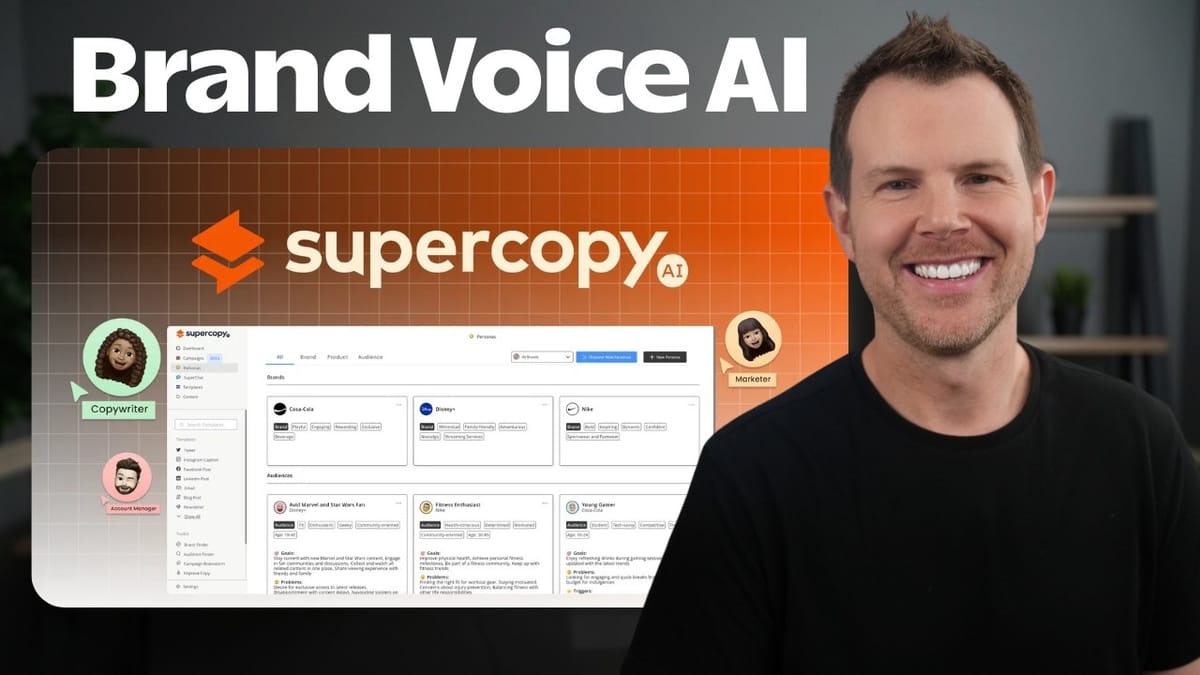
The core of SuperCopy is its persona system, and it's genuinely well thought out. The biggest challenge with using any LLM for copywriting is feeding it enough context about your brand — your voice, your values, your positioning. SuperCopy automates most of that heavy lifting.
To create a brand persona, you simply paste in your website URL. SuperCopy scrapes the site and builds a complete persona profile that trains its underlying LLM to write in your brand's voice. In testing with a residential painting company, the tool pulled in accurate brand details, tone, and even a representative image — all without any manual input. You can edit and tweak the persona afterward, but the automated starting point is impressively accurate.
Higher tiers unlock more brand personas (10 on tier three, 20 on tier four), which makes this particularly useful if you're running an agency or managing marketing for multiple clients.
Audience Personas and Targeting
Knowing your brand voice is only half the equation — you also need to know who you're writing to. SuperCopy handles this with an audience finder that analyzes your brand and generates detailed audience personas automatically. For a painting company, it suggested three distinct personas: residential homeowners, commercial property managers, and real estate investor flippers. Each persona includes demographic details, pain points, desires, and motivations.
This is where SuperCopy really differentiates itself. Most AI writing tools let you set a tone, but SuperCopy lets you target specific audience segments within the same brand. One Facebook post aimed at homeowners will read very differently from an email targeting commercial property managers, and SuperCopy handles that distinction natively.
You can also add product personas manually — for instance, a specific service offering like hardwood floor installation. The tool doesn't yet support scraping an e-commerce store to import products automatically, which would be a welcome addition, but the manual entry process is straightforward enough.
Performance and Speed Concerns
One area where SuperCopy falls short is speed. If you're used to the near-instant streaming responses from ChatGPT Plus or Claude, SuperCopy will feel noticeably slower. Content generation doesn't stream — you wait, and then the full output appears all at once.
That said, performance seemed to vary during testing. Earlier sessions were sluggish, but during the actual review recording, generation times were closer to 10 seconds, which is perfectly acceptable. This could indicate the team was working through server-side issues or scaling challenges. It's worth keeping in mind, especially if you're evaluating the tool during a trial period.
There are also some minor UI glitches. After generating audience personas, you need to reload the screen before they appear. The "load more" button for additional personas throws an error. These are the kinds of rough edges you'd expect from a newer product, and none of them are dealbreakers.
Three Ways to Generate Copy
SuperCopy offers three distinct content generation methods, each suited to different workflows. The first is templates — roughly 45 pre-built formats covering social media posts, YouTube descriptions, job listings, blog posts, and more. You pick a template, select your brand and audience persona, describe your goal, and hit generate. There are nice touches like an emoji toggle and a creativity slider. The results come back as multiple variations you can compare and choose from.
The second method is Super Chat, which is essentially a ChatGPT-style interface that's pre-loaded with your brand context. It's more flexible than templates — you can write freeform prompts and get back whatever you ask for. The trade-off is that you lose some of the template-specific controls (like the emoji toggle), and you can't favorite individual outputs within a chat the way you can with template results.
The third method is campaigns, which is the most powerful option. You define a campaign brief — choose your brand, audience, and distribution channels (Instagram, Twitter, Facebook, email) — and SuperCopy generates an outline of content ideas across all channels. You can edit the outline, remove pieces you don't need, and then generate all the content in one batch. There's even a basic project management layer with statuses like new, in progress, and approved.
Content Organization and Collaboration
Once you've generated content, SuperCopy provides solid organizational tools. You can favorite individual outputs, save them to folders, and even nest folders inside folders for client-based hierarchies. Everything lives in a content section that's easy to browse and filter by brand.
For team collaboration, you can invite additional members from your settings and control which brands each person has access to. The permission flow is slightly out of order — ideally you'd set brand access before sending the invite rather than after — but it works. This brand-level access control is genuinely useful for agencies where different team members handle different clients.
The campaign view also deserves a mention. You can see all campaigns at a glance, filter by brand, and click into individual pieces of content to refine them with additional AI prompts. It's not a full project management suite, but it gives you enough structure to keep multi-channel campaigns organized.
AI Image Generation
SuperCopy also includes AI image generation, though it's clearly not the star of the show. You can generate images by selecting a brand, choosing an audience, and writing a prompt. The tool produces one image at a time, and the results are adequate but not impressive — expect the usual AI image quirks like extra fingers and odd proportions.
There's also a brand-suggested media feature that pulls in relevant stock photography from sources like Unsplash based on your brand's keywords. It includes proper attribution and download links. It's a nice convenience feature, even if it's not groundbreaking. For serious image needs, you'll still want a dedicated tool, but for quick social media visuals, it gets the job done.
Pricing, Token Limits, and Final Verdict
SuperCopy uses a token-based system. The entry-level $49 tier gives you 15,000 tokens per month, while tier four bumps that up to 500,000 tokens — a generous allowance for most small businesses or agencies. It's worth being mindful of token usage during campaign generation, since producing content you won't use is a waste of your monthly allocation.
The tool supports around 25 languages, so it's not limited to English-speaking markets, though you'll want to verify your specific language is supported before buying.
Overall, SuperCopy earns a 6.9 out of 10. The persona system is genuinely clever and well-executed — it solves a real problem that most AI writing tools ignore. The campaign feature is powerful for multi-channel content creation, and the lifetime pricing makes it an easy recommendation for budget-conscious marketers. The downsides are real but manageable: slower generation speeds, some UI glitches, and image generation that's merely passable. If you have an unlimited budget and need the absolute best LLM output, you might stick with a direct ChatGPT or Claude subscription. For everyone else, SuperCopy offers a compelling package at a hard-to-beat price.
Watch the Full Video
Prefer watching to reading? Check out the full video on YouTube for a complete walkthrough with live demos and commentary.