
SwipeOne Review: AI-Powered CRM with Email Marketing for $69
SwipeOne bundles a CRM, email marketing, workflow automation, and AI agents into a single lifetime deal starting at $59. Here's whether it can actually replace your existing stack.

SwipeOne
An all-in-one CRM with email marketing, workflow automation, and built-in AI agents for lead research and content generation.
Small business owners, solopreneurs, and agencies who want a simple CRM with marketing automation without paying monthly per-seat fees.
Pipedrive, ActiveCampaign, HubSpot, GoHighLevel
What Is SwipeOne?
SwipeOne is a brand-new lifetime deal on AppSumo that combines four tools you'd normally pay for separately: a CRM, email marketing, workflow automation, and AI agents. It comes from the same team behind Swipe Pages — the popular landing page builder that's been an AppSumo staple since 2020 — so there's a real track record here.
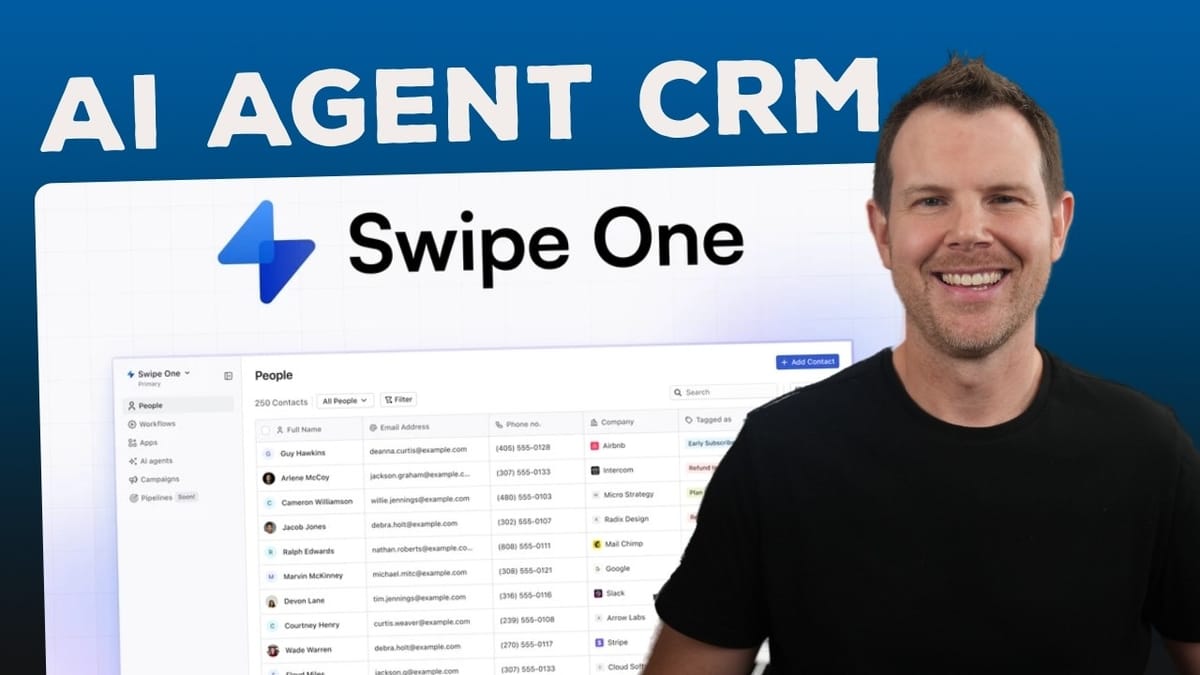
The interface is refreshingly minimal throughout. If you've ever felt overwhelmed by the sheer number of buttons in tools like HubSpot or GoHighLevel, SwipeOne takes the opposite approach. Everything is clean, easy to navigate, and clearly labeled. That minimalism does come with a few trade-offs (more on that later), but first impressions are strong.
At its core, SwipeOne lets you manage contacts, send marketing emails or one-to-one sales messages through Gmail, build workflow automations triggered by dozens of events, and leverage AI agents that can research leads, write emails, and even generate qualification reports. It's an ambitious feature set for a lifetime deal.
Pricing and AppSumo Deal Breakdown
SwipeOne launched as an AppSumo Plus exclusive, starting at just $59 for Tier 1. That's a one-time payment for a tool that covers functionality you'd typically spend $50–$100+ per month on with conventional CRM and email marketing platforms. After the exclusivity window ends, prices increase significantly — Tier 5 jumps from its current price all the way to $1,200.
AppSumo Plus members get an extra 10% discount on top of the listed prices, which starts to add up on the higher tiers. If you're eyeing Tier 3 or above, that Plus membership essentially pays for itself on this deal alone.
Here's the catch with Tier 1 at $59: it's missing four features that matter. You don't get A/B testing, sales email sequences, pipeline and deals functionality, or the ability to remove SwipeOne branding from your emails. That branding removal alone is enough to push most serious users to Tier 2 at $149. Think of Tier 1 as a way to test-drive the platform, but Tier 2 and above is where the real value lives.
CRM Features and Contact Management
The CRM in SwipeOne takes a deliberately simple approach. Your contacts appear in a spreadsheet-style view with customizable columns (called "properties" internally). You can display fields like name, email, phone, website, MRR, net promoter score, and more — toggling them on and off in real time through the Edit View menu.
There's no Kanban view for visualizing your sales pipeline, which is a notable omission for anyone coming from tools like Pipedrive. However, the filtering system is surprisingly capable and can partially fill that gap. You can create saved segments based on contact properties — like filtering for contacts whose status is "new lead" — and access them instantly from the sidebar. It takes a bit more setup than a drag-and-drop Kanban board, but once configured, it works well for quick access to specific pipeline stages.
Clicking into any contact reveals their full activity history, email correspondence, tags, and geographic info. You can compose emails directly from the contact view using the Lexical editor, and those messages route through your connected Gmail account. There's also a lightweight task system for assigning to-dos to contacts with due dates and reminders, though it's extremely minimal — no recurring tasks, no detailed fields, and no centralized task dashboard where you can see everything assigned to you across all contacts.
The Gmail integration means your CRM emails are true one-to-one messages sent from your actual inbox, separate from the marketing emails that go through SwipeOne's own email service. The platform intelligently routes messages through the right channel depending on context.
Workflow Automation Builder
Workflow automation in SwipeOne follows the familiar trigger-action pattern you've seen in tools like ActiveCampaign or Mailchimp. You start every workflow with a trigger — entering or leaving a segment, adding or removing a tag, date/time events, email activities (opens, clicks, bounces), or events from connected apps.
The integration list is genuinely impressive for a lifetime deal. Shopify, WooCommerce, Stripe, Paddle, Chargebee, Calendly, Cal.com, and Slack can all serve as triggers. Webhook support means you can connect virtually any app that supports them, and automation platforms like Zapier and Pabbly extend that reach even further. Getting data in and out of SwipeOne shouldn't be a problem.
Between triggers and actions, you can insert condition filters to segment contacts before they proceed through the workflow. For example, you might trigger on an incoming Gmail message but filter out anyone with an "unqualified" status before they enter your drip sequence. Actions include sending marketing emails (through SwipeOne's email service), sales emails (through Gmail), Slack notifications, internal notification emails, A/B testing (Tier 2+), and webhooks.
The email editor inside workflows is powered by Lexical — Meta's open-source content editor — with a Notion-like slash command interface. There's a built-in AI assistant that can draft emails for you based on your business context. You can also set per-workflow AI instructions to give the assistant more specific guidance about the goals and tone of that particular automation. The team has flagged AI agents, lead finders, and personalized AI-written emails as coming soon to the workflow builder, which could be game-changing once they ship.
AI Agents: The Standout Feature
AI agents are what set SwipeOne apart from other CRM lifetime deals. The onboarding experience alone is impressive — an AI agent chats with you about your business, scrapes your website, and generates a comprehensive business report covering your brand voice, target audience, content style, and business model. This foundational knowledge then feeds into every AI-powered feature across the platform, from email drafting to lead research.
The lead research agent is particularly powerful. You give it a contact's email address, and it goes out to gather information across the web. In testing, it looked up a sample contact, identified that the placeholder company info didn't match reality, independently verified the person's actual employer on its own, and then asked for a LinkedIn profile to build a more complete picture. After scraping LinkedIn, it generated a full contact report and offered to update the CRM record or save everything as a detailed note.
Beyond research, there are agents for writing sales emails, generating social media content, and creating lead qualification reports. The qualification report analyzes a contact against what the AI knows about your business and gives you a clear assessment of whether they'd be a good customer. It's the kind of workflow that would normally take 15–20 minutes of manual research compressed into a single conversation.
Sam Altman called 2025 the year of AI agents, and SwipeOne is one of the first lifetime deals to deliver on that promise in a meaningful way. The agents aren't just gimmicky — they interact with your CRM data, take initiative when they hit dead ends, and produce genuinely useful output.
Setup, Email Configuration, and Campaigns
Getting started with SwipeOne involves a straightforward onboarding flow that asks about your business URL and team size. Beyond that, there are a few settings worth configuring right away. Under workspace settings, you can invite team members with role-based permissions (admin, manager, or sales/marketing specialist), and the number of seats depends on your AppSumo tier.
Email deliverability is handled through domain authentication — you'll add CNAME records to your DNS provider, which is standard practice but essential for hitting inboxes instead of spam folders. SwipeOne also provides optional advanced DNS records for high availability during peak traffic. Each workspace gets its own domain connection, and you'll separately connect your Gmail account for CRM-based one-to-one emails.
The campaigns section handles newsletters and broadcast-style messages. You select a recipient segment from your CRM filters, write your message in the Lexical editor (with AI assistance available), preview it on a mobile mockup, and either send immediately or schedule for a future date. Templates can be saved for recurring formats like weekly newsletters. It's simple and effective — nothing revolutionary, but everything you need is there.
Other useful settings include localization (currency, date format, fiscal year), brand color configuration via hex code for consistent email styling, and CSV/Google Sheet import for migrating your existing contact list.
Plans, Pricing Tiers, and Who Should Buy
Here's how the tiers break down beyond pricing. Contact limits range from 2,500 on Tier 1 up to 100,000 on Tier 5. Email sending limits and AI credits scale similarly. Team seats go from 2 on Tier 1 to increasingly generous allotments on higher tiers — Tier 3 supports up to 10 team members, which at $299 one-time is absurdly cheap compared to Pipedrive's $49/month per user.
The critical question is which tier makes sense for you. If you're a solopreneur just exploring the platform, Tier 1 at $59 lets you kick the tires, but you'll hit walls quickly without A/B testing, sales sequences, or brandable emails. Tier 2 at $149 unlocks everything and supports up to 5,000 contacts — this is the sweet spot for most small businesses.
For agencies managing multiple clients, the multi-workspace support on higher tiers is valuable. Each workspace operates independently with its own domain, contacts, and workflows. If you have more than 5,000 contacts or need 7+ team members, Tier 3 and above become necessary based purely on usage limits rather than feature gates.
Final Verdict: 8.6 out of 10
SwipeOne earns an 8.6 out of 10 — a strong score that reflects a genuinely well-built tool with a few areas for improvement. The minimal interface is a breath of fresh air compared to bloated CRM platforms, and the AI agent functionality is legitimately ahead of what you'd expect from a lifetime deal at this price point.
What would push it higher? A dedicated task dashboard so you can see all your to-dos in one place rather than hunting through individual contacts. A Kanban view for the sales pipeline would make the CRM feel more complete. And expanding beyond Gmail to support Outlook and other email providers would open SwipeOne up to a much larger audience.
That said, if you're running a small business, doing email marketing, and want a CRM that won't take weeks to learn, SwipeOne delivers serious value. The AI agents for lead research and email drafting are the standout feature — they work with real data, take initiative, and save genuine time. At a one-time cost of $149 for Tier 2, it's hard to argue against at least giving it a shot.
Watch the Full Video
Prefer watching to reading? Check out the full video on YouTube for a complete walkthrough with live demos and commentary.


