
Unifire.ai Review: Is This Content Repurposing Tool Worth It?
Unifire.ai promises to turn your YouTube videos into 30+ content formats. After testing it head-to-head with Claude, here's where it shines and where it falls flat.

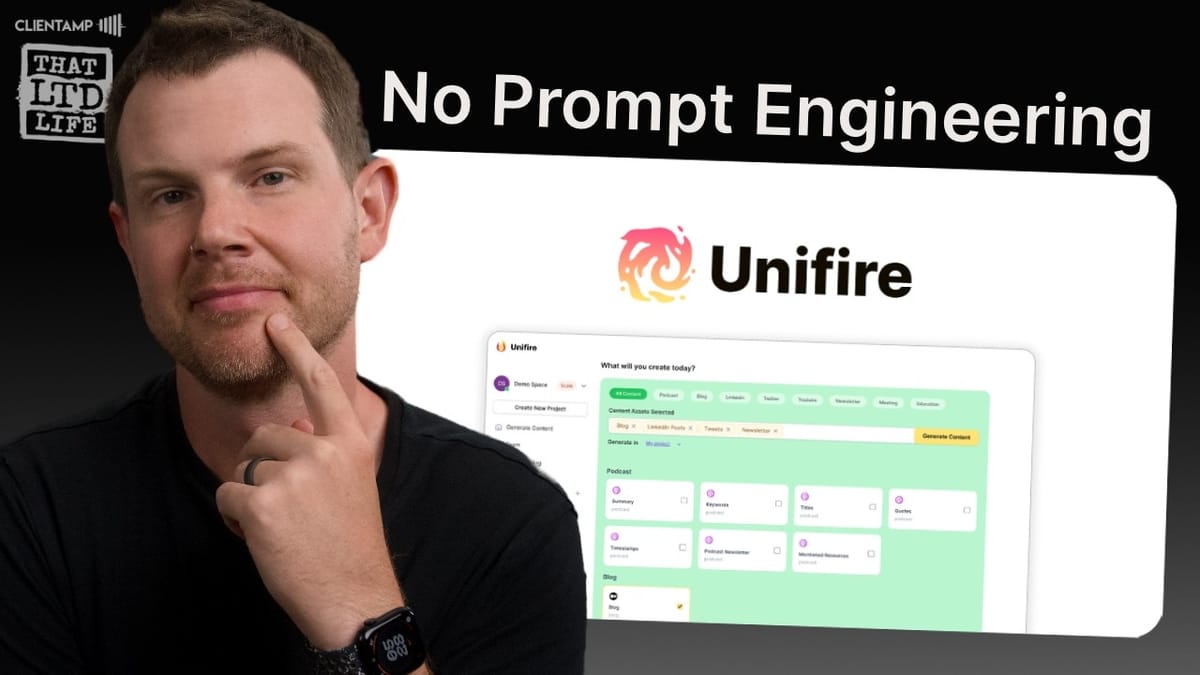
Unifire.ai
A content repurposing tool that transforms YouTube videos, podcasts, and text into multiple content formats like blog posts, tweets, newsletters, and more.
Content creators, YouTubers, and marketers who want to repurpose long-form content into multiple formats without manually rewriting everything.
Claude, ChatGPT, MacWhisper
What Is Unifire.ai?
Unifire.ai is a content repurposing platform currently available as a lifetime deal on AppSumo. The core promise is simple: feed it a YouTube link, media file, or pasted text, and it will generate 30+ content formats from that single source. Think tweets, blog posts, newsletters, YouTube titles, summaries, and more — all derived from one piece of content.
The big question hanging over any tool like this is whether it can actually produce quality output, or whether you'd be better off just using a general-purpose AI like Claude or ChatGPT. That's exactly what this review sets out to answer, with a real-world test using an actual YouTube video as the source material.
Pricing and AppSumo Deal Structure
Unifire.ai is available through AppSumo starting at $49 for Tier 1, which gets you 30 generations per month. One of the better aspects of this deal is that every feature is included on every tier — you're only choosing based on usage limits, not feature gates. That means you don't need to buy the most expensive plan just to unlock a specific capability.
Tier 2 bumps you up to 80 generations, and Tier 3 gives you 150. AppSumo's standard 60-day refund policy applies, so there's very little risk in trying it out. There's also a nice upgrade path if you start on Tier 1 and decide you need more capacity. Worth noting: the pricing structure between tiers gets a bit odd when you crunch the numbers, which we'll dig into later.
Onboarding and First Impressions
Unifire.ai starts with a brief onboarding questionnaire asking what kind of creator you are and how you plan to use the tool. Options range from auto-generating podcast assets and repurposing content for social media to creating educational resources from lectures and course recordings. It's a lightweight process — just two or three questions — and then you're dropped into the main interface.
There's also a short tutorial video explaining how to use Unifire in under three minutes, which is a nice touch. Too many SaaS tools skip proper onboarding and leave users to figure things out on their own. The interface itself has a clean, Notion-style layout with a sidebar for navigation and a main content area. It's minimalistic and familiar if you've used modern SaaS products.
How Content Generation Works
The workflow is project-based. You create a project, select the types of content you want generated, and then provide your source material. For this test, five content types were selected: a summary, tweets, YouTube titles, a newsletter, and a full blog post.
Once you pick your content types, you upload your source. Unifire accepts pasted text, file uploads, or direct YouTube links. When you give it a YouTube URL, it pulls the video and transcribes it automatically. The transcription speed was genuinely impressive — a 31-minute video was processed almost instantly, which is significantly faster than local transcription tools like MacWhisper.
Here's where the credit system gets interesting, though. Each content type costs a different number of credits. The transcript itself is free, which is generous. But a blog post costs 5 credits, while tweets, titles, newsletters, and summaries each cost 1. So generating five types of content from one video actually consumed 9 of the 30 monthly credits on Tier 1. That adds up fast if you're processing multiple videos.
Transcript Quality: Unifire vs. MacWhisper
Before any content gets generated, Unifire produces a transcript — and this is where the first cracks appear. The transcription got the product name in the test video consistently wrong, rendering "Focusee" as "Folk UC" throughout. It also clumped text into large, hard-to-read paragraphs rather than parsing sentences individually.
Compared to MacWhisper running locally, the difference in quality was noticeable. MacWhisper correctly identified the product name and produced a clean, sentence-by-sentence transcript that was far easier to read and edit. The tradeoff is speed: MacWhisper took roughly 10 minutes for the same video that Unifire processed almost instantly. Unifire is likely using a smaller, faster transcription model, which explains both the speed advantage and the quality gap.
Editing Features and Find-Replace
Unifire does include basic transcript editing before you generate content. There's a find-and-replace function, speaker labels for multi-person content, and standard undo/redo. You can also manually edit text directly in the transcript window.
The editing experience has some rough edges, though. The find-and-replace dialog uses a slightly confusing placeholder example, and after replacing text, the dialog doesn't close or provide clear confirmation — you just have to click outside the box and hope it worked. There's no rich text editing at the transcript level, which makes sense since it's plain text, but it does mean you're limited in how much cleanup you can do before generation.
One notable limitation: the find-and-replace tool is only available on the transcript page. Once content is generated (like tweets), there's no built-in way to do bulk text replacement. If the AI gets a product name wrong across dozens of tweets, you're stuck editing each one manually or using your browser's native find function.
Tweet Generation: Disappointing Results
The tweet output was the weakest of all the content types tested. Despite the transcript containing the correct product name, the generated tweets consistently misspelled it — using a variation that didn't even appear anywhere in the source material. That's a puzzling and concerning error.
Beyond the naming issue, the tweets themselves read like generic AI content rather than authentic social media posts. They mixed instructional content with review observations in confusing ways, made grandiose statements about relatively mundane features, and one thread claimed to contain three tweets but actually delivered six. The tone was off — overly dramatic for what's essentially a screen recording software review.
The bottom line on tweets: you wouldn't want to post any of these without significant rewriting. And if you're going to rewrite them anyway, you might as well have started from scratch with a better AI tool. There's also no way to use AI to refine the generated content within Unifire itself — you can only manually edit or copy it out to another tool.
YouTube Title Suggestions
Unifire generated 20 YouTube title suggestions, and the results were underwhelming. Every single title contained the misspelled product name, and many were oddly specific about minor features rather than capturing the video's overall value proposition. Titles like "Cheesy Ripple Cursor Effects" or "The Struggle is Real, Editing Audio" might work as clickbait for a dedicated tutorial channel, but they completely miss the mark for a review video.
The titles focused on narrow slices of the content rather than the big picture, which suggests the AI isn't doing a great job of understanding the overall context and purpose of the source material.
Claude vs. Unifire: A Head-to-Head Title Test
To put things in perspective, the exact same transcript was fed into Claude with the identical prompt Unifire appeared to use. The difference was stark. Claude produced 20 titles that were all immediately usable — properly formatted, correctly named, and genuinely compelling. Titles like "Focusee vs. Screen Studio: The Ultimate Screen Recording Showdown" demonstrate an understanding of both the content and what makes a good YouTube title.
This comparison highlights the fundamental challenge for tools like Unifire: when a $20/month subscription to Claude or ChatGPT produces dramatically better results, the value proposition of a specialized tool needs to be about more than just convenience. The specialized tool needs to either match that quality or offer enough workflow advantages to justify the tradeoff.
Summary and Newsletter Output
The summary was brief at 162 words but reasonably accurate, capturing the key points from a 31-minute video. It could work as an intro paragraph for a blog post or a YouTube description. Nothing spectacular, but functional.
The newsletter output (552 words, 1 credit) was more interesting but had a noticeable negativity bias. It disproportionately focused on criticisms from the video, using words like "laments" to describe what were really just observations about missing features. The tone made it sound like the video was far more negative than it actually was. It also read more like a third-party news report about the video than a newsletter you'd send to your own audience.
There were also structural issues — placeholder text like "Newsletter Title Here" and "Introduction with a Clear Problem Statement" were left in the output, suggesting the template wasn't fully processed. These are the kinds of details that erode trust in the tool's reliability.
Blog Post Generation: Where Unifire Shines
The blog post was the standout performer and, at 5,370 words, the most substantial piece of content generated. Unlike every other content type, the blog actually got the product name correct throughout — suggesting Unifire uses a higher-quality AI model for its premium content types.
The article was thorough, well-structured with proper headings, and covered every major topic from the video. It read like a genuine long-form review rather than AI-generated filler. For someone who regularly creates YouTube content and wants companion blog posts, this is genuinely useful. Going from a YouTube link to a 5,000-word article in minutes is still impressive, even in today's AI landscape.
There were gaps, though. The blog never mentioned AppSumo or the fact that this was a lifetime deal review — two fairly important pieces of context that a reader would need. You'd still want to edit and polish the output, but the foundation is solid and would save significant time compared to writing from scratch.
Crunching the Numbers: Which Tier Makes Sense?
If you focus on Unifire's strongest use case — long-form blog posts — the economics get interesting. Each blog costs 5 credits, so Tier 1 (30 credits) gives you 6 articles per month. Tier 2 (80 credits) gives you 16 articles. Tier 3 (150 credits) gives you 30.
Here's the quirk: Tier 3 costs more than double what Tier 2 costs, but doesn't give you double the credits. That makes Tier 2 the sweet spot for cost per article. In fact, buying two Tier 2 accounts would give you more total credits and more workspace capacity than a single Tier 3, at a lower total cost. It's a bit of an oversight in the pricing structure that might get corrected over time.
Since this is a lifetime deal, the per-article cost approaches zero over time. Even at Tier 1, six blog posts per month for a one-time $49 payment is hard to argue with — provided you're willing to do some editing on the output.
Workspaces, Teams, and Feature Gaps
Unifire supports workspaces and team collaboration. Each tier includes a set number of team members and workspaces. However, during testing, the workspace limits weren't actually enforced — four workspaces were created on a plan that should have only allowed two, and content was successfully generated in all of them.
The workspace system also has some missing quality-of-life features. There's no way to assign credit allocations per workspace, which would be useful if you're managing multiple clients. You can't add custom avatars or logos to workspaces. And perhaps most notably, you can't delete workspaces — the delete button exists but doesn't function, and it's mislabeled in the account settings.
These kinds of issues suggest the platform is still maturing. The core functionality works, but the edges aren't fully polished yet.
What's Missing and Needs Improvement
Beyond the workspace issues, there are several areas where Unifire could improve. The lack of AI-assisted refinement within the platform is a significant gap — once content is generated, you can only edit it manually. There's no way to ask the AI to adjust tone, expand a section, or rewrite a paragraph. That means for anything other than the blog posts, you're likely copying content out to another AI tool for polish.
The inconsistent product name handling across content types is another red flag. Getting the name right in the blog but wrong everywhere else suggests different AI models or prompts are used for different content types, with uneven quality control. The credit system could also be more transparent upfront — discovering that one video uses 9 of your 30 monthly credits after you've already committed is not a great user experience.
Final Verdict: A 6.2 Out of 10
Unifire.ai earns a 6.2 rating. It's a tool with one genuinely strong feature — long-form blog post generation — surrounded by several mediocre ones. The blog output is thorough, well-structured, and would save real time for content creators who want written companions to their videos.
Everything else — tweets, YouTube titles, newsletters, summaries — produces output that falls noticeably short of what you'd get from Claude or ChatGPT with a simple prompt. If you're already paying for a premium AI subscription, Unifire doesn't add much value for short-form content.
The platform itself shows signs of being a work in progress, with non-functional buttons, unenforced limits, and inconsistent quality across content types. At $49 for a lifetime deal, the risk is low, and if you'd consistently use the blog generation feature, it could pay for itself quickly. But if you're expecting a polished, all-in-one content repurposing machine, temper those expectations.
Watch the Full Video
Prefer watching to reading? Check out the full video on YouTube for a complete walkthrough with live demos and commentary.


