
UniScribe Review: $39 Lifetime Transcription Tool vs MacWhisper
UniScribe is a cloud-based transcription tool available as a lifetime deal on AppSumo. Here's how it stacks up against MacWhisper for speed, accuracy, and everyday use.

UniScribe
UniScribe is a cloud-based transcription tool that converts audio and video files into text with automatic summaries, mind maps, and shareable links.
Content creators, students, and business professionals who need affordable, reliable transcription without taxing their local hardware.
MacWhisper, Otter.ai, Turboscribe
Why Transcription Has Become Essential
Transcription used to be expensive and niche — something only journalists and legal professionals bothered with. That's changed dramatically. Students are recording lectures and turning them into searchable notes. Content creators are repurposing video scripts into blog posts and social media content. Sales teams are recording client calls (with permission) and pulling out action items afterward.
The shift happened because the underlying technology got incredibly good and incredibly cheap. Tools powered by OpenAI's Whisper model can now handle 98 languages with accuracy that would have cost hundreds of dollars per hour just a few years ago. Today, you can get lifetime access to a transcription tool for less than the cost of a single dinner out.
UniScribe Pricing and Plans
UniScribe is available on AppSumo as a lifetime deal starting at just $39. That one-time payment gets you 1,200 minutes of transcription per month — that's 20 hours, which is more than enough for most users. If you're a heavy user, a second tier at $109 (also one-time) bumps you up to 3,600 minutes per month, or 60 hours.
For context, even if you transcribed a full-length podcast episode every single day, you'd barely scratch the surface of the higher-tier plan. AppSumo Plus members can shave an additional 10% off those prices, and the standard 60-day refund policy applies if UniScribe doesn't meet your needs.
UniScribe vs MacWhisper: Cloud vs Local Processing
MacWhisper is the tool UniScribe is going up against in this comparison. It's a one-time purchase at 59 euros (roughly $67 USD) that runs entirely on your Mac. Because it processes everything locally using your GPU, there's no data leaving your machine — great for privacy. The downside is that it monopolizes your system resources while transcribing. On an older M1 MacBook Air, it can essentially freeze the entire system until the job finishes.
UniScribe takes the opposite approach. Everything runs in the cloud, so your local hardware doesn't break a sweat. You can upload a file, close your laptop, and come back later to a finished transcription. The trade-off is that you're dependent on your internet connection and UniScribe's servers. Both approaches have merit, and which one suits you better depends on how you work.
Speed Test: How Fast Does Each Tool Transcribe?
For the head-to-head test, the same 27-minute video was fed into both tools. UniScribe completed the transcription in 2 minutes and 44 seconds — all handled server-side in the cloud. MacWhisper, running on an M4 Max Mac Studio with a symmetrical 1GB fiber connection, finished in about a minute less.
That said, these results are highly dependent on your setup. MacWhisper's speed scales directly with your hardware. On that older M1 Air, the same transcription would have taken at least twice as long and rendered the machine unusable in the meantime. UniScribe's cloud-based approach delivers more consistent results regardless of what computer you're running, which is a real advantage for anyone who doesn't have top-tier Apple silicon.
UniScribe Interface and Editing Features
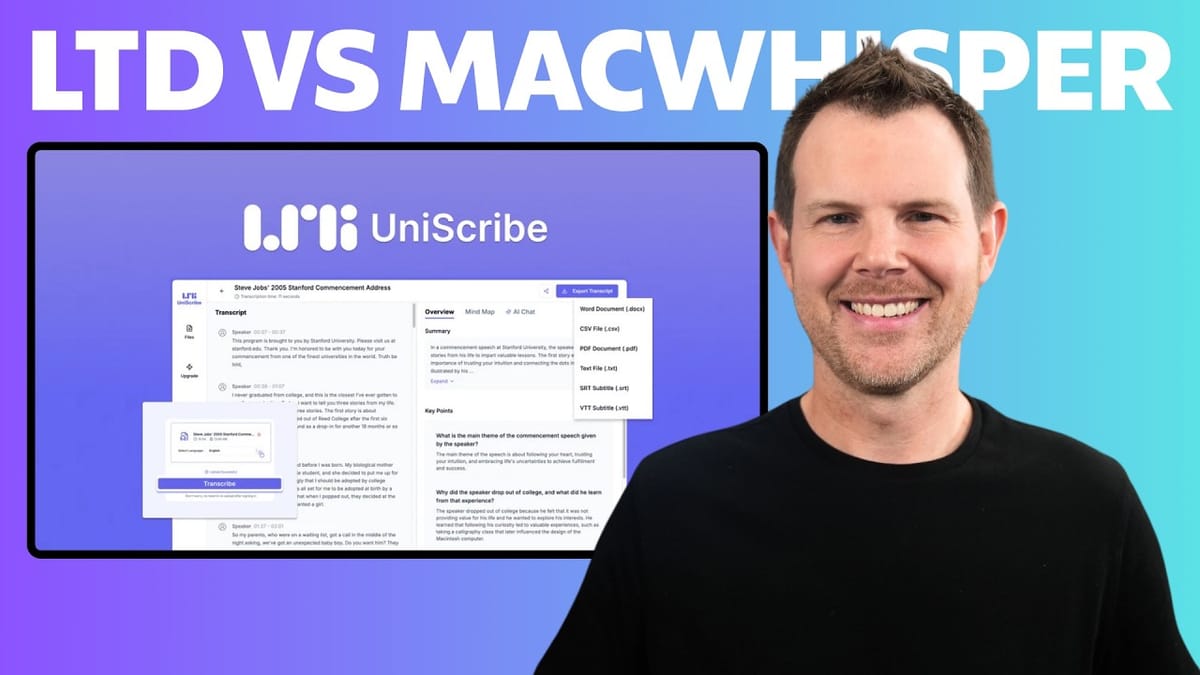
UniScribe keeps its interface clean and straightforward. You upload an audio or video file (or paste a link), and the tool handles the rest. Once the transcription is ready, you get a scrollable transcript with clickable timestamps — tap any line to hear the corresponding audio, which makes it easy to verify accuracy.
If you spot an error, a pencil icon lets you edit the text inline. The accuracy of Whisper-based transcription is genuinely impressive, but no tool is perfect, especially with product names, technical jargon, or heavy accents. Having inline editing keeps the correction workflow simple. That said, there's a notable gap here: UniScribe currently lacks find-and-replace functionality. If a product name is consistently misspelled throughout a 30-minute transcription, you're stuck fixing each instance one by one using your browser's search.
What's Missing from UniScribe
Beyond the find-and-replace gap, UniScribe has a few other shortcomings worth noting. Speaker identification is the biggest one. While there's a checkbox to "show speaker names" in the export settings, there doesn't appear to be any way to actually edit or assign speaker names within the interface. For multi-person recordings like interviews or meetings, this is a significant limitation. MacWhisper handles this well, letting you label and distinguish between multiple speakers.
MacWhisper also pulls ahead with its AI integration. You can connect an OpenAI or Claude API key and chat directly with your transcripts — asking questions, generating summaries, or creating bulleted action items. UniScribe doesn't offer this, though you could always copy-paste the transcript into ChatGPT or Claude separately.
Summaries, Key Points, and Mind Maps
One area where UniScribe adds genuine value is its automatic post-processing. Every transcription comes with an AI-generated summary and a list of key points. The key points are structured as an FAQ — each heading is a question with an answer below it. The quality is surprisingly good and could be useful for generating FAQ sections on a website or quickly reviewing what was covered in a long recording.
The mind map feature is another standout. UniScribe generates a visual mind map from your transcription, which could be a game-changer for students. Record a lecture, run it through UniScribe, and you've got a structured visual overview of everything that was discussed. The one drawback is that mind maps export as PNG image files rather than a more useful format like PDF, which would allow text searching and better scalability.
Export Options and Language Support
When your transcription is ready to go, UniScribe offers multiple export formats. Plain text files cover the basics, and there's SRT and VTT support for anyone creating subtitles for YouTube or other video platforms. You can also generate a shareable link — no need to mess with Dropbox or Google Drive just to send someone a transcript.
Both UniScribe and MacWhisper support 98 languages, which comes directly from the underlying OpenAI Whisper model. This makes either tool viable for multilingual workflows, whether you're transcribing interviews in Spanish, lectures in Mandarin, or business calls in German.
Final Verdict: Is UniScribe Worth It?
UniScribe earns a 7.6 out of 10. It's a solid cloud-based transcription tool with a genuinely compelling price point. For $39 one-time, you get 20 hours of monthly transcription, automatic summaries, mind maps, shareable links, and support for 98 languages. The cloud-based approach means it works on any computer without hogging your resources.
The missing features hold it back from a higher score. Find-and-replace is a must-have for anyone doing serious transcript editing, and the speaker name situation needs to be resolved — either implement it fully or remove the checkbox that implies it works. If those features land in a future update, UniScribe becomes an easy recommendation.
For Mac users with powerful hardware who need advanced features like dictation, speaker labeling, and AI chat, MacWhisper remains the more capable tool at a slightly higher price. But for everyone else — especially Windows and Linux users, or anyone who wants transcription that doesn't tax their machine — UniScribe at $39 is a smart buy. The 60-day AppSumo refund policy means there's essentially no risk in giving it a shot.
Watch the Full Video
Prefer watching to reading? Check out the full video on YouTube for a complete walkthrough with live demos and commentary.


