
Vengo AI Review: Is This $69 AI Chatbot Worth It?
Vengo AI promises a fully trained AI sales chatbot for a one-time fee. I put it through its paces with a real client's business to see if it actually delivers.

Vengo AI
An AI-powered chatbot that learns about your business and acts as a 24/7 salesperson or customer service rep on your website.
Small business owners and agencies who want an affordable, easy-to-deploy AI chatbot without recurring monthly fees.
Chatfuel, Tidio, Drift, Intercom
What Is Vengo AI?
Vengo AI is an AI-powered chatbot tool that you embed on your website — or your client's website — to handle sales conversations and customer service around the clock. You feed it information about your business, products, and services, and it uses that knowledge to interact with visitors, answer questions, and capture leads.
The big selling point right now is that Vengo AI is available on AppSumo as a lifetime deal, meaning you pay once instead of dealing with the monthly subscription fees that most chatbot platforms charge. For small businesses that have been priced out of tools like Drift or Intercom, that's a compelling proposition.
This is a sponsored review — AppSumo reached out about covering the deal — but everything here reflects honest, hands-on testing with a real client's business. The goal was simple: set up a chatbot from scratch, train it on actual business data, embed it on a live website, and see how well it actually performs.
Pricing and Plans
Vengo AI's AppSumo deal starts at $69, which gets you a Tier 1 starter plan. The pricing breaks down into two main tiers: Tiers 1–2 land you on the Starter plan, while Tiers 3–5 unlock the Pro plan with white labeling and higher limits.
For this review, the Tier 3 plan was used, which includes 2,500 chat minutes per month, five AI agents (so you could run five different bots for five different websites), and room for 10 team members. You also get 15 voice minutes per month on this tier, with additional voice minutes costing $0.50 each.
One thing to note: the Tier 1 plan doesn't include any voice minutes at all. The heavy limits on voice suggest it's resource-intensive on Vengo's end, so if voice chat is important to you, plan on at least a Tier 2 purchase.
Setting Up Your First Chatbot
Creating a new chatbot in Vengo AI is a step-by-step process guided by tabs across the top of the interface. For this test, the bot was built for Enlightened 4D Imaging, an elective ultrasound company in the Twin Cities area — a real business with real data to train on.
The first steps are straightforward: you name the bot, set a contact email, and upload an avatar image. Vengo recommends using an actual human face for a more engaging experience, though using a logo or robotic image makes it clear to visitors they're talking to AI. Given how fast and precise the bot responds, most visitors will figure that out quickly anyway.
The setup then moves into voice selection, where you pick from several male and female voice options. The voice quality is genuinely impressive — natural-sounding with distinct personalities. For this test, the "Vanessa" voice was selected for its clean, professional tone.
Bot Configuration and Training
Step four of the setup process asks for business links — things like company FAQs, blog posts, podcast interviews, webinars, and sales meeting recordings. Vengo uses these to learn your brand's personality and tone so the chatbot can interact with customers in a way that feels on-brand. Not every field is required, so you can skip what doesn't apply.
This is also where you configure greetings — up to five different opening messages that the chatbot can use when engaging visitors. A minor frustration here: Vengo doesn't offer an AI helper to generate these greetings for you. For a tool built on AI, having to write all your greetings from scratch feels like a missed opportunity. Using Claude to draft them based on the business's landing page copy turned out to be the workaround.
The final configuration screen covers business services, asking detailed questions about what your company offers. Again, this had to be filled out manually, though using an external AI to generate the answers made quick work of it.
Document Upload and Knowledge Base
Beyond URLs, Vengo AI lets you upload documents directly — sales training manuals, FAQs, video transcripts, news articles, and more. Supported formats include DOC, TXT, Excel, and PDF files. The idea is simple: the more material you feed it, the smarter your bot gets.
There's a practical limitation worth knowing about: you can only upload five documents at a time. You can upload as many as you want total, but it's a manual, batch-by-batch process. If you've got hundreds of training documents, set aside some time.
For this test, several pages from the client's website were saved as PDFs — including a full pricing page with appointment types and costs — then uploaded to see if the bot could properly digest and reference that information. The uploads appeared to go through, though there was no immediate visual confirmation. A bit of patience was needed before the files showed up in the system.
Vengo also offers a bulk URL upload option via CSV file, which is great for getting a large website indexed quickly. What's missing, though, is automatic website crawling on a schedule. Having the bot periodically check for new blog posts or content changes would keep it perpetually up to date without manual intervention.
Embedding on Your Website
Getting the chatbot onto your website is refreshingly simple. Head to the Integration section, select which bot you want to deploy, and Vengo gives you a script tag to copy and paste into your site. For Ghost, it goes in the code injection settings. For WordPress, any code snippet plugin will work. For plain HTML, just drop it before the closing body tag.
Once embedded, the chatbot appears as a widget in the corner of your site. The customization options let you change the primary color, message color, and widget color to match your brand. Font choices aren't available, and the default text size feels too small. The chat alignment is center-justified, which looks a bit unnatural for a conversational interface.
One design gap: you can't customize the minimized widget icon separately from the chat avatar. The default icon isn't particularly inviting or obvious as a chat launcher. Vengo's own website uses a more recognizable chat icon with a separate avatar inside the conversation — but that level of customization isn't available to users yet.
Analytics and Lead Management
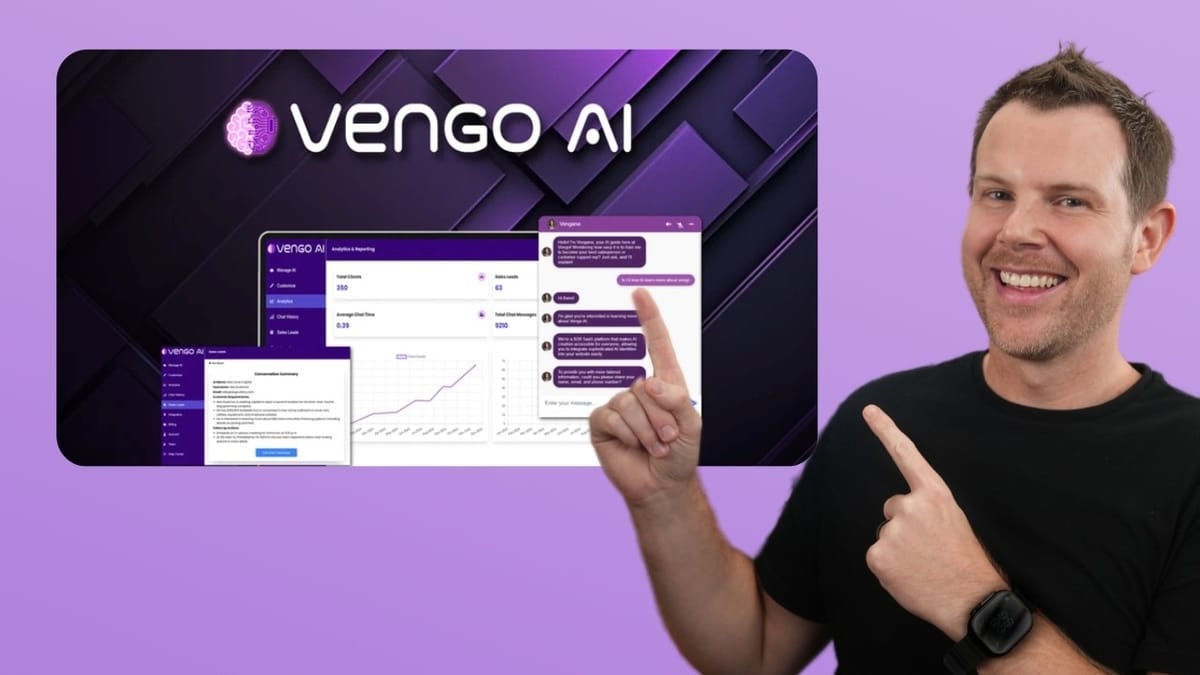
Vengo AI includes a built-in analytics dashboard that tracks high-level metrics across all your bots or filtered down to a specific one. You get stats like total clients, sales leads, average chat time, and total messages exchanged. A line graph at the bottom tracks client growth and sales growth over time, which becomes more useful the longer you run the tool.
The chat history section lets you review every conversation your bot has had. You select a bot and a date range — it won't show anything without a date range selected, which isn't immediately obvious — and then you can read full transcripts. The standout feature here is the ability to correct the bot's responses directly from the transcript. If the chatbot gave a suboptimal answer, you can tell it exactly how to respond next time someone asks a similar question.
Sales leads are captured when visitors provide their name, email, and phone number during a conversation. These show up in a dedicated leads section and can be exported as an Excel file. The current limitation is that you can't filter leads by bot — there's no dropdown selector like other screens have. You'd need to use the search field as a workaround. There are also no CRM integrations or Zapier connections yet, so lead management is manual for now.
Testing the Chatbot in Action
With training complete and the bot deployed, it was time to put it through real-world questions. The results were genuinely impressive on the knowledge side. When asked about the best time to schedule an ultrasound, the bot gave an accurate, detailed answer drawn from the training data. Questions about bringing guests, seating availability, and insurance coverage all returned correct responses that matched the actual business information.
Response speed was excellent — almost too fast, actually. The bot types with a speed and accuracy that makes it immediately obvious you're talking to AI, not a human. Whether that's a positive or negative depends on your use case, but for a business that names its bot "Enlightened Bot," the transparency is appreciated.
The one area that needed troubleshooting was appointment scheduling. Initially, the bot got stuck in a loop when asked to schedule — it kept offering more information instead of providing a booking link. The fix required adding the calendar link in the bot's configuration settings (the very first info screen), after which the bot correctly directed users to the booking page. The lesson: make sure your primary call-to-action URL is set in the main configuration, not just in the training documents.
Voice Chat Features
Vengo AI includes voice interaction capabilities, which is why your plan includes (or doesn't include) voice minutes. Enabling voice chat is done through speaker and microphone icons in the chat widget. After granting browser microphone permissions, you can speak directly to the bot.
In practice, the voice experience was underwhelming. The bot momentarily responded with audio before defaulting back to text-only output. Given the high-quality voice samples heard during setup, the actual voice chat implementation doesn't live up to the promise. This feels like an early-stage feature that needs significant refinement before it's ready for customer-facing use.
With voice minutes being both limited and costly ($0.50 per additional minute), and the feature itself not performing reliably, voice chat is hard to recommend as a reason to buy. Consider it a bonus feature that might improve over time rather than a core selling point.
Final Verdict: 6.7 Out of 10
Vengo AI earns a 6.7 rating — a solid start with clear room for improvement. It's a genuinely good fit for small businesses that want an AI chatbot on their website but are constrained by budget or technical know-how. The setup process is straightforward, the AI responses are accurate and fast, and the lifetime deal pricing removes the burden of monthly subscriptions.
Where Vengo falls short is in the details. The lack of automatic website crawling means you're manually feeding it content instead of letting it discover your site on its own. The greeting and service description sections should leverage AI to draft initial content rather than requiring everything from scratch. The chat widget styling needs work — font size is too small, alignment feels off, and customization options are limited.
The voice chat feature is more proof-of-concept than production-ready, and the absence of CRM integrations or Zapier connectivity means lead management stays manual. Role-based permissions don't extend to individual bots, which limits its usefulness for agencies managing multiple clients under one account.
That said, the core experience — training an AI on your business and having it intelligently engage website visitors — works well. With a few targeted improvements, Vengo AI could easily climb into must-buy territory.
Watch the Full Video
Prefer watching to reading? Check out the full video on YouTube for a complete walkthrough with live demos and commentary.


