

Bytes by CoAssemble Review: AI Course Creator
Bytes by CoAssemble promises to eliminate the pain of course creation with AI. After building three courses and testing every feature, here's my honest take on this AppSumo lifetime deal.


AppSumo's AI Week features the best AI-powered tools at their lowest prices — but only until February 27th. Plus members save an extra 10% on every purchase.
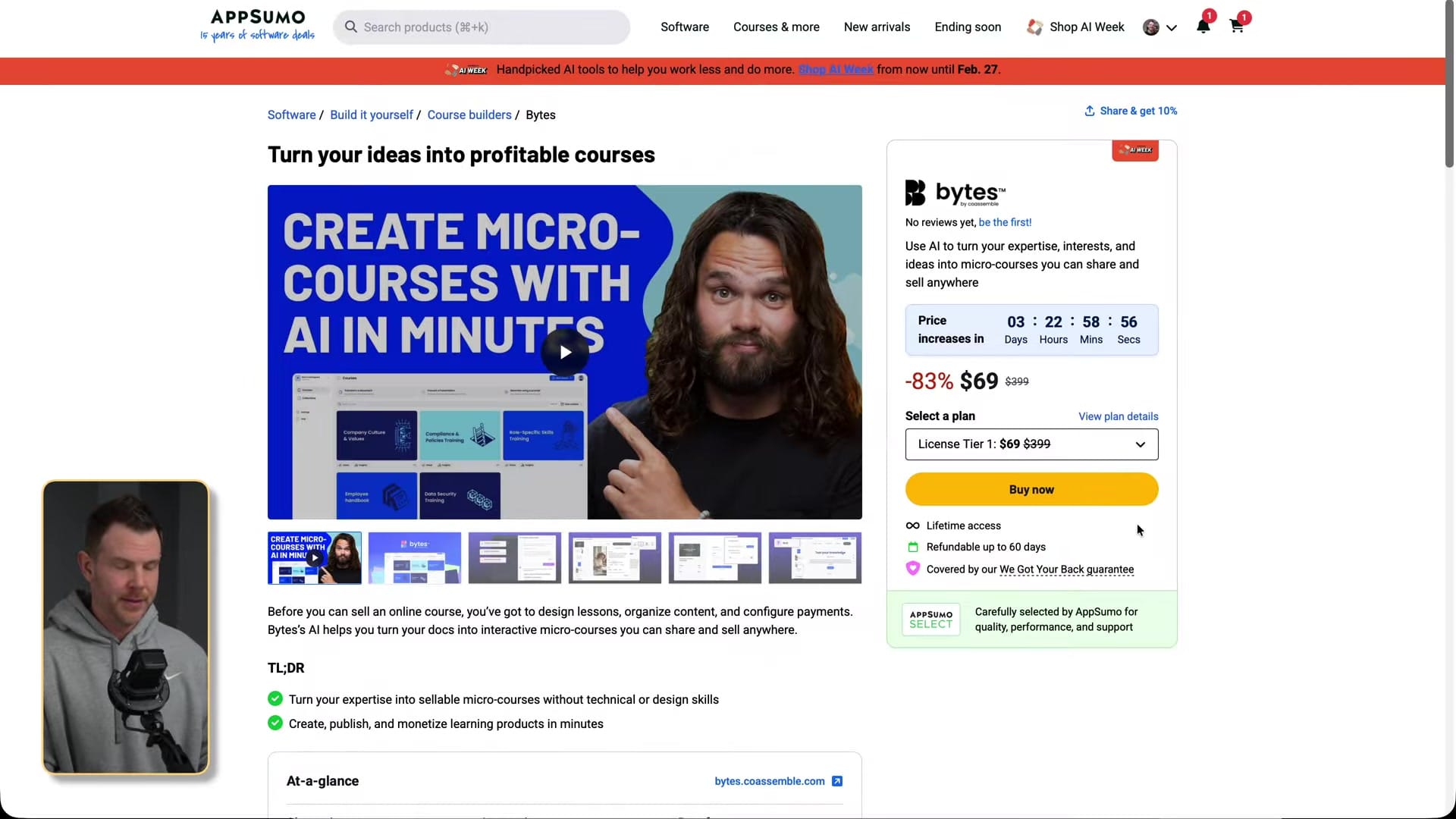
Bytes by CoAssemble
AI-powered platform that transforms documents, presentations, or prompts into interactive, sellable micro-courses
Content creators, educators, and entrepreneurs who want to package knowledge into courses without technical setup
Kajabi, Teachable, Thinkific
What Is Bytes by CoAssemble?
Bytes by CoAssemble is an AI-powered course creation platform designed to eliminate the technical overhead of building online courses. Instead of wrestling with complex course builders, you feed Bytes your existing content — a document, a slide deck, or even just a text prompt — and it generates a complete interactive course in minutes.
The platform handles everything from content structuring to quiz generation, and includes built-in payment processing through Stripe so you can sell your courses directly. It's currently available as a lifetime deal on AppSumo during their AI Week event.
Three Ways to Create a Course
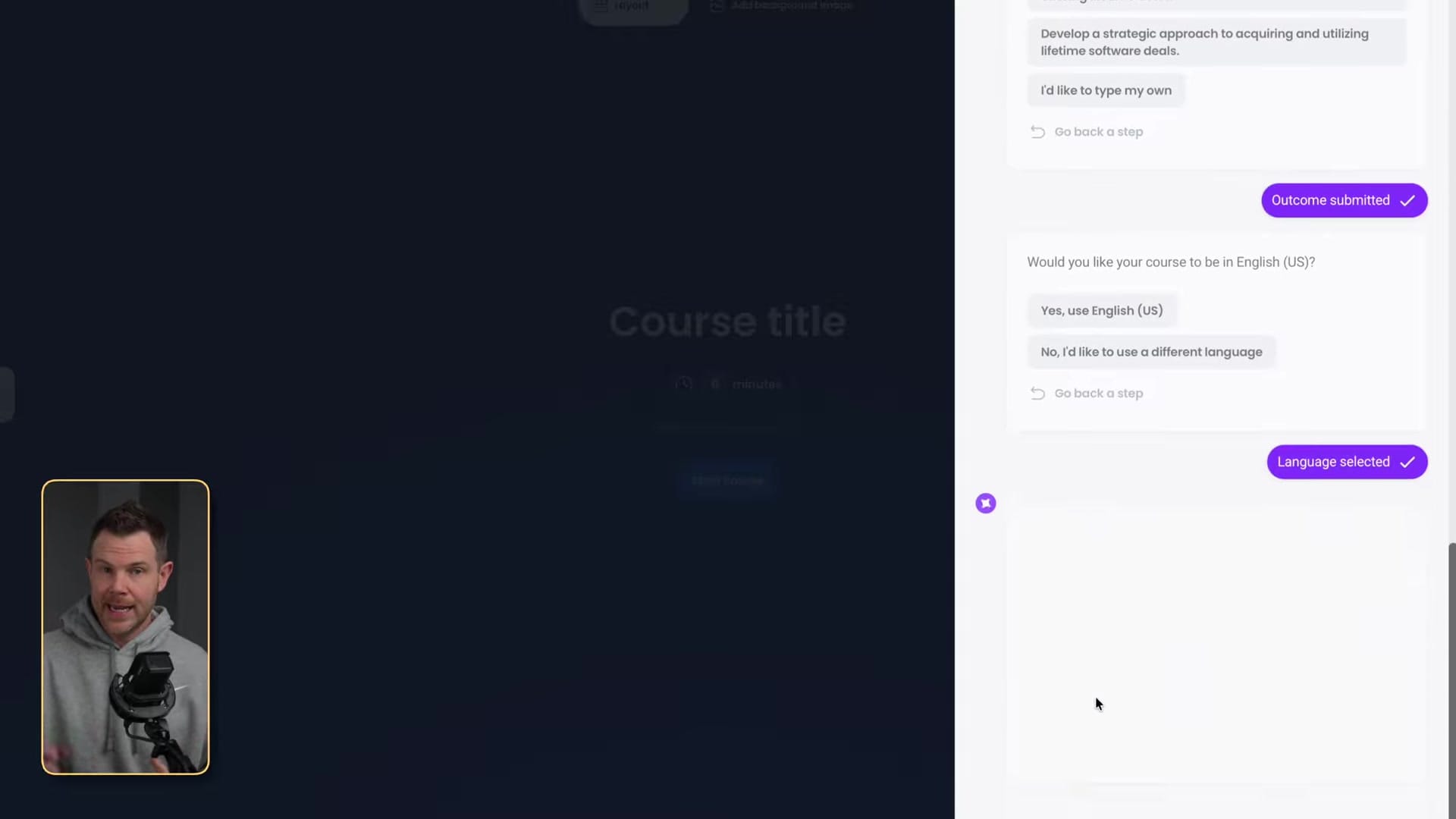
Bytes offers three distinct creation methods. The first — transforming a document — was the most impressive. I uploaded a Word document about lifetime deal strategies and Bytes walked me through an intelligent interview process, asking about audience level, language, tone, and desired course length before generating a 20-screen course with well-structured content.
The presentation method was less exciting. It essentially converted my slides into course screens without the same level of AI refinement or the interview step. The output felt like a slightly reformatted version of the original slides rather than a genuine course experience.
The prompt-based creation was potentially the most powerful option. I simply described what I wanted — a micro-course explaining hosting types for small business owners — and Bytes generated a complete 10-screen course from scratch, including relevant images and a quiz. No source material required.
The Editor: Powerful but Buggy
The course editor offers a solid range of screen types including text with images, slideshows, embedded documents, accordions, flashcards, checklists, hotspots, and — importantly — video embeds from YouTube and other platforms. You can also generate AI images directly within the editor or pull from Unsplash's free stock library.
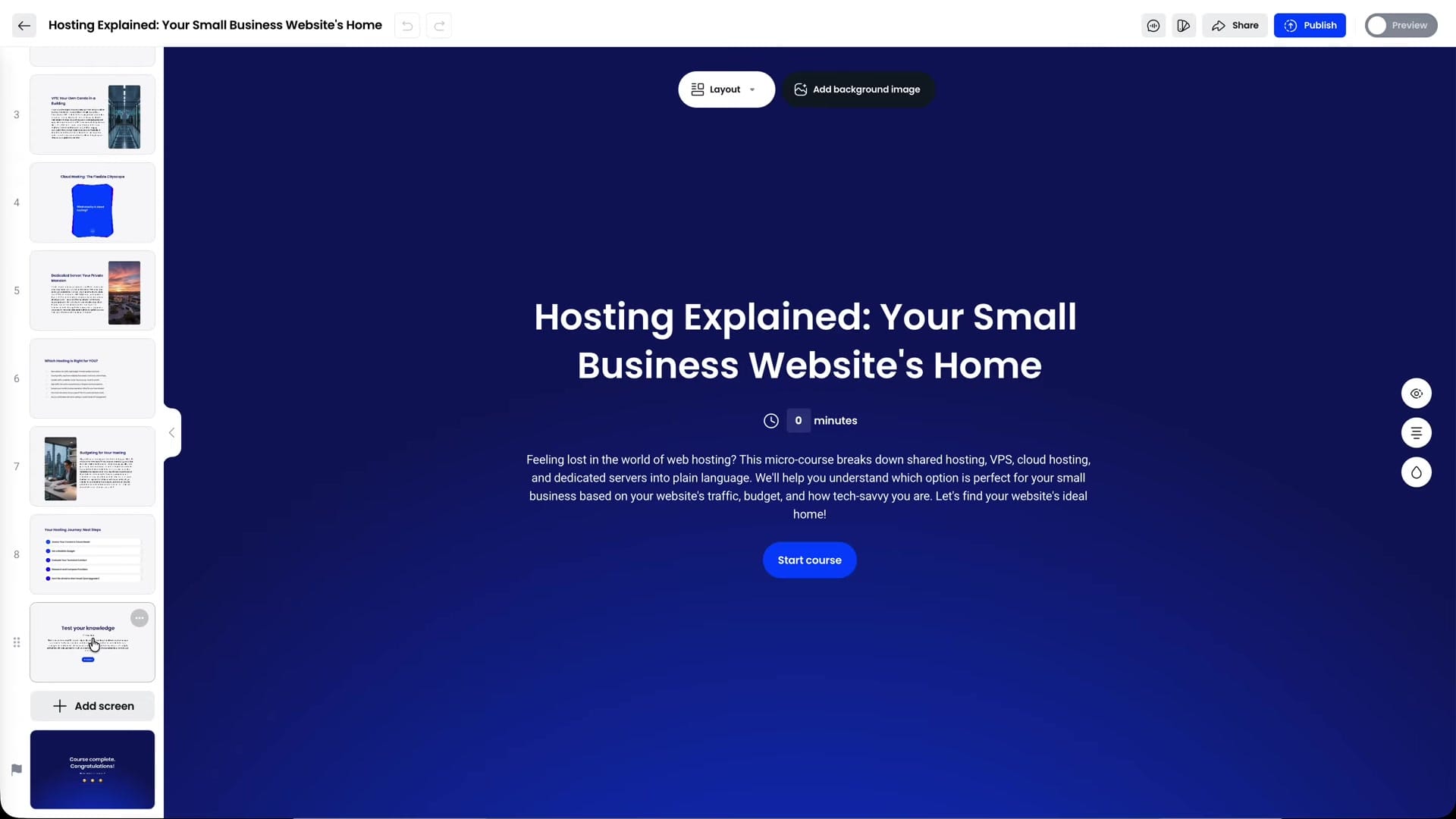
The inline text editor includes AI-powered writing assistance that can improve, shorten, or refine your content. Layout options let you position images on the left, right, behind text, or remove them entirely. There's also decent image editing with cropping and replacement capabilities.
However, the editor has several bugs that significantly impacted my experience. Cards with more than two items wouldn't display properly — clicking past the second card did nothing. The quiz builder had the same issue, preventing access to questions beyond the first. Reloading the page temporarily fixed both problems, but that's not acceptable for a production tool.
Quiz Builder and Assessment Features
Bytes automatically generates quizzes at the end of AI-created courses with multiple question types including multiple choice and true/false. You can configure passing grades, retry limits, or disable scoring altogether. The AI does a decent job of generating relevant assessment questions from the course content.
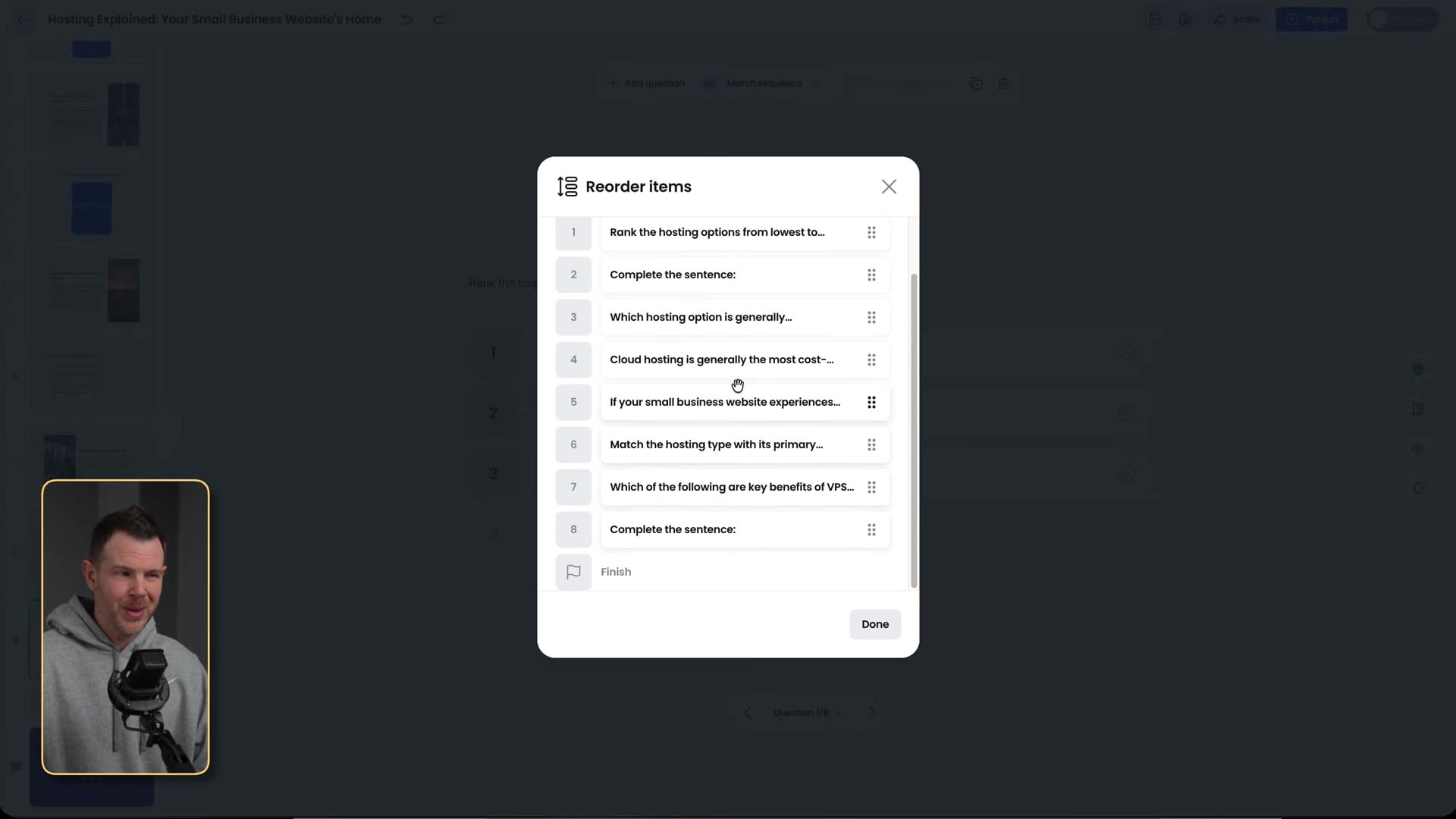
The major downside is the navigation bug I mentioned — you can only reliably access the first quiz question in the editor unless you reload the page. You can also place multiple quizzes throughout a course, which is useful for longer educational content where you want to check understanding at different stages.
Brand Kit and Customization
The brand kit lets you upload your logo, choose from preset themes or create custom ones with your brand colors, and select from Google Fonts. There's a button to add custom fonts, though it appeared grayed out during my testing. You can configure accent screens with background colors and control logo placement with a bounding box option.
While the customization options are adequate, they're somewhat basic compared to dedicated course platforms. The courses will look professional, but you won't have the same level of visual control you'd get with something like Kajabi or Teachable.
AI Narration and Voiceovers
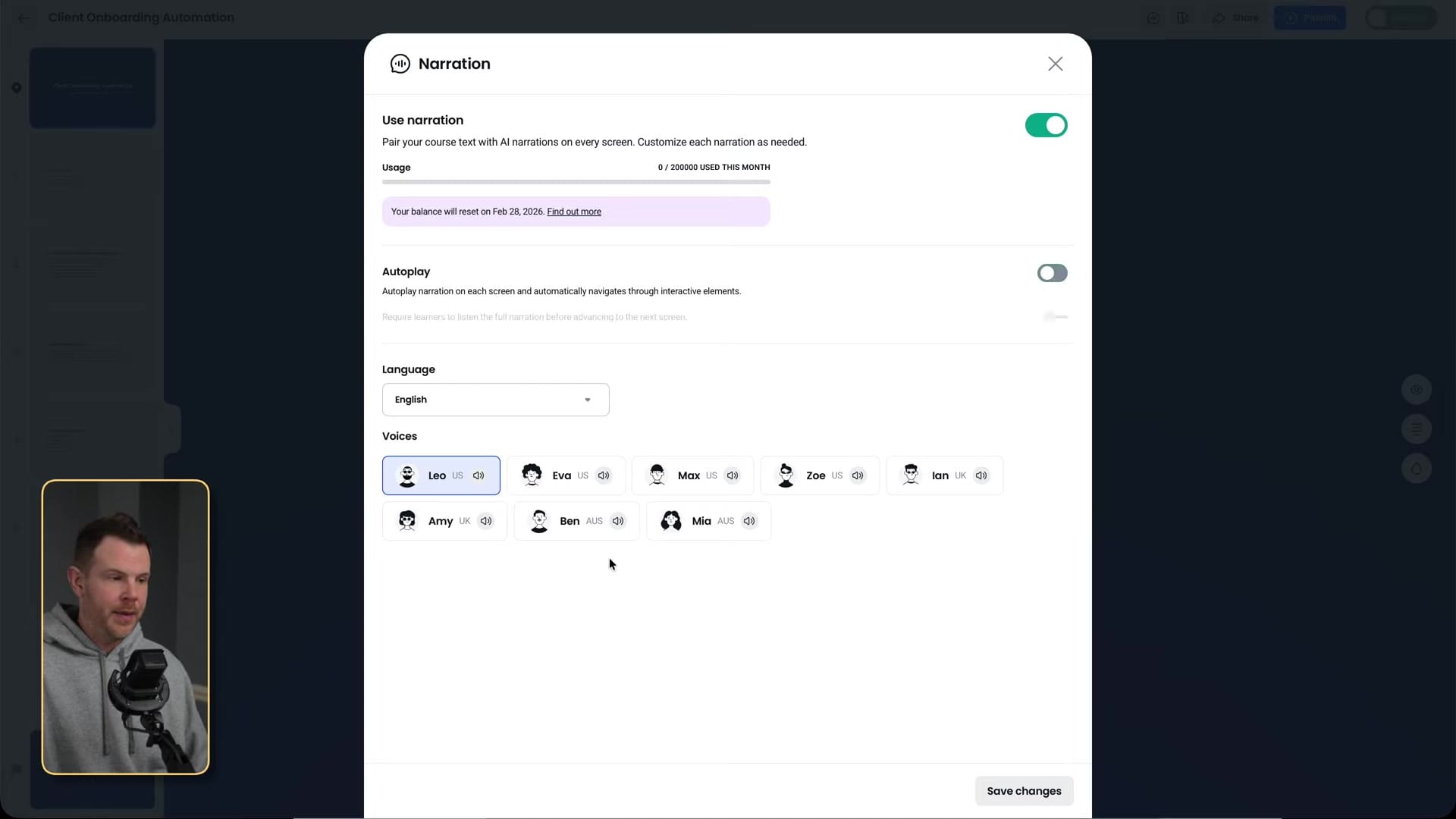
One standout feature available on the highest tier is AI-generated voiceover narration for your entire course. You choose from available voice options, toggle autoplay on or off, and Bytes generates audio for every screen. The voice quality is listenable — not indistinguishable from a human, but perfectly adequate for course content.
There's a monthly token limit of 200,000 tokens that resets each month. Note that without autoplay enabled, users have to manually click the play button on each screen, which most won't bother doing. I'd recommend either enabling autoplay or skipping narration altogether.
AppSumo Pricing Breakdown
Bytes is available in three tiers on AppSumo. Tier 1 at $69 includes all core features and integrations with a 1% payment processing fee on top of Stripe's fees, but excludes folders, CSV reporting, quiz scoring, video uploads, and voiceovers.
Tier 2 adds folders, collections, and quiz scoring. Tier 3 is the standout value — it removes all payment processing fees entirely and unlocks video uploads and voiceovers. If you're planning to sell courses with any seriousness, Tier 3 is the clear winner since eliminating that per-transaction fee pays for itself quickly.
If you are an AppSumo Plus member, you will save an additional 10% on every purchase, making these already-competitive lifetime deal prices even better.
Final Verdict: 6.8/10
Bytes by CoAssemble is solving a real problem — most people don't want to spend weeks building a course platform. The AI-powered creation process, especially from documents and prompts, genuinely delivers on the promise of turning your knowledge into sellable content in minutes.

The score would have been significantly higher without the editor bugs. The card navigation issue, quiz builder problems, and occasional rendering glitches create frustrating interruptions in what should be a smooth creation experience. These feel like fixable issues that should have been caught before launch.
If CoAssemble addresses these bugs, Bytes could easily become a go-to tool for creators who want to monetize their expertise without the overhead of a full course platform. For now, it's a promising but rough product that requires patience and the occasional page reload.
Frequently Asked Questions
What file types can Bytes import for course creation?
Bytes accepts PDF, Word (.docx), PowerPoint, plain text, and rich text format files. You can also create courses entirely from a text prompt without uploading any files.
Can I embed videos in Bytes courses?
Yes, Bytes supports video embeds from YouTube, Vimeo, and other platforms. You can also upload videos directly if you're on Tier 3. However, the initial AI-generated courses don't include video — you'll need to add those manually in the editor.
How does Bytes handle payments for selling courses?
Bytes integrates with Stripe for payment processing. Tier 1 and 2 plans add a 1% processing fee on top of Stripe's standard fees. Tier 3 removes the Bytes processing fee entirely, leaving only Stripe's standard charges.
Can Bytes translate courses into other languages?
Yes, during the course creation process, Bytes asks what language you want the course written in. This means you could take existing English content and generate a course in a different language, effectively translating and adapting your material for new markets.
Get Dave's Toolbox
The tools I actually use, every Tuesday. Free. No spam.
No cost. No spam. Unsubscribe anytime.


